
In the fast-paced world of cryptocurrency, few things are as frustrating as trying to access your assets or execute a crucial trade, only to find that your chosen platform, like Coinbase, isn’t responding. The message “Coinbase not working” can induce immediate panic, especially when market volatility is high. While it’s easy to jump to conclusions about widespread system failure, the reasons behind Coinbase’s unresponsiveness can range from a minor hiccup on your end to a significant system-wide outage. Understanding the underlying technical architecture and common points of failure is key to both diagnosing the problem and navigating these challenging moments.

This article delves into the various technical reasons why Coinbase might not be working, providing insights into the complex systems that power a major cryptocurrency exchange and offering practical troubleshooting steps for users.
Understanding the Architecture of a Cryptocurrency Exchange
Before diving into what can go wrong, it’s crucial to appreciate the sheer complexity behind a platform like Coinbase. It’s not just a simple website; it’s an intricate ecosystem of interconnected systems designed to handle millions of transactions, secure vast sums of digital assets, and provide real-time data to a global user base.
The Interconnected Systems Behind Coinbase
A cryptocurrency exchange operates on multiple layers, each with its own set of technical challenges and potential points of failure.
- Frontend Interface: This is what users interact with – the website, mobile app, and API. It’s responsible for displaying information, taking user input, and communicating with the backend.
- Backend Services: These are the workhorses, comprising countless microservices that handle everything from user authentication, order matching, and trade execution to wallet management and data storage. These services often run on cloud infrastructure (like Amazon Web Services or Google Cloud) for scalability and reliability.
- Databases: Critical for storing user information, transaction history, wallet balances, and market data. Database performance and integrity are paramount.
- API Gateways: Application Programming Interfaces (APIs) allow different software components to communicate. Coinbase offers public APIs for developers and uses internal APIs extensively to connect its various services.
- Security Layers: Encompassing firewalls, intrusion detection systems, encryption protocols, and multi-factor authentication (MFA) to protect against cyber threats and unauthorized access.
- Blockchain Integration: Coinbase’s core function requires constant, real-time interaction with various blockchain networks (Bitcoin, Ethereum, etc.) to verify transactions, update balances, and manage on-chain assets. This involves running nodes and complex synchronization mechanisms.
High-Volume Demands and Scalability Challenges
The cryptocurrency market is characterized by extreme volatility and sudden spikes in trading volume. Major news events, rapid price swings, or the listing of a new popular asset can trigger millions of users to log in simultaneously, attempting to buy, sell, or monitor their portfolios. This creates immense pressure on Coinbase’s infrastructure.
- Load Balancing: Distributing incoming network traffic across multiple servers to ensure no single server becomes a bottleneck.
- Auto-scaling: Dynamically adding or removing computing resources based on demand.
- Data Consistency: Ensuring that all databases and cached data remain accurate and synchronized across a distributed system, even under heavy load.
Despite robust engineering, these systems can be overwhelmed, leading to degraded performance or complete outages.
Common Technical Glitches and User-Side Issues
Not every instance of “Coinbase not working” points to a catastrophic system failure. Often, the problem lies closer to home, stemming from user-specific configurations, device issues, or localized network problems.
Local Network and Device Problems
Your internet connection or device settings are frequently the culprit behind connectivity issues with any online service.
- Weak or Unstable Internet Connection: A poor Wi-Fi signal, overloaded home network, or mobile data dead zone can prevent the Coinbase app or website from loading correctly.
- Browser Cache and Cookies: Over time, your web browser accumulates cached data and cookies. Corrupted cache or outdated cookies can interfere with website functionality, causing loading errors or display issues.
- Outdated App Versions or Browser: Using an old version of the Coinbase mobile app or an outdated web browser (e.g., Internet Explorer, older versions of Chrome/Firefox) can lead to compatibility issues and prevent new features or security updates from loading properly.
- Firewall or VPN Interference: Personal firewalls, antivirus software, or Virtual Private Networks (VPNs) can sometimes inadvertently block legitimate connections to Coinbase, especially if configured strictly.
Account-Specific Authentication Failures
Sometimes, the issue isn’t with Coinbase’s service, but with your access to your own account.
- 2FA (Two-Factor Authentication) Issues: Problems with your 2FA method (e.g., authenticator app not syncing, lost phone, invalid SMS codes) can prevent you from logging in, even with the correct password.
- Incorrect Credentials: Simple typos in usernames or passwords, or attempting to log in with an old, forgotten password.
- Account Lockouts: For security reasons, Coinbase might temporarily lock your account if it detects suspicious login attempts, repeated incorrect password entries, or attempts to access from unusual locations. This is a security measure, not a service outage.
API and Frontend Interface Bugs
Even when the core backend is operational, minor bugs can affect the user experience.
- Display Errors: Incorrect balances, delayed chart updates, or broken UI elements can give the impression that the platform is “not working,” even if underlying transactions are still being processed.
- Transaction Delays (Non-Blockchain Related): Sometimes, the delay in a transaction appearing in your account or history isn’t due to blockchain congestion but rather a temporary lag in Coinbase’s internal systems updating their frontend.
- Temporary Server-Side Glitches: A specific server handling your request might have a momentary blip, leading to a “500 Internal Server Error” or similar message, even if other parts of the service are functional.
Coinbase System-Wide Outages and Their Causes
When a large number of users simultaneously report issues, or the official status page confirms a problem, it indicates a system-wide outage. These are more serious and often stem from significant infrastructure challenges.
Server Overload and Infrastructure Failures
The most common cause of major outages for cryptocurrency exchanges is overwhelming demand.
- Massive Traffic Spikes: During periods of extreme market volatility (e.g., a sudden Bitcoin price crash or surge), millions of users may attempt to log in and trade simultaneously. This can exceed the capacity of even the most robust server infrastructure, leading to slowdowns, error messages, and complete service unavailability.
- Database Bottlenecks: Databases are critical. If they become overloaded with read/write requests, or if an indexing issue occurs, it can cripple the entire platform, preventing users from accessing their data or executing transactions.
- Network Equipment Failure: Physical network routers, switches, or load balancers can fail, disrupting connectivity to segments or the entirety of Coinbase’s servers.

Software Bugs and Deployment Errors
Even with rigorous testing, complex software systems can suffer from bugs introduced during development or deployment.
- New Feature Rollouts: Introducing new features or significant updates can sometimes contain unforeseen bugs that destabilize the production environment.
- Configuration Errors: Misconfigurations of servers, databases, or application settings can lead to widespread service disruption.
- Memory Leaks or Resource Exhaustion: A bug in a piece of software can cause it to consume excessive memory or CPU resources, eventually leading to server crashes or degraded performance.
Network Connectivity and Cloud Service Dependencies
Coinbase, like many modern tech companies, relies heavily on third-party cloud providers (e.g., AWS, Google Cloud).
- Cloud Provider Outages: If a major cloud provider experiences an outage in a region where Coinbase’s services are hosted, Coinbase itself can go down. While rare for global outages, regional issues can significantly impact users.
- Internet Backbone Issues: Problems with the fundamental internet infrastructure, such as fiber cuts or DNS (Domain Name System) issues, can disrupt connectivity between users and Coinbase’s servers.
Security Incidents and DDoS Attacks
While less common as a direct cause of “not working” (more often causing security breaches), malicious activities can sometimes lead to service disruptions.
- DDoS (Distributed Denial of Service) Attacks: Attackers flood Coinbase’s servers with an overwhelming amount of traffic, making it impossible for legitimate users to access the service. Coinbase has sophisticated defenses, but persistent, large-scale attacks can still cause temporary issues.
- Attempted Breaches: In some rare cases, if Coinbase detects a significant security threat or an active attempt to breach its systems, it may temporarily restrict access to certain services or even the entire platform to protect user assets and data.
What to Do When Coinbase Is Down: A Troubleshooting Guide
When you encounter issues, a systematic approach can help you determine the scope of the problem and what steps to take.
Check Official Status Channels
Your first step should always be to verify if it’s a widespread issue.
- Coinbase Status Page: Coinbase maintains a dedicated status page (status.coinbase.com) that provides real-time updates on the operational status of its various services (website, mobile apps, API, specific cryptocurrencies). This is the most reliable source for official outage information.
- Coinbase Support Twitter Account: Social media, particularly the official Coinbase Support Twitter account, often provides rapid updates during outages or degraded performance.
- Community Forums/Reddit: Check reputable crypto communities. If others are reporting the same issue, it’s likely a system-wide problem.
Basic User-Side Troubleshooting Steps
If official channels report no issues, the problem is likely on your end.
- Refresh Your Browser/Restart App: A simple refresh often resolves temporary loading glitches.
- Clear Browser Cache and Cookies: Go to your browser settings and clear browsing data. This often fixes website display and loading problems.
- Try a Different Browser or Device: If the issue persists, try accessing Coinbase from a different web browser (e.g., Chrome instead of Firefox, or vice-versa) or from another device (e.g., your phone if you were on a desktop, or vice-versa).
- Check Your Internet Connection: Ensure your Wi-Fi is working, restart your router, or try switching to mobile data if on a phone.
- Update Your App/Browser: Ensure your Coinbase app is updated to the latest version from your app store, and your web browser is current.
- Disable VPN/Firewall Temporarily: If you’re using a VPN or strict firewall, try temporarily disabling it to see if it’s blocking the connection.
Engaging with Customer Support (When Possible)
If you’ve exhausted all troubleshooting steps and official channels don’t report an issue, but you’re still experiencing problems, it might be an account-specific or rare technical glitch.
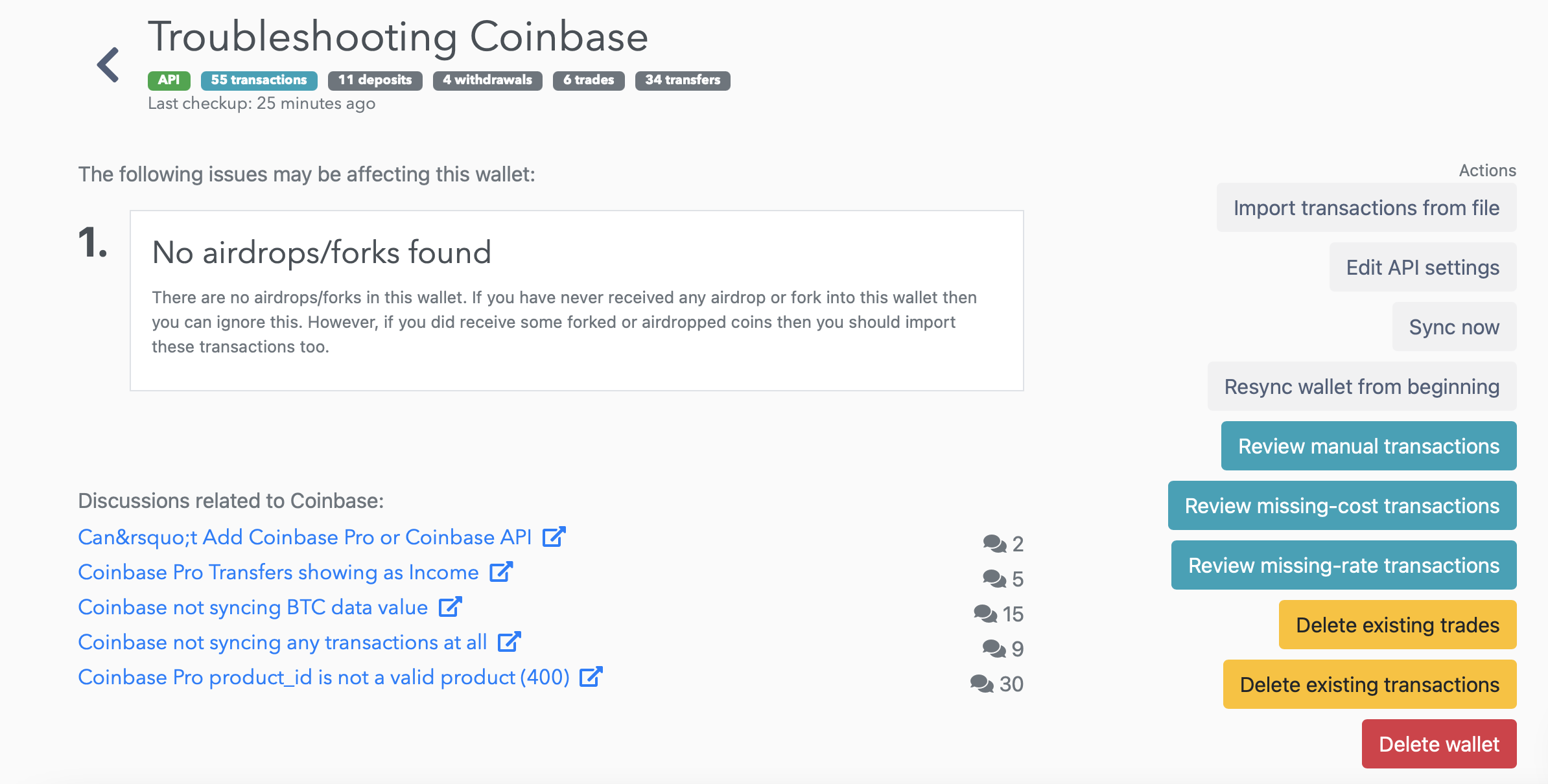
- Gather Information: Note down error messages, screenshots, the time the issue started, and the troubleshooting steps you’ve already taken.
- Use the Support Portal: Access Coinbase’s support portal to submit a detailed ticket. Be patient, as response times can vary, especially during high-demand periods.
- Avoid Scams: Be wary of unofficial “support” accounts on social media or direct messages asking for private keys or sensitive account information. Coinbase will never ask for your private keys.
The Broader Implications of Exchange Downtime in a Digital Economy
Beyond the immediate frustration for individual users, a platform like Coinbase being “not working” carries significant weight within the broader digital and financial ecosystems.
Impact on User Trust and Market Liquidity
Frequent or prolonged outages can severely erode user trust. In an environment where every second counts and assets are highly volatile, the inability to access funds or execute trades can lead to substantial financial losses for users. This lack of reliability can drive users to alternative platforms, impacting Coinbase’s market share and reputation. Furthermore, if a major exchange goes down during a critical market event, it can reduce overall market liquidity, potentially exacerbating price swings and affecting the broader crypto economy.
The Importance of Redundancy and Resilience in Fintech Platforms
Outages underscore the critical need for robust, fault-tolerant architecture in financial technology (fintech) platforms. Companies like Coinbase invest heavily in:
- Redundancy: Duplicating critical components (servers, databases, network connections) so that if one fails, another can immediately take over.
- Geographical Distribution: Spreading infrastructure across multiple data centers and cloud regions to protect against localized disasters or regional cloud outages.
- Disaster Recovery Planning: Comprehensive plans for quickly restoring service after a major failure, including data backups and failover mechanisms.
- Proactive Monitoring: Sophisticated systems that constantly monitor the health and performance of the entire infrastructure, alerting engineers to potential issues before they become critical.
Future-Proofing for Web3 Infrastructure
The challenges faced by centralized exchanges like Coinbase highlight the ongoing development needs for Web3 infrastructure. While decentralized exchanges (DEXs) offer an alternative that theoretically mitigates single points of failure, they come with their own complexities and user experience hurdles. The entire digital asset ecosystem, whether centralized or decentralized, is in a continuous state of evolution, striving for greater scalability, security, and reliability. As more of the global economy shifts towards digital assets, the imperative for platforms to be consistently “working” becomes ever more pressing.
In conclusion, when Coinbase isn’t working, it’s a call to understand the intricate technical dance happening behind the scenes. Whether it’s a minor local glitch or a large-scale system challenge, pinpointing the root cause involves navigating a complex web of technology – a testament to the sophisticated engineering required to run a global digital asset exchange.
aViewFromTheCave is a participant in the Amazon Services LLC Associates Program, an affiliate advertising program designed to provide a means for sites to earn advertising fees by advertising and linking to Amazon.com. Amazon, the Amazon logo, AmazonSupply, and the AmazonSupply logo are trademarks of Amazon.com, Inc. or its affiliates. As an Amazon Associate we earn affiliate commissions from qualifying purchases.