
Taking control of your personal finances is a powerful step towards financial independence, and nowhere is this more evident than in the realm of tax preparation. For many, the annual ritual of filing taxes can seem daunting, a complex maze best navigated by professionals. However, with the right approach, resources, and a bit of effort, doing your taxes on your own is not only achievable but can also be incredibly empowering. It offers a deeper understanding of your financial landscape, saves you money on professional fees, and ensures accuracy by keeping you intimately involved in every detail.
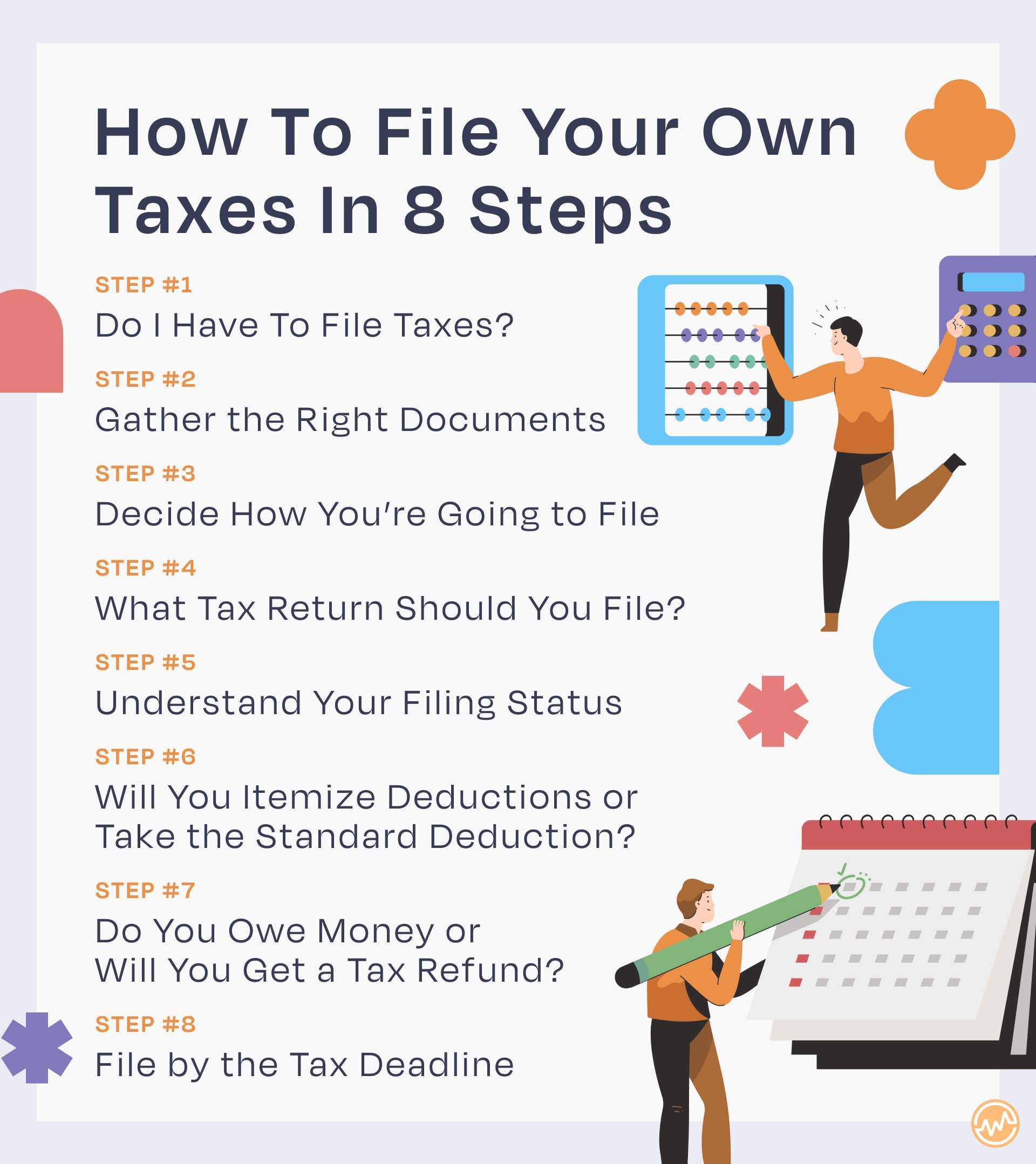
This guide is designed to demystify the DIY tax filing process. We’ll break down the essentials, help you choose the right tools, walk you through the steps, and equip you with the knowledge to confidently manage your tax obligations year after year. By the end, you’ll see that mastering your taxes isn’t just about compliance; it’s about smart personal finance.
Understanding the Fundamentals of DIY Tax Preparation
Before diving into the specifics, it’s crucial to grasp the foundational principles that underpin the tax filing process. This initial understanding will set you up for success and minimize potential pitfalls.
Why File Your Own Taxes?
The primary motivations for tackling your taxes independently are compelling. Firstly, cost savings are a significant draw. Hiring a professional tax preparer can cost anywhere from a couple of hundred dollars to well over a thousand, depending on the complexity of your return. Doing it yourself eliminates this expense. Secondly, it fosters greater financial literacy. By engaging directly with your income, deductions, and credits, you gain invaluable insight into where your money comes from and where it goes, encouraging better financial planning throughout the year. Finally, it provides a sense of empowerment and control. You become the expert on your own financial situation, capable of understanding and defending your return should questions arise.
Key Documents You’ll Need
Organization is paramount when preparing for tax season. Gathering all necessary documents before you start will streamline the entire process. Here’s a checklist of common items:
- Income Documents:
- Form W-2: For wages earned as an employee.
- Forms 1099 (MISC, NEC, INT, DIV, B, R, G, K, S): For various types of income like non-employee compensation, interest, dividends, stock sales, retirement distributions, government payments, credit card payments, or real estate transactions.
- Schedule K-1: For income from partnerships, S corporations, or trusts.
- Social Security Benefit Statement (SSA-1099).
- Unemployment Compensation (Form 1099-G).
- Deduction & Credit Documents:
- Form 1098 (Mortgage Interest Statement): For home mortgage interest paid.
- Form 1098-E (Student Loan Interest Statement): For student loan interest paid.
- Form 1098-T (Tuition Statement): For qualified education expenses.
- Contribution records: For charitable donations (cash and non-cash).
- Medical expense records: Receipts for unreimbursed medical expenses.
- Childcare expense records: Including the provider’s EIN or SSN.
- IRA contribution statements.
- Property tax statements.
- Other Important Documents:
- Your previous year’s tax return: A valuable reference for carried-over information and general structure.
- Proof of health insurance coverage (Form 1095-A, B, or C).
- Social Security numbers or Taxpayer Identification Numbers (TINs) for everyone on your return.
The Tax Year Calendar: Important Dates and Deadlines
Understanding key dates is crucial to avoid penalties. While specific dates can shift slightly due to weekends or holidays, the general schedule remains consistent:
- January 31: Deadline for employers to send W-2s and most 1099 forms.
- April 15: The traditional deadline for filing federal income tax returns and paying any taxes owed for the previous year. This is also the deadline for making the first quarterly estimated tax payment for the current year.
- June 15: Second quarterly estimated tax payment deadline.
- September 15: Third quarterly estimated tax payment deadline.
- October 15: Deadline for filing federal income tax returns if you filed for an extension.
- January 15 (of the following year): Fourth quarterly estimated tax payment deadline.
Mark these dates on your calendar and aim to complete your taxes well in advance to avoid last-minute stress.
Choosing the Right Tools and Resources
The modern tax landscape is replete with tools designed to make DIY tax filing easier. Selecting the appropriate software or resource for your situation is a critical step.
Free vs. Paid Tax Software: What’s Best for You?
The market offers a spectrum of tax software, from completely free options to premium services. Your choice typically depends on the complexity of your tax situation and your budget.
- Free Tax Software: For individuals with straightforward tax situations (e.g., W-2 income, standard deduction, no complex investments or self-employment), free options can be excellent. The IRS Free File program, available through various partners (like FreeTaxUSA, TaxAct Free), offers free federal and sometimes state filing for eligible taxpayers based on income thresholds. FreeTaxUSA, for example, often provides free federal filing regardless of income, with a nominal fee for state returns. These platforms guide you step-by-step, making them accessible even for first-time filers.
- Paid Tax Software: If your tax situation involves self-employment income (Schedule C), rental properties (Schedule E), complex investments, itemized deductions, or other intricacies, paid software like TurboTax, H&R Block Tax Software, or TaxAct typically offers more robust features. These services come in various tiers, each providing support for increasing levels of complexity. They often include audit support, personalized guidance, and maximum refund guarantees. While they come at a cost, they are generally less expensive than hiring a human preparer and provide a structured, user-friendly interface to ensure all relevant forms and calculations are handled correctly. Most offer a “freemium” model where basic returns are free, but you pay for advanced features.
When choosing, consider your income sources, potential deductions and credits, comfort with technology, and the level of support you might need. Many providers offer a free trial or allow you to start your return without payment until you file.
Leveraging IRS Resources
The Internal Revenue Service (IRS) is an often-underutilized resource for DIY tax filers. Their official website, IRS.gov, is a treasure trove of information.
- IRS Free File: As mentioned, this program allows eligible taxpayers to file their federal taxes for free using guided tax preparation software provided by commercial partners.
- Publications and Forms: The IRS provides numerous publications (like Publication 17, Your Federal Income Tax) that explain tax laws in plain language, along with all official tax forms and instructions. These are invaluable for understanding specific tax rules.
- Interactive Tax Assistant (ITA): An online tool that answers common tax questions, helps determine filing status, and assesses eligibility for credits and deductions.
- Taxpayer Advocate Service: Offers help to taxpayers experiencing financial difficulty or who believe an IRS procedure is not working as it should.
While the IRS site might seem intimidating, learning to navigate it can provide authoritative answers directly from the source.
Community Support and Online Forums (with Caution)
Online communities, such as Reddit’s r/tax, r/personalfinance, or dedicated financial forums, can be useful for general advice, shared experiences, and peer support. You can often find answers to common questions or learn about pitfalls others have encountered.
However, extreme caution is advised. Information from online forums is anecdotal and should never replace official guidance or professional advice. Tax laws are complex and highly specific to individual situations. Always cross-reference any advice with official IRS publications or consult a qualified tax professional if you have doubts or a unique situation. Do not share personal identifying information on public forums.
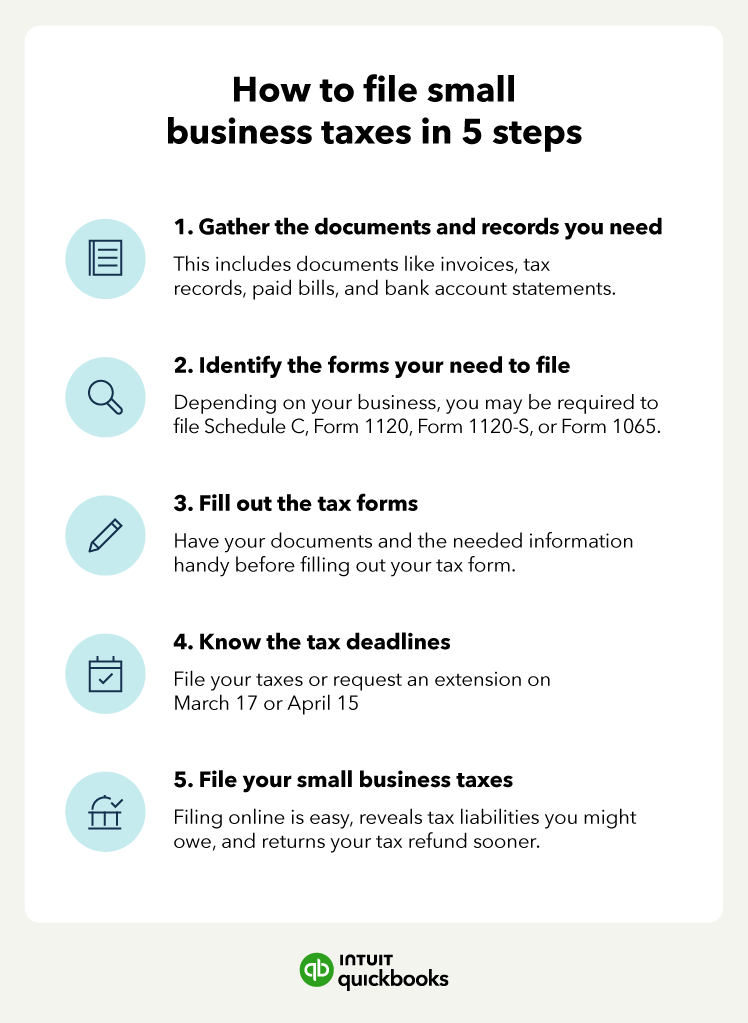
Step-by-Step Guide to Filing Your Own Taxes
Once you have your documents in order and your chosen software or method ready, you can embark on the filing process. Follow these steps for a structured and accurate approach.
Gather All Your Financial Documents
This cannot be overstated. Before you even open your tax software, create a dedicated folder (physical or digital) and collect every single document related to income, expenses, and potential deductions. This organized approach prevents omissions and allows for a smooth data entry process. Use the checklist provided earlier and ensure you have all relevant W-2s, 1099s, 1098s, and receipts.
Select Your Filing Status
Your filing status is fundamental as it determines your standard deduction amount, tax rates, and eligibility for certain credits. The five main filing statuses are:
- Single: For unmarried individuals who don’t qualify for another status.
- Married Filing Jointly: For married couples who file one return together.
- Married Filing Separately: For married couples who choose to file individual returns. This can sometimes be beneficial in specific scenarios, but often results in a higher tax liability overall.
- Head of Household: For unmarried individuals who pay more than half the cost of keeping up a home for a qualifying person.
- Qualifying Widow(er) with Dependent Child: For individuals whose spouse died within the last two years and they have a dependent child.

Most tax software will help you determine the best filing status based on your answers to a few questions.
Report All Income
This is arguably the most critical part: accurately reporting all your income. Go through each of your income documents (W-2s, various 1099s, K-1s, etc.) and input the corresponding figures into your tax software.
- Wages: Enter information from your W-2.
- Self-Employment/Contractor Income: If you received Form 1099-NEC or conducted freelance work, you’ll likely complete Schedule C (Profit or Loss from Business). This is where you report your business income and deduct eligible business expenses.
- Investment Income: Report interest (1099-INT), dividends (1099-DIV), and capital gains/losses from stock sales (1099-B).
- Rental Income: If you own rental property, you’ll use Schedule E (Supplemental Income and Loss) to report income and related expenses.
- Other Income: Don’t forget unemployment benefits, gambling winnings, pension/annuity distributions, or any other income not covered by standard forms.
Ensure every dollar received is accounted for to avoid discrepancies with the IRS.
Identify Deductions and Credits
This is where you can potentially lower your tax bill. Tax software is excellent at prompting you for these, but knowing what to look for can help.
- Standard Deduction vs. Itemized Deductions: You’ll choose whichever results in a lower tax liability. The standard deduction is a fixed amount based on your filing status. Itemized deductions (on Schedule A) include things like state and local taxes (SALT cap of $10,000), mortgage interest, charitable contributions, and medical expenses exceeding a certain threshold of your Adjusted Gross Income (AGI). Most people take the standard deduction.
- Common Deductions (Above-the-Line): These reduce your AGI and include things like student loan interest, IRA contributions, HSA contributions, and self-employment tax.
- Tax Credits: Credits are dollar-for-dollar reductions of your tax liability and are generally more valuable than deductions. Examples include the Child Tax Credit, Earned Income Tax Credit (EITC), Education Credits (e.g., American Opportunity Tax Credit, Lifetime Learning Credit), and Dependent Care Credit.
Be thorough in identifying all eligible deductions and credits. Overlooking even one can cost you money.
Review and Double-Check Your Return
This step is absolutely crucial. Errors, even small ones, can lead to delays in refunds, penalties, or even an audit.
- Software Review: Most tax software has a built-in review function that checks for common errors, missing information, and potential audit flags. Utilize this feature extensively.
- Manual Review: Take the time to manually scroll through your entire return. Check that names, Social Security numbers, dates of birth, and bank account information (for direct deposit) are correct. Compare figures against your original documents.
- Prior Year Comparison: Briefly compare this year’s return with last year’s. Are there any significant, unexplained differences in income or deductions? This can sometimes flag an overlooked item.
- Print and Read: Some people find it helpful to print out their return and read it away from the computer screen, as a fresh perspective can reveal errors.
E-file or Mail Your Return
Once you are confident your return is accurate, it’s time to submit it.
- E-filing: This is the most popular, fastest, and most secure method. Your tax software will guide you through the electronic submission process. You’ll receive an email confirmation once the IRS (and your state, if applicable) accepts your return. E-filing typically results in faster refunds.
- Mailing: If you prefer, or if e-filing isn’t an option for your situation, you can print and mail your return. Ensure you sign and date it, include all required schedules and forms, and mail it to the correct IRS address (found in the instructions for Form 1040). Send it via certified mail with a return receipt for proof of mailing.
Remember to file both your federal and state returns (if your state requires it) by the deadline.
Beyond Filing: What to Do After Submitting Your Return
Filing your taxes isn’t the absolute end of the process. There are important follow-up actions and ongoing habits to cultivate for sound financial management.
Receiving Your Refund or Paying Your Dues
If you’re due a refund, e-filing with direct deposit is the quickest way to receive your money, often within 2-3 weeks. You can track your federal refund status using the IRS “Where’s My Refund?” tool.
If you owe taxes, your tax software will provide options for payment. You can typically pay directly from your bank account via IRS Direct Pay, by debit/credit card (though third-party processors charge a fee), or by mailing a check or money order. Ensure your payment is made by the April 15th deadline (or October 15th if you filed an extension) to avoid penalties and interest.
Keeping Meticulous Records
Proper record-keeping is vital, even after filing. The IRS generally recommends keeping tax records for at least three years from the date you filed your original return or two years from the date you paid the tax, whichever is later. However, for certain situations, like reporting worthless securities or bad debt deductions, the period extends to seven years. If you underreported income by more than 25%, the period is six years. And if you filed a fraudulent return or didn’t file one at all, there’s no statute of limitations.
Keep copies of:
- Your filed tax return (federal and state).
- All supporting documents (W-2s, 1099s, receipts, bank statements, brokerage statements).
- Proof of e-filing acceptance or certified mail receipts.
Store these records in a secure place, either physically or digitally (with backups).
Understanding Potential Audits (and How to Prepare)
The thought of an audit can be intimidating, but it’s important to understand that most tax returns are never audited. Audits occur for various reasons, sometimes randomly, but often because of discrepancies between reported income and third-party information (like W-2s) or unusually high deductions for your income level.
If you receive an audit notice:
- Don’t panic. This is often a correspondence audit, meaning the IRS just wants clarification or documentation for one or two specific items.
- Review the notice carefully. It will specify what information they need.
- Respond promptly and thoroughly. Provide only the requested documents and explanations.
- Stay organized. Having your meticulous records from the start makes responding to an audit much easier.
- Consider professional help. If the audit is complex or involves significant amounts, consult a tax professional (an Enrolled Agent, CPA, or tax attorney).
By accurately filing and maintaining good records, you’re well-prepared should an audit ever occur.
Planning for Next Year’s Taxes
The best time to start thinking about next year’s taxes is right after you file this year’s.
- Adjust Withholdings: If you received a large refund, it means you overpaid taxes throughout the year. Consider adjusting your W-4 with your employer to have less tax withheld, giving you more money in each paycheck. Conversely, if you owed a lot, you might need to increase withholdings or make estimated tax payments. Use the IRS Tax Withholding Estimator tool.
- Track Expenses: Throughout the year, consistently track deductible expenses and keep all relevant receipts. Use a spreadsheet, budgeting app, or a dedicated folder for physical receipts.
- Estimated Taxes: If you have significant income from self-employment, investments, or other sources not subject to withholding, you may need to make quarterly estimated tax payments. Failure to do so can result in penalties.
- Tax Planning: As life events occur (marriage, new child, home purchase, career change), understand their tax implications. Consider contributing to tax-advantaged accounts like 401(k)s, IRAs, or HSAs to reduce your taxable income.
Proactive tax planning ensures you’re never caught off guard and can optimize your financial position.
Conclusion
Doing your taxes on your own might initially seem like a monumental task, but it is a highly rewarding endeavor. By understanding the fundamentals, utilizing available tools, meticulously following a step-by-step process, and maintaining diligent records, you can confidently navigate the tax landscape. This journey of self-preparation not only saves you money but, more importantly, transforms you into a more informed and empowered financial steward. Embrace the process, leverage the resources, and take pride in mastering this crucial aspect of your personal finance. You’ve got this.
aViewFromTheCave is a participant in the Amazon Services LLC Associates Program, an affiliate advertising program designed to provide a means for sites to earn advertising fees by advertising and linking to Amazon.com. Amazon, the Amazon logo, AmazonSupply, and the AmazonSupply logo are trademarks of Amazon.com, Inc. or its affiliates. As an Amazon Associate we earn affiliate commissions from qualifying purchases.