
In the ever-evolving landscape of digital finance, efficiency and convenience are paramount. Venmo, as a leading peer-to-peer payment platform, exemplifies this paradigm shift, offering users a streamlined way to send and receive money. Central to its user-friendly design is the ability to share a “Venmo link”—a direct digital pathway that simplifies transactions, eliminating the friction often associated with manual payment details. This article delves into the technical intricacies and practical steps of sending a Venmo link, exploring its various forms, the underlying technological benefits, and best practices for secure and effective utilization. From generating your unique profile URL to leveraging QR codes for instant payments, understanding how to proficiently use Venmo links is an essential skill for anyone navigating the modern digital economy.
Understanding Venmo Links: A Gateway to Seamless Digital Payments
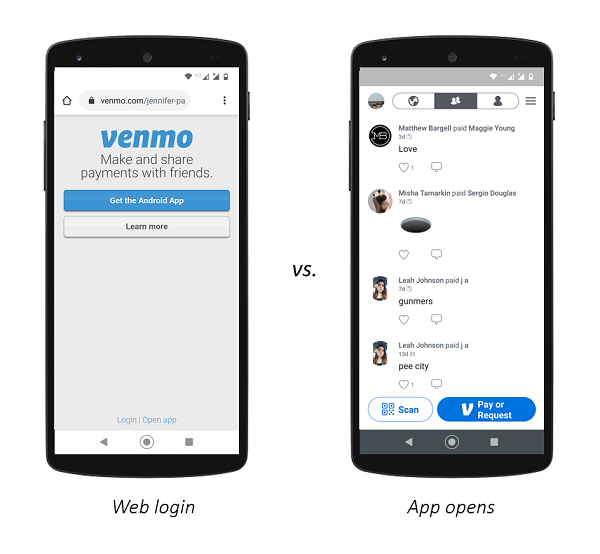
At its core, a Venmo link is a specialized URL or digital identifier designed to facilitate money transfers through the Venmo application. This technological construct bypasses the need for users to manually input usernames, phone numbers, or email addresses, drastically reducing the potential for errors and accelerating the payment process. By clicking a single link, users are directed to a pre-filled transaction interface within the Venmo app, ready to send or request funds. This integration of web-link technology with a mobile payment application represents a significant leap in user experience design, transforming what was once a multi-step process into a near-instantaneous interaction.
What Exactly is a Venmo Link?
Technically, a Venmo link can refer to several distinct functionalities:
- Your Personal Venmo Profile URL: This is a permanent link associated with your Venmo account, typically formatted as
venmo.com/u/[YourUsername]. Sharing this link allows others to easily find your profile and initiate a payment or friend request. It acts as a digital business card for your Venmo identity. - Payment Request Links: These are dynamically generated links that, when clicked, open the Venmo app with specific payment details (e.g., amount requested, a note) pre-populated. This is particularly useful for individuals or small groups needing to collect money for shared expenses.
- QR Codes: While not a traditional “link” in the URL sense, Venmo QR codes serve the same function. They are scannable images that encode your Venmo profile information, enabling instant payments or profile access simply by pointing a smartphone camera at the code. This technology leverages visual data recognition for rapid digital interaction.
Each of these forms serves the overarching goal of reducing friction in digital transactions, making Venmo an incredibly versatile tool for personal and increasingly, small-business financial interactions.
Why Embrace Venmo Links? The Digital Efficiency Advantage
The primary advantage of using Venmo links lies in their ability to inject unparalleled efficiency into digital transactions. From a technological standpoint, they optimize the user journey by:
- Minimizing Data Entry: Traditional payment methods often require typing out account numbers, routing numbers, or lengthy usernames. Venmo links condense this information into a single, clickable string, drastically cutting down on input time and potential typographical errors.
- Enhancing Speed: The instant redirection to the Venmo app upon clicking a link means that payments can be initiated and confirmed in seconds, a stark contrast to bank transfers that may take days.
- Improving Accuracy: By embedding the correct recipient details directly into the link, the chance of sending money to the wrong person is virtually eliminated, thereby bolstering user confidence and transactional integrity.
- Seamless Cross-Platform Sharing: Venmo links are platform-agnostic URLs, meaning they can be shared effortlessly across SMS, email, social media platforms, or even embedded into websites, offering universal accessibility. This flexibility is a hallmark of robust digital tool design.
The Underlying Technology: How Links Streamline Transactions
The technology behind Venmo links is a testament to modern web development and mobile application integration. When a Venmo link is created, it’s essentially a specially formatted URL that includes parameters the Venmo app understands. For example, a request link might contain parameters for amount and note. When this URL is accessed, the operating system (iOS or Android) recognizes it as a deep link for the Venmo app. Deep linking is a technology that allows a URL to direct users to specific content or actions within a mobile application, rather than just a website.
If the Venmo app is installed, the system opens the app directly to the relevant screen (e.g., a pre-filled payment request). If the app isn’t installed, the link typically redirects the user to the app store to download it. This intelligent routing ensures a smooth user experience regardless of the user’s current app status, making the process intuitive and highly effective for mass adoption. Furthermore, the use of secure protocols (HTTPS) ensures that the data transmitted through these links, while not directly carrying sensitive financial information, is protected against basic interception during the initial redirection phase.
Navigating the Venmo App: Your Hub for Link Generation
The Venmo app itself is designed to make sending and requesting money, including the generation and sharing of links, intuitive. Users can easily locate their personal profile link, create payment requests, and even generate dynamic QR codes directly from their mobile device. Mastering these in-app features is key to fully leveraging Venmo’s technological capabilities for seamless transactions.
Discovering Your Unique Venmo Profile Link
Every Venmo user has a unique profile URL. Finding and sharing this link is one of the simplest ways to enable others to pay you.
- Open the Venmo App: Launch the Venmo application on your smartphone.
- Access Your Profile: Tap on the “Me” tab, usually found in the bottom navigation bar. This will take you to your personal profile page.
- Find Your Username: Your Venmo username (e.g.,
@YourUsername) will be prominently displayed. Your profile link is derived directly from this username, typicallyvenmo.com/u/YourUsername. - Share Directly: Venmo often provides a “Share” or “Invite” option on your profile page. Tapping this usually gives you options to send your profile link via text message, email, or to copy it to your clipboard for pasting elsewhere. This integrated sharing functionality is a critical component of the app’s user-centric design.
Sharing Your Link: From In-App to External Platforms
Once you have your Venmo profile link or a dynamically generated payment request link, the process of sharing it across various digital channels is straightforward:
- SMS/Text Message: Ideal for direct peer-to-peer communication. Simply paste the copied link into a text message and send it. The recipient can click it directly from their messaging app.
- Email: For more formal requests or sending to a group, email is effective. Embed the link into the body of your email, perhaps with a clear call to action.
- Social Media: For businesses or individuals collecting funds from a wider audience (e.g., for a charity drive), posting the link on platforms like Facebook, Twitter, or Instagram (in your bio) can be highly effective. This leverages the virality of social networks to reach potential payers.
- Website/Blog Integration: Small businesses or content creators can embed their Venmo profile link directly onto their website or blog, allowing visitors to make contributions or purchases with ease. This integrates payment functionality directly into their digital presence.
The versatility of these sharing methods underscores the robust nature of URL-based payment systems in a highly interconnected digital world.
Crafting Payment Requests with Links: Initiating Transactions
Beyond sharing your static profile link, Venmo allows you to generate dynamic links for specific payment requests. This is particularly useful when you need to request a precise amount from someone or a group.
- Initiate a Request: On the Venmo app’s home screen, tap the “Pay or Request” button (often a pen and paper icon or similar).
- Enter Details: Input the amount you wish to request and a descriptive note for the transaction.
- Select Recipients (Optional for Link Sharing): While you can select specific Venmo contacts, for sharing a general request link, you’ll often be looking for a shareable link option. After filling in the details, look for an option that allows you to generate a sharable link or QR code instead of sending directly to a contact. Sometimes this involves a “share” icon or an option to “send outside Venmo.”
- Generate and Share: The app will provide a unique link that, when clicked, pre-fills the request details for the recipient. Copy this link and share it via your preferred communication method. This streamlines the process for both the requestor and the payer, ensuring all details are accurate from the outset.
Leveraging QR Codes: The Visual Shortcut
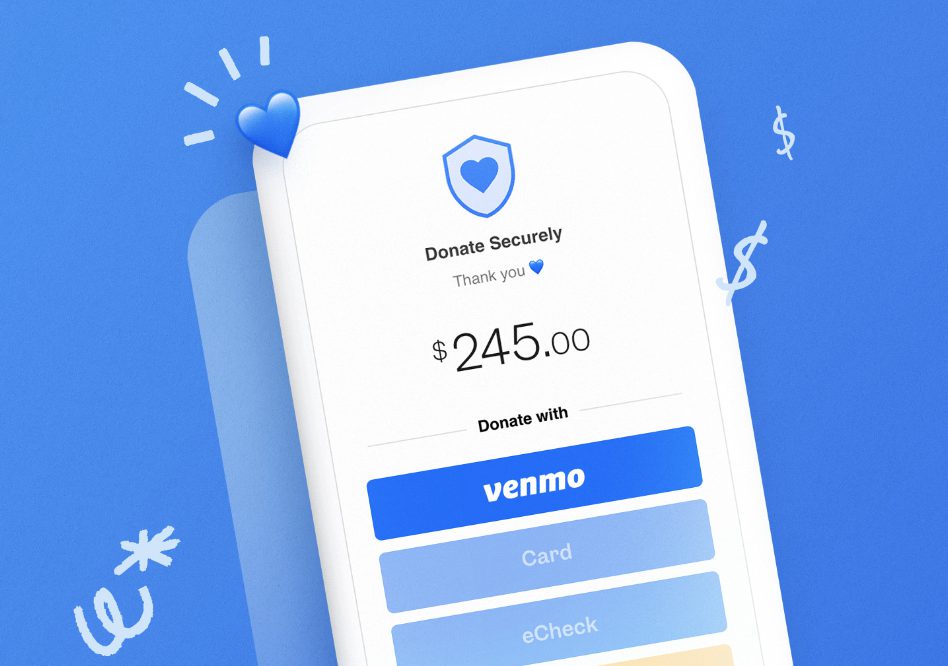
Venmo’s integration of QR codes offers an incredibly fast and contactless method for sending and receiving money, bridging the physical and digital payment realms.
- Access Your QR Code: From your “Me” tab in the Venmo app, tap the “QR code” icon (often near your profile picture or username). This will display your unique Venmo QR code.
- Sharing Your QR Code: You can show this code directly to someone in person for them to scan with their Venmo app’s scanner. Alternatively, you can save the QR code image to your device, print it, or share it digitally (via message or email) for others to scan.
- Scanning a QR Code: To pay someone using their QR code, tap the “Scan” icon (often a camera icon) in the Venmo app, and point your phone’s camera at their QR code. The app will automatically populate their profile or payment request details, ready for you to complete the transaction.
QR codes enhance transactional speed and convenience, making them ideal for quick exchanges in person, at events, or even for displaying at a small business point of sale.
Best Practices and Technical Considerations for Secure Link Sharing
While Venmo links offer unparalleled convenience, it’s crucial to adopt best practices and understand the technical considerations to ensure the security and privacy of your transactions. As with any digital financial tool, user vigilance complements the platform’s inherent security features.
Safeguarding Your Transactions: Security Protocols and Privacy Settings
Venmo employs robust security protocols to protect user data and transactions. However, individual user actions significantly contribute to overall security.
- Two-Factor Authentication (2FA): Always enable 2FA on your Venmo account. This adds an extra layer of security, requiring a second verification step (e.g., a code sent to your phone) beyond your password, making unauthorized access much harder even if your password is compromised.
- Privacy Settings: Venmo transactions are public by default, but users have control over their privacy. Navigate to “Settings” > “Privacy” within the app to adjust who can see your transactions (public, friends, or private). For sensitive transactions, always opt for “private.”
- Strong, Unique Passwords: Use a complex password unique to your Venmo account. Avoid reusing passwords across multiple services.
- Beware of Phishing: Be extremely cautious of unsolicited messages containing Venmo links. Always verify the sender and the legitimacy of the link before clicking. Phishing attempts often use cleverly disguised links to steal credentials.
Verifying Link Authenticity: A Critical Digital Habit
Before clicking any Venmo link, especially those received from unknown sources or unexpected requests, take a moment to verify its authenticity.
- Check the Domain: A legitimate Venmo link will always start with
venmo.com. Look for misspellings (e.g.,venm0.com,venmoo.com) or completely different domains. - Secure Connection: Ensure the link uses HTTPS (indicated by a padlock icon in your browser’s address bar or by
https://at the beginning of the URL). This encrypts the connection between your device and Venmo’s servers. - Confirm Sender Identity: If the link is from a friend, verbally confirm with them (through a separate channel, not replying to the message containing the link) that they indeed sent it. This prevents falling victim to impersonation scams.
Troubleshooting Common Link-Related Issues
While Venmo links are generally reliable, users might occasionally encounter issues:
- Link Not Opening App: If a link isn’t opening the Venmo app, ensure the app is installed and up to date. Sometimes, reinstalling the app or checking your device’s app settings (e.g., default app for URLs) can resolve this.
- Expired or Invalid Links: Payment request links might have a limited validity period or become invalid if the request is canceled. If a link doesn’t work, contact the sender to request a new one.
- Incorrect Amount/Recipient: Double-check all details on the payment screen before confirming a transaction initiated via a link. While links pre-fill information, it’s always wise to perform a final review.
- Slow Loading: This can be due to poor internet connection or app server issues. Try restarting your app or checking your network connection.
Optimizing Your Venmo Experience: Tips for Tech-Savvy Users
For those looking to maximize their Venmo link usage, consider these advanced tips:
- Create Branded QR Codes: For businesses or personal brands, consider using third-party QR code generators to create visually appealing QR codes that incorporate your branding, while still linking to your Venmo profile.
- Automate Sharing: Explore possibilities for integrating Venmo link sharing into automated workflows, particularly for collecting recurring payments (though Venmo’s primary design is for ad-hoc P2P, this can apply to creative uses).
- Monitor Activity Feed: Regularly review your Venmo activity feed to ensure all transactions initiated via links are legitimate and expected. This proactive monitoring is a good digital hygiene practice.
The Broader Impact: Venmo Links in the Digital Ecosystem
The prevalence and utility of Venmo links extend beyond simple peer-to-peer transactions, influencing how individuals and even small businesses interact financially within the broader digital ecosystem. These links are more than just payment facilitators; they are components of a larger trend towards integrated, instantaneous digital commerce.
Facilitating Peer-to-Peer Transactions: Bridging Financial Gaps
The most apparent impact of Venmo links is their role in simplifying peer-to-peer (P2P) payments. They have become the go-to method for splitting bills, sharing rent, collecting funds for group gifts, or reimbursing friends. This ease of transfer significantly reduces awkward financial conversations and delays, fostering smoother social interactions. The technology essentially removes traditional barriers to direct money exchange between individuals, promoting financial fluidity in everyday life. The widespread adoption of Venmo, driven by its link-sharing capabilities, highlights a cultural shift towards instant gratification in financial matters.
Business Applications: Streamlining Payments for Small Ventures
While Venmo is primarily a P2P service, its link functionality has naturally found a niche among small businesses, freelancers, and sole proprietors. Instead of setting up complex merchant accounts or POS systems, these entities can simply share their Venmo profile link or a specific request link with clients.
- Freelancers: Can easily send a Venmo link with an invoice for quick payment.
- Pop-up Shops/Market Vendors: Can display a Venmo QR code for customers to scan and pay instantly, bypassing the need for physical cash or card readers.
- Online Sellers: Can integrate Venmo links into their social media posts or direct messages for selling items.
From a technological standpoint, Venmo links offer a low-cost, low-barrier entry point for accepting digital payments, democratizing access to online transaction capabilities for even the smallest of enterprises. This leverages a consumer-facing app for business utility, showcasing flexible software design.
The Future of Payment Links: Evolution and Integration
The trajectory of digital payment links, as exemplified by Venmo, points towards greater integration and sophistication. We can anticipate:
- Enhanced Security Features: Continuous evolution of encryption, fraud detection, and biometric authentication to further secure transactions.
- Broader Merchant Adoption: As digital payments become more ingrained, platforms like Venmo will likely enhance their business-oriented features, making link-based payments more robust for larger merchants.
- Cross-Platform Interoperability: While Venmo links are currently tied to the Venmo ecosystem, future developments might see greater interoperability with other payment platforms, creating a more unified digital payment experience.
- Contextual Payments: Links might become more intelligent, dynamically adjusting based on user location, preferences, or even voice commands, integrating seamlessly into smart environments and IoT devices.
The “Venmo link” is more than just a URL; it’s a testament to how technology can simplify complex processes, foster digital efficiency, and profoundly influence our financial interactions, both personally and professionally. As digital transformation continues, the underlying principles of seamless, secure, and accessible payment links will undoubtedly remain a cornerstone of financial innovation.
aViewFromTheCave is a participant in the Amazon Services LLC Associates Program, an affiliate advertising program designed to provide a means for sites to earn advertising fees by advertising and linking to Amazon.com. Amazon, the Amazon logo, AmazonSupply, and the AmazonSupply logo are trademarks of Amazon.com, Inc. or its affiliates. As an Amazon Associate we earn affiliate commissions from qualifying purchases.