
Managing personal finances in the digital age often involves swift transactions through mobile payment applications like Cash App. While these platforms offer unparalleled convenience, the speed of digital transfers also introduces a critical need for precision. A misplaced decimal, an incorrect recipient, or a sudden change of mind can lead to an urgent need to reverse a payment. Understanding the mechanisms for canceling payments on Cash App is not just a technicality; it’s a vital component of effective personal financial management, safeguarding your funds against errors and potential fraud. This guide delves into the financial implications and actionable steps involved in reversing a Cash App payment, emphasizing proactive measures and responsible financial stewardship.
Understanding Cash App Payments and Their Reversibility
Digital payment platforms like Cash App operate on principles designed for speed and finality, which has significant implications for financial recovery. Before attempting to cancel a payment, it’s crucial to understand the lifecycle of a Cash App transaction and the windows of opportunity for intervention.
The Nature of Digital Transactions
Unlike traditional bank transfers that might have extended processing times, Cash App payments are often instantaneous. Once funds are sent and the recipient accepts them, the transaction is generally considered complete and irreversible from the sender’s end. This immediate transfer of ownership underscores the importance of verifying every detail before hitting ‘send.’ From a financial perspective, this means that your capital is immediately liquid and transferable, demanding a high degree of diligence on your part. Any erroneous transfer quickly translates into a direct loss of liquid assets, making timely intervention critical. The platform’s design prioritizes efficiency, placing the onus of accuracy squarely on the user as the steward of their own funds.
Identifying a Pending Payment
The narrow window for cancellation hinges on a payment being in a “pending” status. A payment is usually pending if the recipient has not yet accepted it, or if Cash App is still processing it for security reasons. This status is your primary indicator that you might still have an opportunity to reclaim your funds.
When a payment is pending, it means the funds have left your account but have not yet been fully disbursed or acknowledged by the recipient. This temporary holding state is the only period during which the sender typically retains the ability to cancel the transaction unilaterally. Recognizing and acting upon this status promptly is a key financial reflex. Monitoring your transaction history for pending payments is an essential part of safeguarding your digital finances.
Step-by-Step Guide to Canceling a Pending Payment
When faced with an erroneous or unwanted payment, swift action is paramount. The following steps outline how to attempt to cancel a pending payment on Cash App, maximizing your chances of retaining your financial assets.
Accessing Your Activity Feed
The first point of contact for any financial transaction on Cash App is your activity feed, often referred to as your “Clock Icon” or “Activity” tab. This section serves as your digital ledger, providing a comprehensive overview of all incoming and outgoing funds.
- Open the Cash App: Launch the application on your mobile device.
- Navigate to the Activity Tab: Tap the clock icon, usually located in the bottom-right corner of the home screen. This will display a chronological list of all your transactions.
- Locate the Specific Payment: Scroll through your activity feed to find the payment you wish to cancel. Look for transactions marked as “Pending” or with a similar status. Timeliness is crucial; the longer a payment remains pending, the higher the risk that the recipient may accept it, thereby finalizing the transaction.
Initiating the Cancellation Process
Once you’ve identified the pending payment, Cash App provides a clear pathway to attempt its cancellation.
- Select the Pending Payment: Tap on the specific pending transaction you want to cancel. This will open a detailed view of that particular payment.
- Review Payment Details: On the payment detail screen, meticulously verify that this is indeed the incorrect transaction. Double-check the recipient’s name/Cashtag, the amount, and the date. This step is a final financial check to prevent further errors.
- Look for the “Cancel” Option: If the payment is truly pending and eligible for cancellation, you should see an option labeled “Cancel Payment” or “Cancel.” This option may be directly visible or accessible through a “…” (ellipsis) menu or similar contextual menu. Tap this option to proceed.
- Confirm Cancellation: Cash App will typically ask for a confirmation before processing the cancellation. This is a crucial financial safeguard. Confirm that you intend to cancel the payment. Once confirmed, the system will attempt to reverse the transaction.
Confirmation and Verification
After initiating the cancellation, it’s important to verify that the process was successful and that your funds have been returned to your balance.
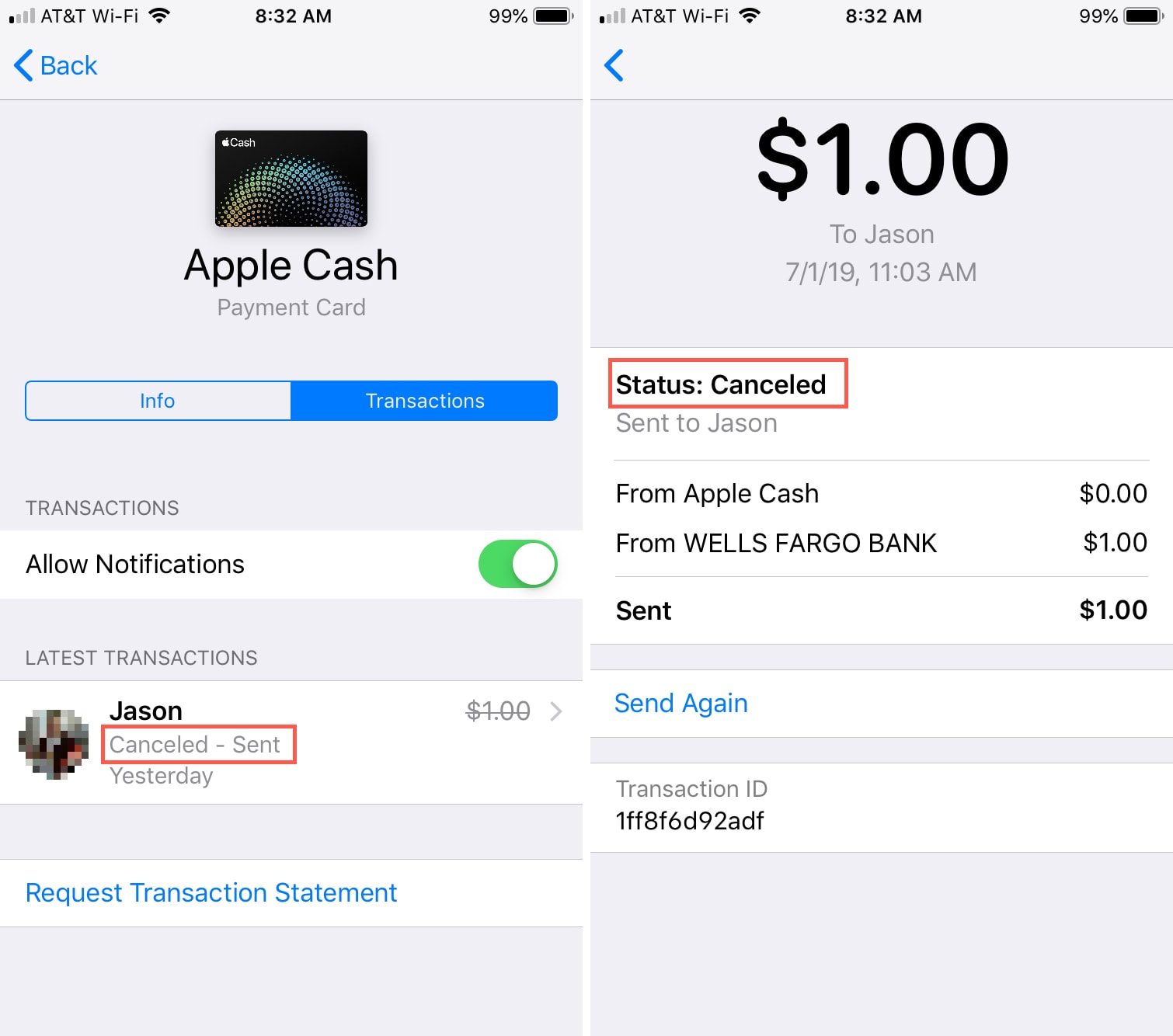
- Check Activity Feed: Return to your activity feed. The status of the canceled payment should change from “Pending” to “Canceled.”
- Verify Your Balance: Check your Cash App balance to ensure the funds have been credited back to your account. This is the ultimate proof of successful financial recovery.
- Transaction History: Maintain a record of the cancellation within your Cash App transaction history for your financial records. This documentation can be vital if any disputes arise later.
Strategies When Direct Cancellation Isn’t Possible
The opportunity to directly cancel a payment is fleeting. More often than not, a payment might already be completed, or the ‘Cancel’ option may not be available. In such scenarios, different financial strategies are required, often relying on the cooperation of the recipient or intervention from Cash App support.
Requesting a Refund from the Recipient
If a payment has been accepted, your direct control over the funds ceases. The most straightforward path to recovering your money is to contact the recipient and request a refund. This method, while reliant on another party, is often the quickest resolution for an accidental transfer.
- Direct Communication: Use Cash App’s chat feature or any other known contact method (phone, email, social media) to reach out to the recipient. Clearly and politely explain the situation, stating the exact amount and reason for the refund request.
- Provide Necessary Details: While the recipient can see the transaction in their history, providing specific details can help them quickly locate and process the refund.
- Understand Recipient Control: Once a payment is accepted, the funds are legally theirs. A refund is entirely at their discretion. This highlights the financial risk associated with irreversible digital payments.
The Challenge of Unresponsive Recipients

What happens if the recipient is uncooperative, unresponsive, or unknown? This presents a significant financial hurdle. If a recipient refuses to refund the money or you cannot reach them, your options become more limited and often require external assistance.
- Documentation: Keep records of all communication attempts and transaction details. This documentation is crucial if you need to escalate the issue.
- Limited Recourse: Without direct recipient cooperation, Cash App’s role in retrieving funds is constrained. They facilitate transfers but generally do not arbitrate disputes between users over completed transactions, particularly if they are not fraudulent. This underscores the financial autonomy and responsibility expected from users.
Addressing Unauthorized Transactions and Scams
The situation changes dramatically if the payment was unauthorized or if you suspect it’s part of a scam. This is no longer just an error but a potential financial crime requiring a different approach.
- Report to Cash App Immediately: If you believe you’ve been scammed or an unauthorized payment occurred, report it to Cash App support immediately. Provide all relevant details, including transaction IDs, recipient information, and any communication related to the incident.
- Fraudulent Claims: Cash App has mechanisms to investigate claims of unauthorized activity or fraud. They may be able to intervene, although outcomes are not guaranteed. Financial institutions generally offer more robust protections for credit card fraud, but direct P2P (person-to-person) apps have different liability structures.
- External Reporting: For significant fraudulent losses, consider reporting the incident to law enforcement. This step, while more involved, provides an additional layer of official investigation, particularly when substantial financial assets are at stake.
Proactive Financial Hygiene: Preventing Payment Errors
The best strategy for managing payment errors is to prevent them entirely. Implementing robust financial hygiene practices for your digital transactions can save you time, stress, and potential monetary losses.
Verifying Recipient Details Meticulously
Before initiating any payment, treat the verification process with the same rigor you would for a bank wire transfer.
- Double-Check Cashtag/Phone Number/Email: Always confirm the recipient’s Cashtag, phone number, or email address. Even a single character error can direct funds to the wrong individual. Ask the recipient to confirm their details verbally or through a separate secure channel.
- Confirm Identity for New Recipients: For first-time recipients, consider sending a small, nominal amount (e.g., $1) first to confirm their identity and that they received it before transferring the full sum. This small financial outlay acts as a cheap insurance policy.
- Face-to-Face Verification: If possible, verify details in person or via video call to ensure you are communicating with the intended recipient.
Utilizing Payment Notes for Clarity
The “For” or “Note” section in Cash App is more than just a convenience; it’s a critical financial record.
- Clear Purpose: Always include a detailed note explaining the purpose of the payment. This creates a clear financial trail and can be invaluable if a dispute arises, serving as evidence of the transaction’s intent.
- Reference Numbers: If the payment relates to an invoice or bill, include a reference number in the note. This aids in reconciliation for both parties.
Regular Review of Transaction History
Just as you would reconcile a bank statement, regularly reviewing your Cash App transaction history is a sound financial practice.
- Spot Errors Early: Frequent checks can help you identify erroneous or unauthorized transactions quickly, increasing the chances of successful cancellation or recovery.
- Monitor Spending: This practice also helps you track your digital spending, contributing to overall budget management and financial awareness.
Understanding Cash App’s Terms of Service
Familiarizing yourself with Cash App’s Terms of Service and user agreements is not just legal advice; it’s financial literacy.
- Know Your Rights and Responsibilities: Understand what protections Cash App offers, what their limitations are, and what your responsibilities are as a user. This knowledge is crucial for navigating disputes and understanding the financial risks associated with using the platform.
- Payment Disclaimers: Be aware of any disclaimers regarding payment finality and user responsibility. This will set realistic expectations should an error occur.
When to Engage Cash App Support: A Financial Safety Net
While self-help options are the first line of defense, there are specific situations where engaging Cash App support becomes essential. Viewing their support as a financial safety net, understanding when and how to activate it is key to protecting your assets.
Unresolved Disputes and Significant Losses
If you’ve attempted to resolve a payment error with the recipient without success, and especially if the amount is substantial, it’s time to contact Cash App support.
- Escalation Protocol: Explain the steps you’ve already taken. Provide transaction IDs, dates, amounts, and any communication logs with the recipient.
- Fraudulent Scenarios: For truly unauthorized transactions or those stemming from a clear scam, their fraud department is equipped to investigate and potentially intervene. This is where their role as a financial institution’s support system comes into play, albeit with limitations specific to P2P apps.
Suspected Fraudulent Activity
Any instance where you believe your account has been compromised, or a payment was initiated without your consent, warrants immediate contact with Cash App support.
- Account Security: They can help secure your account, freeze suspicious transactions, and guide you through the process of reporting fraud.
- Timeliness: The faster you report suspected fraud, the higher the chance of mitigating financial damage. Delays can lead to irreversible losses.
Navigating Support Channels
Accessing Cash App support effectively is crucial for timely assistance.
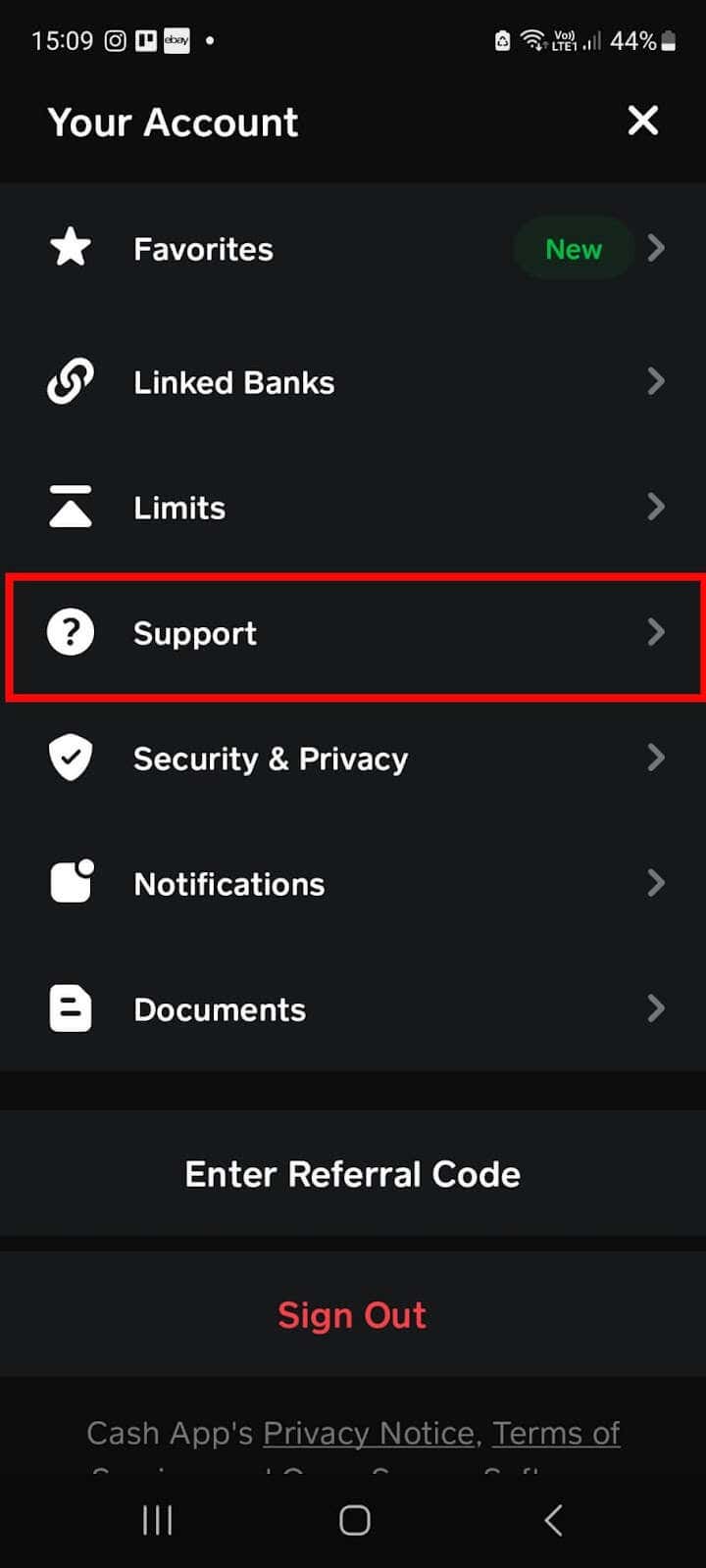
- In-App Support: The most direct method is typically through the Cash App itself. Navigate to your profile icon, scroll down, and select “Support.” This often leads to a chat-based system or direct contact options.
- Official Website: Cash App’s official website also provides a support portal with FAQs and contact methods.
- Be Prepared: Have all relevant information ready: transaction details, screenshots, and a clear description of the issue. The more information you provide, the better Cash App support can assist you in safeguarding your financial interests.
Mastering the art of managing your digital payments means not only knowing how to send money efficiently but also understanding the critical financial steps to take when errors occur. By exercising diligence, acting swiftly, and leveraging the available tools and support channels, you can navigate the dynamic landscape of mobile finance with greater confidence and control over your financial well-being.
aViewFromTheCave is a participant in the Amazon Services LLC Associates Program, an affiliate advertising program designed to provide a means for sites to earn advertising fees by advertising and linking to Amazon.com. Amazon, the Amazon logo, AmazonSupply, and the AmazonSupply logo are trademarks of Amazon.com, Inc. or its affiliates. As an Amazon Associate we earn affiliate commissions from qualifying purchases.