
In an era dominated by advanced computational tools, artificial intelligence, and sophisticated algorithms, the humble four-function calculator might seem like a relic from a simpler time. Yet, its enduring presence across educational institutions, professional settings, and everyday life speaks volumes about its fundamental utility and accessible design. Far from being obsolete, the four-function calculator remains a cornerstone of numerical processing, providing a direct and intuitive means to perform the most basic, yet crucial, arithmetic operations.
This device, in its various forms from handheld units to digital applications, embodies a commitment to clarity and efficiency for foundational mathematical tasks. It strips away the complexities often associated with scientific or graphing calculators, focusing purely on the core pillars of arithmetic. Understanding what constitutes a four-function calculator involves delving into its primary capabilities, exploring its auxiliary features, acknowledging its sustained relevance, and tracing its evolution through various technological landscapes. This exploration reveals not just a simple gadget, but a meticulously designed tool optimized for specific, widespread computational needs, proving that sometimes, less truly is more.
The Core Functionality: Demystifying the Basics
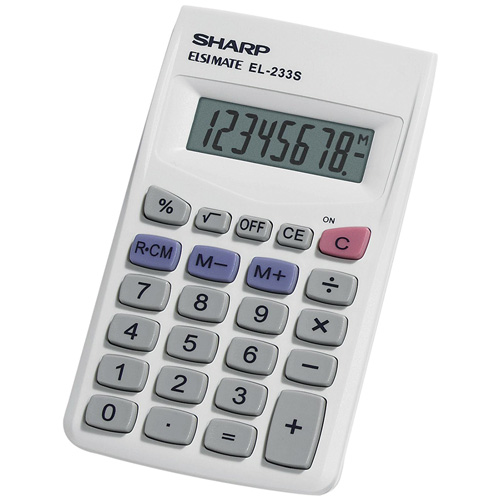
At its heart, the term “four-function” explicitly delineates the calculator’s primary purpose: to execute the four fundamental arithmetic operations. These operations form the bedrock of almost all quantitative analysis and problem-solving, making the four-function calculator an indispensable tool for foundational mathematics. Each function is designed for clarity and efficiency, allowing users to perform calculations quickly and accurately without needing to navigate complex interfaces or memorise elaborate command sequences.
Addition: The Foundation of Numerical Aggregation
Addition, denoted typically by the ‘+’ symbol, is perhaps the most frequently used function. It allows for the aggregation of two or more numbers, yielding their sum. From tallying grocery bills to consolidating financial figures, the ability to rapidly add disparate values is critical. On a four-function calculator, this operation is straightforward: input the first number, press ‘+’, input the second number, and press ‘=’ to display the sum. This simplicity makes it an ideal tool for learners and anyone needing quick, reliable sums without mental fatigue.
Subtraction: Unraveling Differences
Subtraction, marked by the ‘-‘ symbol, is the inverse of addition, enabling the determination of the difference between two numbers. This function is essential for tasks ranging from balancing checkbooks to calculating remaining quantities or deficits. The process mirrors addition: enter the minuend, press ‘-‘, enter the subtrahend, and press ‘=’ for the result. The calculator handles negative numbers automatically, providing immediate feedback on whether a value has been reduced below zero, a crucial feature for accuracy in various contexts.
Multiplication: Scaling Quantities Efficiently
Multiplication, often represented by ‘x’ or ‘*’, is the operation of repeated addition, used to scale a number by another. This is invaluable for calculating totals for multiple identical items, scaling recipes, or determining areas and volumes. The four-function calculator makes this a seamless process: input the multiplicand, press ‘x’, input the multiplier, and press ‘=’. Its efficient execution of multiplication significantly speeds up tasks that would otherwise require tedious manual calculation, reducing errors and saving time.
Division: Apportioning Values
Division, typically indicated by ‘÷’ or ‘/’, allows for the equitable distribution or partitioning of a quantity into equal parts, or determining how many times one number fits into another. This function is vital for tasks like splitting costs, calculating per-unit prices, or determining rates. Users input the dividend, press ‘÷’, input the divisor, and press ‘=’. The calculator handles decimals and provides precise quotients, making it an essential tool for fair distribution and analytical breakdown of numerical values.
Beyond the Basics: Understanding Auxiliary Features
While the “four functions” define its core, many four-function calculators incorporate additional features that enhance usability and expand their practical applications without venturing into scientific or graphing complexities. These auxiliary functions are carefully chosen to complement the primary arithmetic operations, providing convenient shortcuts and memory aids that streamline common computational tasks. They reinforce the calculator’s role as a user-friendly device, optimized for efficiency in everyday calculations.
Memory Functions: Storing and Recalling Values
Memory functions are among the most valuable additions to a basic calculator. Typically including ‘M+’, ‘M-‘, ‘MR’ (Memory Recall), and ‘MC’ (Memory Clear), these buttons allow users to store intermediate results, add or subtract numbers from the stored value, and retrieve the total when needed. This is particularly useful for multi-step calculations where a running total or a constant value needs to be applied across several operations without manual re-entry, significantly improving accuracy and workflow.
Percentage Key: Simplifying Proportional Calculations
The percentage key (‘%’) is a common auxiliary feature that simplifies calculations involving percentages. Instead of converting percentages to decimals and then multiplying, users can directly compute discounts, tips, taxes, or proportional parts. For instance, to calculate 15% of 200, one might input “200 x 15 % =”, which provides the result directly. This feature is a tremendous time-saver for personal finance, retail, and general estimation tasks.
Square Root and Reciprocal: Expanding Elementary Operations
Some four-function calculators include specialized keys like square root (‘√’) and reciprocal (‘1/x’). The square root function finds a number that, when multiplied by itself, equals the input number, useful in basic geometry or statistical contexts. The reciprocal function calculates 1 divided by the input number, which is helpful in various mathematical and engineering applications requiring inverse values. These additions modestly extend the calculator’s capabilities without overwhelming its primary focus on arithmetic.
Clear and Clear Entry: Correcting Inputs with Ease
Error correction keys, such as ‘C’ (Clear) and ‘CE’ (Clear Entry), are crucial for usability. ‘CE’ clears only the last number entered, allowing correction of a typing mistake without losing the entire calculation sequence. ‘C’ (or ‘AC’ for All Clear) resets the entire calculator, wiping out all inputs and memory, ready for a new calculation. These functions are indispensable for maintaining accuracy and reducing frustration, making the calculator a reliable tool even when input errors occur.
The Enduring Relevance of Four-Function Calculators
Despite the proliferation of powerful digital devices and complex software, the four-function calculator maintains a strong foothold in various sectors. Its continued relevance stems from its unparalleled simplicity, immediate accessibility, and specialized design for fundamental numerical tasks. In a world often characterized by feature bloat, the minimalist approach of a four-function calculator offers distinct advantages, proving that sometimes, the most basic tools are the most effective.
Educational Applications: Nurturing Foundational Math Skills
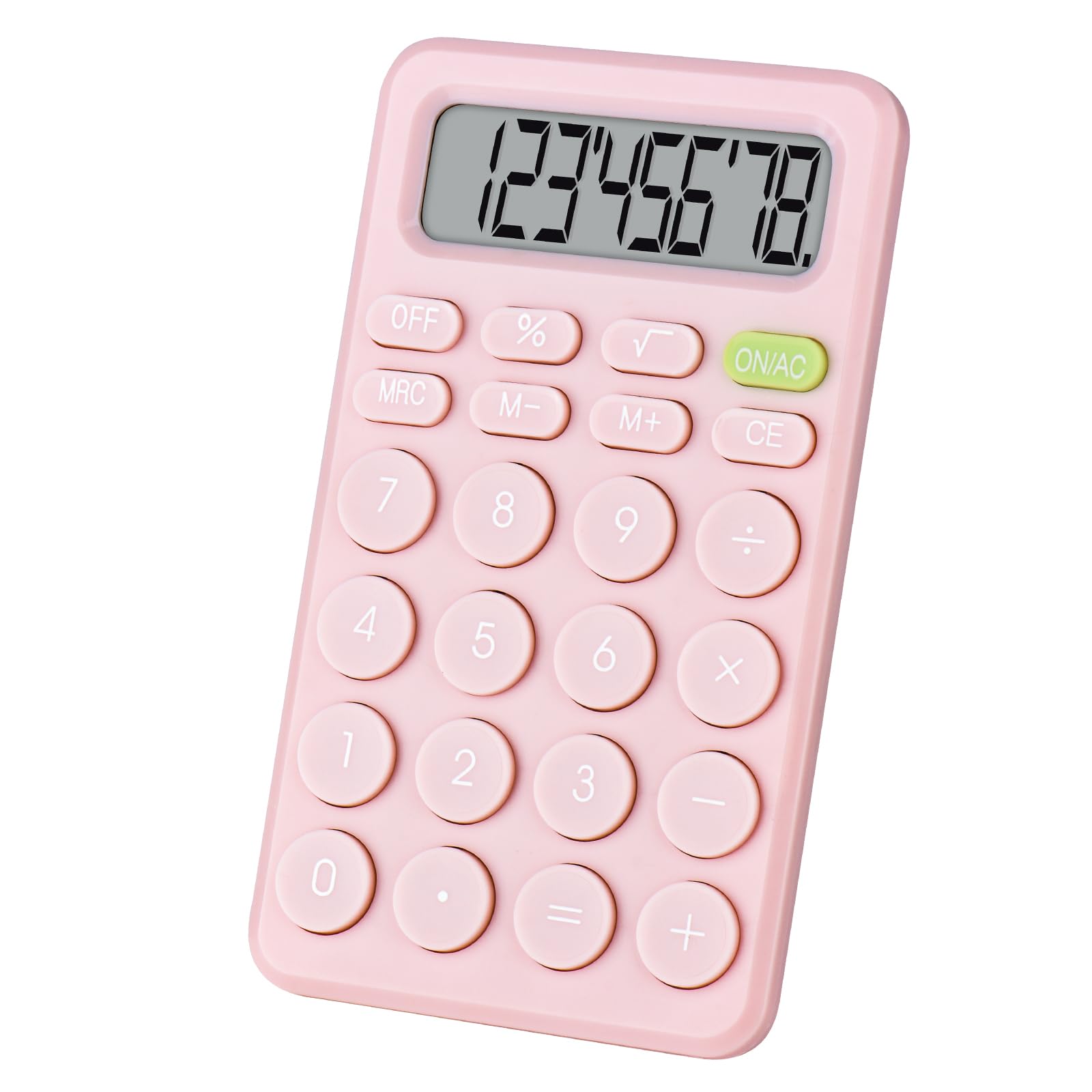
In education, the four-function calculator is often introduced to students learning basic arithmetic. Unlike scientific calculators, which can provide immediate answers to complex problems without revealing the underlying steps, the four-function model requires a clearer understanding of the operations themselves. It acts as a supportive tool for verification and speed, rather than a replacement for conceptual understanding, making it invaluable for developing foundational math skills in primary and middle school.
Everyday Practicality: From Groceries to Budgeting
For daily life, the four-function calculator is incredibly practical. Whether it’s adding up items in a shopping cart, calculating split bills at a restaurant, or quickly summing expenses for a household budget, its ease of use makes it the go-to device. The straightforward interface eliminates cognitive overhead, allowing users to focus on the numbers rather than on navigating complex menus, making financial management and quick computations seamless.
Professional Utility: Quick Checks and Estimates
In professional environments, particularly in retail, administrative roles, and even some technical fields, a four-function calculator serves as an excellent tool for quick checks and estimations. Accountants might use it for rapid aggregations, sales associates for calculating discounts or sales tax, and project managers for quick resource tallies. Its reliability and speed make it ideal for situations where a sophisticated tool might be overkill or too slow to access.
Accessibility and Simplicity: A Tool for Everyone
Perhaps one of its greatest strengths is its universal accessibility. The layout is intuitive, often featuring large, distinct buttons and clear displays, making it usable by individuals of all ages and technical proficiencies. For those who find complex digital interfaces daunting, a physical four-function calculator provides a tangible, easy-to-master tool, ensuring that numerical literacy is within reach for everyone, regardless of their technological comfort level.
Types of Four-Function Calculators and Their Evolution
The journey of the four-function calculator reflects a broader history of computational technology, evolving from mechanical devices to sophisticated digital iterations. While the core functionality has remained constant, the form factors, underlying technologies, and user interfaces have adapted to technological advancements and user demands. This evolution showcases how a fundamental concept can be continually refined and reimagined across different eras.
Desktop Models: Stationary Powerhouses
Early electronic four-function calculators often took the form of desktop units. These devices, prevalent in offices and homes from the 1970s onwards, were typically larger, powered by AC electricity, and featured substantial keypads and often thermal paper printers for record-keeping. They were designed for stationary use, emphasizing durability and ease of input for sustained periods of calculation, becoming standard equipment in accounting departments and retail counters.
Handheld and Pocket Calculators: Portability Redefined
The advent of microprocessors and smaller, more efficient battery technologies revolutionized the calculator landscape, leading to the proliferation of handheld and pocket models. These devices made calculation portable and personal, democratizing access to numerical tools. Sizes varied from credit-card thin models to more robust handheld units with larger displays and buttons, making them perfect for students, professionals on the go, and anyone needing a quick calculation in any location.
Software and App-Based Calculators: The Digital Frontier
With the rise of personal computers, smartphones, and tablets, the four-function calculator migrated to the digital realm as a software application. Operating systems often include a built-in calculator utility, and app stores offer countless variations. These digital calculators offer the same core functionality but benefit from the versatility of software—customizable interfaces, integration with other apps, and the convenience of being part of a multi-purpose device, blurring the lines between dedicated hardware and software tools.
The Historical Journey: From Abacus to Microchip
The conceptual roots of the four-function calculator can be traced back to ancient counting tools like the abacus, and later to mechanical calculating machines like Pascal’s calculator or Leibniz’s stepped drum. The electronic era truly began with devices using vacuum tubes in the mid-20th century, progressing rapidly with transistors and then integrated circuits (microchips). Each technological leap made calculators smaller, faster, cheaper, and more reliable, culminating in the ubiquitous and energy-efficient devices we know today.
Choosing the Right Four-Function Calculator for Your Needs
Selecting a four-function calculator, while seemingly simple, involves considering various factors that can impact its usability and longevity. Given the array of options available, from dedicated physical devices to digital apps, making an informed choice ensures that the tool perfectly aligns with your specific requirements and preferences. It’s about finding the optimal balance between form, function, and value.
Ergonomics and Display: User Experience Factors
The physical design and display quality are paramount for comfort and accuracy. Look for models with well-spaced, tactile buttons that provide satisfying feedback, minimizing input errors. The display should be clear, large enough to read easily, and ideally offer good contrast, especially in varying lighting conditions. Solar-powered calculators often feature excellent displays, as do those with larger LCD screens common in desktop models. For prolonged use, consider the angle and size of the display.
Power Source and Durability: Longevity Considerations
Four-function calculators typically run on batteries (AA, AAA, or button cells) or are solar-powered, often with a battery backup. Solar power is eco-friendly and reduces the need for battery replacements, while battery-only models offer consistent performance in low light. Durability is also key: a robust casing can withstand drops and daily wear and tear, making it a better investment, especially for portable use or educational environments.
Specialized Features: When Simplicity Meets Specificity
While the core remains four functions, the inclusion of auxiliary features like memory functions, percentage keys, or even basic tax functions can significantly enhance utility. Evaluate your common calculation needs: if you frequently work with percentages or need to sum multiple values, these features are highly beneficial. However, avoid models with too many extraneous buttons if simplicity is your primary goal, as they can complicate the user experience.
Cost-Effectiveness and Value
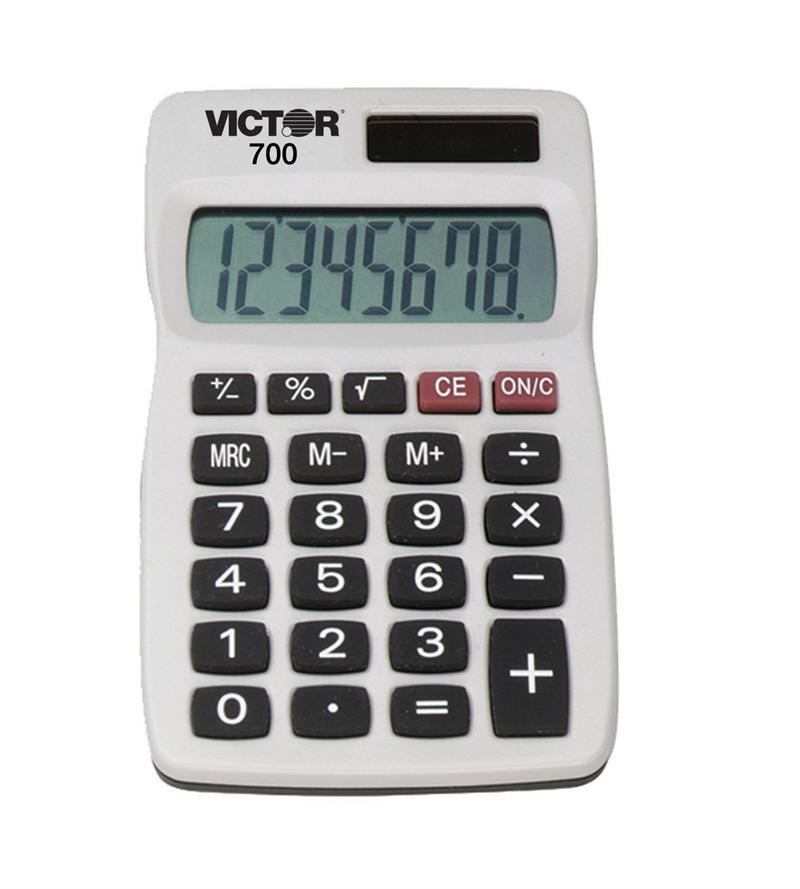
Four-function calculators are generally inexpensive, making them highly accessible. However, prices can vary based on brand, build quality, and additional features. Consider the long-term value: a slightly more expensive, durable model with excellent ergonomics might be a better investment than a very cheap one that needs frequent replacement or is frustrating to use. For digital versions, look for apps that offer a clean interface and are free or low-cost, providing excellent value.
In conclusion, the four-function calculator, far from being overshadowed by its more technologically advanced counterparts, continues to assert its fundamental importance in the landscape of computational tools. Its unwavering focus on the four primary arithmetic operations—addition, subtraction, multiplication, and division—combined with select auxiliary features, underscores its design as a highly efficient, accessible, and reliable instrument. From supporting foundational education and streamlining daily financial tasks to providing quick checks in professional settings, its utility is undeniable. The evolution from bulky desktop units to sleek handheld devices and ubiquitous software applications showcases its adaptability, ensuring its continued relevance in an ever-changing technological world. Choosing the right model, whether physical or digital, involves a thoughtful consideration of ergonomics, power, specific features, and overall value, ensuring that this enduring piece of technology remains an indispensable aid for numerical clarity and efficiency.
aViewFromTheCave is a participant in the Amazon Services LLC Associates Program, an affiliate advertising program designed to provide a means for sites to earn advertising fees by advertising and linking to Amazon.com. Amazon, the Amazon logo, AmazonSupply, and the AmazonSupply logo are trademarks of Amazon.com, Inc. or its affiliates. As an Amazon Associate we earn affiliate commissions from qualifying purchases.