
In the rapidly evolving digital economy, establishing an online presence is no longer a luxury but a fundamental requirement for businesses aiming for growth and global reach. Shopify stands as a leading e-commerce platform, empowering millions of entrepreneurs to build, manage, and scale their online stores with remarkable efficiency. More than just a website builder, Shopify is a robust technological ecosystem designed to streamline every facet of online retail, from product cataloging and secure payment processing to intricate shipping logistics and performance analytics.
For those venturing into digital commerce, understanding the technical architecture and step-by-step setup process of a Shopify store is paramount. This guide will meticulously walk you through the journey of transforming an idea into a fully operational digital storefront, focusing squarely on the technological implementation and platform functionalities that underpin a successful online venture. We will delve into the intricacies of account setup, product data management, user experience design through theme customization, the integration of critical operational tools, and essential pre-launch testing, all from a purely technological perspective. By mastering these core technical components, you can lay a resilient foundation for your e-commerce aspirations, ensuring your digital store is not just open, but optimized for performance, security, and scalability from day one.
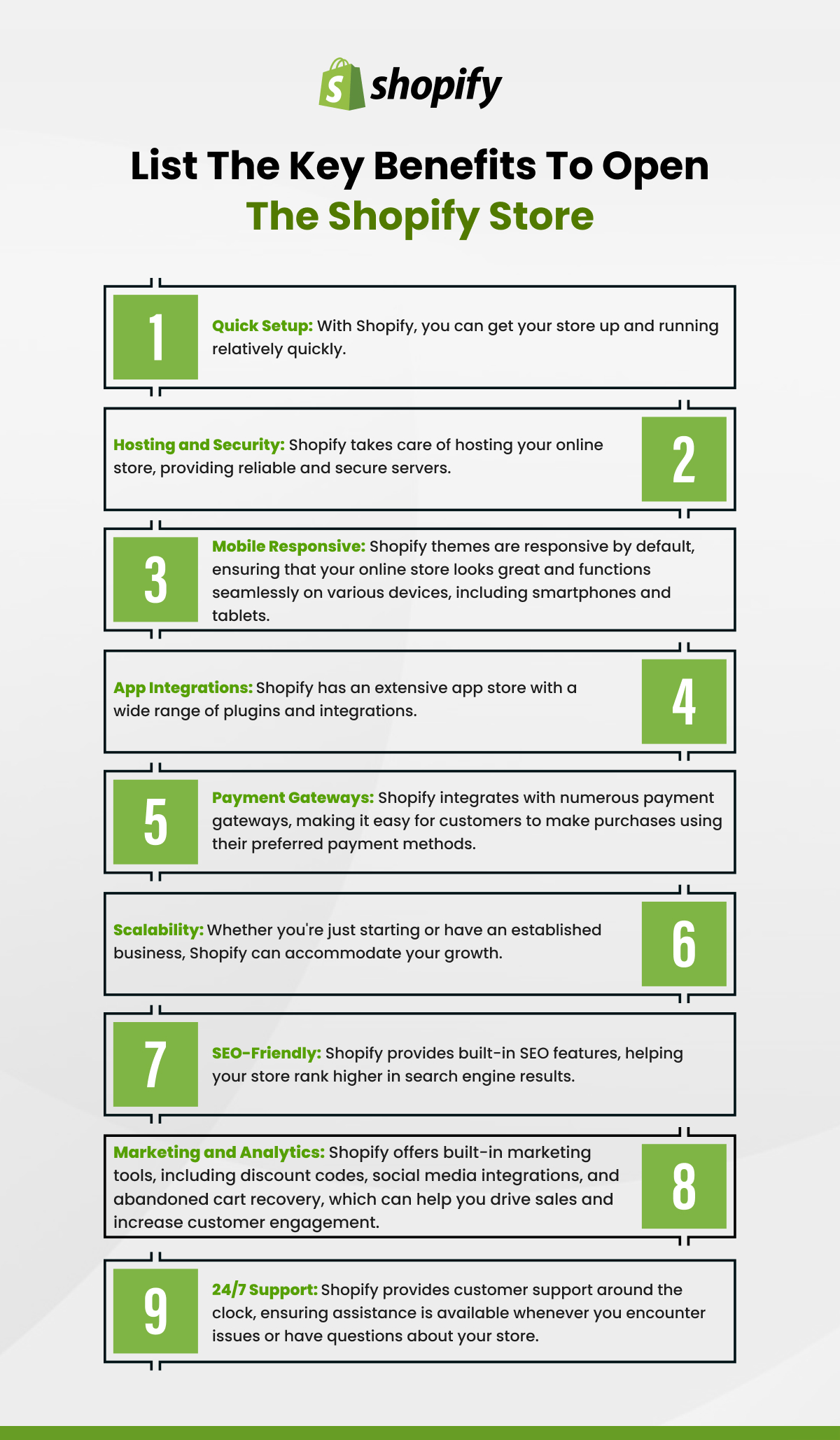
The Foundational Setup: Establishing Your Digital Storefront
The initial phase of opening a Shopify store involves more than just signing up; it’s about meticulously configuring the core technical parameters that define your online entity. This foundational setup dictates how your store operates, presents itself, and interacts with both you and your customers within the Shopify ecosystem.
Navigating the Shopify Onboarding Process
Your journey begins with initiating a Shopify account, typically through a free trial that grants full access to the platform’s features. This introductory phase is crucial for understanding the dashboard – the central command center for your store. The dashboard provides a high-level overview of sales, orders, and visitor data, alongside intuitive navigation to all essential backend functionalities. Familiarizing yourself with sections like “Orders,” “Products,” “Customers,” “Analytics,” and “Apps” is the first technical step towards effective store management. During onboarding, Shopify prompts you to enter basic business information, which feeds into the platform’s backend for administrative purposes and helps tailor initial settings. This includes specifying your store’s purpose, industry, and whether you are migrating an existing business, allowing Shopify to pre-configure certain features or recommend relevant integrations.
Configuring Core Store Settings
Deep within the “Settings” section of your Shopify admin, lies a trove of configurations vital for your store’s operational integrity. This involves inputting comprehensive store details such as your legal business name, address, contact information, and chosen currency. These details are not merely cosmetic; they inform tax calculations, invoicing, and customer service operations. Critically, you’ll define your store’s legal pages: Privacy Policy, Terms of Service, Refund Policy, and Shipping Policy. Shopify provides templates for these, which require customization to reflect your specific business practices. These pages are crucial not only for legal compliance but also for building trust with customers, clearly outlining the technical parameters of transactions and data handling within your store’s digital framework. Properly configured, these settings ensure that the platform operates in accordance with regulatory requirements and establishes transparent digital boundaries for your customers.
Domain Integration: Connecting Your Digital Identity
Your domain name is your store’s digital address, a critical component of its online identity and accessibility. Shopify offers two primary methods for domain integration. You can purchase a new domain directly through Shopify, which simplifies the technical setup as the platform automatically configures the necessary DNS (Domain Name System) records. This seamless integration ensures that your custom domain points correctly to your Shopify store without manual intervention. Alternatively, if you already own a domain from a third-party registrar, you’ll need to manually connect it. This involves modifying DNS settings within your domain registrar’s control panel, specifically updating the A record to Shopify’s IP address and the CNAME record to shops.myshopify.com. While slightly more technical, Shopify provides clear instructions and support documentation for this process. A correctly configured custom domain not only professionalizes your brand but also enhances search engine optimization (SEO), making your store more discoverable through organic searches. Furthermore, Shopify automatically provisions an SSL (Secure Sockets Layer) certificate for all connected domains, ensuring secure, encrypted communication between your store and customer browsers, which is vital for protecting sensitive data and building trust.
Populating Your Catalog: Mastering Product Management
The core of any e-commerce store is its product catalog. On Shopify, effective product management is a blend of data entry, strategic categorization, and leveraging the platform’s features to present items in an appealing and technically sound manner.
Adding and Optimizing Product Listings
Adding products to your Shopify store is a structured process designed for detail and efficiency. Each product requires a title, a descriptive body that supports HTML formatting for rich text, and critically, high-quality images. Shopify’s image optimization tools ensure that media files are correctly sized and compressed for fast loading times across various devices without sacrificing visual integrity. You’ll specify pricing, including options for “compare-at price” to highlight discounts, and manage inventory quantities. For physical products, shipping details like weight and customs information (HS codes) are essential for accurate shipping rate calculations and international compliance.
Beyond basic data, optimizing listings involves configuring variants for products (e.g., size, color), each with its own SKU (Stock Keeping Unit), barcode, price, and inventory level. Shopify’s robust variant system ensures that customers can select precise product configurations, and that inventory is tracked accurately at a granular level. Furthermore, the platform integrates SEO fields directly into product pages, allowing you to customize meta titles and descriptions for improved search engine visibility. These technical details contribute significantly to the discoverability and user experience of your product offerings.
Inventory Management and Digital Organization
Shopify provides sophisticated tools for inventory management, crucial for preventing overselling and ensuring fulfillment efficiency. For each product or variant, you can set initial stock levels, define whether customers can purchase out-of-stock items (allowing for backorders), and configure automatic inventory adjustments based on sales. The system also supports inventory tracking across multiple locations if you manage distributed warehouses or retail outlets.
Organizing your products into “collections” is another key technical aspect. Collections can be created manually (static lists of products) or automatically (based on conditions like product type, tags, or price range). Automatic collections are dynamic and update themselves as products meet or cease to meet predefined criteria, saving significant manual effort. This logical structuring enhances customer navigation and allows for targeted marketing efforts. Tags can also be applied to products for further categorization, filtering, and internal organization, enabling more flexible data retrieval and application filtering.
Harnessing Digital Product Features (if applicable)
Shopify isn’t solely for physical goods; it’s a powerful platform for digital products as well. For businesses selling digital downloads (e-books, software, music, design assets) or services, the platform seamlessly supports these offerings. While Shopify’s core functionality allows for basic digital product management, the true power often comes from integrating specialized apps from the Shopify App Store. These apps extend the platform’s capabilities to securely deliver digital files, manage download limits, track access, and even integrate licensing mechanisms. Setting up digital products involves uploading the file directly, associating it with a product listing, and often configuring automatic delivery upon purchase. For subscription-based digital services, third-party apps provide the necessary recurring billing infrastructure, managing customer subscriptions, payment schedules, and access permissions, turning Shopify into a comprehensive subscription management system.
Designing for Digital Engagement: Crafting Your Store’s User Experience
Beyond functionality, the aesthetic and navigational design of your Shopify store plays a pivotal role in engaging visitors and converting them into customers. Shopify provides powerful tools to customize your storefront’s appearance and ensure a seamless user experience.
Selecting and Customizing Your Theme
Shopify themes are the digital templates that dictate your store’s visual layout and user interface. The Shopify Theme Store offers a vast selection of both free and premium themes, each designed with different functionalities and aesthetic styles. When selecting a theme, consider its responsiveness across devices, loading speed, and built-in features relevant to your product type.
Once a theme is chosen, the “Theme Editor” becomes your primary tool for customization. This intuitive drag-and-drop interface allows you to modify sections, rearrange content blocks, adjust color schemes, typography, and upload branding assets like logos and favicons, all without writing a single line of code. For more advanced users, themes often expose CSS (Cascading Style Sheets) and HTML (Hypertext Markup Language) files, providing direct access to the underlying code for granular control over design elements and layout. This level of technical access enables deep customization, ensuring your store truly reflects your brand’s unique identity.

Structuring Navigation for Intuitive Browsing
An intuitive navigation structure is critical for user experience, guiding visitors effortlessly through your product catalog and essential information pages. Shopify’s navigation editor, found under “Online Store” > “Navigation,” allows you to create and manage multiple menus. You can build primary menus (e.g., main header navigation), footer menus (for legal pages, contact info), and sidebar menus (for filtering products within collections).
Each menu item can link to specific products, collections, pages (like “About Us” or “FAQ”), blog posts, or external URLs. Organizing your menus logically, using clear and concise labels, reduces friction and enhances discoverability. A well-structured navigation system, technically implemented through Shopify’s menu management, directly impacts bounce rates and conversion metrics by improving the customer journey and preventing users from getting lost in your digital store.
Mobile Optimization: Ensuring Responsive Design
In today’s mobile-first world, ensuring your Shopify store is fully optimized for mobile devices is non-negotiable. All modern Shopify themes are designed to be responsive, meaning they automatically adjust their layout and content to fit various screen sizes, from large desktop monitors to tablets and smartphones. This responsive design is powered by fluid grids, flexible images, and CSS media queries that adapt the user interface dynamically.
However, it’s essential to proactively test your store’s mobile performance and usability. Shopify’s theme editor includes a device preview feature, allowing you to see how your store appears on different screen types. Additionally, utilizing tools like Google’s Mobile-Friendly Test can provide insights into potential issues and areas for improvement. A truly mobile-optimized experience ensures fast loading times, easy navigation via touch, and readable content on smaller screens, significantly impacting SEO rankings and catering to the vast majority of online shoppers who browse and purchase via mobile devices.
Streamlining Operations: Payment, Shipping, and Integrations
Once your store is visually appealing and stocked with products, the next technical hurdle is to establish the operational backbone: how customers will pay, how products will reach them, and how your store can extend its capabilities through third-party integrations.
Implementing Secure Payment Gateways
Accepting payments is fundamental to any e-commerce business, and Shopify offers a range of secure options. Shopify Payments is the platform’s integrated payment gateway, offering a streamlined setup and competitive transaction fees. It supports major credit cards, Apple Pay, Google Pay, and Shop Pay (Shopify’s accelerated checkout), all managed directly within your Shopify admin.
Beyond Shopify Payments, you can integrate various third-party payment gateways such as PayPal, Stripe, Authorize.net, and numerous country-specific options. Each integration involves a technical setup process, typically requiring API keys or direct account connections to link your chosen provider with your Shopify store. Security is paramount here; all payment processing on Shopify is PCI DSS compliant, meaning it adheres to strict industry standards for handling credit card information securely. Ensuring your payment gateways are correctly configured and thoroughly tested is critical for processing transactions without error and building customer trust through secure financial interactions.
Configuring Shipping and Fulfillment Logic
Shipping logistics can be complex, but Shopify provides robust tools to define your store’s shipping strategy. This involves setting up shipping zones, which are geographical areas (countries, states, regions) to which you offer delivery. Within each zone, you define shipping rates based on various criteria: flat rates, price-based rates (e.g., free shipping over $X), or weight-based rates.
For more sophisticated needs, Shopify integrates with real-time carrier calculated shipping (available on advanced plans or through apps), which pulls live shipping rates directly from carriers like UPS, FedEx, or USPS during checkout. You can also configure fulfillment settings, choosing whether to fulfill orders manually or integrate with third-party fulfillment services or dropshipping apps. These integrations involve connecting through APIs, allowing order data to flow seamlessly between your Shopify store and your fulfillment partner, automating the picking, packing, and shipping process. Accurate shipping configuration prevents customer frustration and unexpected costs, making it a critical technical component of your store.
Extending Functionality with Shopify Apps
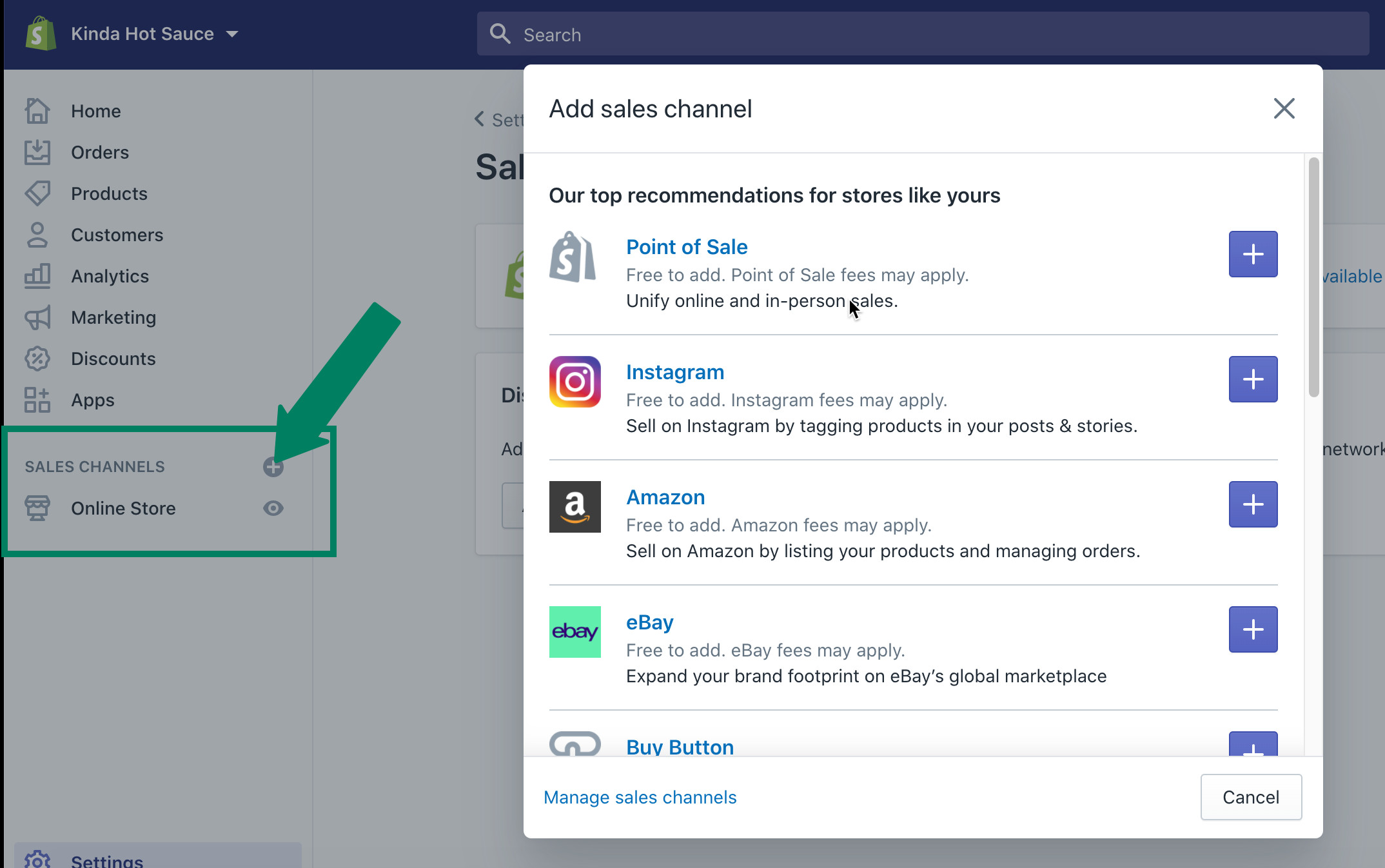
One of Shopify’s most powerful technological assets is its extensive App Store, a marketplace of thousands of applications designed to extend your store’s capabilities far beyond its core features. These apps integrate seamlessly with your Shopify admin, allowing you to add functionalities for marketing, SEO, customer service, reporting, inventory management, security, and much more.
Exploring the App Store involves identifying specific needs (e.g., email marketing automation, product review widgets, advanced analytics, loyalty programs) and selecting apps that address them. Installation is typically a one-click process, followed by configuration within the app’s interface, which is often embedded within your Shopify admin. Apps leverage Shopify’s API (Application Programming Interface) to exchange data, ensuring harmonious operation. Carefully choosing and integrating the right apps can transform your basic Shopify store into a highly specialized and efficient e-commerce powerhouse, tailored precisely to your business requirements. However, it’s also important to manage app usage to avoid conflicts or unnecessary overhead.
Pre-Launch Readiness and Post-Launch Management Tools
Before your Shopify store goes live, meticulous testing is essential to ensure a smooth customer experience. Post-launch, continuous monitoring and optimization, driven by the platform’s analytical tools, become paramount for sustained success.
Conducting Thorough Store Testing
Prior to launch, a comprehensive technical review and testing phase are indispensable. This involves simulating the entire customer journey, from browsing products to completing a purchase. Crucial testing steps include:
- Product page review: Ensuring all product details, images, variants, and pricing are accurate.
- Navigation testing: Verifying that all menus and links function correctly and lead to the intended pages.
- Add-to-cart and checkout flow: Performing test purchases (using Shopify’s “test mode” or a dummy payment gateway like Bogus Gateway) to confirm that items are added to the cart, shipping rates are calculated correctly, and payment processing is flawless.
- Mobile responsiveness: Checking the store’s appearance and functionality across various devices and browsers.
- Email notifications: Confirming that order confirmations, shipping updates, and other automated emails are being sent and received correctly.
- App integrations: Testing any installed third-party apps to ensure they are working as expected and not creating conflicts.
This rigorous testing process helps identify and rectify any technical glitches or user experience issues before they impact real customers, safeguarding your store’s credibility and preventing costly errors.
Launching Your Shopify Store
The final step in opening your Shopify store is to remove the password protection that typically guards your store during the development phase. From the “Online Store” > “Preferences” section in your Shopify admin, you simply disable the password page. This action immediately makes your store publicly accessible to the internet. While seemingly straightforward, this step signifies the culmination of all your setup efforts, marking the transition from a development environment to a live, operational e-commerce platform. It’s advisable to perform one final check of critical functions immediately after launching to ensure everything is operating as intended in the live environment.
Leveraging Shopify Analytics for Performance Monitoring
Once your store is live, Shopify’s built-in analytics and reporting tools become invaluable assets for monitoring performance and making data-driven decisions. The “Analytics” section of your dashboard provides a wealth of information, including real-time visitor data, sales reports, customer acquisition channels, conversion rates, popular products, and detailed insights into customer behavior.
These analytical tools track various metrics, from traffic sources (e.g., direct, referral, search engine) to checkout funnel performance (e.g., how many visitors added to cart, reached checkout, completed purchase). Understanding these data points allows you to identify trends, pinpoint areas for optimization (e.g., a high cart abandonment rate might indicate issues with shipping costs or payment options), and assess the effectiveness of marketing campaigns. Shopify also integrates with Google Analytics for even deeper web analytics capabilities, requiring a simple technical integration to connect the two platforms.
Continuous Optimization Through Tech Updates and Maintenance
The journey of an online store doesn’t end at launch; it’s a continuous process of technical optimization and maintenance. Regularly updating your theme and apps is crucial for security, performance, and accessing new features. Shopify itself frequently rolls out platform updates, enhancing functionality and security. Staying abreast of these changes and applying them appropriately ensures your store remains modern, efficient, and secure.
Furthermore, continuous monitoring of site speed, security logs, and error reports is vital. Optimizing images, leveraging browser caching, and minimizing app bloat can significantly improve site performance. Implementing security best practices, such as strong admin passwords and two-factor authentication, protects your digital assets. Proactive technical maintenance ensures your Shopify store remains a robust, high-performing e-commerce channel, capable of adapting to technological advancements and evolving customer expectations.
In conclusion, opening a Shopify store is a multifaceted technological endeavor that requires careful attention to setup, configuration, and ongoing management. By understanding and meticulously executing each technical step – from foundational settings and product data management to user experience design, operational integrations, and continuous performance monitoring – entrepreneurs can harness the full power of the Shopify platform. This systematic approach ensures not only the successful launch of a digital storefront but also its long-term viability and growth in the dynamic world of online commerce.
aViewFromTheCave is a participant in the Amazon Services LLC Associates Program, an affiliate advertising program designed to provide a means for sites to earn advertising fees by advertising and linking to Amazon.com. Amazon, the Amazon logo, AmazonSupply, and the AmazonSupply logo are trademarks of Amazon.com, Inc. or its affiliates. As an Amazon Associate we earn affiliate commissions from qualifying purchases.