
The digital marketplace has undergone a radical transformation over the last decade, transitioning from static web pages to dynamic, integrated ecosystems. At the heart of this revolution is Shopify, a multi-channel commerce platform that powers millions of independent businesses globally. For the consumer, “shopping on Shopify” isn’t about visiting a single website like Amazon or eBay; rather, it is about interacting with a sophisticated software-as-a-service (SaaS) infrastructure that underlies a vast network of unique storefronts. Understanding how to shop effectively on this platform requires a grasp of its technical architecture, security protocols, and the integrated tools designed to streamline the user experience.
Navigating the Shopify Ecosystem: A User’s Technical Guide
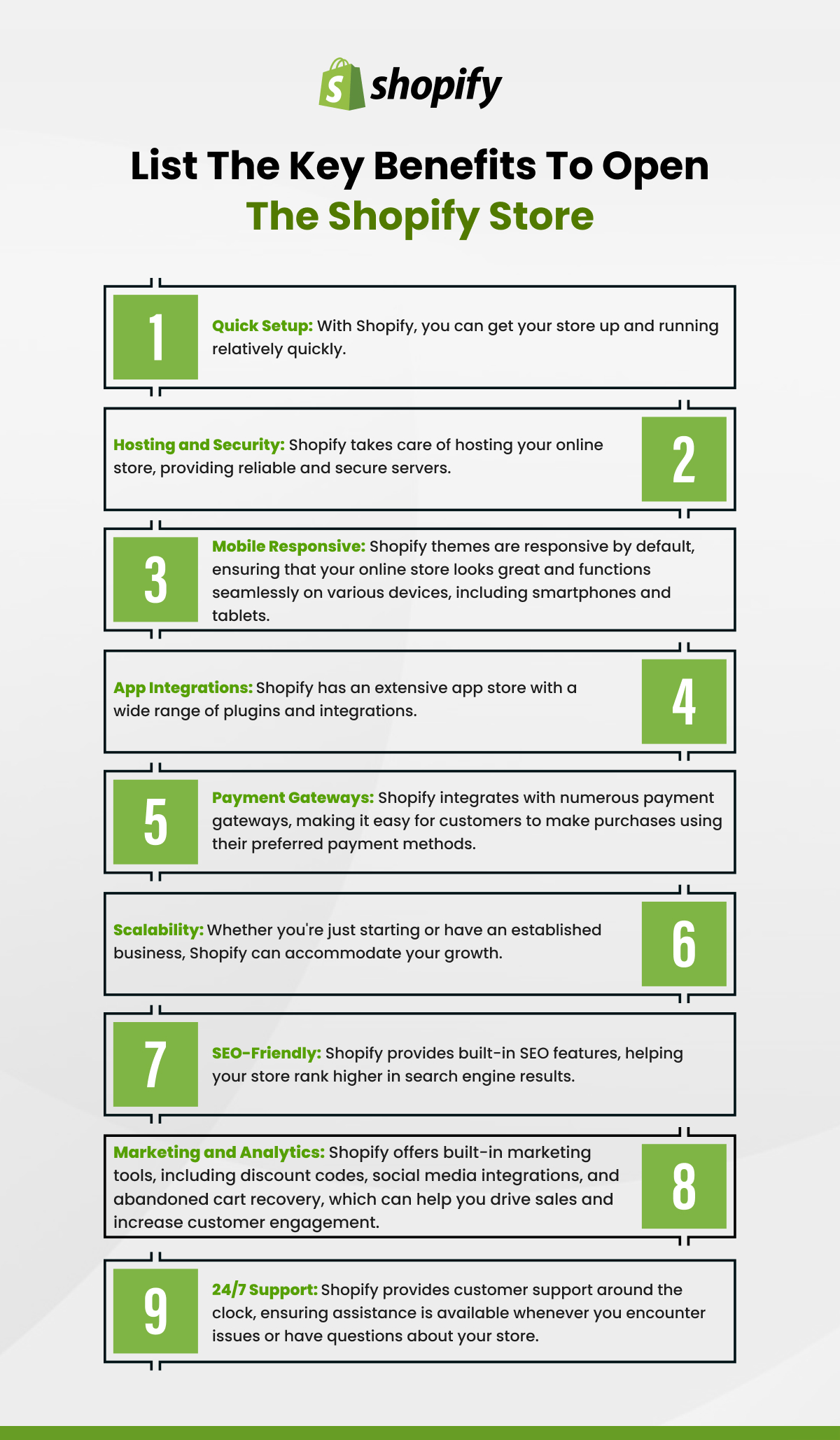
Shopify operates as the “operating system” for e-commerce. When you visit a boutique online store, you are often interacting with a front-end interface built on Shopify’s Liquid templating language. This infrastructure ensures that while every store looks different—reflecting its own brand identity—the underlying mechanics of the shopping cart, search functionality, and checkout process remain consistent and reliable.
Identifying a Shopify Store
While many brands hide the “Powered by Shopify” tag in their footers for aesthetic reasons, the technical footprint of the platform is easy to identify. Shopify stores utilize a specific URL structure for certain pages, such as /collections/ for product categories and /products/ for individual items. Furthermore, the checkout process almost always redirects to a shopify.com subdomain or a custom domain secured by Shopify’s internal SSL certificates. Recognizing these patterns allows savvy shoppers to know exactly what kind of technical environment they are transacting in, providing a baseline of expected performance and security.
The Backend Powering the Frontend
The shopping experience on Shopify is optimized for speed and reliability through a Global Content Delivery Network (CDN). When you browse a Shopify-powered site, the images and scripts are served from a server physically close to your location, reducing latency. This is crucial for modern e-commerce, where a one-second delay in page load time can significantly impact user satisfaction. As a shopper, this means you can expect high-resolution product images and interactive elements (like zoom-in features or variant selectors) to function smoothly across different devices, from desktop workstations to mobile browsers.
Security and Encryption: How Your Data is Handled
One of the primary concerns for any digital consumer is the security of their financial and personal information. Shopify’s technical infrastructure is built to meet the highest industry standards, ensuring that the “handshake” between your browser and the merchant’s store is encrypted and authenticated.
SSL Certificates and PCI Compliance
Every Shopify store is equipped with a 256-bit SSL (Secure Sockets Layer) certificate. This technology encrypts all data passed between your device and the server, making it virtually impossible for third parties to intercept your credit card details or login credentials. Beyond basic encryption, Shopify is Level 1 PCI DSS (Payment Card Industry Data Security Standard) compliant. This is the highest level of security certification available in the industry, covering everything from network security to regular monitoring and testing. When you shop on a Shopify-powered site, you are benefiting from a security framework that most small-to-medium businesses could not afford to implement on their own.
Shop Pay: The Encrypted Checkout Evolution
A standout feature of the Shopify ecosystem is Shop Pay, an accelerated checkout method that stores your shipping and billing information securely for use across any Shopify-powered store. From a technical standpoint, Shop Pay utilizes a process called “vaulting.” Your sensitive information is stored on Shopify’s PCI-compliant servers, and when you return to a participating store, the system recognizes your email address and sends a unique 6-digit verification code to your phone via SMS. This two-factor authentication (2FA) adds a robust layer of security, ensuring that even if someone has your email address, they cannot complete a purchase without physical access to your mobile device.
The “Shop” App: Bridging Mobile Technology and Personal Commerce
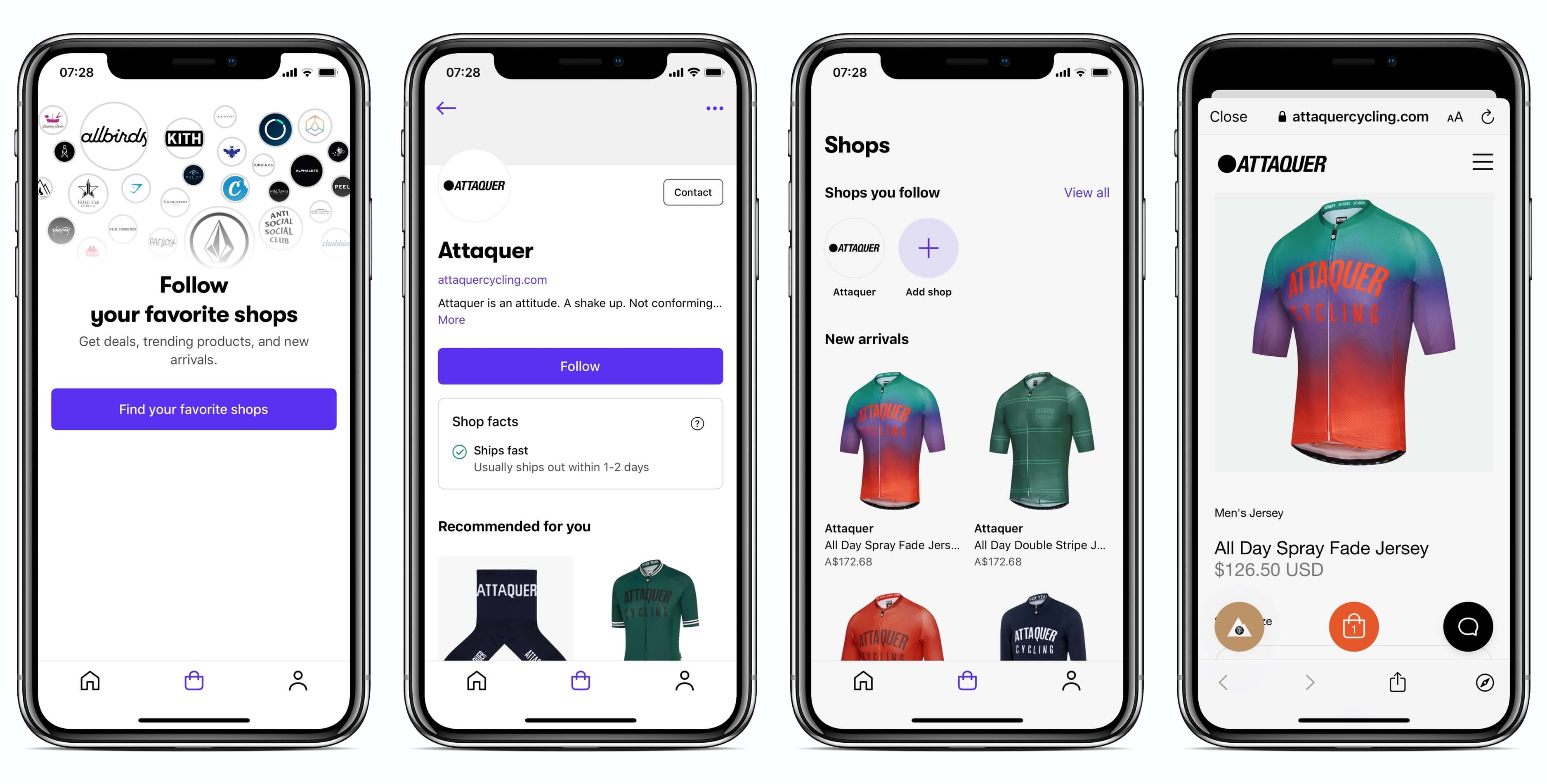
In a move to centralize the decentralized nature of its platform, Shopify launched the “Shop” app. This mobile application serves as a sophisticated digital assistant, aggregating all your interactions with Shopify merchants into a single, cohesive interface.
Real-time Tracking and Notifications
The Shop app leverages API integrations with hundreds of global carriers, including USPS, UPS, FedEx, and DHL. Once you make a purchase, the app automatically syncs with your provided email address (with permission) or pulls data directly from the Shopify checkout backend. This allows for real-time tracking of packages on a live map, providing push notifications at every stage of the delivery process—from “label created” to “out for delivery.” This technical integration eliminates the need for shoppers to manually enter tracking numbers into multiple carrier websites.
Managing Digital Receipts and History
Beyond tracking, the Shop app acts as a digital ledger. It archives your receipts, order histories, and merchant communications in a searchable database. For consumers who shop at multiple niche boutiques, this provides a unified “command center” that was previously only available on massive marketplaces like Amazon. The app also utilizes machine learning algorithms to suggest products from stores you have previously interacted with, creating a personalized discovery feed based on your actual purchasing data.
Optimizing Your Digital Shopping Experience
To get the most out of shopping on Shopify-powered sites, users should be aware of the technical settings and features that can enhance their browsing experience.
Browser Compatibility and Mobile Responsiveness
Shopify themes are developed using “Mobile First” design principles. This means the underlying CSS and JavaScript are optimized to detect the screen size of your device and adjust the layout accordingly. However, for the best experience, users should ensure they are using modern browsers (Chrome, Safari, Edge, or Firefox) that support advanced web features like WebP image formats and lazy loading. These technologies ensure that images load only as you scroll down the page, saving data and improving the overall speed of the site.
Leveraging Advanced Search and Filtering
Most Shopify stores utilize an internal search engine that supports predictive text and automated filtering. When you type into the search bar, the system queries the store’s product database in real-time to suggest the most relevant items. Additionally, the technical structure of Shopify’s product tagging allows for complex filtering. Shoppers can often drill down by size, color, material, or price range. Understanding that these filters are generated by the merchant’s backend database helps shoppers realize that the more specific their search terms, the more accurate the platform’s response will be.
Troubleshooting Technical Hurdles in E-Commerce
Even with a world-class infrastructure, the digital nature of e-commerce means that technical glitches can occasionally occur. Knowing how to resolve these issues can save time and frustration.
Cookie Management and Cart Persistence
Shopify uses “cookies”—small bits of data stored in your browser—to remember what you have placed in your shopping cart as you move from page to page. If you find that your cart is disappearing or items are not being saved, it is often due to aggressive privacy settings or third-party browser extensions (like ad-blockers) interfering with the site’s scripts. Clearing your browser cache or temporarily disabling extensions that modify site code can often restore full functionality to the shopping experience.

Payment Gateway Failures and Resolutions
Occasionally, a checkout might fail due to a “Gateway Error.” This typically happens when the communication between Shopify and the payment processor (like Stripe, PayPal, or a bank) is interrupted. This can be caused by an expired security token or an out-of-date browser. If an error occurs, the most effective technical solution is to ensure your browser is updated to the latest version or to try an alternative payment method provided in the Shopify checkout, such as Apple Pay or Google Pay. These mobile wallet integrations use biometric authentication (FaceID or Fingerprint) and tokenization, which bypasses many of the common hurdles associated with manual credit card entry.
By understanding the technical pillars of Shopify—from its secure, PCI-compliant checkout to its integrated mobile app and high-performance CDN—shoppers can navigate the vast world of independent online retail with confidence. The platform provides a standardized, high-tech foundation that allows small businesses to offer a shopping experience that rivals the giants of the industry, keeping your data safe and your deliveries on track.
aViewFromTheCave is a participant in the Amazon Services LLC Associates Program, an affiliate advertising program designed to provide a means for sites to earn advertising fees by advertising and linking to Amazon.com. Amazon, the Amazon logo, AmazonSupply, and the AmazonSupply logo are trademarks of Amazon.com, Inc. or its affiliates. As an Amazon Associate we earn affiliate commissions from qualifying purchases.