
In an increasingly digital world, seamless and secure online transactions are no longer a luxury but a necessity. At the forefront of this digital financial revolution stands PayPal, a pioneering platform that has redefined how individuals and businesses send, receive, and manage money online. Far more than just a payment processor, PayPal acts as a sophisticated digital wallet and a crucial piece of software in the personal and commercial tech stacks of millions worldwide. Understanding how to correctly set up and optimize a PayPal account is fundamental for anyone looking to navigate the modern digital economy with efficiency and security. This comprehensive guide will walk you through the technical intricacies of establishing your PayPal presence, ensuring you leverage its full suite of features safely and effectively.
Understanding PayPal’s Core Functionality and Account Types
At its heart, PayPal is a powerful software application designed to simplify and secure digital financial transactions. It acts as an intermediary, allowing users to send money without directly sharing their sensitive financial details with the recipient, thereby adding a crucial layer of digital security. Before diving into the setup process, it’s essential to grasp the fundamental types of accounts and the technical functionalities they offer.
The Digital Wallet Ecosystem: More Than Just Payments
Think of PayPal as your personal digital wallet, but with far greater capabilities than its physical counterpart. This software ecosystem allows you to link bank accounts, credit cards, and debit cards, consolidating various financial instruments into one accessible interface. This integration is a cornerstone of its technological design, providing users with flexibility in how they fund their transactions. Beyond simple payments, PayPal offers features like invoicing, subscription management, dispute resolution tools, and even peer-to-peer payments, all managed through its robust platform. Its mobile application extends this functionality to your fingertips, ensuring you have constant access to your funds and transaction history, reflecting the seamless integration expected of modern digital tools.
Personal vs. Business Accounts: Tailoring Tech to Your Needs
PayPal offers two primary account types, each tailored to different user requirements and technical functionalities:
- Personal Account: Designed for individual consumers, this account facilitates sending money to friends and family, making online purchases, and receiving payments for personal items. Its setup is straightforward, focusing on ease of use for everyday transactions. The technical architecture behind a personal account prioritizes simplicity and security for consumer-level interactions.
- Business Account: Geared towards entrepreneurs, freelancers, and established companies, a business account unlocks a broader array of features critical for commercial operations. This includes accepting payments from customers via websites, email invoices, and point-of-sale systems. Technically, a business account provides advanced reporting tools, multi-user access (for employees), and integrations with various e-commerce platforms and accounting software. It comes with more stringent verification requirements due to the higher volume and complexity of commercial transactions, underscoring PayPal’s commitment to robust digital security for its business users.
Choosing the right account type from the outset ensures you access the specific tools and security protocols best suited for your intended use, whether personal convenience or sophisticated commercial operations.
The Step-by-Step Technical Setup Process
Setting up your PayPal account is a relatively straightforward process, primarily involving a series of digital interactions to input your information and verify your identity. Adhering to each step carefully is crucial for ensuring your account is fully functional and secure from the start.
Initial Registration and Verification: Laying the Foundation
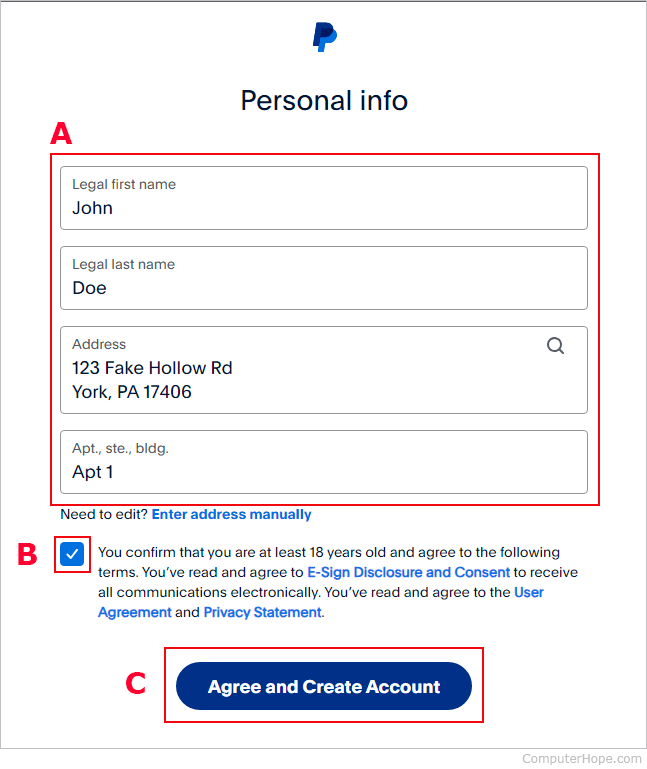
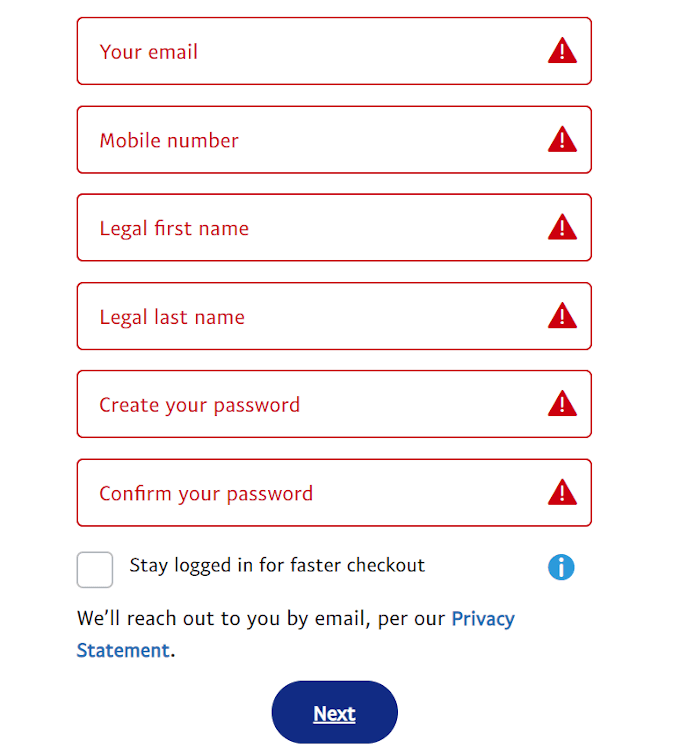
The journey begins at the PayPal website or through its mobile application. You’ll initiate the “Sign Up” process, which first requires you to select your account type (Personal or Business). The system then prompts you for essential personal details: your full legal name, email address, and a robust password. Choosing a strong, unique password is your first line of defense in digital security; utilize a combination of uppercase and lowercase letters, numbers, and symbols.
Upon submitting these details, PayPal typically sends a verification email to the address you provided. This is a critical security measure to confirm the email belongs to you and prevent unauthorized account creation. You must click the link within this email to activate your account. Without this verification, certain functionalities of your PayPal account may remain restricted, highlighting the platform’s emphasis on authenticated access. For business accounts, additional information like business name, type, and contact details will be required, along with potentially more extensive identity verification processes to comply with financial regulations.
Linking Financial Instruments: Bridging Digital and Traditional Banking

Once your account is active, the next pivotal step is to link your traditional financial instruments—specifically, a bank account and/or a credit/debit card. This integration is what makes PayPal a truly powerful digital wallet, enabling funds to flow between your PayPal balance and your external accounts.
- Linking a Bank Account: You’ll typically be asked for your bank’s name, routing number, and account number. PayPal then initiates a small deposit (often two micro-deposits of a few cents each) into your bank account. You’ll need to check your bank statement (which may take 1-3 business days) and then return to PayPal to confirm the exact amounts. This seemingly simple step is a sophisticated technical verification process designed to ensure you are the legitimate owner of the linked bank account, bolstering security against fraudulent linking.
- Linking a Credit or Debit Card: This process is more immediate. You’ll input your card number, expiration date, and the security code (CVV). PayPal performs an instant authorization check by placing a temporary, small charge on your card, which is then immediately reversed. This verifies the card’s validity and ownership.
Having both a bank account and a card linked provides flexibility and redundancy. The bank account allows for larger transfers and withdrawals to your primary financial institution, while a linked card serves as an instant backup funding source for payments if your PayPal balance is insufficient.
Securing Your Digital Payments: Essential Tech Safeguards
Digital security is paramount in online transactions, and PayPal has invested heavily in sophisticated technological safeguards to protect its users. However, these tools are most effective when combined with vigilant user practices.
Robust Authentication Protocols: Fortifying Your Access
PayPal employs several layers of authentication to protect your account. Beyond your initial password, the most critical security feature to enable is Two-Factor Authentication (2FA), also known as two-step verification. When 2FA is active, logging into your PayPal account requires not only your password but also a unique code sent to your registered mobile device (via SMS) or generated by an authenticator app. This means that even if a malicious actor obtains your password, they cannot access your account without physical access to your phone, significantly enhancing your account’s resistance to unauthorized access. PayPal’s system for device management also allows you to review and remove recognized devices, giving you control over where your account is accessed.
Monitoring and Fraud Protection: PayPal’s Tech Working for You
PayPal’s internal systems continuously monitor transactions for suspicious activity. Their advanced algorithms analyze transaction patterns, locations, and amounts to identify potential fraud. If an unusual transaction is detected, PayPal may temporarily hold the payment or contact you for verification. This proactive technological defense mechanism is a key component of their buyer and seller protection policies. Users also have the ability to report unauthorized transactions directly through the PayPal interface, triggering an investigation. While PayPal’s technology is robust, it’s crucial for users to regularly review their transaction history and promptly report any discrepancies. Additionally, understanding phishing scams and never clicking on suspicious links or providing login details outside of the official PayPal website or app is a vital aspect of user-side digital security.
Leveraging PayPal’s Features for Digital Efficiency
Once your PayPal account is fully set up and secured, you can begin to harness its comprehensive suite of features to streamline your online financial activities. PayPal’s utility extends far beyond simple payments, integrating deeply into the digital lives of millions.
Seamless Transactions: Sending and Receiving Funds with Ease
One of PayPal’s most celebrated features is the unparalleled ease with which users can send and receive money. With just an email address or mobile number, you can send funds to virtually anyone, anywhere in the world, assuming they also have a PayPal account. This peer-to-peer payment system is incredibly efficient, often processing transfers instantaneously. For receiving funds, whether it’s for services rendered, gifts, or selling items, the money lands directly in your PayPal balance, from which you can choose to keep it in your account, transfer it to a linked bank account, or use it for online purchases. The underlying technology ensures these transactions are not only fast but also recorded meticulously in your activity log, providing a clear digital trail for all financial movements.
Online Shopping Integration: A Secure Checkout Solution
PayPal has become a ubiquitous checkout option across thousands of e-commerce websites globally. When shopping online, selecting PayPal at checkout allows you to complete purchases without having to re-enter your credit card or shipping information on every new site. This streamlined process not only saves time but also significantly enhances security. Instead of sharing your sensitive card details with multiple vendors, you authorize PayPal to handle the payment. This means your financial information is stored securely with PayPal, reducing the risk of data breaches on individual merchant sites. Furthermore, PayPal’s Buyer Protection policy often provides an additional layer of assurance, offering recourse in cases where items are not received or are significantly not as described, reinforcing the trust users place in its technological framework for secure online commerce.
In conclusion, setting up a PayPal account is a fundamental step toward embracing the efficiencies and conveniences of modern digital finance. By understanding the types of accounts, meticulously following the technical setup steps, and diligently implementing security best practices, users can unlock a powerful tool for managing their money, conducting secure transactions, and participating fully in the global digital economy. PayPal’s continuous innovation in digital payments and security ensures it remains a vital component of our technological landscape.
aViewFromTheCave is a participant in the Amazon Services LLC Associates Program, an affiliate advertising program designed to provide a means for sites to earn advertising fees by advertising and linking to Amazon.com. Amazon, the Amazon logo, AmazonSupply, and the AmazonSupply logo are trademarks of Amazon.com, Inc. or its affiliates. As an Amazon Associate we earn affiliate commissions from qualifying purchases.