
In the rapidly evolving digital landscape, managing your online subscriptions has become an essential aspect of digital literacy and financial hygiene. From streaming services and software licenses to digital content platforms and online memberships, recurring payments can quietly accumulate, sometimes draining your resources without you even realizing it. PayPal, as a ubiquitous digital payment platform, often serves as the conduit for many of these subscriptions. Understanding how to effectively manage and cancel these recurring payments within PayPal is not just about saving money; it’s about mastering a crucial piece of your digital financial security and optimizing your online footprint.
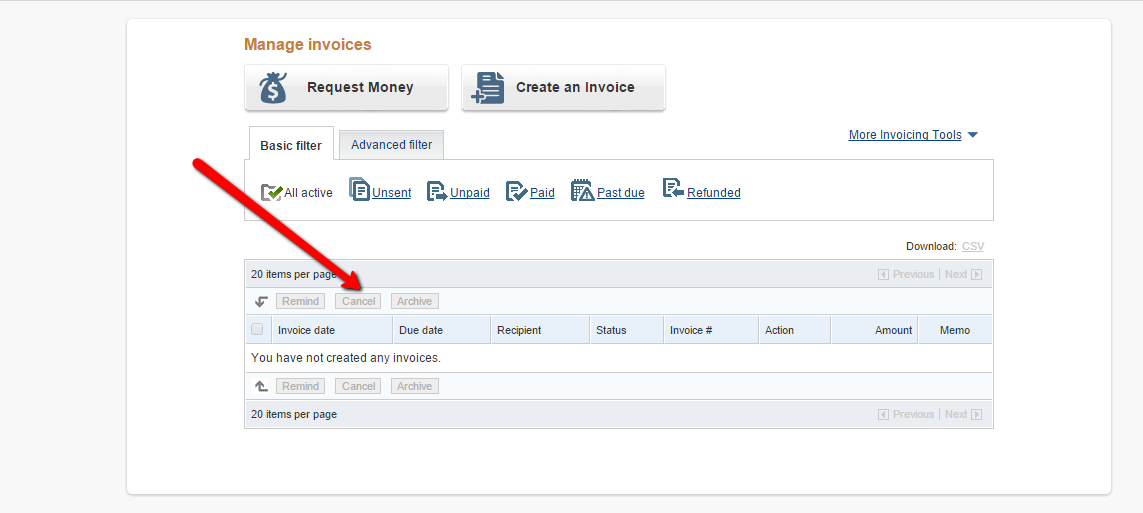
This guide delves into the technical process of navigating PayPal’s interface to cancel subscriptions, providing a professional, insightful, and engaging tutorial designed for both the tech-savvy and those new to managing digital payments. We’ll explore the step-by-step procedures, crucial considerations, and proactive strategies to ensure you maintain full control over your digital commitments.
Navigating PayPal for Subscription Management: A Step-by-Step Tutorial
PayPal’s platform is designed to offer a centralized hub for all your payment activities, including recurring subscriptions. While the interface may undergo occasional updates, the core functionality for managing automatic payments remains consistent. This section breaks down the precise steps to locate and terminate unwanted subscriptions, ensuring a smooth and effective process.
Accessing Your PayPal Account and Dashboard
The journey begins with logging into your PayPal account. It’s imperative to use the official PayPal website and ensure you’re on a secure connection to protect your credentials. Phishing attempts are common, so always double-check the URL (e.g., paypal.com) before entering your login information.
- Open your web browser: Navigate to
www.paypal.com. - Log In: Enter your registered email address or mobile number and password. If you have two-factor authentication (2FA) enabled, which is highly recommended for digital security, you will also need to enter the verification code sent to your registered device.
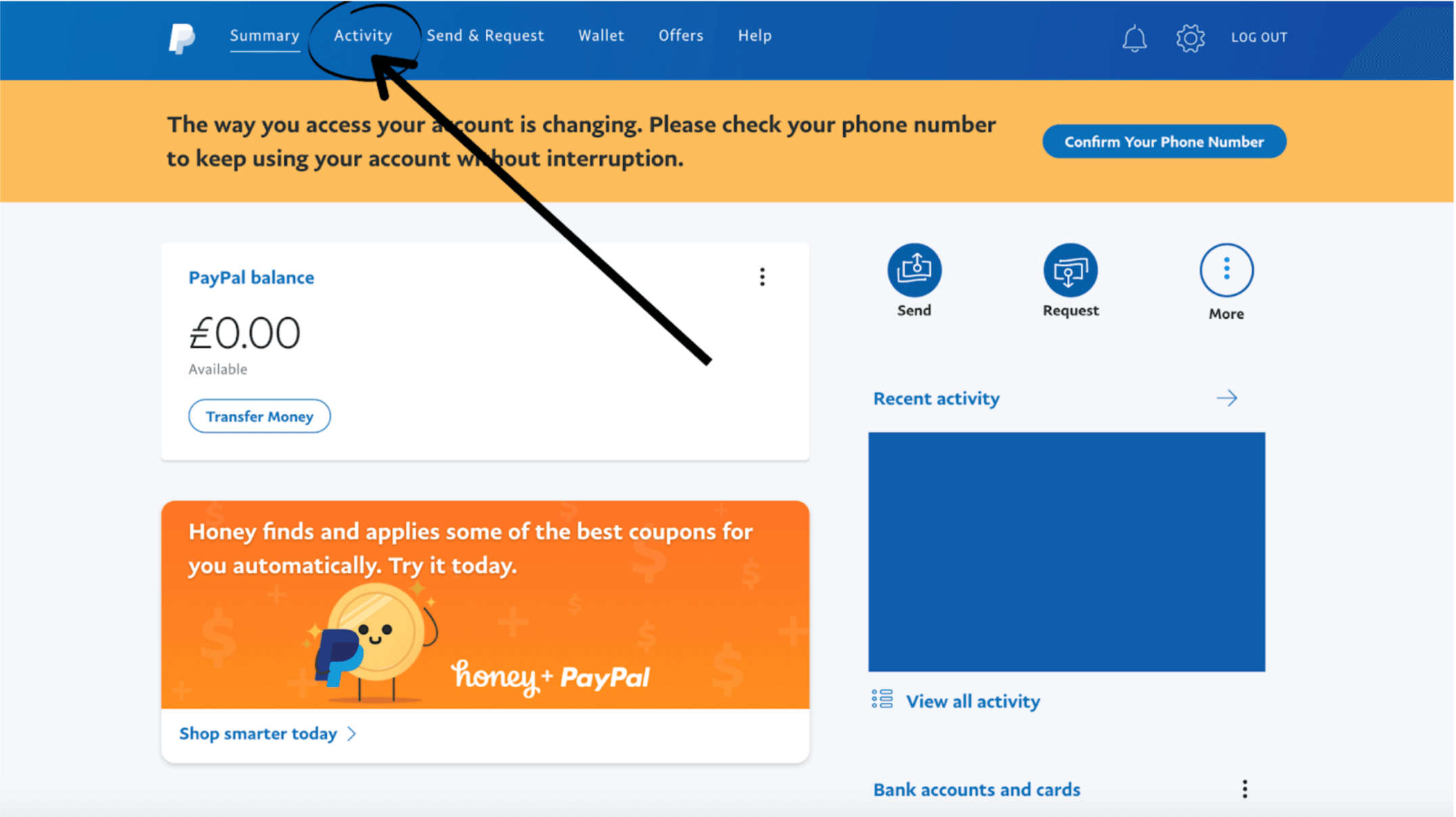
- Dashboard View: Upon successful login, you will typically land on your PayPal Summary or Dashboard page, which provides an overview of your recent activity and balance.
This initial step is foundational, establishing a secure entry point to your financial control panel within the digital ecosystem.
Locating the Automatic Payments Section
Once logged in, the next challenge is to navigate through PayPal’s various menus to find the specific section dedicated to recurring payments. PayPal categorizes these under “Automatic Payments” or “Preapproved Payments,” reflecting their nature as pre-authorized transactions.
- Access Settings: Look for a gear icon (⚙️) typically located in the top right corner of the page. Clicking this icon will take you to your account settings. Alternatively, some layouts might have a “My Account” or “Profile” dropdown from which you can select “Account Settings.”
- Navigate to Payments: Within the Settings menu, you’ll usually find several tabs or categories such as “Account,” “Security,” “Payments,” “Notifications,” etc. Click on the “Payments” tab. This section is the command center for all your outgoing and incoming payment configurations.
- Find “Manage Automatic Payments”: Under the “Payments” tab, you should see an option labeled “Manage automatic payments,” “Manage preapproved payments,” or something similar. This is your gateway to reviewing and controlling all active subscriptions linked to your PayPal account. Click on this link to proceed.
This pathway ensures you drill down to the precise functionality needed to exert control over your recurring digital expenditures.
Reviewing and Terminating Active Subscriptions
Upon entering the “Manage Automatic Payments” section, you will be presented with a list of all merchants that have ongoing pre-approved payment arrangements with your PayPal account. This list is a critical resource for identifying subscriptions you may have forgotten or no longer wish to maintain.
- Identify the Subscription: Scroll through the list of active merchants. Each entry typically shows the merchant’s name, the date the agreement was created, and sometimes the status. Look for the specific subscription you wish to cancel. If the list is long, PayPal often provides search or filter options.
- Select the Merchant: Click on the merchant’s name associated with the subscription you want to cancel. This action will open a detailed page for that specific automatic payment agreement.
- Initiate Cancellation: On the detailed agreement page, you will find information about the merchant, the payment terms, and importantly, a “Cancel” or “Cancel Automatic Payments” button. Click this button.
- Confirm Cancellation: PayPal will prompt you with a confirmation message, often explaining that once canceled, future payments to that merchant will cease, and you may need to contact the merchant directly for refunds or service discontinuation. Read this carefully and then click “Cancel Automatic Payments” or “Confirm” to finalize the process.
It is paramount to follow through with the confirmation step, as merely clicking “Cancel” without confirming might not apply the change. Once confirmed, the status of that particular automatic payment should change to “Canceled.”
Post-Cancellation Protocols: Ensuring Digital Security and Service Discontinuation
Canceling an automatic payment within PayPal is a significant step, but the process doesn’t always end there. To fully secure your digital financial posture and ensure seamless service discontinuation, several follow-up actions and considerations are crucial.
Understanding Seller-Specific Policies and Refund Implications
While PayPal handles the payment authorization, the actual service and its terms are governed by the merchant you subscribed to. Each merchant will have its own cancellation and refund policies, which are often outlined in their terms of service.
- Merchant Terms: Before, during, or immediately after canceling via PayPal, it’s wise to review the specific merchant’s terms and conditions regarding cancellations. Some services might require you to cancel directly on their platform in addition to, or instead of, PayPal. While canceling through PayPal stops future payments, it doesn’t always automatically terminate your account or service with the merchant.
- Refunds: If you’re canceling mid-billing cycle and believe you’re entitled to a partial or full refund, you must contact the merchant directly. PayPal’s cancellation only prevents future charges; it typically doesn’t initiate a refund for past payments or the current billing period unless explicitly stated by the merchant’s policy or if there’s a dispute handled through PayPal’s buyer protection.
This highlights the importance of understanding the dual nature of digital subscriptions: the payment mechanism (PayPal) and the service provider (the merchant).
Verifying Cancellation and Addressing Pending Charges

After canceling, a crucial step is to verify that the cancellation was successful and to be aware of any charges that might still be pending or processed immediately before the cancellation took effect.
- Check PayPal Activity: Go to your PayPal “Activity” page (usually accessible from your dashboard). Look for the transaction history related to the canceled subscription. Ensure no new charges appear from that merchant after your cancellation date. The automatic payment status should clearly show as “Canceled” in the “Manage Automatic Payments” section.
- Monitor Bank/Card Statements: For an added layer of security, cross-reference your PayPal activity with your linked bank account or credit card statements. This helps catch any discrepancies or unauthorized charges that might slip through.
- Pending Charges: If you cancel very close to a billing date, a charge might already be “pending” or in processing. In such cases, the payment might still go through. If this happens, you will need to contact the merchant directly for a refund. PayPal’s cancellation prevents future authorizations, but payments already initiated can sometimes complete.
Diligence in monitoring your accounts ensures that your cancellation efforts are fully realized and your digital security remains uncompromised.
What If You Can’t Cancel Through PayPal?
In rare instances, you might encounter issues canceling a subscription directly through the PayPal interface. This could be due to a technical glitch, a specific type of payment arrangement, or the merchant’s setup.
- Contact the Merchant First: If the PayPal cancellation option is unavailable or produces an error, your immediate next step should be to contact the merchant’s customer support. Explain that you wish to cancel your subscription and have attempted to do so via PayPal without success. Provide them with relevant details such as your subscription ID, PayPal transaction IDs, and your account information with them.
- Engage PayPal Support: If the merchant is unresponsive or unhelpful, then escalate the issue to PayPal’s customer service. They can investigate the specific payment agreement and assist you in forcing a cancellation or providing alternative solutions. Be prepared with screenshots and dates of your attempts to cancel.
- Dispute as a Last Resort: In extreme cases where neither the merchant nor PayPal can resolve the issue, and unauthorized charges persist, you might consider disputing the charges through PayPal’s Resolution Center. This should be a last resort, as it can be a more involved process.
These troubleshooting steps provide a safety net, ensuring that even in complex scenarios, you retain control over your digital subscriptions.
Proactive Digital Management: Mastering Your Subscription Ecosystem
Beyond the immediate need to cancel specific subscriptions, adopting a proactive approach to managing your digital subscriptions offers long-term benefits for both your financial health and digital security. This involves regular audits, leveraging technology, and understanding the broader implications of your digital financial commitments.
The Importance of Regular Audits and Financial Review
Many digital subscriptions operate on an “out of sight, out of mind” principle, leading to forgotten recurring payments for services you no longer use or need. Regular auditing is the cornerstone of effective subscription management.
- Monthly Review: Set a recurring reminder to review your “Manage Automatic Payments” section in PayPal (and your bank/credit card statements) once a month. This takes only a few minutes but can identify new or forgotten subscriptions before they accumulate significant costs.
- Service Relevance: As you review, critically assess each subscription: Do I still use this service? Is it providing value proportional to its cost? Are there cheaper or free alternatives? This exercise goes beyond simple cancellation; it’s about optimizing your digital spending.
- Budget Alignment: Integrate your subscription review into your overall personal finance routine. Ensure your recurring digital expenditures align with your budget and financial goals.
Regular audits not only save money but also contribute to a clearer understanding of your digital footprint, which is a vital aspect of modern digital security.
Leveraging Technology for Enhanced Subscription Control
The digital age offers tools and strategies to make subscription management less burdensome and more efficient. Incorporating these into your routine can automate parts of the auditing process.
- Calendar Alerts: For subscriptions with annual or irregular billing cycles, set calendar alerts a week or two before the renewal date. This gives you ample time to decide whether to renew or cancel and take action.
- Dedicated Subscription Management Apps: A growing number of third-party apps (e.g., Truebill, Mint, Rocket Money) are designed specifically to track and manage subscriptions across various accounts, including PayPal, bank accounts, and credit cards. These tools often categorize spending, alert you to upcoming renewals, and even help negotiate bills. While useful, ensure you choose reputable apps with strong privacy policies, as they require access to your financial data.
- Virtual Credit Cards: Some financial institutions and services offer virtual credit cards, which allow you to generate unique card numbers for online transactions, often with spending limits or expiration dates. Using these for subscriptions can provide an extra layer of control, as you can simply “turn off” the card if you want to stop a payment without directly interacting with the merchant or PayPal.
These technological aids empower users to move beyond reactive cancellation to proactive, automated management, embodying the essence of tech-savvy financial control.
Benefits of Proactive Subscription Management: Beyond Cost Savings
While financial savings are often the primary motivator, effective digital subscription management offers broader advantages:
- Enhanced Digital Security: Fewer active subscriptions mean fewer digital touchpoints, reducing your exposure to potential data breaches. Each active subscription holds some of your personal information, and reducing this surface area lessens the risk.
- Reduced Mental Clutter: A streamlined set of subscriptions translates to less mental overhead. You know exactly what you’re paying for, reducing anxiety about forgotten charges and simplifying your financial review process.
- Environmental Impact: While seemingly minor, the cumulative effect of digital services has an environmental footprint. Conscious consumption, even of digital goods, aligns with broader sustainability efforts.
- Focus on Value: By regularly reviewing and canceling unused services, you cultivate a habit of evaluating value for money, a skill transferable to all areas of personal finance and consumption.
In essence, mastering how to cancel subscriptions in PayPal and adopting a proactive management strategy transforms a reactive task into a powerful tool for digital empowerment, financial prudence, and enhanced personal security.
Conclusion
The ability to efficiently manage and cancel subscriptions within PayPal is a fundamental skill in today’s digital economy. It’s a key aspect of digital security, personal finance, and effective online living. By following the clear, step-by-step technical guide provided, users can confidently navigate PayPal’s interface to terminate unwanted recurring payments.
Beyond the immediate act of cancellation, adopting a proactive approach to subscription management through regular audits, leveraging technological tools, and understanding the broader implications of your digital commitments empowers you to maintain complete control over your financial resources and digital footprint. In a world where digital services are ubiquitous, mastering the art of subscription management within platforms like PayPal is not just convenient—it’s indispensable for securing your financial future and ensuring peace of mind in the digital realm.
aViewFromTheCave is a participant in the Amazon Services LLC Associates Program, an affiliate advertising program designed to provide a means for sites to earn advertising fees by advertising and linking to Amazon.com. Amazon, the Amazon logo, AmazonSupply, and the AmazonSupply logo are trademarks of Amazon.com, Inc. or its affiliates. As an Amazon Associate we earn affiliate commissions from qualifying purchases.