
In the rapidly evolving landscape of digital consumption, accessing content and services has become incredibly streamlined. For users within the Android and Google ecosystem, Google Play Credit stands as a pivotal tool, serving as a digital currency that unlocks a vast universe of applications, games, movies, books, and in-app purchases. Far more than just a payment method, it represents a flexible, secure, and often strategic way to manage digital spending and engage with the extensive offerings of the Google Play Store. This guide aims to demystify the process of acquiring Google Play credit, offering a professional and insightful overview for both seasoned users and newcomers alike, all while adhering strictly to the technological aspects of digital resource management.
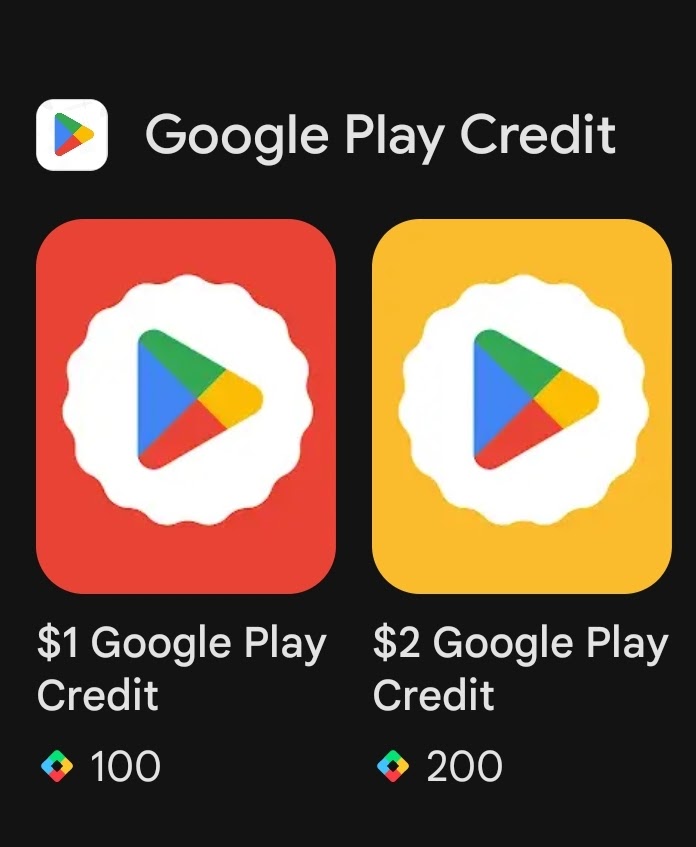
Understanding Google Play Credit: The Gateway to Digital Content
Before delving into the specifics of purchasing, it’s crucial to grasp what Google Play credit truly is and its integral role within the Android user experience. It’s not merely a gift card; it’s a fundamental component of managing your digital assets and transactions within Google’s pervasive digital storefront.
What is Google Play Credit?
Google Play credit functions as a prepaid balance linked directly to your Google account. This balance can then be used to make purchases across the entire Google Play Store. Unlike traditional bank cards or direct debit methods, it offers a layer of abstraction from your primary financial instruments, providing a dedicated fund for digital entertainment and productivity tools.
Its utility spans a wide array of digital products and services:
- Applications and Games: From premium productivity apps to the latest mobile gaming blockbusters, credit can be used to purchase paid apps or unlock full versions.
- In-App Purchases: Many free-to-play games and freemium apps offer enhanced features, virtual currency, or content packs through in-app purchases, all accessible via Play credit.
- Movies and TV Shows: Rent or buy digital copies of your favorite films and series directly from the Play Store.
- Books and Audiobooks: Expand your digital library with a vast selection of e-books and audiobooks.
- Subscriptions: Certain recurring subscriptions for apps or services, such as Google Play Pass or specific magazine subscriptions, can be paid for using your accumulated credit.
- Digital Music: While Google Play Music has transitioned to YouTube Music, credit can still be used for related digital content where applicable.
Essentially, Google Play credit centralizes your spending power for virtually anything offered within the Google Play ecosystem, making it a versatile digital wallet for the Android platform.
Why Opt for Google Play Credit?
The decision to use Google Play credit often extends beyond simple convenience, encompassing aspects of digital security, budgeting, and user control. From a technology management perspective, its benefits are clear:
- Enhanced Digital Security: By funding your Google Play account with credit, you can minimize the direct exposure of your bank card or other sensitive financial information to multiple transactions. For occasional purchases, this can be a more secure alternative than repeatedly entering card details.
- Budgeting and Spending Control: For individuals, particularly parents managing children’s access to in-app purchases, Play credit acts as a predefined budget. Once the credit is exhausted, no further purchases can be made until more is added, preventing accidental or unauthorized overspending.
- Seamless Gifting: Google Play gift cards are a popular and practical gift for anyone in the Android ecosystem. They provide the recipient with the freedom to choose exactly what digital content they desire, eliminating the guesswork of traditional gifts.
- Accessibility for Unbanked Users: For individuals who may not have access to traditional credit cards or bank accounts, physical Google Play gift cards offer a viable pathway to participate in the digital economy and access paid content.
- Promotional Advantages: Google and various retailers frequently offer promotions, such as bonus credit when purchasing a gift card of a certain value, providing an economic incentive to utilize this payment method.
These advantages highlight Google Play credit as a strategic tool for managing digital access and expenditure, making it a more sophisticated option than it might initially appear.
Navigating the Purchase Process: Diverse Avenues for Acquisition
Acquiring Google Play credit is a straightforward process, but the availability of multiple channels offers flexibility depending on your preference for online convenience or physical retail interaction. Each method is designed to seamlessly integrate with the Google Play ecosystem.
Online Purchase Methods
For those who prefer the speed and convenience of digital transactions, numerous online avenues exist for purchasing Google Play credit, delivering codes instantly or via email.
Direct Purchase via Google Play Store/Website
While not directly purchasing “credit” in the form of a gift card, you can add funds to your Google Play balance directly through your Google account using an existing payment method.
- Access Google Play: Navigate to play.google.com or open the Google Play Store app on your device.
- Payment Methods: Go to the “Account” section or “Payment methods” within the settings.
- Add Funds: Look for an option to “Add payment method” or “Add funds to Google Play balance.” You can then use a linked credit/debit card, PayPal, or other available options to directly top up your balance. This method is essentially funding your account directly, which then functions as credit.
Authorized Online Retailers
Several major online retailers and specialized digital gift card platforms are authorized sellers of Google Play gift codes. This often involves a digital code being sent to your email address after purchase.
- Select a Retailer: Websites like Amazon, PayPal Gifts, or dedicated digital gift card stores (e.g., Raise, Giftcards.com) frequently stock Google Play gift cards.
- Choose Value: Select the desired denomination for your credit.
- Complete Purchase: Proceed through the retailer’s checkout process.
- Email Delivery: The digital code will typically be delivered to your registered email address within minutes, ready for redemption. Always verify the retailer’s legitimacy and check for any regional restrictions before purchasing.
In-Store Purchase Methods
For users who prefer tangible products, cash transactions, or combining their purchase with other errands, physical gift cards are readily available at a vast network of brick-and-mortar stores.
Physical Retailers
Google Play gift cards are ubiquitous in various retail environments, making them highly accessible.
- Locate a Store: Visit major supermarkets (e.g., Walmart, Target, Kroger), electronics stores (e.g., Best Buy), convenience stores (e.g., 7-Eleven, CVS), or general merchandise retailers.
- Find the Gift Card Rack: Google Play cards are usually displayed alongside other popular gift cards in dedicated sections.
- Select a Denomination: Cards are available in various fixed denominations (e.g., $15, $25, $50, $100) or as variable load cards, allowing you to choose any amount within a specified range.
- Activate at Checkout: The card is activated by the cashier at the point of sale. This activation is crucial; an unactivated card cannot be redeemed. Retain your receipt as proof of purchase.

This hybrid approach, combining digital functionality with physical accessibility, underscores Google’s commitment to broad user reach and convenience in managing digital resources.
Redeeming and Utilizing Your Google Play Credit
Once you’ve acquired your Google Play credit, whether as a digital code or a physical card, the next step is to redeem it and start enjoying the wealth of content available. The process is designed to be intuitive and user-friendly, ensuring immediate access to your newly acquired funds.
Step-by-Step Redemption Guide
Redeeming a Google Play gift code is a quick and straightforward process, achievable through both the Google Play Store app on your Android device or via a web browser.
Via the Google Play App (Android Devices)
- Open Google Play Store: Launch the Google Play Store app on your smartphone or tablet.
- Access Menu: Tap on your profile icon (usually in the top right corner) to open the account menu.
- Select Payments & Subscriptions: From the menu, tap “Payments & subscriptions.”
- Choose Redeem Gift Code: Select the option “Redeem gift code.”
- Enter Code: Carefully enter the 16-digit code found on your physical gift card or in your email (for digital purchases). You can also use the “Scan gift card” option if your device’s camera can read the barcode.
- Confirm: Tap “Redeem.” The credit will instantly be added to your Google Play balance, and you’ll receive a confirmation message.
Via the Google Play Website (Desktop or Mobile Browser)
- Go to Play Store: Open a web browser and navigate to play.google.com/redeem.
- Sign In: Ensure you are signed into the correct Google account where you want the credit to be applied.
- Enter Code: Type or paste the 16-digit redemption code into the provided field.
- Redeem: Click “Redeem.” A confirmation will appear, showing the amount added to your balance.
Upon successful redemption, your Google Play balance will be updated, and the funds will be immediately available for use across the Play Store.
Maximizing Your Credit
Utilizing your Google Play credit effectively means understanding how it interacts with purchases and how to monitor your balance.
- Automatic Application: When you make a purchase in the Google Play Store, your available Google Play balance is automatically used first, provided it’s sufficient for the transaction. If the balance is less than the purchase price, you’ll be prompted to pay the remainder using another payment method.
- Checking Your Balance: You can always check your current Google Play balance by navigating to the “Payments & subscriptions” section within the Google Play Store app, then selecting “Payment methods.” Your “Google Play balance” will be displayed there.
- Prioritizing Purchases: Consider how you want to allocate your credit. If you have recurring subscriptions, ensure you have enough credit to cover them, or prioritize one-time app purchases if those are more critical to your current needs.
By understanding these mechanisms, users can efficiently manage their digital spending and ensure their credit is used to its fullest potential within the Google ecosystem.
Essential Considerations for a Seamless Experience
While purchasing and redeeming Google Play credit is generally straightforward, being aware of certain critical aspects can prevent potential issues and ensure a secure, hassle-free experience within the digital ecosystem.
Security and Scams
The digital nature of gift cards unfortunately makes them a target for fraudsters. Adhering to best practices for security is paramount.
- Authorized Sources Only: Always purchase Google Play gift cards or credit from reputable and authorized retailers, whether online or in-store. Avoid unofficial websites or individuals offering codes at heavily discounted prices, as these are often scams.
- Beware of Unsolicited Requests: Never provide your Google Play gift card codes to anyone you don’t know or trust, especially if they claim to be from tech support, government agencies, or utility companies. Google Play credit cannot be used to pay for taxes, bail, or utility bills. These are common tactics used in gift card scams.
- Protect Your Codes: Treat your redemption codes like cash. Keep physical cards in a secure location and delete emails containing digital codes after redemption if you’re concerned about email security.
- Scam Reporting: If you encounter a scam involving Google Play gift cards, report it to Google Play support and relevant law enforcement agencies.
Regional Restrictions and Currency
Google Play gift cards are region-specific, a crucial technical detail often overlooked.
- Country Matching: A Google Play gift card purchased in one country (e.g., the United States) can only be redeemed and used within a Google Play account that is registered to that same country. You cannot redeem a US gift card on a UK-registered Google account.
- Currency Matching: The currency of the gift card must match the currency of your Google Play account. A USD gift card cannot be used in a Google Play account set to EUR.
- Account Settings: Ensure your Google Play country settings are correctly configured to match the region of the gift card you intend to redeem. You can usually change your Play Store country settings, but this can only be done once every 12 months and may require a local payment method.
Tracking and Management
Efficiently managing your digital credit is key to a smooth user experience.
- Google Account Balance: Your Google Play balance is clearly displayed in your Google Play Store app and on the web. Make a habit of checking it before making significant purchases.
- Transaction History: Google provides a detailed transaction history for your purchases in the Play Store, allowing you to track how your credit has been utilized over time. This transparency aids in budgeting and expense management.
Troubleshooting Common Issues
Despite the seamless nature of the process, occasional issues may arise.
- Code Not Working: Double-check the 16-digit code for typos. Ensure the card has been activated by the retailer. Verify the regional compatibility.
- Balance Not Updating: Sometimes, there might be a slight delay, but typically credit updates instantly. If not, try restarting the app or your device.
- Contacting Support: For persistent issues, Google Play support is the primary resource. Have your redemption code and proof of purchase (receipt) ready when contacting them. They can assist with activation issues, balance discrepancies, or technical errors during redemption.
By keeping these considerations in mind, users can navigate the process of buying and using Google Play credit with confidence, ensuring a secure, efficient, and enjoyable experience within the vast digital content landscape offered by Google.
In conclusion, understanding how to buy Google Play credit is more than just a simple transaction; it’s about mastering a key aspect of digital wallet management within the ubiquitous Android and Google ecosystem. From its role as a secure budgeting tool to its function as a versatile gift, Google Play credit empowers users with flexible access to an immense library of digital content. By choosing authorized purchase channels, diligently protecting redemption codes, and being mindful of regional specificities, users can ensure a seamless and rewarding experience, solidifying their command over their digital expenditures and access to the ever-expanding world of applications, entertainment, and information.
aViewFromTheCave is a participant in the Amazon Services LLC Associates Program, an affiliate advertising program designed to provide a means for sites to earn advertising fees by advertising and linking to Amazon.com. Amazon, the Amazon logo, AmazonSupply, and the AmazonSupply logo are trademarks of Amazon.com, Inc. or its affiliates. As an Amazon Associate we earn affiliate commissions from qualifying purchases.