
In an era defined by connectivity and personalized digital experiences, the integration of advanced entertainment systems into our vehicles has become a cornerstone of modern automotive technology. Among these, SiriusXM stands out as a pioneering satellite radio service, offering an unparalleled breadth of content from commercial-free music and exclusive talk shows to live sports and breaking news. Activating this service in your car is the gateway to transforming your daily commute or long road trips into an immersive auditory journey. This guide delves into the technical intricacies and user-friendly steps required to bring SiriusXM to life within your vehicle, ensuring a seamless and enriching experience.
Understanding the SiriusXM Ecosystem in Your Vehicle
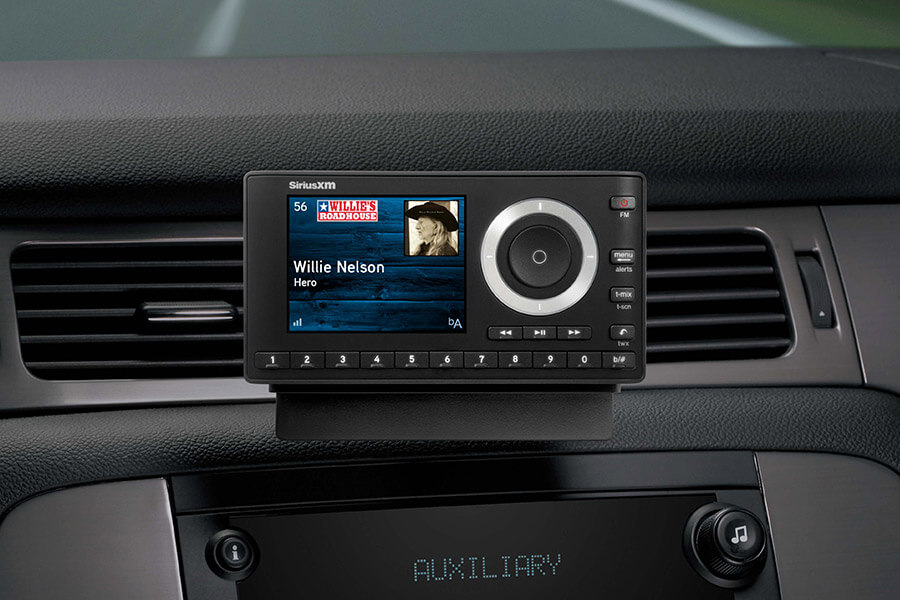
Before diving into the activation process, it’s crucial to grasp the technical foundation of how SiriusXM operates within your car. Unlike traditional FM/AM radio, satellite radio utilizes a network of geostationary satellites and ground repeaters to broadcast digital audio signals across vast geographical areas. This robust infrastructure ensures consistent signal quality, virtually eliminating the dead zones and static often associated with terrestrial radio.
The Allure of Satellite Radio
From a technological standpoint, SiriusXM represents a significant leap in broadcasting. Its digital nature allows for a wider array of channels, superior audio fidelity, and advanced features like on-screen program information. For the automotive consumer, this translates to a world of diverse content delivered reliably, regardless of location. The appeal isn’t just in quantity but in the curated, specialized programming that caters to virtually every taste, from niche music genres to in-depth political commentary and play-by-play sports coverage. Integrating this into your car elevates the driving experience, turning the vehicle’s infotainment system into a personalized media hub.
Identifying Your Car’s SiriusXM Readiness
Most modern vehicles come equipped with a factory-installed SiriusXM-ready radio. This means the necessary hardware – a compatible tuner and antenna – is already integrated into your car’s electrical system. To confirm your vehicle’s readiness, look for the SiriusXM logo on your radio display or head unit. Often, even without an active subscription, the radio will display a “Preview” channel (usually channel 1) or indicate “SiriusXM Ready.” If your car is older or lacks built-in capability, aftermarket solutions such as standalone tuners or adaptors can bridge the gap, effectively upgrading your vehicle’s tech stack to receive satellite radio signals. Verifying this readiness is the first technical hurdle to clear, ensuring your car possesses the fundamental components for receiving the service.
Decoding Your SiriusXM Radio ID
The heart of the activation process lies in identifying your unique SiriusXM Radio ID (sometimes referred to as an ESN or Electronic Serial Number). This 8- to 12-digit alphanumeric code acts as the digital fingerprint of your car’s SiriusXM tuner, allowing the service provider to target the activation signal specifically to your device. To locate your Radio ID, tune your radio to channel 0. The ID will typically appear on the display screen. If it doesn’t, consult your car’s owner’s manual or look for a sticker on the radio itself. For some aftermarket radios, accessing the ID might involve navigating through the system menus. Having this ID readily available is paramount, as it’s the primary piece of information required for any activation method. Without it, SiriusXM cannot digitally provision your service.
Step-by-Step Guide to In-Car Activation
Once you’ve confirmed your vehicle’s readiness and retrieved your Radio ID, the activation process itself is straightforward, primarily relying on digital communication channels. The key is ensuring your vehicle is in an optimal location to receive the activation signal from the SiriusXM satellites.
The Online Activation Pathway
The most common and often quickest method for activating SiriusXM is through their online portal. This digital self-service option empowers users to manage their subscriptions and initiate activation requests directly.
- Visit the SiriusXM Activation Website: Navigate to the dedicated activation page on the official SiriusXM website (usually siriusxm.com/activate).
- Enter Your Radio ID: Input the 8- to 12-digit Radio ID you retrieved from channel 0.
- Select Your Plan: If you’re a new subscriber or starting a trial, you’ll be prompted to choose a subscription package. Existing subscribers can log into their accounts to link the new radio.
- Provide Account Information: Complete the necessary personal and billing details if creating a new account.
- Submit Activation Request: After reviewing your details, submit the request. The website will confirm that an activation signal has been sent to your radio.
For this process to be effective, your car must be turned on and parked outdoors with a clear view of the sky. This allows the satellite signal to reach your antenna unobstructed. The activation signal typically arrives within a few minutes, but it can sometimes take up to an hour.
Activating Via Phone Support
For those who prefer direct assistance or encounter issues with the online portal, activating via phone support offers a human-guided alternative. This method is particularly useful for troubleshooting or clarifying subscription details.
- Call SiriusXM Customer Service: Dial the dedicated activation or customer service number provided by SiriusXM (usually found on their website).
- Provide Radio ID and Account Details: A customer service representative will ask for your Radio ID and any relevant account information (e.g., name, phone number, vehicle VIN if applicable).
- Discuss Subscription Options: The representative can guide you through available plans, trial offers, or help you link an existing subscription to your new radio.
- Confirm Activation Signal: Once all details are confirmed, the representative will send the activation signal to your radio.
As with online activation, your car must be on and parked outdoors. The customer service representative will usually instruct you to wait a few minutes and then check specific channels (e.g., 184 for a preview or one of your subscribed channels) to confirm activation.
Real-Time Refresh: Sending the Activation Signal
In some scenarios, particularly if you’re experiencing delays or partial activation, SiriusXM offers a “refresh” signal option. This is a technical command sent from their system to your specific radio, designed to re-initiate the provisioning process and ensure all subscribed channels are active. You can often trigger a refresh yourself online by re-entering your Radio ID on the activation page or by requesting it through phone support. This refresh capability is a crucial diagnostic tool in the SiriusXM ecosystem, allowing for remote system recalibration without requiring physical intervention.
Navigating Common Activation Challenges
While the activation process is generally smooth, technical glitches can occur. Understanding common issues and their troubleshooting steps is essential for a prompt resolution, keeping your vehicle’s infotainment system fully functional.

“No Signal” or “Call SiriusXM” Displays
These messages are the most frequent indicators of an incomplete or failed activation. A “No Signal” message often points to an issue with the radio’s ability to receive the satellite broadcast. This could be due to:
- Vehicle Location: Parking indoors (garages), under heavy tree cover, or in urban canyons can block the satellite signal. Move your car to an open area with a clear view of the sky.
- Antenna Obstruction/Damage: Check for any physical obstructions on your car’s satellite antenna (usually a small fin or puck on the roof). In rare cases, the antenna itself might be damaged or disconnected.
- Receiver Malfunction: Less commonly, the SiriusXM tuner itself might be faulty.
A “Call SiriusXM” message typically suggests an account-related issue, such as an expired trial, a pending payment, or a subscription that hasn’t fully propagated to the radio’s unique ID. In these cases, contacting customer service is the most direct solution to verify your account status and initiate a manual refresh.
Verifying Your Account and Subscription
Many activation problems stem from discrepancies between the Radio ID being activated and the subscription details on file. Always double-check:
- Correct Radio ID: Ensure the ID entered online or given to the representative exactly matches the one displayed on your radio. A single digit error can direct the activation signal to the wrong device.
- Active Subscription: Confirm that your subscription is active and paid up. If you’re on a trial, verify its expiration date.
- Vehicle Linked to Account: For existing subscribers, ensure the new Radio ID is correctly linked to your existing SiriusXM account. This prevents issues where an activation signal is sent but doesn’t reconcile with your profile.
These checks are crucial for maintaining the integrity of the digital provisioning process and ensuring your account aligns with the activated device.
System Refresh and Troubleshooting Tactics
Beyond simply calling support, several technical tactics can help resolve activation issues:
- Power Cycle the Radio: Turn your car off, open and close the driver’s side door (to ensure the infotainment system fully powers down), wait a few minutes, then restart the car. This can often clear temporary software glitches.
- Manual Refresh Request: As mentioned, use the online activation page to send a refresh signal again. It’s a low-effort, high-impact first step.
- Check Channel 184 (or similar preview channel): If you can receive channel 184 (or whatever your preview/default channel is), it indicates your radio is receiving a signal. The issue is likely with the subscription data rather than signal reception.
- Factory Reset (as a last resort): For persistent issues not resolved by other methods, a factory reset of your car’s infotainment system might be considered, though this should be approached with caution as it can erase other settings. Consult your car’s manual or a qualified technician before attempting.
Optimizing Your SiriusXM In-Car Experience
Once activated, SiriusXM transforms your vehicle into a dynamic entertainment hub. However, unlocking its full potential involves understanding how to navigate its features and integrate it seamlessly into your digital lifestyle.
Exploring Channel Lineups and Personalization
The sheer volume of SiriusXM channels can be overwhelming initially. Take time to explore the various categories (music, talk, sports, news) and discover channels that resonate with your interests. Most modern infotainment systems allow you to save favorite channels, creating a personalized list for quick access. This personalization extends to tailoring your listening experience, ensuring your car truly becomes a reflection of your entertainment preferences. The digital nature of the service also allows for a level of content discovery and curation not possible with traditional radio.
Integrating with Infotainment Systems
Modern car infotainment systems offer varying degrees of integration with SiriusXM. Beyond basic tuning, some advanced systems provide:
- Artist and Song Alerts: Receive notifications when your favorite artists or songs are playing on other channels.
- Traffic and Weather Services: Many SiriusXM subscriptions include advanced traffic and weather information, displayed directly on your car’s navigation screen, leveraging the same satellite technology.
- Voice Control: Use voice commands to change channels, access specific programs, or search for content, enhancing hands-free operation and safety.
Understanding your vehicle’s specific infotainment features can significantly enhance your SiriusXM interaction, transforming it from a simple radio service into a fully integrated technological amenity.
On-Demand and App Integration Beyond the Car
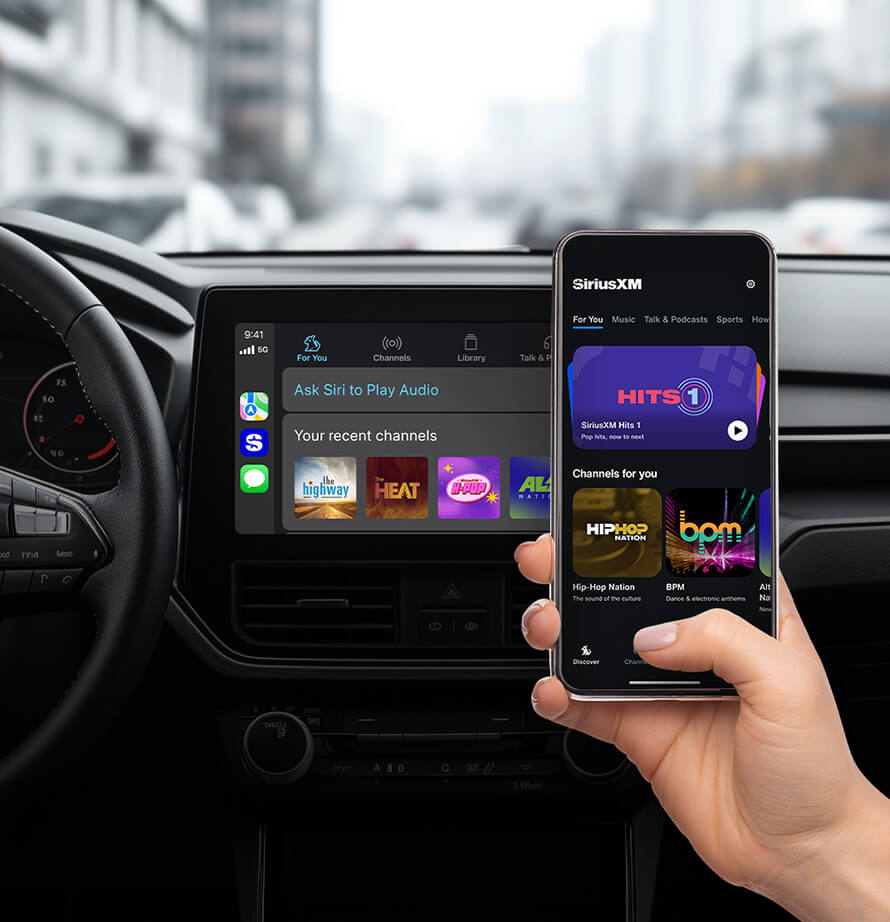
The SiriusXM experience isn’t confined to your car. Most subscriptions include access to the SiriusXM app, available on smartphones, tablets, and smart home devices. This extends your listening options to:
- On-Demand Content: Catch up on shows, interviews, and specific programs you missed.
- Streaming Anywhere: Listen to live channels and on-demand content outside your car, leveraging internet connectivity.
- Personalized Stations: Create custom stations based on artists or genres, similar to other streaming music services.
This multi-platform approach highlights SiriusXM’s commitment to delivering content across various digital touchpoints, ensuring your preferred programming is always accessible, whether you’re in your car, at home, or on the go.
Activating SiriusXM in your car is more than just turning on a radio service; it’s enabling a robust, satellite-powered entertainment system that enhances every drive. By understanding the underlying technology, following the activation steps meticulously, and leveraging the available troubleshooting methods, you can unlock a world of audio content and integrate it seamlessly into your automotive digital ecosystem.
aViewFromTheCave is a participant in the Amazon Services LLC Associates Program, an affiliate advertising program designed to provide a means for sites to earn advertising fees by advertising and linking to Amazon.com. Amazon, the Amazon logo, AmazonSupply, and the AmazonSupply logo are trademarks of Amazon.com, Inc. or its affiliates. As an Amazon Associate we earn affiliate commissions from qualifying purchases.