
Receiving a new debit card from Bank of America marks a significant step in managing your personal finances. Whether it’s your first card, a replacement, or a new account, the activation process is a mandatory yet straightforward gateway to accessing your funds, making purchases, and managing your money securely. This guide demystifies the activation process, providing clear, step-by-step instructions across various methods, alongside insights into optimizing your card’s utility within your broader financial strategy. Understanding how to properly activate and manage your debit card is fundamental to maintaining financial control and ensuring seamless transactions in today’s economy.
The Indispensable First Step: Understanding Debit Card Activation
Before you can tap, swipe, or insert your new Bank of America debit card, it must be officially activated. This isn’t merely a formality; it’s a critical security measure designed to protect your account from unauthorized use. An unactivated card is essentially dormant, unable to facilitate transactions, thus safeguarding your funds until you, the legitimate owner, initiate its functionality.
Why Activation is Crucial for Financial Security
The activation process serves as the final verification step, confirming that the card has reached its intended recipient. When you activate your card, you’re essentially telling Bank of America, “Yes, I have received this card, and I authorize its use.” This linkage is vital in preventing fraudulent activities. If a card were intercepted before reaching you, its unactivated status would render it useless to potential thieves, providing a crucial layer of defense against identity theft and unauthorized spending. Furthermore, activation often involves setting up or confirming your Personal Identification Number (PIN), which is another layer of security essential for ATM withdrawals and point-of-sale transactions.
What You’ll Need Before You Begin
Before embarking on the activation journey, gather the necessary information to ensure a smooth and swift process. Typically, you will need:
- Your new Bank of America debit card: Have the physical card in front of you.
- Your full Social Security Number (SSN) or Tax Identification Number (TIN): This is a primary identifier used for verification.
- Your Bank of America account number: While sometimes optional, having it ready can expedite the process.
- Your date of birth: Another common verification detail.
- Your phone number or email associated with the account: For verification codes or alternative contact.
- Your previous debit card (if applicable): Some methods might ask for information from your old card to confirm your identity during a replacement activation.
Having these details readily accessible will prevent delays and frustration, allowing you to quickly unlock your card’s potential.
Multiple Pathways to Financial Control: Activation Methods Explained
Bank of America provides several convenient options for activating your debit card, catering to different preferences and situations. Each method is secure and designed for user-friendliness, empowering you to choose the one that best fits your needs.
Activating Online: Your Digital Gateway to Funds
For those who prefer digital convenience, activating your debit card through Bank of America’s online banking platform is a popular choice. This method is secure and can be completed from virtually anywhere with an internet connection.
- Log in to Online Banking: Visit the official Bank of America website (www.bankofamerica.com) and log in to your existing online banking account using your User ID and Passcode. If you don’t have an online banking account, you’ll need to enroll first.
- Navigate to Card Services: Once logged in, look for a section related to “Card Services,” “Manage Cards,” or “Customer Service.” The exact navigation might vary slightly, but it’s usually prominent.
- Select “Activate Card”: Within the card services section, you should find an option to “Activate New Card” or “Activate Debit Card.”
- Enter Required Information: Follow the on-screen prompts to input the necessary verification details, which typically include your card number, expiration date, and security code (CVV/CVC) from the back of the card, along with personal identifiers like your SSN or date of birth.
- Confirm Activation: Review the information and confirm. You will receive a confirmation message that your card has been successfully activated.
Phone Activation: A Direct Line to Your Finances
If you prefer speaking with someone or don’t have immediate internet access, activating your card over the phone is a reliable alternative.
- Locate the Activation Number: The activation phone number is typically printed on a sticker on your new debit card or on the card carrier document that came with your card. It’s often a toll-free number. For Bank of America, a common activation line is 1-800-432-1000.
- Call the Number: Dial the activation number from a phone associated with your account, if possible, as this can sometimes expedite verification.
- Follow Automated Prompts: You will likely encounter an automated system. Listen carefully to the options and select the one for “debit card activation.”
- Provide Verification Details: The system will prompt you to enter your card number, account number, SSN, and other personal information to verify your identity.
- Complete Activation: Once verification is successful, the automated system will confirm your card’s activation. You may also be given the option to set or change your PIN during this call.
ATM Activation: Immediate Access to Your Money
Activating your debit card at a Bank of America ATM is a convenient option, especially if you’re already out and about. This method also allows you to set your PIN simultaneously.
- Find a Bank of America ATM: Locate any Bank of America ATM.
- Insert Your New Card: Insert your unactivated debit card into the ATM.
- Follow On-Screen Instructions: The ATM will recognize that the card is new and unactivated. It will guide you through the activation process. This usually involves entering your current PIN (if you have one and are activating a replacement card) or being prompted to set a new PIN. You might also need to enter your SSN or other identifying information.
- Complete a Transaction: To finalize the activation, the ATM will often require you to perform a simple transaction, such as checking your balance or making a cash withdrawal. This confirms that the card is fully operational.
Mobile App Activation: Managing Finances On-The-Go
For smartphone users, the Bank of America mobile app offers a streamlined way to activate your debit card, placing financial management literally at your fingertips.
- Download and Log In: If you haven’t already, download the official Bank of America Mobile Banking app from your device’s app store. Log in with your User ID and Passcode.
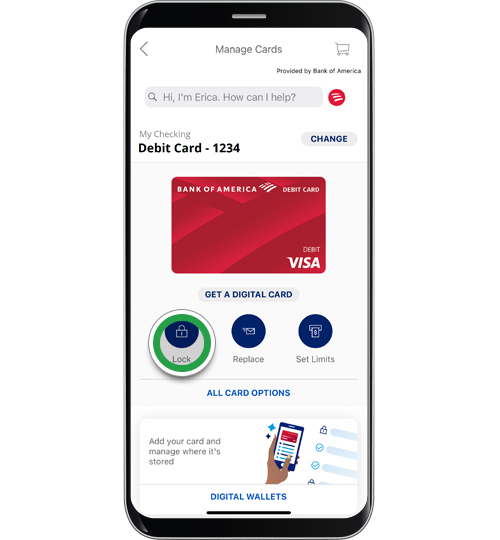
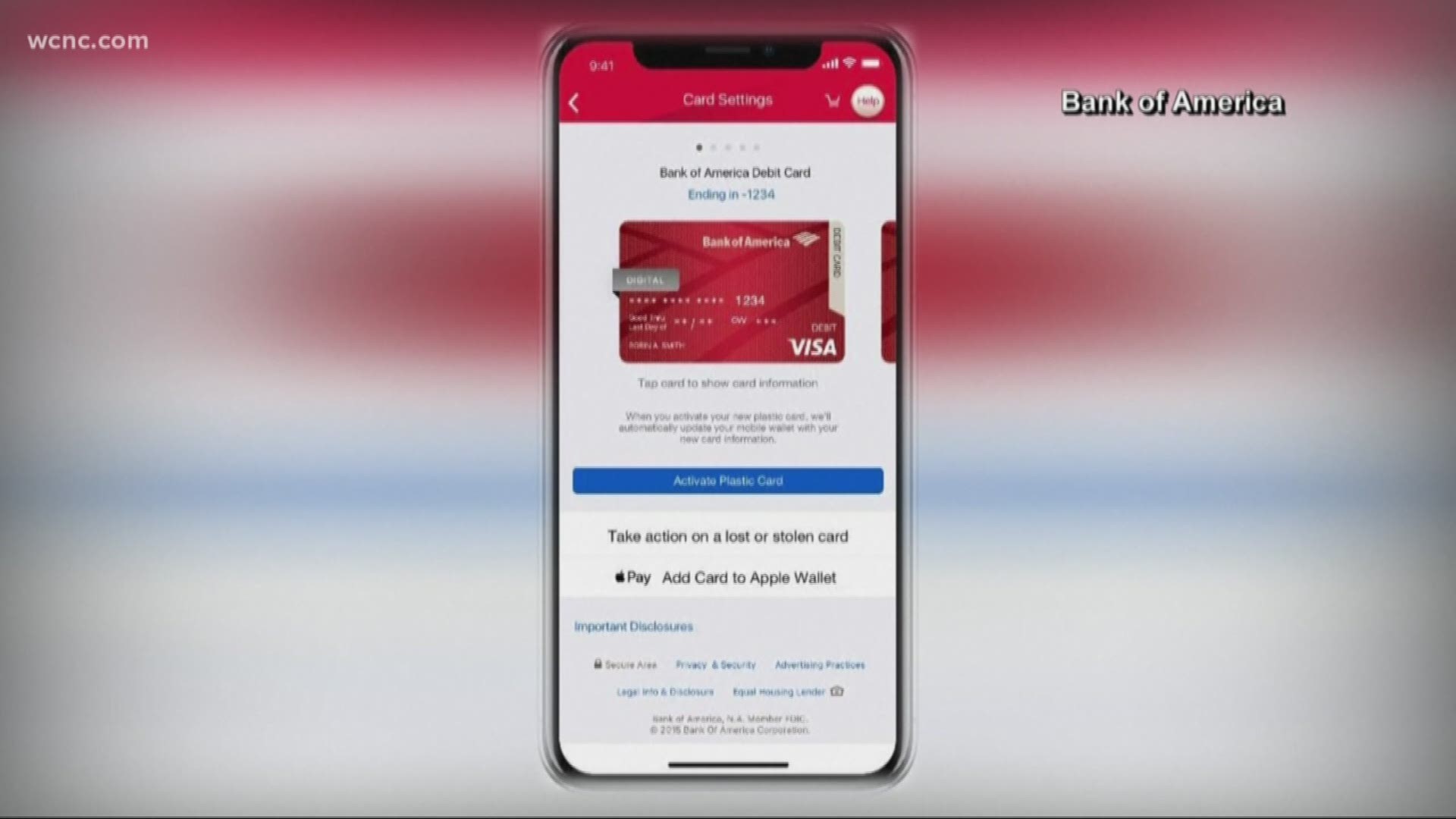
- Navigate to Card Management: Look for a section like “Manage Cards,” “Accounts,” or a specific notification regarding your new card.
- Select “Activate Card”: Tap on the option to activate your debit card.
- Enter Required Information: The app will guide you through entering your card details and personal verification information, similar to the online banking process.
- Confirm Activation: Once verified, confirm the activation. The app will provide an immediate confirmation.
Ensuring a Seamless Start: Troubleshooting and Best Practices
While the activation process is generally straightforward, minor hiccups can occur. Knowing how to troubleshoot common issues and adopting best practices ensures a smooth transition to using your new card.
Common Issues and Quick Resolutions
- “Card not found” or “Invalid details”: Double-check all information entered for typos, especially card numbers, expiration dates, and SSN.
- Technical glitches: If using online or mobile app, try clearing your browser cache, restarting the app, or switching to another activation method (e.g., phone call).
- Forgotten online banking credentials: Use the “Forgot User ID” or “Forgot Passcode” links on the Bank of America website or app to regain access.
- Issues with verification questions: Ensure you are providing information exactly as it appears on your Bank of America records.
- Card not working after activation: Wait a few minutes after receiving confirmation. Sometimes it takes a moment for the system to update. If it still doesn’t work, contact customer service.
Setting Up Your PIN: The Key to Secure Transactions
Your PIN (Personal Identification Number) is a four-digit code crucial for securing your debit card. It’s used for ATM transactions and many point-of-sale purchases. During the activation process, especially via phone or ATM, you’ll typically be prompted to set your PIN.
- Choose a memorable yet secure PIN: Avoid obvious numbers like your birth date, address, or sequences (e.g., 1234).
- Memorize it: Never write your PIN down or share it with anyone.
- Change it periodically: Bank of America allows you to change your PIN at any ATM or by calling customer service.
Verifying Activation and Initial Usage Tips
After you receive confirmation of activation, it’s good practice to verify its functionality.
- Check your balance: Log in to online banking or the mobile app, or call the automated phone banking line to confirm your account balance is accessible.
- Make a small purchase: Use your card for a small, non-critical purchase (e.g., a cup of coffee) or an ATM balance inquiry to confirm it works.
- Update recurring payments: If this is a replacement card, remember to update the card details for any recurring payments or subscriptions linked to your old card number.
Beyond Activation: Maximizing Your Bank of America Debit Card’s Value
Activating your debit card is just the beginning. To truly harness its potential, integrate it effectively into your personal finance management strategy.
The Power of a Debit Card in Personal Finance Management
A debit card is more than just a piece of plastic; it’s a direct link to your checking account, offering real-time access to your funds.
- Budgeting tool: Using a debit card for everyday expenses helps you stick to your budget by spending only the money you have.
- Convenience: Eliminates the need to carry large amounts of cash.
- Record keeping: All transactions are logged in your bank statements, simplifying expense tracking and reconciliation.
- Emergency access: Provides quick access to cash via ATMs.
Leveraging Bank of America’s Digital Tools
Bank of America offers a robust suite of digital tools that complement your debit card usage, enhancing your financial management capabilities.
- Online Banking & Mobile App: Monitor transactions, set up alerts, pay bills, transfer funds, and view statements.
- Budgeting Tools: Utilize features like Erica, Bank of America’s AI-driven virtual financial assistant, for insights into your spending patterns.
- Zelle®: Easily send and receive money with friends and family using your debit card linked to your account.
Security Measures and Fraud Prevention
Even after activation, vigilance is key. Your Bank of America debit card comes with built-in security features, but your active participation in fraud prevention is paramount.
- Zero Liability Protection: Bank of America offers Zero Liability Protection for unauthorized transactions, meaning you won’t be held responsible for fraudulent charges.
- Fraud Monitoring: The bank actively monitors for suspicious activity.
- Set up alerts: Configure text or email alerts for transactions, low balances, or suspicious activity directly through your online banking or mobile app.
- Regularly review statements: Promptly identify and report any unrecognized transactions.
Expert Tips for a Secure and Efficient Debit Card Experience
To maintain control over your finances and ensure a safe experience with your Bank of America debit card, consider these expert recommendations.
Regular Monitoring and Transaction Awareness
Make it a habit to regularly check your account activity. Log in to your online banking or mobile app daily or every few days to review recent transactions. This proactive approach helps you quickly spot any unauthorized charges, allowing you to report them to Bank of America without delay. Timely reporting is crucial for resolving disputes and protecting your funds.
Protecting Your Personal Information
Your debit card and the information associated with it are valuable targets for fraudsters.
- Be cautious online: Only provide your card details on secure, encrypted websites (look for “https://” in the URL and a padlock icon).
- Beware of phishing scams: Bank of America will never ask for your full card number, PIN, or SSN via unsolicited email or text message. Do not click suspicious links or reply to such messages.
- Guard your PIN: As mentioned, never share your PIN. Be mindful of shoulder-surfers at ATMs or POS terminals.
- Shred old documents: Properly dispose of old card carriers, statements, and any documents containing sensitive financial information.

When to Contact Bank of America Customer Service
Knowing when and how to contact customer service is a vital aspect of managing your financial tools. Don’t hesitate to reach out if:
- You experience difficulty activating your card.
- Your card is lost or stolen.
- You notice any suspicious or unauthorized transactions.
- You need to change your PIN or report travel plans.
- You have questions about your account or card features.
Bank of America customer service can be reached at 1-800-432-1000 for general inquiries, or a specific fraud hotline if you suspect unauthorized activity. Prompt communication is your best defense against financial mishaps.
In conclusion, activating your Bank of America debit card is a fundamental step towards financial independence and security. By understanding the various activation methods, adhering to best practices, and actively monitoring your account, you empower yourself to manage your money effectively and confidently. Your debit card is a powerful financial tool; activate it correctly and use it wisely to maintain robust control over your personal finances.
aViewFromTheCave is a participant in the Amazon Services LLC Associates Program, an affiliate advertising program designed to provide a means for sites to earn advertising fees by advertising and linking to Amazon.com. Amazon, the Amazon logo, AmazonSupply, and the AmazonSupply logo are trademarks of Amazon.com, Inc. or its affiliates. As an Amazon Associate we earn affiliate commissions from qualifying purchases.