
The question of how many YouTube channels one can manage often arises from content creators, businesses, and digital strategists looking to diversify their online presence or segment their content. Far from being a rigid limitation, YouTube’s infrastructure, rooted in Google Accounts, offers remarkable flexibility. Understanding these technical underpinnings is crucial for optimizing your digital strategy, managing diverse content streams, and effectively reaching various target audiences.
At its core, YouTube allows a user to create and manage a significant number of channels, primarily tied to their Google Account. The magic largely happens through the concept of “Brand Accounts,” which serve as a powerful tool for extending your reach beyond a single personal channel. This article will dissect the technical framework that enables multi-channel management, explore the strategic advantages, guide you through the creation and management processes, and highlight key considerations for maintaining a robust multi-channel ecosystem.

The Core Answer: Your Google Account is the Key
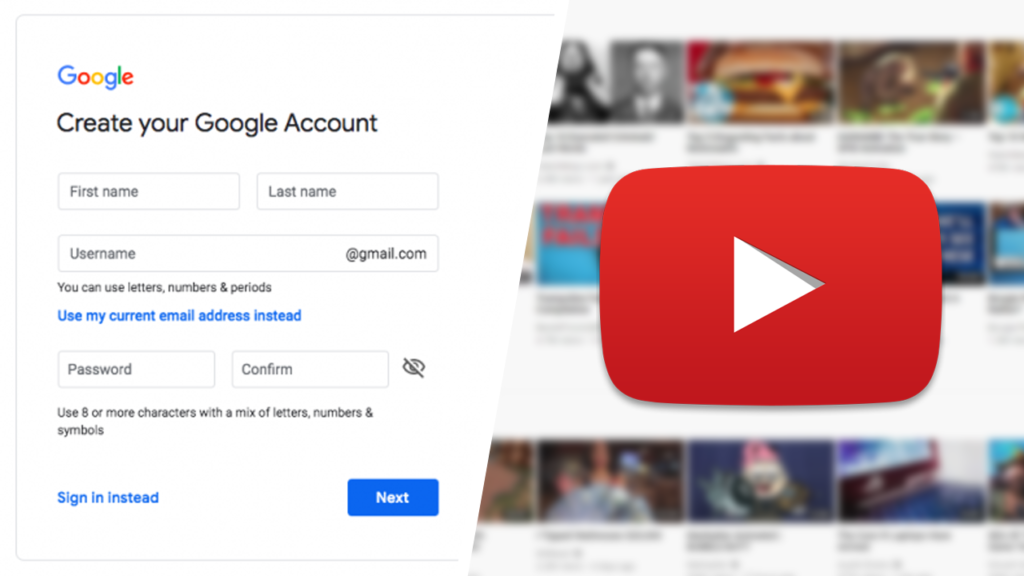
The fundamental answer to “how many channels can you have on YouTube?” is: many. There isn’t a strict, published hard limit on the number of channels you can create under a single Google Account. The ability to create multiple channels stems from YouTube’s integration with Google Brand Accounts. Each Google Account can own multiple Brand Accounts, and each Brand Account can host one YouTube channel.
When you first create a YouTube channel, it’s typically tied to your personal Google Account, often referred to as a “personal channel” or “default channel.” This channel uses your Google Account name and profile picture. However, YouTube’s real power for multi-channel management comes into play with Brand Accounts.
Personal vs. Brand Accounts: A Crucial Distinction
Understanding the difference between a personal channel and a Brand Account channel is paramount for anyone considering a multi-channel strategy.
- Personal Channel (Default): This channel is directly linked to your primary Google Account. Its name and access are intrinsically tied to your Google Account profile. While functional, it’s less flexible for team collaboration or diverse content segmentation, as its identity is fundamentally yours.
- Brand Account Channel: A Brand Account is a separate online identity that can have its own name, profile picture, and associated services (like YouTube, Google My Business, etc.). Crucially, a Google Account can own and manage multiple Brand Accounts. When you create a YouTube channel under a Brand Account, that channel exists independently of your personal Google Account’s name and identity. This offers immense advantages:
- Multiple Channels per Google Account: You can create numerous YouTube channels, each linked to a different Brand Account, all managed from a single Google login.
- Shared Management: You can grant multiple people access to manage a Brand Account channel without giving them access to your personal Google Account information or other Brand Accounts. This is ideal for teams, agencies, or collaborations.
- Identity Separation: A Brand Account allows a channel to have an identity distinct from the individual creator, perfect for businesses, specific content niches, or pseudonyms.
Practical Limits and Scalability
While there isn’t an official ceiling on the number of channels, practical limits often emerge from resource management rather than technical restrictions. Managing dozens or hundreds of active, high-quality channels would demand substantial time, content creation capabilities, and strategic oversight.
From a technical perspective, YouTube’s infrastructure is designed to scale. As long as you adhere to YouTube’s Terms of Service and Community Guidelines, there’s no technical barrier preventing you from creating and managing a significant portfolio of channels. The platform is built to support creators and organizations of all sizes, from individual vloggers to multinational corporations, many of whom manage multiple channels for different markets, languages, or content verticals. The true limitation often lies in your capacity to consistently produce engaging content and effectively manage the technical aspects of each channel.
Why Operate Multiple YouTube Channels? Strategic Digital Expansion
The decision to launch multiple YouTube channels is rarely arbitrary; it’s a strategic move driven by specific digital objectives. For creators, businesses, and organizations, segmenting content across multiple channels can significantly enhance reach, engagement, and overall brand effectiveness.
Content Diversification and Niche Targeting
One of the primary reasons for multiple channels is to cater to diverse content themes or niches. If your audience has varied interests, trying to force all content into a single channel can dilute its focus and alienate subsets of your viewers.
- Example: A gaming channel might have content on reviews, live streams, and tutorials. Instead of mixing them, creating separate channels for “Gaming Reviews,” “Gaming Live,” and “Gaming Tutorials” allows each channel to build a dedicated audience interested in that specific type of content.
- Benefits: This approach ensures that subscribers to a particular channel receive content highly relevant to their interests, leading to higher engagement rates, improved watch time, and stronger community building within each niche. It also makes it easier for new viewers to discover content specifically tailored to their search queries.
Audience Segmentation and Engagement
Different content niches often attract distinct demographics or psychographics. Multiple channels enable you to speak directly to these segmented audiences with tailored messaging, tone, and even monetization strategies.
- Tailored Communication: Each channel can develop its own voice and community guidelines, fostering more intimate and relevant interactions. Comment sections and community posts on a niche channel will naturally be more focused than on a broad general channel.
- Optimized Marketing: Marketing efforts can be hyper-targeted. Promotions for a “Product Review” channel can focus on consumers nearing a purchase decision, while a “Behind-the-Scenes” channel might target those interested in industry insights or creator lifestyle. This precision improves campaign ROI.
Brand Protection and Experimentation
For established brands or creators, multiple channels can serve as a sandbox for experimentation or a buffer against potential issues.
- Risk Mitigation: If one channel faces a community guideline strike or an unexpected drop in viewership due to content changes, your other channels remain unaffected, protecting your overall digital presence.
- Experimentation: Launching a new content format, genre, or even a different brand identity can be tested on a separate channel without risking the established audience and metrics of your main channel. If successful, elements can be integrated or promoted across your network.
- Language and Regional Specificity: Global brands often create separate channels for different languages or regions, providing localized content, subtitles, and community management that resonates more deeply with specific geographic audiences.
Technical Steps to Create and Manage Multiple Channels
The process of creating and managing multiple YouTube channels is streamlined and user-friendly, largely thanks to the Brand Account system.
Creating a New Channel via a Brand Account
- Sign In: Log in to YouTube with your Google Account that you wish to manage the new channel(s) from.
- Access Settings: Click on your profile picture in the top right corner and select “Settings” (the gear icon).
- Create a New Channel: Under the “Your Channel” section, click “Create a new channel.”
- Brand Account Creation: You will be prompted to create a new Brand Account or choose an existing one. If creating new, enter a name for your Brand Account (which will be the name of your new YouTube channel).
- Confirm and Customize: Follow the prompts to complete the channel creation. Once created, you can customize its profile picture, banner art, description, and other settings independently of your other channels.
Repeat this process for every additional channel you wish to create. Each new channel will be linked to a unique Brand Account under your primary Google Account.
Switching Between Channels Seamlessly
YouTube makes it incredibly easy to navigate between the channels managed by your Google Account:
- Click Profile Picture: While logged into YouTube, click on your profile picture in the top right corner.
- Switch Account: Select “Switch account” from the dropdown menu.
- Select Channel: A list of all channels associated with your Google Account (both personal and Brand Account channels) will appear. Simply click on the channel you wish to use.
This seamless switching means you don’t need to log in and out multiple times; all managed channels are accessible from a single login session.
Granting Permissions and Team Management
One of the most powerful features of Brand Account channels is the ability to grant different levels of access to other Google Account users. This is indispensable for teams, agencies, or collaborators.
- Access Channel Settings: Switch to the Brand Account channel you want to manage. Click your profile picture > Settings.
- Manage Permissions: Go to “Channel Manager” > “Add or remove managers.” This will take you to the Brand Account details page.
- Invite Users: Click “Manage Permissions,” then the invite icon (person with a plus sign). Enter the email address of the Google Account you wish to invite and select their role:
- Owner: Full control, can manage permissions.
- Manager: Can do almost everything an Owner can, except delete the channel or manage permissions.
- Communications Manager: Can manage videos and comments, but not account details or permissions.
This hierarchical permission system ensures secure and efficient team collaboration without compromising your primary Google Account’s security.
Optimizing and Maintaining Your Multi-Channel Ecosystem
Creating multiple channels is just the first step. To truly leverage their potential, effective optimization and maintenance strategies are essential, all while staying within the technical confines and best practices of the YouTube platform.
Consistent Branding and SEO Across Channels
While channels are distinct, a cohesive brand strategy often spans across them, especially if they belong to the same parent entity.
- Visual Identity: Develop a branding guide for logos, color palettes, and visual styles that link your channels, even if subtly. This creates a recognizable ecosystem.
- Cross-Promotion: Utilize end screens, cards, and channel descriptions to promote your other channels. This acts as an internal traffic network, encouraging viewers to explore more of your content.
- SEO Strategy: Each channel requires its own robust SEO strategy. Research keywords relevant to its specific niche, optimize titles, descriptions, and tags. However, also consider how certain keywords might bridge between your channels, guiding users through your content network. YouTube’s algorithm values relevance, so ensure each channel’s SEO is hyper-focused on its content.
Analytics and Performance Monitoring
Monitoring the performance of each channel independently is crucial for understanding what works and refining your strategy.
- YouTube Studio Analytics: YouTube Studio provides detailed analytics for each channel, offering insights into watch time, audience demographics, traffic sources, and more.
- Comparative Analysis: While each channel has unique goals, periodically comparing key metrics across your channels can reveal overarching trends or best practices that can be shared. For instance, if one channel’s thumbnail strategy is outperforming others, this insight can be applied system-wide.
- Experimentation Tracking: Use analytics to track the success of experiments launched on specific channels. A/B test different content formats, upload schedules, or call-to-actions to refine your approach.
Security Best Practices for Multiple Accounts
Managing multiple channels increases your digital footprint and, thus, potential security vulnerabilities if not handled carefully.
- Two-Factor Authentication (2FA): Enable 2FA on your primary Google Account and all linked Brand Accounts. This is the single most effective security measure against unauthorized access.
- Strong, Unique Passwords: Use strong, unique passwords for your Google Account. Consider a password manager to securely store these.
- Regular Permission Reviews: Periodically review who has manager access to your Brand Accounts. Remove access for individuals who no longer need it.
- Awareness of Phishing: Be vigilant against phishing attempts. Google and YouTube will never ask for your password via email. Educate your team on identifying suspicious communications.
Navigating the Challenges of Multi-Channel Management
While the technical framework for multi-channel management on YouTube is robust, successful execution comes with its own set of challenges that creators and businesses must proactively address.
Time and Resource Allocation
The most significant challenge is often the sheer commitment of time and resources required to maintain multiple active channels. Each channel demands:
- Content Production: Videos, shorts, community posts, live streams.
- Optimization: SEO (titles, descriptions, tags), thumbnail design, end screens.
- Engagement: Responding to comments, community building.
- Analysis: Reviewing analytics, refining strategy.
Spreading these efforts too thin across many channels can lead to a decline in quality, inconsistent upload schedules, and ultimately, disengaged audiences. It’s crucial to realistically assess your production capacity and ensure adequate staffing or time commitment for each channel. Prioritize quality over quantity, especially when first establishing your multi-channel network.
Avoiding Content Duplication Penalties
YouTube’s policies are designed to promote original and valuable content. Uploading identical or near-identical videos across multiple channels can be flagged as spam or lead to demonetization.
- Unique Content: Ensure that each channel offers distinct content relevant to its niche. While cross-promotion is encouraged, direct content duplication is not.
- Repurposing vs. Duplication: Repurposing content (e.g., using a segment from a long-form video to create a unique short for a different channel, or translating a video into a new language) is generally acceptable if it adds new value or targets a different audience. However, simply re-uploading the same video without significant modification or added value is risky.
- Fair Use and Copyright: Be mindful of copyright for any content used. Managing multiple channels doesn’t grant additional rights to copyrighted material.
Ensuring Brand Cohesion (Even with Diversification)
While separate channels allow for niche targeting, maintaining a degree of brand cohesion across your network can strengthen your overall identity and credibility.
- Unified Vision: Even with diverse content, there should ideally be an overarching vision or set of values that connects all your channels, particularly if they fall under the same parent brand or creator.
- Consistent Quality: Strive for a consistent level of production quality across all channels. A stark difference in quality between channels can confuse viewers or diminish perception of your overall brand.
- Cross-Promotion Strategy: Develop a smart cross-promotion strategy that introduces audiences to your other channels in a non-intrusive way, highlighting how they complement each other without forcing unwanted content on viewers.
In conclusion, YouTube provides an exceptionally flexible technical framework for managing multiple channels through its Brand Account system. There is no practical limit to the number of channels one can create, allowing for extensive content diversification and audience segmentation. However, successful multi-channel management transcends mere channel creation; it demands strategic planning, robust technical oversight, diligent content production, and a keen awareness of platform policies to unlock the full potential of your digital presence. By understanding and leveraging these technical capabilities, creators and businesses can build a sophisticated and resilient YouTube ecosystem.
aViewFromTheCave is a participant in the Amazon Services LLC Associates Program, an affiliate advertising program designed to provide a means for sites to earn advertising fees by advertising and linking to Amazon.com. Amazon, the Amazon logo, AmazonSupply, and the AmazonSupply logo are trademarks of Amazon.com, Inc. or its affiliates. As an Amazon Associate we earn affiliate commissions from qualifying purchases.