
The landscape of television consumption has undergone a dramatic transformation over the past decade. The days of relying solely on expensive cable packages and rigid broadcast schedules are steadily fading, replaced by a dynamic ecosystem of live TV streaming. For many, the question is no longer if they should cut the cord, but how to effectively navigate the myriad options available to access their favorite live content without the traditional pay-TV subscription. This guide delves into the technological backbone, essential components, and diverse platforms that empower users to stream live television, offering insights into building a personalized and cost-effective entertainment hub.
The Evolving Landscape of Live TV Consumption
The shift from conventional cable and satellite TV to digital streaming is more than just a trend; it’s a fundamental change in how we consume media. Driven by technological advancements, evolving consumer preferences, and the pursuit of greater flexibility and value, live TV streaming has emerged as a formidable alternative.
From Cable Boxes to Digital Streams: A Paradigm Shift
For decades, the cable box was the undisputed gateway to television content. It offered a bundled experience, often with hundreds of channels, but came with significant drawbacks: high monthly fees, long-term contracts, and a lack of customization. The advent of high-speed internet and the proliferation of smart devices laid the groundwork for a new paradigm. Digital streaming leverages internet connectivity to deliver content directly to a wide array of devices, bypassing the need for proprietary hardware and rigid service agreements. This shift represents a move towards an on-demand, personalized, and often more affordable viewing experience.
Why the Shift? Benefits of Live TV Streaming
The allure of live TV streaming is multifaceted. Firstly, cost savings are a primary motivator. While premium streaming bundles can still add up, they often provide more tailored channel lineups at a lower cost than comparable cable packages. Secondly, flexibility and control are paramount. Users can choose specific services that align with their viewing habits, often with no contracts, allowing them to start, pause, or cancel subscriptions at will. Thirdly, ubiquitous access means you can watch content on virtually any internet-connected device – from smart TVs and smartphones to tablets and laptops – whether you’re at home or on the go. This level of portability was largely unheard of in the cable era. Lastly, streaming platforms often incorporate advanced features like cloud DVRs, multiple simultaneous streams, and vast on-demand libraries that surpass the capabilities of traditional TV services.
Essential Components for a Seamless Streaming Experience
Before diving into the multitude of live TV streaming services, it’s crucial to ensure you have the right technological infrastructure in place. A smooth, high-quality streaming experience hinges on a few fundamental components.
Robust Internet Connection: The Foundation
The bedrock of all live TV streaming is a stable and sufficiently fast internet connection. Unlike traditional broadcast, streaming relies entirely on data transfer. For standard definition (SD) content, a speed of 3-5 Mbps (megabits per second) might suffice, but for high-definition (HD) streams, which are now the norm, 10-25 Mbps per stream is recommended. If you plan to stream in 4K Ultra HD, or if multiple people in your household will be streaming simultaneously, speeds upwards of 50-100 Mbps or more are advisable. It’s not just about raw speed, but also consistency and low latency, which prevents buffering and ensures real-time delivery of live events. A wired Ethernet connection, where feasible, often provides more stability than Wi-Fi, though modern Wi-Fi routers (especially Wi-Fi 6/6E) offer excellent performance.
Choosing Your Streaming Device: Compatibility and Performance
Once you have the internet, you need a device to decode and display the streamed content. The options are plentiful:
- Smart TVs: Many modern televisions come with built-in operating systems (like Roku TV, Google TV, Samsung Tizen, LG webOS) that allow direct installation of streaming apps.
- Dedicated Streaming Players: Devices like Roku streamers, Amazon Fire TV Sticks/Cubes, Apple TV, and Google Chromecast offer robust interfaces, powerful processors, and access to a vast ecosystem of apps. These are often preferred for their dedicated streaming capabilities and consistent updates.
- Gaming Consoles: PlayStation and Xbox consoles can also download many popular streaming apps, serving as multi-purpose entertainment hubs.
- Computers & Mobile Devices: Laptops, desktops, smartphones, and tablets can all access live TV streaming services through web browsers or dedicated mobile apps, offering unparalleled portability.
The choice often comes down to budget, preferred user interface, and compatibility with your existing devices and desired streaming services.
The Role of Digital Antennas in Complementing Streams
While not strictly “streaming” in the internet sense, a digital antenna (also known as an Over-the-Air or OTA antenna) is a powerful, one-time purchase that perfectly complements live TV streaming. It allows you to receive major local network channels (ABC, CBS, FOX, NBC, PBS, etc.) in high definition for free, without any monthly fees. This is particularly valuable for sports fans who want access to local games or for anyone who wants a reliable backup during internet outages. Many streaming devices and smart TVs now integrate well with OTA signals, and some even offer OTA DVR capabilities, blurring the lines between traditional broadcast and modern viewing habits.
Navigating the World of Live TV Streaming Services
The core of live TV streaming lies in the services themselves. These platforms act as virtual cable providers, bundling channels and features into various packages. They can be broadly categorized into subscription-based, free/freemium, and network-specific apps.
Subscription-Based Powerhouses: A Deep Dive into Premium Services
These are the direct replacements for traditional cable, offering live channels, news, sports, and entertainment. They typically require a monthly fee and often include cloud DVR functionality and extensive on-demand libraries.
- YouTube TV: Known for its comprehensive channel lineup, unlimited cloud DVR, and user-friendly interface. It’s a strong all-rounder, particularly good for sports and news.
- Hulu + Live TV: Combines a robust live TV offering with access to Hulu’s massive on-demand library. Great for those who enjoy both live broadcasts and extensive on-demand content.
- Sling TV: Offers more customizable, à la carte channel packages (Sling Orange and Sling Blue), allowing users to pay only for the channels they truly want. Often seen as a more budget-friendly option.
- FuboTV: Heavily focused on sports, offering a vast array of sports channels, along with general entertainment and news. It’s often favored by avid sports enthusiasts.
- DirecTV Stream: Formerly AT&T TV Now, this service aims to replicate the traditional cable experience with extensive channel packages, though often at a higher price point.
Each service has its unique strengths, channel lineups, and pricing, making comparison a crucial step.
Free and Freemium Options: Expanding Your Viewing Horizons
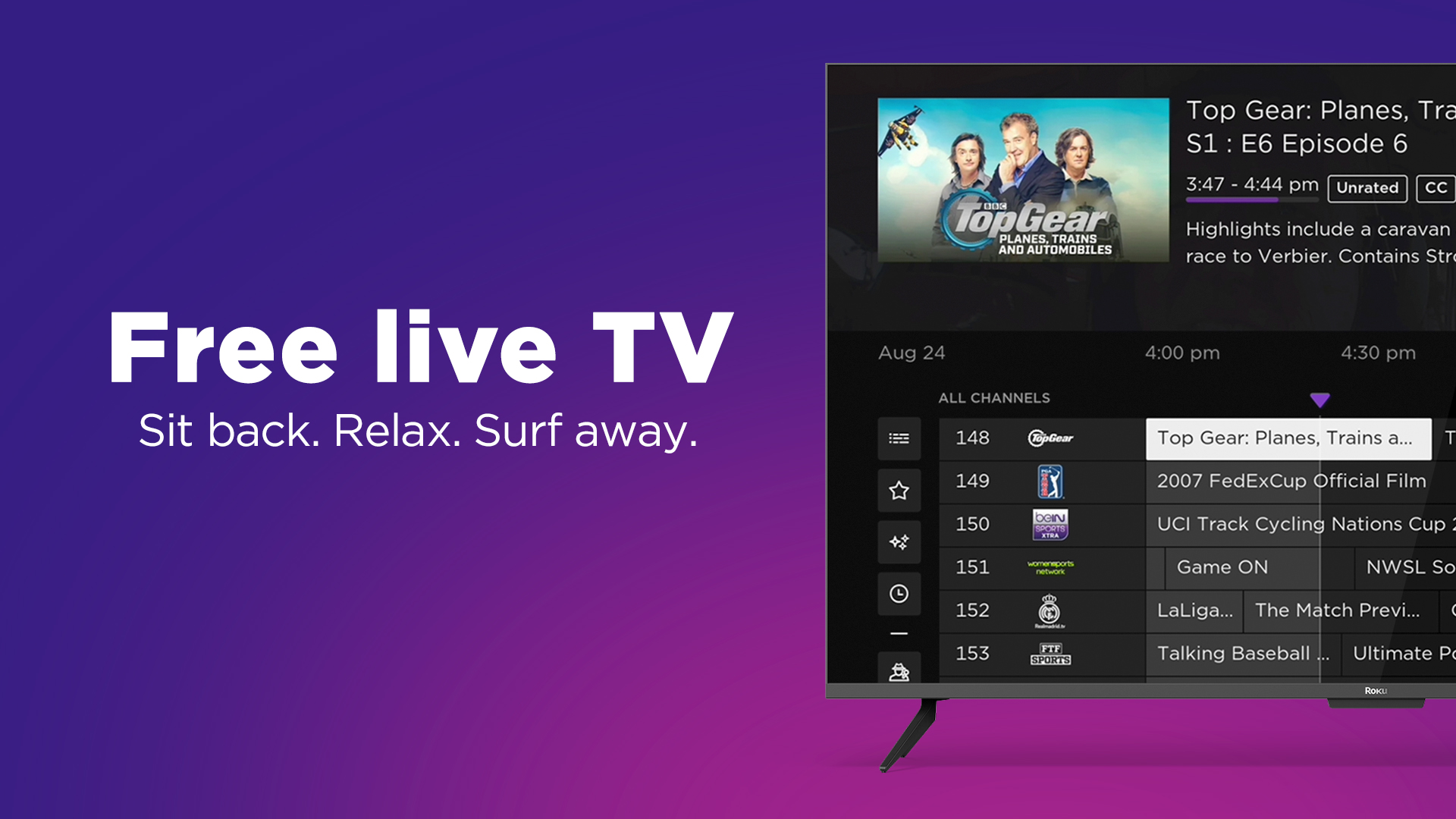
Not all live TV requires a subscription. Several services offer live content, often ad-supported, without a monthly fee.
- Pluto TV: Offers hundreds of “channels” curated into distinct categories, mimicking a traditional TV guide. Content ranges from movies and TV shows to news and specific interest channels.
- Tubi: Primarily known for its on-demand library, Tubi also offers a selection of live channels, including news and themed content, all supported by ads.
- Peacock: NBCUniversal’s streaming service offers a free tier with a selection of live channels (including a 24/7 news channel and curated programming) and a vast on-demand library, with premium tiers unlocking more content.
These free services are excellent for supplementing a paid subscription or for those on a tight budget looking for additional viewing options.
Network-Specific Apps: Leveraging Existing Subscriptions
Many individual TV networks offer their own apps (e.g., ABC, NBC, CBS, FOX, ESPN, HGTV Go, etc.). While some offer limited free content, their full live streaming capabilities and complete on-demand libraries usually require a “TV provider” login. If you subscribe to one of the premium live TV streaming services (like YouTube TV or Hulu + Live TV), you can often use those credentials to unlock content within these individual network apps. This can be useful for accessing specific shows, live events, or additional on-demand content not always available directly through your primary streaming service.
Selecting the Right Service: Key Considerations for the Discerning Viewer
With so many choices, selecting the perfect live TV streaming service can feel overwhelming. A systematic approach, focusing on your specific needs and preferences, will guide you to the best fit.
Content and Channel Lineup: What You Want to Watch
This is arguably the most critical factor. Make a list of your absolute must-have channels – local affiliates, favorite sports networks, news channels, and entertainment hubs. Then, cross-reference this list with the channel lineups of potential streaming services. Remember that lineups can vary by region due to local broadcasting rights, so always check with your specific ZIP code.
Pricing Models and Value Proposition
Compare the base prices of services, but also factor in any extra costs for add-on packages (e.g., sports, premium movie channels), device rentals (though most streaming services don’t require them), and taxes. Consider the overall value for money: does the price justify the channels and features offered? Some services offer promotional pricing for new subscribers, so keep an eye out for deals.
Features That Enhance Your Viewing: DVR, Multiple Streams, On-Demand Libraries
Evaluate the included features.
- Cloud DVR: How much storage is offered? How long are recordings kept? Is there unlimited storage, or are there limitations on specific channels?
- Multiple Streams: How many devices can stream simultaneously from one account? This is crucial for households with multiple viewers.
- On-Demand Library: Does the service offer a robust selection of shows and movies available for playback at any time?
- Device Compatibility: Ensure the service supports your preferred streaming devices.
- User Profiles: Can different family members have their own profiles and viewing preferences?
User Experience and Interface Design
While subjective, a good user interface can significantly impact your enjoyment. Look for an intuitive layout, easy navigation, a responsive guide, and effective search functionality. Many services offer free trials, which are invaluable for testing out the interface and overall user experience before committing.
Setting Up Your Streaming Hub and Troubleshooting Common Issues
Once you’ve chosen your service and gathered your equipment, getting started is straightforward. However, knowing how to tackle common technical glitches can save you frustration.
A Step-by-Step Guide to Getting Started
- Ensure Internet Connectivity: Connect your streaming device to your home network, preferably via Ethernet for stability.
- Power On and Connect: Plug in your streaming device, connect it to your TV’s HDMI port, and select the correct input.
- Initial Setup: Follow the on-screen prompts to connect to Wi-Fi (if not wired), log in with any necessary accounts (e.g., Google, Amazon, Apple), and download system updates.
- Install Apps: Go to the device’s app store and download the apps for your chosen live TV streaming services.
- Log In and Customize: Open each app, log in with your subscription credentials, and explore settings for parental controls, favorites, and profile creation.
- Connect OTA Antenna (if applicable): Connect your digital antenna to your TV’s antenna input and perform a channel scan to discover local broadcasts.
Tackling Technical Glitches: Buffering, Resolution, and Connectivity
- Buffering: The most common issue.
- Check your internet speed (use an online speed test).
- Restart your router and modem.
- Ensure no other devices are hogging bandwidth.
- Try a wired connection if on Wi-Fi.
- Lower the streaming quality in the app settings if available.
- Clear the app’s cache or reinstall it.
- Low Resolution/Poor Picture Quality:
- Verify your internet speed meets HD/4K requirements.
- Check if your TV’s display settings are optimized.
- Ensure the content itself is available in high resolution.
- Connectivity Issues:
- Restart all network equipment and streaming devices.
- Forget and reconnect to your Wi-Fi network.
- Check for any service outages from your ISP or streaming provider.
Optimizing Your Setup for Peak Performance
To maximize your streaming experience, regularly update your streaming device’s firmware and apps. Keep your internet router in a central location, away from obstructions, and consider upgrading to a newer Wi-Fi standard if you have many devices. For truly critical viewing (e.g., live sports), use a wired connection whenever possible.
Conclusion: Embracing the Freedom of Live TV Streaming
The world of live TV streaming offers an unprecedented level of choice, flexibility, and value for modern viewers. By understanding the essential technological requirements, exploring the diverse array of service providers, and making informed decisions based on personal preferences, anyone can effectively cut the cord and build a personalized entertainment ecosystem. The days of being beholden to outdated models are over; the future of television is here, and it’s streaming live, on your terms.
aViewFromTheCave is a participant in the Amazon Services LLC Associates Program, an affiliate advertising program designed to provide a means for sites to earn advertising fees by advertising and linking to Amazon.com. Amazon, the Amazon logo, AmazonSupply, and the AmazonSupply logo are trademarks of Amazon.com, Inc. or its affiliates. As an Amazon Associate we earn affiliate commissions from qualifying purchases.