
In the burgeoning world of digital finance, understanding the fundamental tools and identifiers is paramount for secure and efficient engagement. For newcomers and seasoned participants alike, finding your cryptocurrency wallet address on platforms like Coinbase is a critical first step for receiving digital assets. This guide delves into the technicalities of wallet addresses, provides detailed instructions for locating yours on Coinbase, and explores best practices for managing this vital piece of your digital identity within the broader technological landscape.
Understanding Cryptocurrency Wallet Addresses
At its core, a cryptocurrency wallet address is a unique identifier that specifies a location on a blockchain network where digital assets can be sent and received. It’s akin to a bank account number, but with several key technological distinctions that underscore its importance in the digital realm.
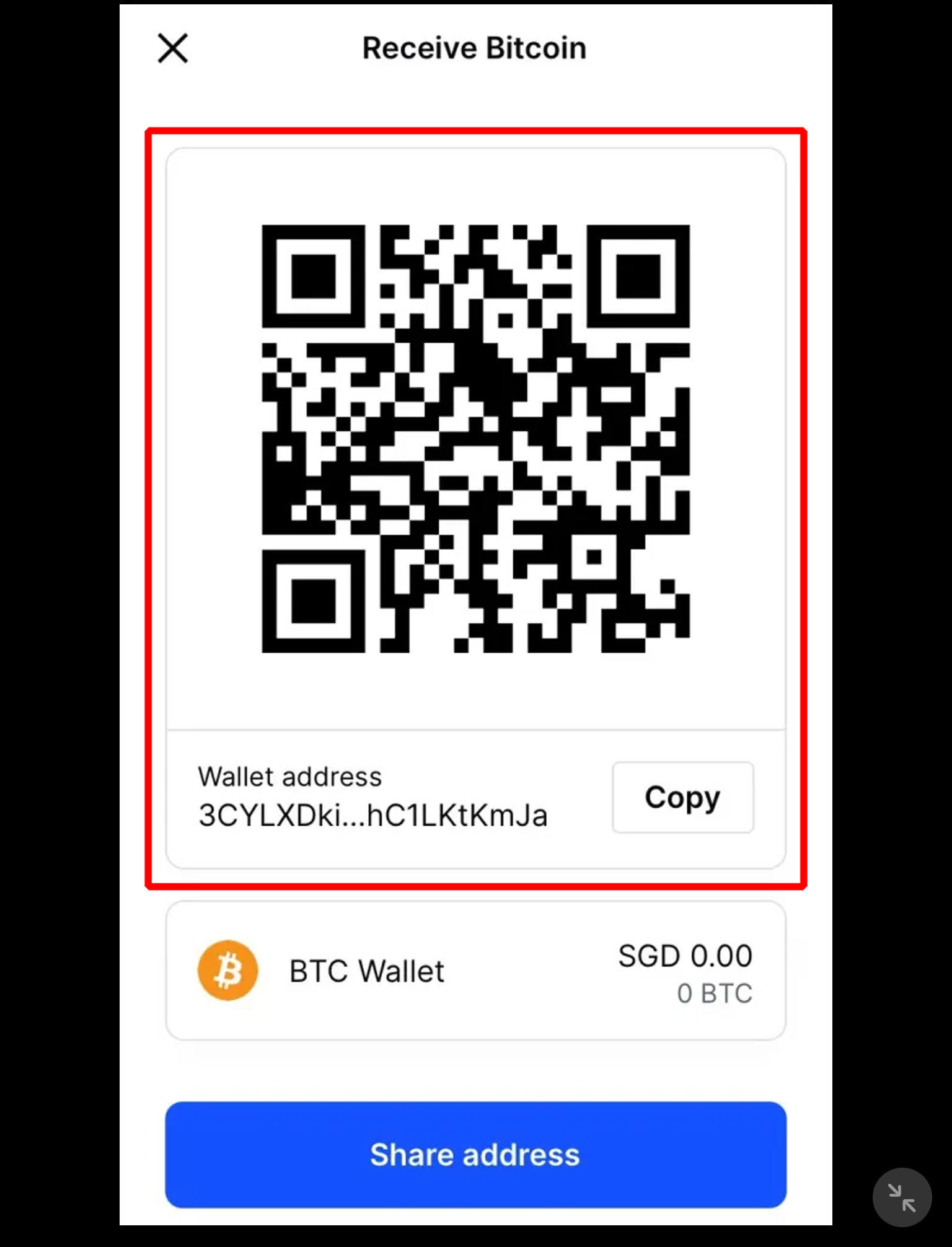
What is a Crypto Wallet Address?
A crypto wallet address is a string of alphanumeric characters, often quite long, that serves as a public identifier for a specific wallet on a blockchain. For instance, a Bitcoin address might look like 1BvBMSEYstWetqTFn5Au4m4GFg7xJaNVN2, while an Ethereum address typically starts with “0x” followed by 40 hexadecimal characters, e.g., 0x742d350eccf27f87a8ad70624a9058b292c6b3e3. Each address is mathematically derived from a public key, which in turn is generated from a private key. This cryptographic relationship ensures that while an address can be publicly shared for receiving funds, only the holder of the corresponding private key can access and spend the assets associated with that address. This foundational concept underpins the security model of virtually all cryptocurrencies.
Why Your Wallet Address Matters for Digital Security
The security of your digital assets hinges directly on the proper management and understanding of your wallet address and its underlying keys. The public nature of the address allows for transparency on the blockchain – anyone can see transactions associated with an address, though not necessarily the identity of its owner (pseudonymity). However, the immutability of blockchain transactions means that once assets are sent to an incorrect address, they are typically irrecoverable. This highlights the critical importance of accuracy when sharing or using your address. Furthermore, understanding the distinction between a custodial wallet (like your Coinbase account, where Coinbase holds your private keys) and a non-custodial wallet (where you solely control your private keys) is vital for assessing your level of control and responsibility over your digital security.
Distinguishing Between Different Crypto Addresses
It’s crucial to recognize that not all crypto addresses are interchangeable. Different cryptocurrencies operate on different blockchain networks, each with its own address format and technical specifications. Sending Bitcoin to an Ethereum address, or vice versa, will almost certainly result in the permanent loss of funds. For example, Bitcoin (BTC) uses its native blockchain, while Ethereum (ETH) uses the Ethereum blockchain, which also hosts thousands of ERC-20 tokens. When using a platform like Coinbase, it’s essential to select the correct cryptocurrency from your portfolio before generating a receive address. The platform is designed to guide users, but ultimately, the responsibility for ensuring network compatibility rests with the user.
Locating Your Coinbase Wallet Address: A Step-by-Step Guide
Coinbase offers a user-friendly interface for managing cryptocurrencies, making it relatively straightforward to locate your wallet addresses, whether you’re using their web platform or mobile application.
Accessing Your Address via the Coinbase Website
- Log In to Your Coinbase Account: Navigate to coinbase.com and enter your email address and password. Complete any two-factor authentication (2FA) prompts.
- Go to Your Portfolio/Assets: Once logged in, click on the “My Assets” or “Portfolio” tab, usually found in the navigation menu. This will display a list of all cryptocurrencies you hold or can trade on Coinbase.
- Select the Desired Cryptocurrency: From your list of assets, click on the specific cryptocurrency for which you need the receive address (e.g., Bitcoin, Ethereum, Litecoin).
- Initiate the “Receive” Action: On the asset’s dedicated page, you will see options like “Buy,” “Sell,” “Send,” and “Receive.” Click on the “Receive” button.
- View Your Wallet Address: A pop-up window will appear, displaying your unique wallet address for that specific cryptocurrency. It will typically be presented as a long string of characters and often accompanied by a QR code for easy scanning. You will also usually see a warning confirming the network (e.g., “Send only Bitcoin to this address”).
- Copy the Address: Click the “Copy” button to accurately copy the address to your clipboard. Avoid manually typing it to prevent errors.
Retrieving Your Address Through the Coinbase Mobile App
- Open the Coinbase App: Launch the Coinbase application on your iOS or Android device.
- Log In: Enter your credentials and complete 2FA if prompted.
- Tap the “Receive” Icon: On the main dashboard or navigation bar at the bottom, look for an icon that typically represents sending/receiving (often a QR code scanner or two arrows). Tap on it, and then select “Receive.”
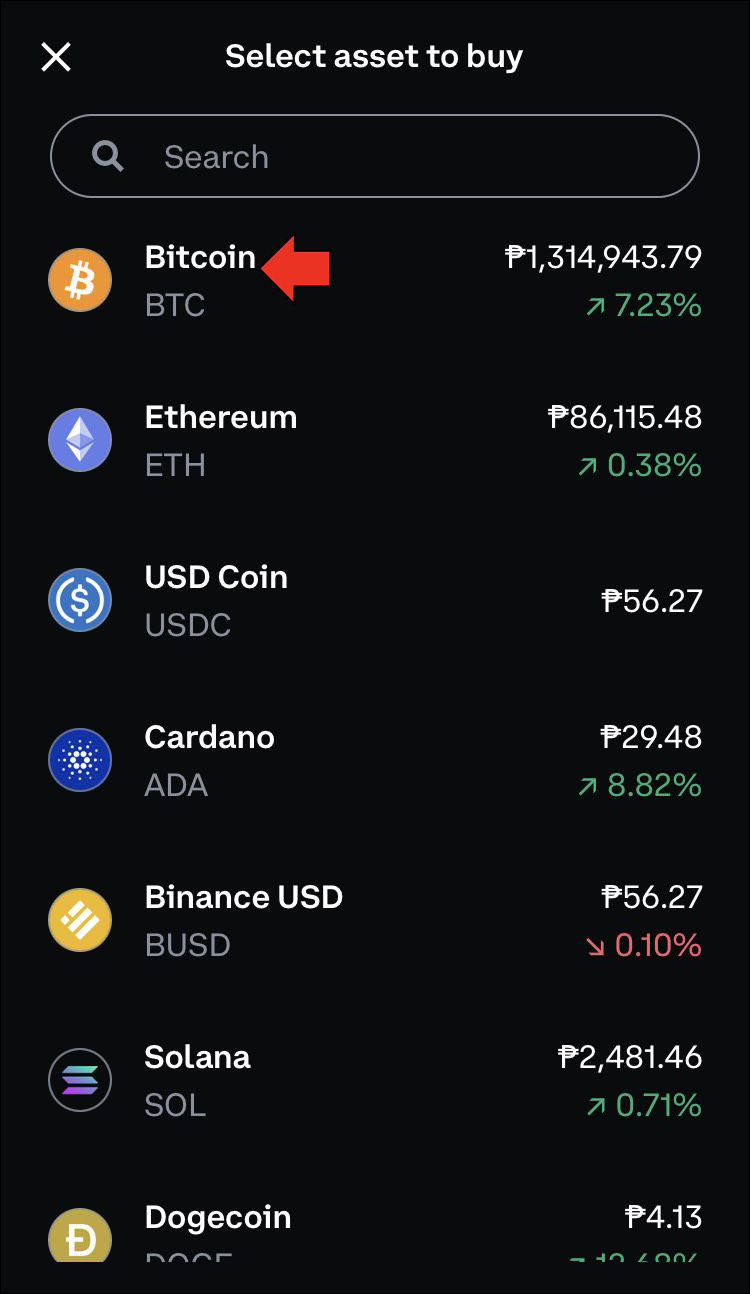
- Choose the Cryptocurrency: The app will prompt you to select the cryptocurrency for which you want to receive funds. Tap on the desired asset (e.g., BTC, ETH).
- Display Your Address: Your unique wallet address for that asset will be displayed, along with a QR code. Ensure you are receiving on the correct network (e.g., “ETH – Ethereum network”).
- Copy and Share: Use the “Copy” button to copy the address to your clipboard. You can then paste it into the sender’s application or share the QR code.
Specifics for Popular Cryptocurrencies
While the steps are generally similar, always pay close attention to the network type, especially for assets like Ethereum (ETH) and stablecoins such as USD Coin (USDC). Many tokens are built on the Ethereum network as ERC-20 tokens, meaning they share the same address format as Ethereum itself. However, other networks like Solana, Cardano, or even alternative Ethereum Layer 2 solutions have distinct addresses. Coinbase’s interface is designed to highlight the correct network, but a moment of inattention can lead to irreversible loss of funds. Always double-check the network type indicated before sharing your address and sending funds.
Best Practices for Managing Your Crypto Address
Effective management of your cryptocurrency addresses goes beyond simply finding them. It involves adopting secure habits and understanding the technological underpinnings of your interactions.
Verifying the Address Before Every Transaction
The adage “trust but verify” is exceptionally relevant in cryptocurrency transactions. Before initiating any transfer, always double-check the recipient’s address. If possible, use the copy-paste function, and after pasting, visually inspect the first few and last few characters of the address to ensure they match the intended destination. For large transactions, consider sending a small test amount first to confirm the address is correct and operational. This might incur additional transaction fees, but it significantly mitigates the risk of a substantial loss due to an incorrect address.

Protecting Your Private Keys (and Understanding Coinbase’s Role)
When you use Coinbase Exchange, you are essentially using a custodial wallet. This means Coinbase holds the private keys for your cryptocurrency on your behalf. While this simplifies the user experience (you don’t need to manage complex keys), it also means you trust Coinbase with your assets. The “not your keys, not your crypto” mantra highlights this; if Coinbase were to be compromised or become inaccessible, your assets could be at risk.
For users seeking greater control, Coinbase also offers the Coinbase Wallet (a separate app), which is a non-custodial wallet. With Coinbase Wallet, you control your private keys (usually represented by a seed phrase). This grants you ultimate sovereignty over your funds but also places the full responsibility for security on you. Losing your seed phrase means losing access to your funds, permanently. Understanding which type of wallet you are using and its implications for private key management is crucial for digital security.
Recognizing and Avoiding Common Scams
The digital asset space is unfortunately fertile ground for various scams. Common tactics include:
- Phishing: Malicious websites or emails designed to look like Coinbase, aiming to steal your login credentials. Always verify the URL and sender.
- Address Spoofing/Swap: Malware on your computer or phone that detects when you copy a crypto address and replaces it with a scammer’s address in your clipboard. Always visually verify the pasted address.
- Impersonation Scams: Individuals posing as support staff, celebrities, or government officials, asking you to send them crypto to a specific address under false pretenses (e.g., “unlocking” your account, “investing” for you). Legitimate entities will never ask you to send crypto directly to them in this manner.
- Fake Airdrops/Giveaways: Promises of free crypto if you send a small amount first. These are almost always scams.
Exercising skepticism, performing due diligence, and never sharing your private keys or seed phrase are fundamental defensive measures against these technological threats.
Troubleshooting and Advanced Considerations
Navigating the complexities of cryptocurrency often involves understanding nuances that go beyond simple transaction steps.
What If My Address Isn’t Showing Up?
If you encounter issues finding your wallet address on Coinbase, consider the following technical troubleshooting steps:
- Account Verification: Ensure your Coinbase account is fully verified. Unverified or partially verified accounts may have limitations on certain functionalities, including generating receive addresses for specific assets.
- Unsupported Assets: Coinbase periodically adds and removes support for cryptocurrencies. Confirm that the asset you are looking for is indeed supported by Coinbase and available in your region.
- Network Congestion/Maintenance: Occasionally, blockchain networks experience congestion or Coinbase may undergo scheduled maintenance. This can temporarily affect the visibility or generation of addresses. Check Coinbase’s status page for any ongoing issues.
- App/Browser Issues: Try clearing your browser cache, using a different browser, or reinstalling the mobile app. Outdated software can sometimes cause display issues.
Understanding Network Compatibility
A common pitfall leading to lost funds is misunderstanding network compatibility. For instance, while many stablecoins like USDC are ERC-20 tokens on the Ethereum network, they may also exist on other networks like Solana, Algorand, or Polygon. Sending USDC from the Ethereum network to a Solana USDC address will result in a loss. Coinbase will usually specify the network (e.g., “ETH – Ethereum network” or “SOL – Solana network”) next to your address. Always ensure the sender is sending on the same network as your receiving address to prevent irreversible errors. This technical detail is paramount for secure transfers.
Coinbase Wallet vs. Coinbase Exchange Wallet
It’s crucial to differentiate between the “Coinbase Exchange wallet” (the custodial wallet within your main Coinbase account) and the “Coinbase Wallet” (a separate, non-custodial mobile app). Your Coinbase Exchange address is managed by Coinbase, and they hold the private keys. Your Coinbase Wallet address, however, is one where you hold the private keys (via a seed phrase). While both can hold cryptocurrencies, the level of self-custody and associated technical responsibility differs significantly. Transactions between your Coinbase Exchange account and your Coinbase Wallet are effectively external blockchain transactions and incur network fees.
The Broader Technological Landscape of Digital Wallets
The evolution of digital wallets is a testament to the rapid advancements in blockchain technology, user experience design, and digital security protocols.
Evolution of Digital Wallets
From early command-line interfaces requiring users to directly interact with blockchain nodes, digital wallets have evolved significantly. The progression includes:
- Software Wallets: Desktop and mobile applications offering graphical user interfaces (GUIs), making crypto more accessible. Coinbase Exchange and Coinbase Wallet are examples.
- Hardware Wallets: Physical devices (e.g., Ledger, Trezor) that store private keys offline, providing a robust layer of security against online threats.
- Paper Wallets: Private and public keys printed on paper, offering ultimate offline security but susceptible to physical damage or loss.
- Multi-signature (Multi-sig) Wallets: Requiring multiple private keys to authorize a transaction, enhancing security for organizations or shared funds.
- Smart Contract Wallets: Leveraging blockchain smart contracts to offer advanced features like social recovery, daily spending limits, and account abstraction.
The Role of APIs in Wallet Integration
Application Programming Interfaces (APIs) are the backbone of seamless integration within the crypto ecosystem. Coinbase, like many other exchanges, provides robust APIs that allow developers to build applications and services that interact with their platform. This enables functionalities like automated trading, portfolio tracking, and integration with decentralized applications (dApps). APIs abstract away much of the underlying blockchain complexity, allowing for a more interconnected and functional digital economy, further enhancing the utility of wallet addresses across different platforms and services.
Future Trends in Wallet Security and Usability
The future of digital wallets is geared towards enhanced security, greater usability, and deeper integration into the Web3 landscape. Key trends include:
- Account Abstraction: A significant upgrade to Ethereum that allows wallets to function like smart contracts, enabling features like seedless recovery, gasless transactions, and customized transaction logic, moving away from the rigid private key model.
- Multi-Party Computation (MPC) Wallets: Distributing the signing process across multiple parties without requiring all to be online simultaneously, offering a blend of security and usability that rivals traditional multi-sig.
- Biometric Authentication: Increased integration of fingerprint and facial recognition for transaction authorization, enhancing convenience without compromising security.
- Self-Sovereign Identity (SSI): Wallets evolving to not just hold assets but also verifiable digital credentials, becoming a hub for an individual’s digital identity in a privacy-preserving manner.
In conclusion, understanding how to find your Coinbase wallet address is more than just a procedural step; it’s an entry point into a deeper comprehension of digital asset management, blockchain technology, and the critical importance of digital security. By adhering to best practices and staying informed about technological advancements, users can navigate the cryptocurrency landscape with confidence and competence.
aViewFromTheCave is a participant in the Amazon Services LLC Associates Program, an affiliate advertising program designed to provide a means for sites to earn advertising fees by advertising and linking to Amazon.com. Amazon, the Amazon logo, AmazonSupply, and the AmazonSupply logo are trademarks of Amazon.com, Inc. or its affiliates. As an Amazon Associate we earn affiliate commissions from qualifying purchases.