
The landscape of personal finance and daily transactions has undergone a profound transformation, spearheaded by the ubiquity of smartphones and innovative financial technologies. Among these advancements, “tap-to-pay” – or contactless payment – stands out as a beacon of convenience, speed, and security. For users of popular financial applications like Cash App, understanding how to leverage this technology can unlock a seamless payment experience that redefines how they interact with merchants. This guide delves into the technical underpinnings, setup procedures, and practical application of using Cash App for tap-to-pay transactions, placing it firmly within the realm of modern digital technology.
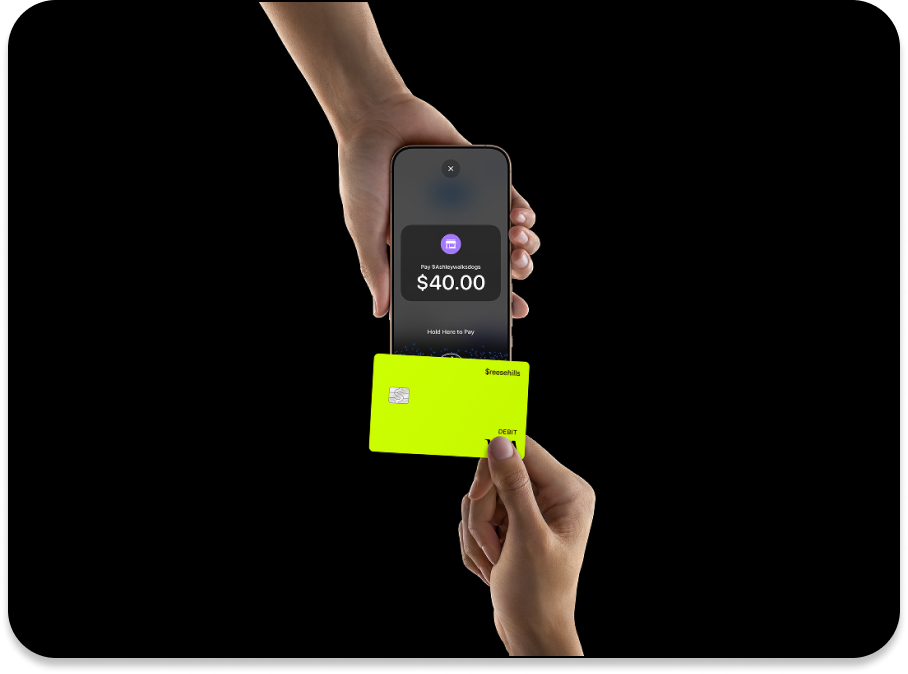
The Evolution of Digital Payments: Understanding Tap-to-Pay
The journey from physical cash and chip cards to invisible, instantaneous transactions is a testament to the rapid pace of technological innovation. Tap-to-pay is not merely a feature; it’s a paradigm shift in how payments are processed, driven by sophisticated hardware and software integrations.
What is Near Field Communication (NFC)?
At the heart of tap-to-pay technology lies Near Field Communication (NFC). NFC is a short-range wireless technology that enables communication between two devices when they are brought within a few centimeters of each other. Think of it as a highly specialized, very short-range radio frequency identification (RFID) system. Unlike Bluetooth, which is designed for broader connections, NFC is optimized for quick, secure, and intuitive peer-to-peer data exchange over extremely limited distances. This characteristic makes it ideal for payments, as it inherently limits the range over which sensitive data can be intercepted, enhancing security.
When you “tap” your phone or card, the NFC chip embedded within it communicates with the NFC reader at the point-of-sale (POS) terminal. This communication involves a handshake protocol where encrypted transaction data is exchanged. For smartphones, the NFC chip works in conjunction with secure elements (either hardware-based or software-based trusted execution environments) to protect your payment credentials. This intricate dance of chips and protocols happens in milliseconds, making the payment process feel instantaneous.
The Rise of Contactless Transactions
The adoption of contactless payments has surged globally, accelerated by a confluence of factors including consumer demand for efficiency, merchant desire for faster checkout lines, and, more recently, a heightened awareness of hygiene. Initially seen on credit and debit cards, where a small NFC antenna is embedded, the technology found its true calling with the advent of smartphones. Mobile payment platforms like Apple Pay, Google Pay, and Samsung Pay capitalized on the existing NFC capabilities of modern smartphones, transforming them into digital wallets.
These platforms provide a secure container for your payment cards, tokenizing your actual card numbers into unique, device-specific numbers. When you tap to pay, it’s this token, not your real card number, that is transmitted to the merchant. This tokenization adds a crucial layer of security, making it significantly harder for fraudsters to compromise your financial information even if a data breach occurs at a merchant. The convenience is unparalleled: no more fumbling for cards, simply tap your phone and go.
Why Tap-to-Pay is a Game Changer for Consumers
For consumers, tap-to-pay represents a significant upgrade in transactional experience. Beyond the obvious speed and convenience, it offers enhanced security features, often requiring biometric authentication (fingerprint or facial recognition) or a passcode on your device for each transaction. This means that even if your phone is lost or stolen, unauthorized transactions are much more difficult to execute compared to a lost physical card.
Furthermore, the integration of tap-to-pay into financial apps like Cash App extends the utility of these platforms. Instead of being solely peer-to-peer payment tools, they evolve into comprehensive financial hubs that facilitate both digital transfers and physical retail purchases. This seamless integration blurs the lines between online and offline commerce, providing users with a unified and modern payment solution.
Setting Up Cash App for Contactless Payments
While Cash App primarily functions as a peer-to-peer payment service, its associated Cash Card transforms it into a versatile debit card. To utilize the tap-to-pay functionality, you’ll need to integrate your Cash Card with your mobile device’s digital wallet, which then leverages the phone’s NFC capabilities.
Prerequisites: What You Need
Before you can start tapping to pay, ensure you meet a few fundamental requirements:
- A Valid Cash App Account: This is foundational. You must have an active and verified Cash App account.
- An Activated Cash Card: The Cash Card is a free, customizable Visa debit card linked directly to your Cash App balance. You must order one through the app and activate it once it arrives. The physical card itself has an NFC chip, allowing it to be tapped directly, but for mobile payments, it acts as the underlying funding source.
- A Compatible Smartphone: Your smartphone must be equipped with NFC hardware. Most modern smartphones (iPhone 6 and newer, and a vast majority of Android phones released in the last 5-7 years) include NFC capabilities. Ensure NFC is enabled in your device settings.
- Mobile Wallet App: You’ll need either Apple Pay (for iOS devices) or Google Pay (for Android devices) installed and set up on your phone. These are the platforms that manage the secure storage and transmission of your payment tokens via NFC.
Activating Your Cash Card for Tap-to-Pay
The Cash Card itself, once activated, can be used directly for tap-to-pay if a terminal accepts Visa contactless payments. Simply tap the physical card where you see the contactless symbol. However, for the convenience of using your phone to tap-to-pay, you must add your Cash Card to your mobile wallet.
- Open your Mobile Wallet:
- For iOS (Apple Pay): Open the Wallet app.
- For Android (Google Pay): Open the Google Wallet app (or the older Google Pay app).
- Add a New Card: Look for an option like “Add Debit or Credit Card” or a “+” icon.
- Enter Cash Card Details: You can typically scan your Cash Card using your phone’s camera, or manually enter the 16-digit card number, expiration date, and CVV (security code) found on the back of your physical Cash Card.
- Verification: Follow the prompts to verify your card. This often involves a quick notification or code sent to your phone number or email associated with your Cash App account.
- Set as Default (Optional): Once added, you can set your Cash Card as the default payment method within your mobile wallet for even quicker transactions.
Once your Cash Card is successfully added to your phone’s digital wallet, you’re ready to use your phone for tap-to-pay, drawing funds directly from your Cash App balance.
Integrating Cash App with Your Mobile Wallet (Apple Pay/Google Pay)
The integration process described above is critical. Cash App itself doesn’t directly handle the NFC transmission for mobile tap-to-pay; it relies on the robust, secure frameworks provided by Apple Pay or Google Pay. These platforms act as intermediaries, securely tokenizing your Cash Card details and communicating with the NFC chip.
It’s important to understand this distinction: you are not “tapping to pay with Cash App” in the sense that you open the Cash App and tap. Instead, you are “tapping to pay with your phone’s mobile wallet, which is funded by your Cash App Cash Card.” This is a crucial technical nuance that ensures consistent security standards and broad merchant acceptance. The Cash App merely provides the debit card (the Cash Card) that you then integrate into your device’s native payment system.
Step-by-Step Guide: Making a Tap-to-Pay Transaction
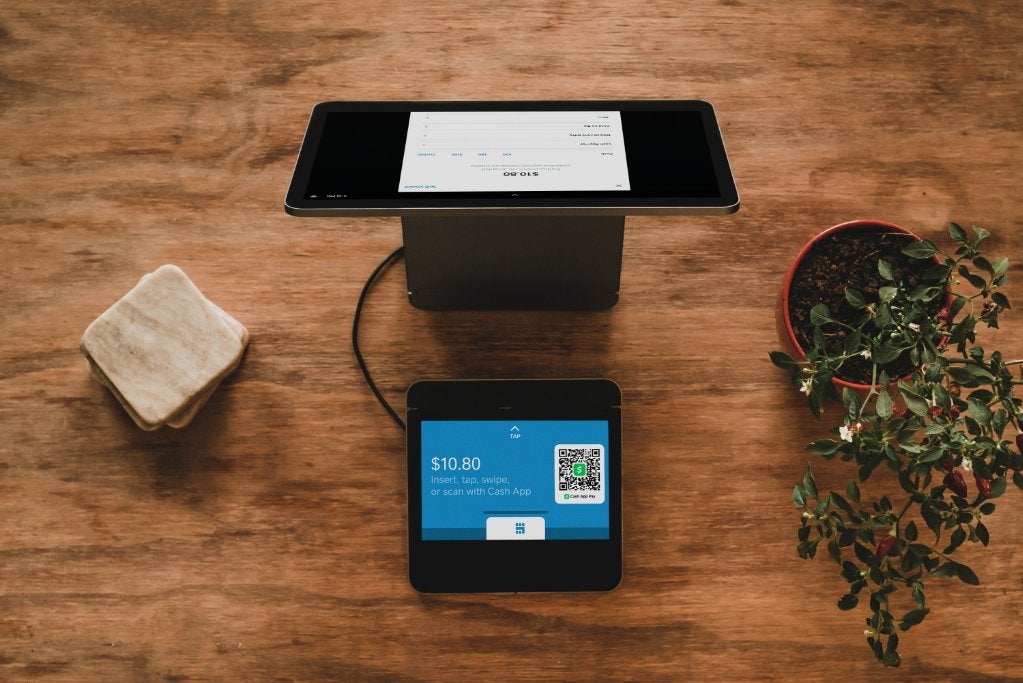
Once your Cash Card is configured in your mobile wallet, using it for contactless payments is remarkably straightforward and consistent across most merchants that accept tap-to-pay.
Initiating a Payment at the POS Terminal
- Look for the Contactless Symbol: At the checkout, identify the universal contactless payment symbol – four curved lines resembling a Wi-Fi signal lying on its side. This indicates the terminal accepts tap-to-pay.
- Prepare Your Device:
- For iPhone (Apple Pay): For newer iPhones with Face ID, double-click the side button. For older iPhones with Touch ID, rest your thumb on the Touch ID sensor without pressing it (or double-click the home button, depending on settings). For both, you might need to select your Cash Card if it’s not your default.
- For Android (Google Pay): Unlock your phone. You usually don’t need to open the Google Wallet app unless you want to select a different card.
- Hold Your Device Near the Reader: Gently hold the top portion of your phone (where the NFC antenna is typically located) within a few centimeters of the contactless symbol on the payment terminal. Do not touch the terminal.
- Wait for Confirmation: The transaction usually takes a second or two. You’ll typically see a checkmark or a “Done” message on your phone screen, hear a beep from the terminal, or see an on-screen confirmation indicating the payment was successful.
Confirming Your Purchase
Security is paramount. Depending on your device settings and the transaction amount, you may be required to confirm your purchase through:
- Biometric Authentication: Face ID (iPhone X and later) or Touch ID (iPhone 8 and earlier, some Android devices) provides a quick and secure way to authorize the payment.
- Passcode/PIN: If biometrics fail or are not enabled, you may be prompted to enter your device’s passcode.
- Cash App PIN (Rare): While less common for mobile wallet transactions, some higher-value purchases or specific merchant systems might occasionally trigger a prompt for your Cash App PIN for added security, though this is primarily for physical Cash Card use.
The tokenization process by Apple Pay or Google Pay means that your actual Cash Card number is never transmitted to the merchant, significantly reducing the risk of card data compromise during the transaction.
Common Scenarios and Best Practices
- Multiple Cards: If you have multiple cards in your mobile wallet, ensure your Cash Card is selected before tapping, especially if it’s not your default.
- Terminal Issues: Occasionally, a terminal might be slow or misaligned. If the first tap doesn’t work, try repositioning your phone slightly or waiting a moment.
- Insufficient Funds: If your Cash App balance is insufficient, the transaction will decline. Always ensure you have enough funds.
- Offline Transactions: While rare, some terminals can process small-value transactions offline. However, for most purchases, an active internet connection on the terminal is required.
Security, Convenience, and Troubleshooting
The digital payment ecosystem thrives on a delicate balance of robust security measures and unparalleled user convenience. Cash App, leveraged through mobile wallets, exemplifies this balance.
Enhancing Transaction Security with Cash App
The security architecture of tap-to-pay via mobile wallets is multi-layered:
- Tokenization: As discussed, your actual Cash Card number is never shared. A unique, encrypted token is generated for each transaction, rendering intercepted data useless to fraudsters.
- Encryption: All data exchanged between your phone and the POS terminal is heavily encrypted, protecting it from eavesdropping during transmission.
- Biometric/Passcode Authentication: Your device itself acts as a gatekeeper, requiring your explicit authorization (via fingerprint, face scan, or passcode) for most transactions, ensuring that only you can use your stored cards.
- Device-Level Security: Modern smartphones have secure enclaves or trusted execution environments (TEEs) that isolate sensitive data like payment credentials from the main operating system, making it extremely difficult for malicious software to access them.
- Cash App’s Own Security: Beyond the mobile wallet, Cash App itself employs robust security measures, including encryption, fraud monitoring, and the ability to instantly disable your Cash Card if it’s lost or stolen.
The Unparalleled Convenience of Contactless
The primary draw of tap-to-pay is its convenience. It eradicates the need to carry a physical wallet, fumble for cash, or insert and wait for chip cards. For busy individuals, the ability to complete a transaction in mere seconds, often without even touching the terminal, is invaluable. This speed reduces checkout times, benefitting both consumers and merchants. Moreover, having all your cards digitally accessible on your phone simplifies organization and reduces the stress of carrying multiple physical cards.
Addressing Common Tap-to-Pay Issues
While generally seamless, users might occasionally encounter issues:
- “Card Not Read” or “Payment Failed”:
- NFC Enabled? Ensure NFC is turned on in your phone’s settings.
- Proper Placement: Make sure the NFC antenna area of your phone (usually the top) is directly over the terminal’s reader.
- Terminal Compatibility: Double-check the contactless symbol. Some older terminals might not support it.
- Device Case: Thick phone cases or cases with metal components can sometimes interfere with NFC signals. Try removing the case.
- Cash App Balance Issues: Ensure you have sufficient funds in your Cash App balance. If your balance is low, the transaction will decline.
- Expired Card: Check that your Cash Card has not expired. You can view card details in the Cash App.
- Software Glitches: Restart your phone or force-close and reopen your mobile wallet app. Ensure both your Cash App and mobile wallet apps are updated to the latest versions.
- Bank Verification: Occasionally, your bank (in this case, Cash App as a financial service) might flag a transaction for security reasons. Check your Cash App notifications.
The Future of Payments and Cash App’s Role
The trajectory of payment technology points towards increasing digitization, integration, and user-centric design. Cash App, by enabling tap-to-pay through its Cash Card, is positioned firmly within this future.
Beyond the Card: The Digital Wallet Ecosystem
The current state of tap-to-pay, relying on the digitization of existing cards, is just a stepping stone. The broader digital wallet ecosystem envisions a future where loyalty programs, public transport passes, digital IDs, and even digital keys are all seamlessly integrated into a single smartphone interface. Platforms like Apple Pay and Google Pay are already expanding into these areas, and financial apps like Cash App will increasingly play a role in this holistic digital identity and transaction management. The underlying NFC technology will continue to be a crucial enabler for physical interactions within this ecosystem.
Cash App’s Position in the Fintech Landscape
Cash App started as a peer-to-peer payment platform but has evolved into a comprehensive fintech offering, including direct deposit, investing in stocks and Bitcoin, and the versatile Cash Card. By supporting tap-to-pay, Cash App enhances its utility as an everyday financial tool, allowing users to spend their balances effortlessly in the physical world. This integration is vital for Cash App to remain competitive against traditional banks and other challenger banks, providing a full spectrum of financial services accessible from a single app. Its emphasis on user experience and accessibility, coupled with robust technical infrastructure, positions it as a key player in the ongoing digital payment revolution.

Emerging Payment Technologies
While NFC-based tap-to-pay is currently dominant for contactless retail, the horizon of payment technology includes even more futuristic concepts. Biometric payments (fingerprint/palm scanning at the terminal), QR code payments (popular in Asia), and even cryptocurrency payments at the point of sale are gaining traction. Cash App, with its early adoption of Bitcoin trading, is already experimenting with some of these emerging technologies. The core principle, however, remains consistent: to make payments as frictionless, secure, and integrated into our daily lives as possible. For now, mastering “how to tap to pay with Cash App” is an essential skill for navigating the modern technological payment landscape.
aViewFromTheCave is a participant in the Amazon Services LLC Associates Program, an affiliate advertising program designed to provide a means for sites to earn advertising fees by advertising and linking to Amazon.com. Amazon, the Amazon logo, AmazonSupply, and the AmazonSupply logo are trademarks of Amazon.com, Inc. or its affiliates. As an Amazon Associate we earn affiliate commissions from qualifying purchases.