
In today’s rapidly evolving digital finance landscape, managing money often involves navigating a diverse ecosystem of financial tools. Two prominent players in this arena, Cash App and Chime, offer distinct but often complementary services. Cash App excels as a peer-to-peer payment platform with investing capabilities, while Chime revolutionized banking with its mobile-first, fee-free approach. For users who leverage both platforms, the need to transfer funds between them efficiently and securely is a common concern. This comprehensive guide delves into the various methods, considerations, and best practices for moving money from your Cash App balance to your Chime account, ensuring your financial fluidity remains unhindered.
Understanding the Ecosystem: Cash App and Chime in Your Financial Toolkit
Before diving into the mechanics of transfers, it’s crucial to appreciate the unique roles Cash App and Chime play in personal finance. Both platforms have garnered immense popularity by addressing specific financial needs, yet they operate with different core functionalities that influence how money moves between them.
The Nature of Peer-to-Peer and Neobanking Platforms
Cash App, developed by Block (formerly Square), primarily functions as a mobile payment service, enabling users to send and receive money instantly, invest in stocks and Bitcoin, and even file taxes. Its strength lies in its speed and simplicity for transactional purposes, making it a go-to for splitting bills, paying friends, or receiving direct deposits. Funds held in Cash App are typically considered an e-wallet balance, separate from a traditional bank account, though it provides an account and routing number for direct deposits.
Chime, on the other hand, operates as a financial technology company that partners with banks to offer banking services. It provides checking and savings accounts, a Visa debit card, and features like early direct deposit and SpotMe overdraft protection, all managed through a user-friendly mobile app. Chime represents the forefront of neobanking—digital-only banking solutions designed for a mobile-first generation, emphasizing convenience and the elimination of traditional bank fees. Its accounts function much like standard bank accounts, making them ideal for managing everyday finances, paying bills, and saving.
Why the Need for Inter-App Transfers?
The necessity to move money between Cash App and Chime often arises from several common scenarios:
- Consolidating Funds: A user might receive money on Cash App from a friend, a side hustle payment, or a refund and wish to move it to their Chime account for everyday spending, bill payments, or to leverage Chime’s savings features.
- Accessing Chime’s Banking Features: Funds held in Cash App might need to be transferred to Chime to utilize its direct debit capabilities, pay bills via Chime, or access an ATM network not easily served by Cash App’s debit card.
- Budgeting and Financial Management: Some individuals use Cash App for specific purposes (e.g., investing in Bitcoin, receiving gig economy payments) and prefer to manage their primary spending and saving through Chime.
- Leveraging Different Benefits: Each platform offers unique benefits. Transferring money allows users to take advantage of Chime’s early payday feature or savings tools, or to utilize Cash App’s investment options with funds from Chime.
Given these scenarios, understanding the secure and efficient transfer mechanisms becomes a fundamental aspect of modern personal finance management.
The Primary Method: Leveraging Linked Bank Accounts
The most common and often recommended way to transfer money from Cash App to Chime involves linking your Chime account directly to Cash App as a bank account. Since Chime functions as a legitimate bank account (albeit digital-first), it can be seamlessly integrated into Cash App’s withdrawal system. This method generally involves a standard transfer, which is free but takes a few business days.
Linking Your Chime Account to Cash App
The initial step is to establish a connection between your two financial tools. This process is straightforward and typically only needs to be done once.
- Open Cash App: Launch the Cash App on your mobile device.
- Navigate to the Banking Tab: Tap on the banking icon (usually a house or a dollar sign depending on the app version) on the main screen.
- Link Bank: Under the “Linked Banks” section, select “Link Bank” or “Add Bank.”
- Enter Chime Account Details: Cash App will prompt you to enter your bank’s routing number and account number. For Chime, you can find these details by logging into your Chime app or website and navigating to your account settings or “Move Money” section. Chime typically provides a routing number specific to its partner bank and your unique account number.
- Important Note: Ensure you’re using the correct routing and account numbers for your Chime Checking Account, not the savings account, as checking accounts are designed for direct deposits and withdrawals.
- Verification: Cash App may perform a small deposit/withdrawal verification, or use a third-party service like Plaid to instantly verify your account credentials. Follow the on-screen prompts to complete this step.
Once successfully linked, your Chime account will appear as a connected bank within your Cash App profile.
Initiating a Standard Cash Out from Cash App to Chime
With your Chime account linked, transferring funds is a simple “Cash Out” procedure.
- Open Cash App: Go to the main screen.
- Tap on Your Cash App Balance: This will typically be the dollar amount displayed prominently on your screen.
- Select “Cash Out”: This option indicates you want to withdraw funds from your Cash App balance.
- Enter the Amount: Specify the exact amount of money you wish to transfer to your Chime account.
- Choose Your Linked Chime Account: From the list of linked banks, select your Chime account.
- Confirm the Transfer: Review the details—amount, destination account—and confirm the transaction.
What to Expect: Timelines and Limits for Standard Transfers
Standard transfers from Cash App to a linked bank account, including Chime, are typically free. However, they are not instantaneous.
- Transfer Time: Funds usually arrive in your Chime account within 1-3 business days. Business days exclude weekends and public holidays. Transfers initiated late in the day or on a Friday might take longer to process.
- Transfer Limits: Cash App imposes limits on how much money you can send and receive. For unverified accounts, these limits are generally lower (e.g., $1,000 per week to send, $1,000 per month to receive). Verified accounts (requiring full name, date of birth, and the last four digits of your SSN) have significantly higher limits, often up to $25,000 per week for sending and unlimited receiving. It’s essential to be aware of your current limits within the Cash App.
Expedited Transfers: Using Your Chime Debit Card for Instant Access
For situations demanding immediate access to funds, Cash App offers an “Instant Deposit” option. This method utilizes your linked debit card and incurs a small fee, but delivers the money to your Chime account almost instantaneously.
Adding Your Chime Debit Card to Cash App
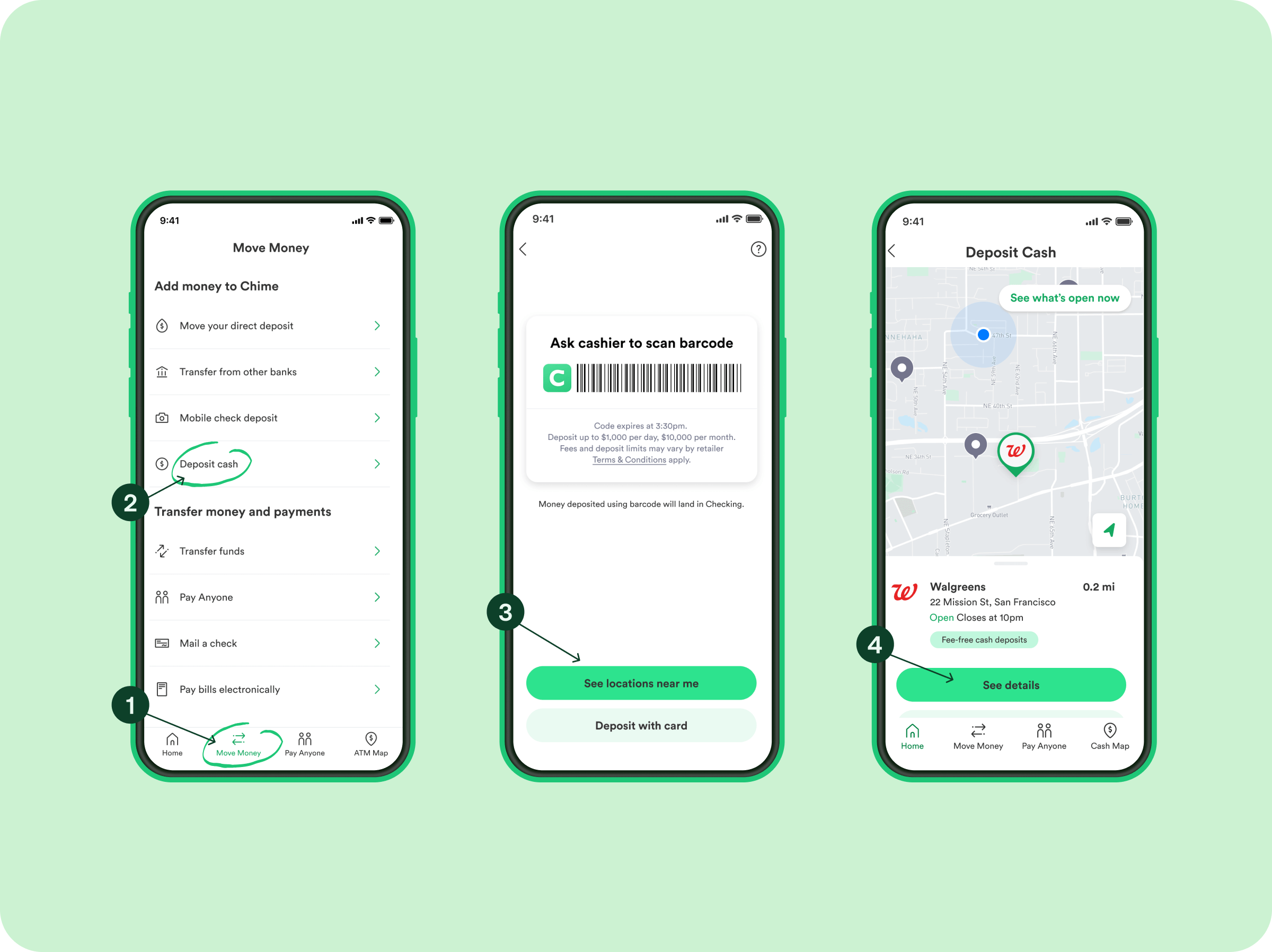
If you haven’t already, you’ll need to link your Chime debit card to your Cash App account.
- Open Cash App: Launch the app.
- Navigate to the Banking Tab: Tap the banking icon.
- Link Debit Card: Under “Linked Banks,” select “Link Debit Card” or “Add Card.”
- Enter Chime Debit Card Details: Input your Chime Visa Debit Card number, expiration date, and CVV.
- Note: Ensure this is your physical Chime debit card details, not a separate bank account.
- Verification: Complete any verification steps required.
Executing an Instant Transfer
Once your Chime debit card is linked, the process to initiate an instant transfer is very similar to a standard cash out.
- Open Cash App: Tap on your Cash App balance.
- Select “Cash Out”: Enter the amount you wish to transfer.
- Choose “Instant”: When prompted to select a transfer speed, opt for “Instant.”
- Select Your Linked Chime Debit Card: Ensure you select your Chime debit card as the destination.
- Review Fees and Confirm: Cash App will display the associated instant transfer fee (typically 0.5% to 1.75%, with a minimum fee). Review the total amount, including the fee, and confirm the transaction.
Navigating Instant Transfer Fees and Considerations
While convenient, instant transfers come with specific considerations:
- Fees: Expect a fee ranging from 0.5% to 1.75% of the transferred amount. For example, transferring $100 might cost $1.50. These fees are deducted directly from the amount you’re cashing out.
- Availability: Instant transfers are generally available 24/7, including weekends and holidays, making them ideal for urgent needs.
- Limits: Instant transfer limits might differ slightly from standard transfer limits. Always check your specific limits within the Cash App.
For individuals who frequently need immediate access to funds, understanding and budgeting for these fees is crucial for effective personal finance management. Weigh the urgency of your need against the cost of the fee.
Crucial Considerations for a Smooth Transfer
Executing transfers between Cash App and Chime successfully requires attention to detail and awareness of potential pitfalls. Adhering to best practices can prevent delays, fees, or even security breaches.
Understanding Fees and Transfer Limits
- Cash App Limits: Regularly review your Cash App sending and receiving limits. These can be found in your profile settings. If you frequently hit these limits, consider verifying your account with more personal information to increase them.
- Chime Limits: While Chime primarily handles incoming funds, be aware of any daily or transaction limits it might impose on spending or withdrawals once the money arrives.
- Fee Awareness: Always confirm the fee displayed for instant transfers before finalizing the transaction. For non-urgent transfers, opting for the free standard transfer is always the more financially prudent choice.
Security Best Practices and Fraud Prevention
Protecting your financial information is paramount. When transferring funds:
- Use Strong, Unique Passwords: Ensure both your Cash App and Chime accounts are secured with strong, unique passwords and enable two-factor authentication (2FA) wherever possible.
- Beware of Phishing Scams: Never share your login credentials, PINs, or verification codes with anyone. Be suspicious of unsolicited emails or messages claiming to be from Cash App or Chime asking for personal information.
- Verify Account Numbers: Double-check the routing and account numbers when linking Chime to Cash App, and confirm the last few digits of the destination account before confirming any transfer. A small error can send funds to the wrong place, which can be challenging to recover.
- Public Wi-Fi Caution: Avoid making financial transactions over unsecured public Wi-Fi networks, as they can be vulnerable to eavesdropping.
Troubleshooting Common Transfer Issues
Even with careful planning, issues can arise. Here’s how to address common problems:
- Transfer Delays: If a standard transfer takes longer than 3 business days, or an instant transfer isn’t instant, first check your transaction history in both apps for status updates.
- Incorrect Account: If you’ve sent money to the wrong account, contact Cash App support immediately. Recovery can be difficult, but prompt action is essential.
- Failed Transfers:
- Insufficient Funds: Ensure you have enough money in your Cash App balance to cover the transfer amount and any instant transfer fees.
- Account Limits Exceeded: Check if you’ve hit your daily, weekly, or monthly transfer limits on Cash App.
- Bank Verification Issues: If your linked Chime account or debit card is unverified or has issues, the transfer might fail. Re-verify the details.
- Contact Support: If you cannot resolve the issue, reach out directly to Cash App support or Chime support (depending on where the error seems to originate). Provide them with transaction IDs and relevant details.
Optimizing Your Digital Finance Strategy
Mastering the transfer process between Cash App and Chime is more than just moving money; it’s about optimizing your personal finance strategy for efficiency, cost-effectiveness, and control.
When to Use Each Transfer Method
- Standard Transfer (Free): Ideal for non-urgent situations where you can wait 1-3 business days. This should be your default option to avoid unnecessary fees. Use it for consolidating funds, moving money to your Chime account for upcoming bill payments, or building up your Chime savings.
- Instant Transfer (Fee-Based): Reserve this method for genuine emergencies or situations requiring immediate access to funds. Examples include an unexpected expense, a time-sensitive payment, or when you simply cannot wait for a standard transfer. Always calculate the fee beforehand and ensure the urgency outweighs the cost.
The Broader Implications for Personal Finance Management
Effectively managing funds across platforms like Cash App and Chime empowers you with greater financial flexibility.
- Budgeting: By consolidating funds into Chime, you can leverage its budgeting tools, spending insights, and automatic savings features more effectively.
- Emergency Fund Access: Having the ability to quickly transfer funds from Cash App (e.g., from a quick sale or received payment) into your Chime account provides another layer of liquidity for emergencies.
- Diversification of Services: Utilize Cash App for its peer-to-peer payments and investment options, and Chime for its robust banking services. The ability to move money seamlessly allows you to get the best of both worlds without being locked into one ecosystem.
- Fee Minimization: By understanding the fee structures, you can consciously choose the free standard transfer whenever possible, thereby minimizing unnecessary expenses and keeping more of your hard-earned money.
In conclusion, transferring money from Cash App to Chime is a straightforward process, primarily leveraging the direct link between Cash App and your Chime bank account or debit card. By understanding the methods, potential costs, and crucial security measures, you can ensure your funds are managed efficiently, securely, and always accessible when you need them, reinforcing a robust and adaptable personal finance strategy.
aViewFromTheCave is a participant in the Amazon Services LLC Associates Program, an affiliate advertising program designed to provide a means for sites to earn advertising fees by advertising and linking to Amazon.com. Amazon, the Amazon logo, AmazonSupply, and the AmazonSupply logo are trademarks of Amazon.com, Inc. or its affiliates. As an Amazon Associate we earn affiliate commissions from qualifying purchases.