
In an increasingly digital world, managing finances often involves leveraging innovative technology. Peer-to-peer payment applications have revolutionized how we send and receive money, making transactions instantaneous and accessible from the palm of our hands. Among these, Cash App stands out as a prominent player, offering a versatile platform for sending money, receiving payments, investing, and even banking. For newcomers, the process of setting up an account might seem daunting, but it is, in fact, a streamlined and user-friendly experience designed for broad accessibility. This comprehensive guide will walk you through every step of creating a Cash App account, ensuring you can harness the full potential of this powerful financial technology tool securely and efficiently.
Understanding Cash App: A Digital Wallet Overview
Before diving into the creation process, it’s beneficial to understand what Cash App is and why it has garnered such widespread adoption. This context will underscore the value proposition of integrating this technology into your daily financial routine.
What is Cash App?
Cash App, developed by Block, Inc. (formerly Square, Inc.), is a mobile payment service that allows users to send and receive money instantly with friends and family, pay for goods and services, and even invest in stocks and Bitcoin. It functions primarily as a digital wallet, accessible via a smartphone application on both iOS and Android platforms. Beyond its core payment functionalities, Cash App has expanded to include features like direct deposit, a custom debit card (Cash Card), and even tax filing services, transforming it into a holistic financial ecosystem for many users. Its intuitive interface and robust feature set make it a go-to choice for managing digital money.
Key Features and Benefits
Cash App’s appeal lies in its diverse range of features, each designed to enhance financial flexibility and convenience.
- Instant Money Transfers: The ability to send and receive money in seconds, often without fees for standard transfers, is a major draw.
- Cash Card: Users can order a customizable Visa debit card linked directly to their Cash App balance, allowing them to make purchases online and in-store, and withdraw cash from ATMs.
- Investing: Cash App provides a simplified gateway for investing in stocks (with as little as $1) and buying/selling Bitcoin, democratizing access to financial markets.
- Direct Deposit: Users can receive paychecks, tax refunds, and other direct deposits directly into their Cash App account, often two days earlier than traditional banks.
- Boosts: The Cash Card offers “Boosts,” instant discounts at select merchants, adding tangible value to everyday spending.
- User-Friendly Interface: The app’s design prioritizes ease of use, making complex financial transactions feel simple and intuitive, even for those less familiar with digital financial tools.
- Accessibility: With no minimum balance requirements and broad availability, Cash App lowers the barrier to entry for digital financial services.
These features, combined with its robust technological infrastructure, position Cash App not just as a payment app, but as a comprehensive financial tool that integrates seamlessly into the digital lifestyle.
Your Step-by-Step Guide to Account Creation
Creating a Cash App account is a straightforward process that takes only a few minutes. Following these steps will ensure a smooth setup, allowing you to quickly begin utilizing its various features.
Downloading and Installing the App
The first step is to acquire the Cash App on your mobile device.
- Locate the App Store: For iPhone users, open the App Store. For Android users, open the Google Play Store.
- Search for “Cash App”: Use the search bar to find “Cash App” by Square, Inc.
- Download and Install: Tap “Get” or “Install.” The app is free to download. Once downloaded, tap “Open” to launch the application.
Initiating the Sign-Up Process
Upon opening the app for the first time, you’ll be prompted to enter your primary contact information.
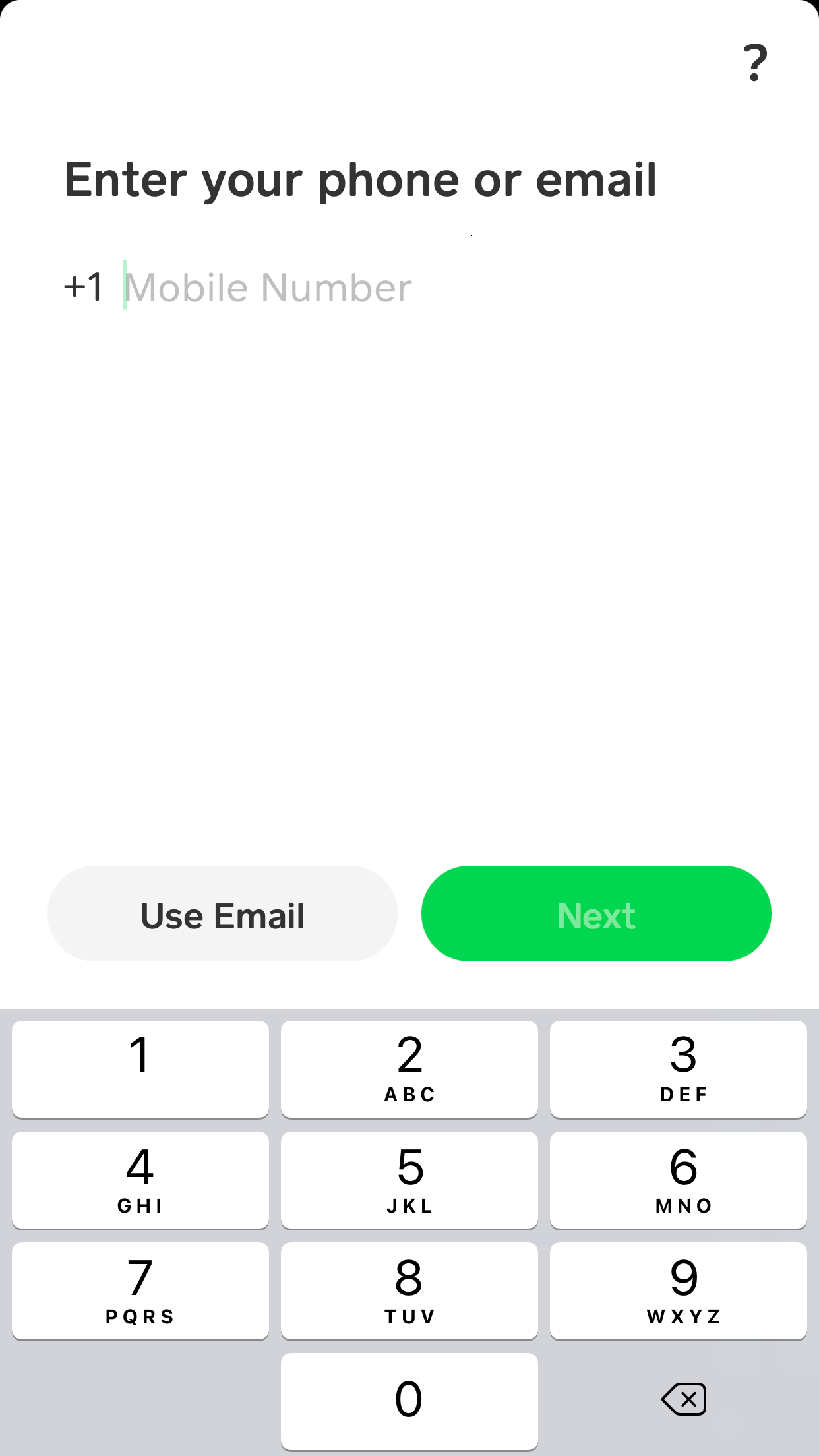
- Enter Your Phone Number or Email: Cash App requires either a phone number or an email address to register. It’s generally recommended to use your primary phone number as it’s often more convenient for receiving verification codes and linking with contacts. Enter your chosen contact method and tap “Next.”
- Verify Your Identity with a Code: Cash App will send a unique verification code to the phone number or email address you provided. Retrieve this code and enter it into the app. This step is crucial for security and confirming your ownership of the contact information.
Providing Personal Details
To fully activate your account and access all features, Cash App will require some basic personal information.
- Enter Your Name: You’ll be asked to provide your first and last name. This helps in identifying you within the Cash App network and complying with financial regulations.
- Choose a $Cashtag: A $Cashtag is your unique identifier within Cash App, similar to a username. It typically starts with a dollar sign (e.g., $YourNameHere). This is how others will send money to you. Choose a memorable and unique $Cashtag. You can modify it later if needed, but it’s best to choose carefully from the start.
Linking a Bank Account or Debit Card
To fund your Cash App account and cash out balances, you’ll need to link an external financial institution.
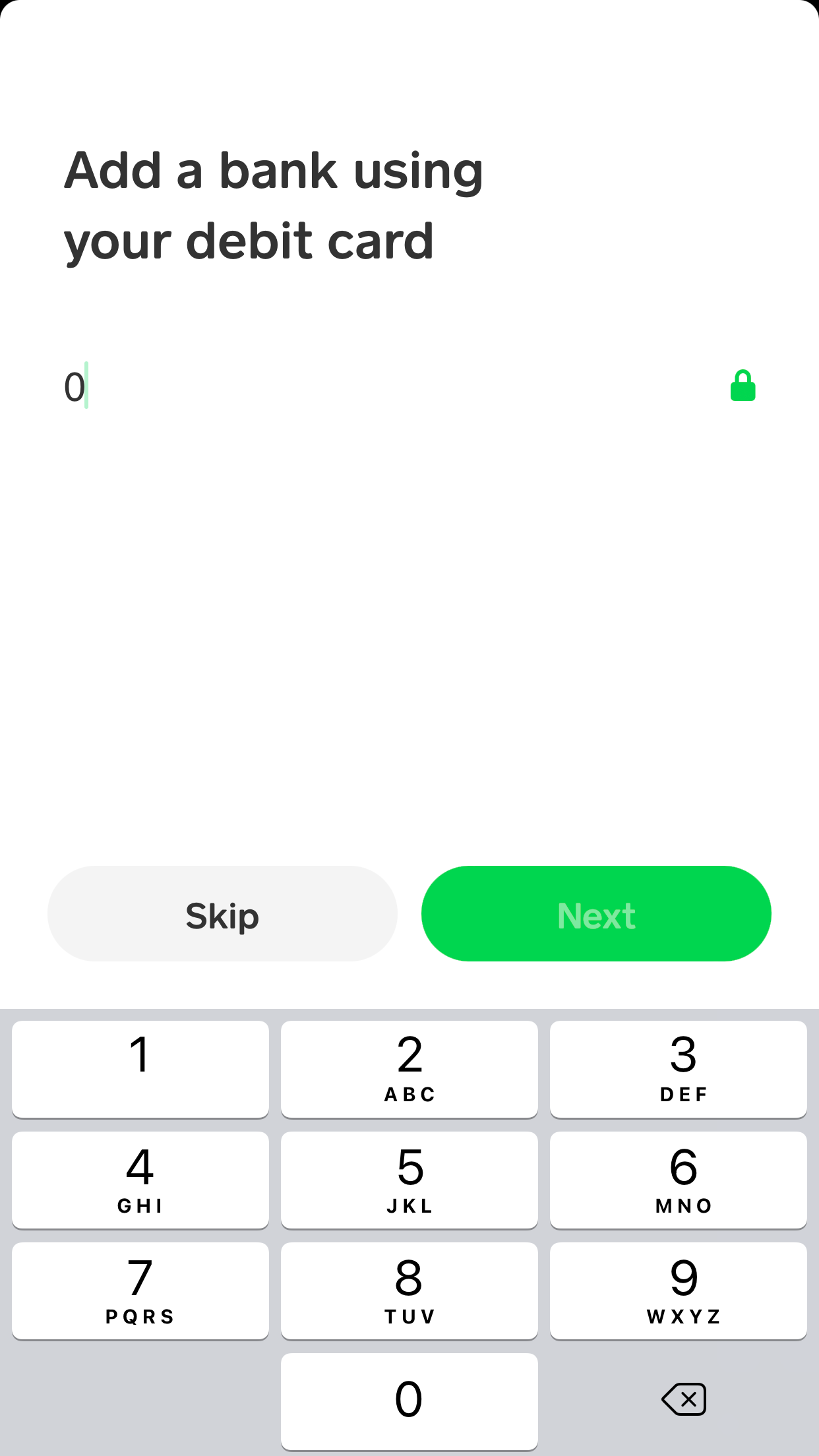
- Link Your Debit Card: This is the most common method for quickly adding funds to and withdrawing funds from Cash App. Enter your debit card number, expiration date, CVV, and zip code. This securely connects your bank account to Cash App for transactions. You can also link a bank account directly using your bank’s login credentials, often facilitated by a service like Plaid, which securely connects financial apps to banks.
- Initial Deposit (Optional but Recommended): Cash App might prompt you to add funds to your account. While not strictly mandatory to complete the setup, making a small initial deposit (e.g., $5) can help you immediately test the functionality and get comfortable with the app.
Once these steps are completed, your basic Cash App account is ready for use! You can now send and receive money, though some features like higher transaction limits or ordering a Cash Card might require further identity verification.
Enhancing Your Account Security and Privacy
In the realm of digital finance, security is paramount. While Cash App employs robust measures to protect its users, understanding and implementing personal security practices is equally vital.
Enabling Two-Factor Authentication
Two-factor authentication (2FA) adds an extra layer of security to your account, significantly reducing the risk of unauthorized access.
- Access Security Settings: Within the Cash App, tap on your profile icon (usually in the top right corner), then scroll down to “Privacy & Security.”
- Turn on Security Lock: Enable the “Security Lock” feature. This will require you to enter a PIN or use your fingerprint/Face ID for every transaction over a certain amount, or even for every login, depending on your settings.
- Link Email and Phone: Ensure both your primary phone number and email are verified and up-to-date in your settings. These are crucial for account recovery and receiving security alerts.
Understanding Cash App’s Security Measures
Cash App implements a multi-layered security approach to safeguard user data and funds.
- Encryption: All user data and transactions are encrypted to prevent interception and unauthorized access.
- Fraud Detection: Sophisticated algorithms and human monitoring systems constantly look for suspicious activity and potential fraud.
- PCI DSS Level 1 Compliance: This is the highest level of compliance for handling credit card data, indicating a commitment to robust security standards.
- Login Alerts: Users receive notifications for every login attempt, allowing them to quickly identify and report any unauthorized access.
Best Practices for Account Protection
While Cash App handles much of the heavy lifting, personal vigilance is essential for maintaining a secure account.
- Strong, Unique Passwords: Use a complex password or PIN for your device and for Cash App if enabled. Avoid using easily guessable information.
- Beware of Phishing Scams: Cash App will never ask for your login credentials, PIN, or full debit card number via unprompted email or text. Be skeptical of unsolicited messages claiming to be from Cash App.
- Regularly Monitor Transactions: Review your transaction history frequently to spot any unauthorized activity immediately.
- Keep Your App Updated: Ensure your Cash App is always running the latest version, as updates often include critical security patches and enhancements.
- Secure Your Device: Use a strong passcode, fingerprint, or facial recognition to protect your smartphone itself.
By combining Cash App’s inherent security features with these personal best practices, you can confidently and securely manage your finances within the application.
Beyond Account Creation: Getting Started with Cash App Features
With your account successfully created and secured, you’re now ready to explore the full range of Cash App’s functionalities. The initial setup is just the gateway; the true utility lies in its diverse offerings.
Sending and Receiving Money
This is the core functionality that most users initially engage with.
- To Send Money: On the Cash App home screen, enter the amount you wish to send. Tap “Pay.” You can then enter the recipient’s $Cashtag, phone number, or email. Add a note for the payment’s purpose (optional) and tap “Pay” again to confirm.
- To Request Money: Similarly, enter the amount you wish to request. Tap “Request.” Enter the sender’s $Cashtag, phone number, or email, add a note, and tap “Request.”
- Adding and Cashing Out Funds: You can add money from your linked bank account or debit card by tapping the “Banking” tab (the house icon) and selecting “Add Cash.” To withdraw funds to your bank account, select “Cash Out” from the same tab. Standard transfers are free, while instant transfers incur a small fee.
Exploring Direct Deposit and Bitcoin
For users looking to expand their financial activities within Cash App, these features offer significant advantages.
- Setting Up Direct Deposit: In the “Banking” tab, tap “Direct Deposit.” You’ll find your Cash App routing and account numbers, which you can provide to your employer or government agencies for direct deposit. This can enable you to receive funds earlier than traditional banking.
- Investing in Bitcoin: From the home screen, tap the Bitcoin icon (the green ‘B’). Here, you can buy and sell Bitcoin directly within the app. Cash App simplifies the process, making it accessible even for beginners. You can start with as little as $1. Be aware that cryptocurrency investments carry inherent risks.

Ordering a Cash Card
The Cash Card provides a tangible link to your digital funds.
- Requesting Your Card: On the Cash App home screen, tap the card icon (usually the second icon from the left at the bottom). Tap “Get Free Cash Card.”
- Customization and Delivery: You can customize the look of your card. Follow the prompts to confirm your shipping address. Your personalized Cash Card will typically arrive within 7-10 business days.
- Activating the Card: Once received, open the Cash App, go to the Cash Card tab, and tap “Activate Card.” You’ll scan the QR code on the card packaging or manually enter the card details.
Creating a Cash App account is more than just setting up a payment method; it’s about embracing a technological tool that streamlines various aspects of personal finance. From instant peer-to-peer transfers to simplified investing and even direct deposit functionalities, Cash App offers a robust suite of features designed for the modern digital age. By following these steps and prioritizing security, you can confidently navigate this intuitive application and harness its full potential, making your financial interactions smoother and more efficient. Embrace the future of digital finance with your newly created Cash App account.
aViewFromTheCave is a participant in the Amazon Services LLC Associates Program, an affiliate advertising program designed to provide a means for sites to earn advertising fees by advertising and linking to Amazon.com. Amazon, the Amazon logo, AmazonSupply, and the AmazonSupply logo are trademarks of Amazon.com, Inc. or its affiliates. As an Amazon Associate we earn affiliate commissions from qualifying purchases.