
Fractions, often seen as a cornerstone of elementary and advanced mathematics, represent parts of a whole and are fundamental to understanding proportions, ratios, and various real-world applications. However, working with them can sometimes be daunting, especially when they need to be simplified. Simplification, the process of reducing a fraction to its lowest terms, is crucial for clarity, consistency, and ease of further calculation. While the mental arithmetic involved can be straightforward for smaller numbers, larger or more complex fractions can become a bottleneck. This is where the trusty calculator, a ubiquitous piece of tech, steps in as an invaluable tool.
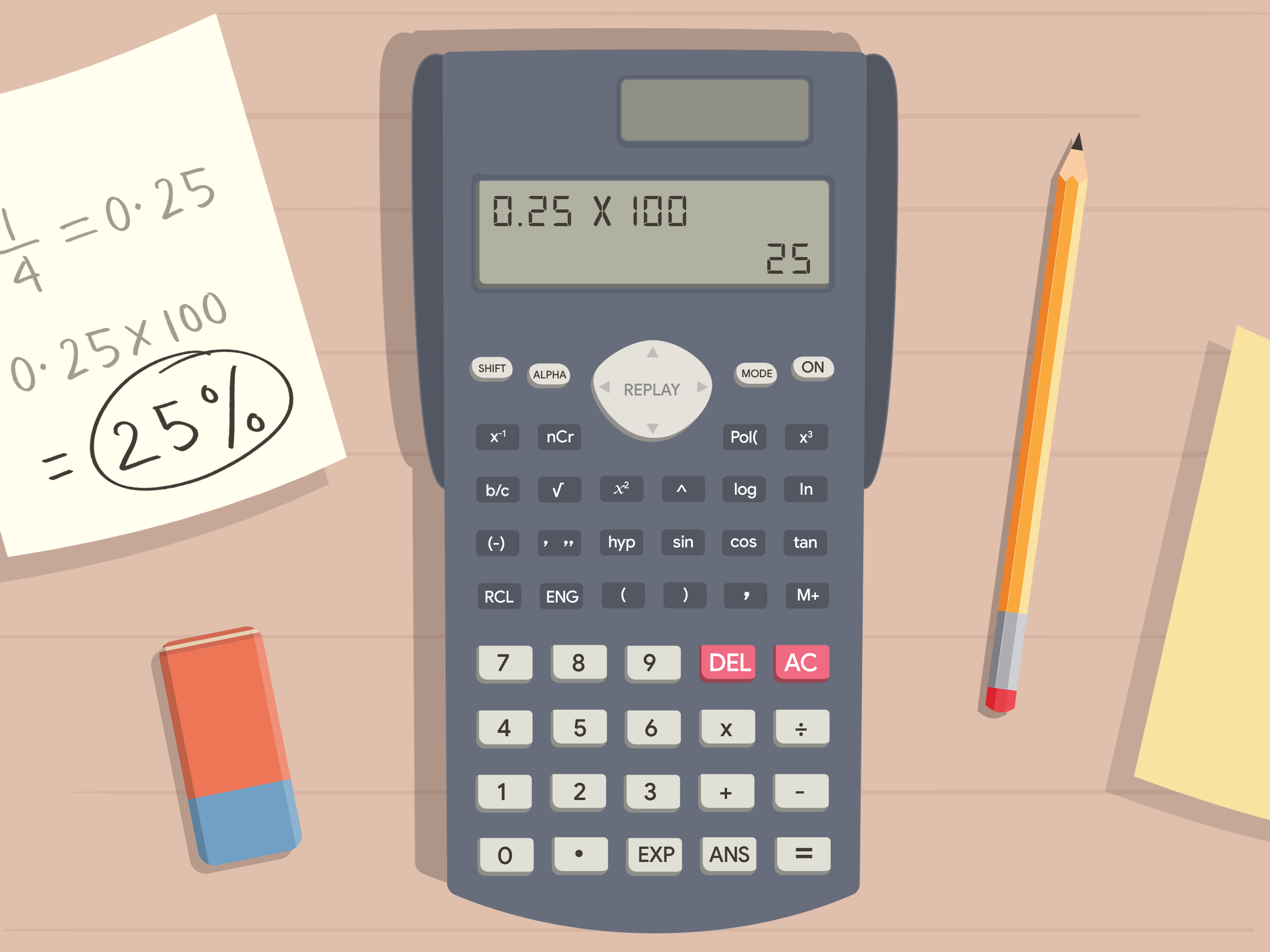
For decades, calculators have evolved from simple arithmetic devices to sophisticated computational machines, capable of handling complex algebraic expressions, graphing functions, and, crucially, manipulating fractions with surprising ease. Understanding how to leverage your calculator’s capabilities for fraction simplification not only saves time but also enhances accuracy, allowing users to focus on the underlying mathematical concepts rather than getting bogged down in repetitive division. This guide aims to demystify the process, offering a comprehensive tutorial on using various types of calculators to simplify fractions efficiently and effectively, empowering students, educators, and professionals alike to master this essential skill.
The Foundation: Understanding Fraction Simplification and Its Importance
Before diving into the digital realm of calculators, it’s essential to revisit the core concept of fraction simplification. This foundational understanding will illuminate why certain calculator functions exist and how to interpret their outputs correctly.
What Does “Simplifying a Fraction” Really Mean?
Simplifying a fraction, also known as reducing a fraction to its lowest terms, means finding an equivalent fraction where the numerator (top number) and the denominator (bottom number) have no common factors other than 1. This process relies on the principle that multiplying or dividing both the numerator and the denominator by the same non-zero number does not change the value of the fraction. For example, the fraction 2/4 is equivalent to 1/2 because both the numerator and denominator of 2/4 can be divided by 2. The fraction 1/2 is in its simplest form because 1 and 2 share no common factors other than 1.
The mathematical operation behind simplification is finding the Greatest Common Divisor (GCD) or Greatest Common Factor (GCF) of the numerator and the denominator. Once the GCD is identified, both the numerator and the denominator are divided by this number to yield the simplified fraction. For instance, to simplify 12/18, the GCD of 12 and 18 is 6. Dividing both by 6 gives 2/3, which is the simplified form.
Why Simplification is More Than Just an Academic Exercise
The importance of fraction simplification extends far beyond fulfilling academic requirements. In practical applications, simplified fractions offer numerous benefits:
- Clarity and Readability: Simplified fractions are easier to understand and interpret. It’s much clearer to grasp 1/2 than 50/100, even though they represent the same value. This clarity is vital in fields like engineering, finance, and culinary arts, where precision and quick comprehension are key.
- Consistency: Standardizing fractions to their simplest form ensures consistency across calculations and communications. Everyone understands what 1/4 means, but encountering 7/28 in one place and 9/36 in another, both representing the same value, can lead to confusion without simplification.
- Ease of Further Calculation: Working with smaller numbers is inherently easier. Simplified fractions make subsequent addition, subtraction, multiplication, and division operations less prone to error and quicker to perform, whether mentally or with a calculator.
- Foundation for Advanced Mathematics: In algebra, calculus, and other higher-level mathematics, expressions often involve fractions that need to be simplified before any meaningful manipulation or problem-solving can occur. Mastering this skill early sets a strong foundation.
Understanding these fundamentals not only reinforces the utility of calculators in this context but also helps users diagnose issues or verify results when technology is employed.
Navigating Calculator Types and Fraction Input Methods
The world of calculators is diverse, ranging from basic four-function models to highly advanced graphing devices. Each type offers varying degrees of support for fraction operations, making it crucial to understand your specific gadget and how it handles fractional input.
From Standard to Scientific: Identifying Your Tool
Standard Calculators: Basic calculators often lack dedicated fraction keys. While they can perform division (e.g., 1 ÷ 2 for 1/2), they typically display results as decimals, requiring manual conversion and simplification. These are generally not ideal for direct fraction simplification.
Scientific Calculators: These are the workhorses for many students and professionals. Scientific calculators (e.g., Casio fx-series, TI-30XS, Sharp EL-W506T) almost universally include dedicated fraction functionality. Look for keys labeled something like a b/c, d/c, S<=>D, or similar icons that represent mixed numbers, improper fractions, or conversion between fractions and decimals. These are your primary tools for simplifying fractions directly.
Graphing Calculators: At the pinnacle of calculator sophistication, graphing calculators (e.g., TI-83, TI-84 Plus, TI-Nspire, Casio fx-CG series) offer extensive fraction capabilities, often integrated within their mathematical menus. They can simplify fractions, convert between forms, and perform complex operations with fractional results. While overkill for simple simplification, they offer the most robust environment.
Mastering Fraction Input: The Key to Simplification
Regardless of the calculator type, the first step to simplification is correctly inputting the fraction.
- For Scientific and Graphing Calculators with a dedicated fraction key (e.g.,
a b/cord/c):- Enter the numerator.
- Press the fraction key.
- Enter the denominator.
- (Optional for mixed numbers): If you have a mixed number (e.g., 2 1/3), enter the whole number first, then press the fraction key, then the numerator, then the fraction key again, then the denominator. Some calculators require a different sequence, often a dedicated mixed number key or implicitly handle it with spaces.
- For Calculators without a dedicated fraction key (or for advanced input):
You’ll typically treat the fraction as a division problem. For example, to input 3/4, you’d type3 ÷ 4. However, this will often give you a decimal (0.75), which then requires manual conversion and simplification, making it less direct for the task at hand.
Once the fraction is entered, the next step is to leverage the calculator’s features to simplify it. Most scientific and graphing calculators will automatically simplify fractions upon entry or after pressing the “equals” (=) key. If not, there’s usually a dedicated function for it.
Step-by-Step Guides: Simplifying Fractions with Technology
Modern scientific and graphing calculators are engineered to make fraction simplification intuitive. The exact steps can vary slightly between brands and models, but the underlying principles remain consistent.
Automatic Simplification Features
Many calculators are designed to simplify fractions automatically. This is the most straightforward method.
- Enter the Fraction: Use the
a b/cord/ckey (or equivalent) to input your fraction. For example, to simplify 12/18, type12then the fraction key, then18. - Press the Equals Key: Press
=(orEXEon some Casio models). - Observe the Result: In many cases, the calculator will immediately display the simplified fraction. For 12/18, it should output
2/3.
Example (Casio fx-991EX):
To simplify 12/18:
- Press the
fractionbutton (often represented by a symbol like_over_). - Type
12for the numerator. - Use the down arrow key to move to the denominator.
- Type
18for the denominator. - Press
=.
The display will show2/3.

Example (TI-30XS Multiview):
To simplify 12/18:
- Press the
n/dbutton (for numerator/denominator). - Type
12in the numerator box. - Use the down arrow to move to the denominator box.
- Type
18in the denominator box. - Press
enter.
The display will show2/3.
If your calculator gives you a decimal instead of a simplified fraction, it means you need to explicitly tell it to convert to a fraction or simplify. Look for a S<=>D (Standard to Decimal) or F<=>D (Fraction to Decimal) key, or a menu option that converts decimals to fractions. Often, pressing SHIFT then this key will convert a decimal result back to a fraction.
Manual Simplification Using Calculator Functions (GCF/GCD)
Sometimes, a calculator might display an improper fraction (where the numerator is larger than the denominator) and not fully simplify it, or you might want to manually walk through the steps using the calculator’s arithmetic features to understand the process better. In such cases, you can use the calculator to find the Greatest Common Divisor (GCD) and then perform the division.
- Find the GCD: Some advanced calculators have a dedicated
GCDorGCFfunction, often found in aMATHorNUMmenu.- Navigate to the
GCDfunction. - Input the numerator and denominator, separated by a comma (e.g.,
GCD(12,18)). - Press
=. The calculator will display the GCD (in our 12/18 example, it would be6).
- Navigate to the
- Divide by the GCD:
- Divide the original numerator by the GCD (e.g.,
12 ÷ 6 = 2). - Divide the original denominator by the GCD (e.g.,
18 ÷ 6 = 3).
- Divide the original numerator by the GCD (e.g.,
- Form the Simplified Fraction: The results are your new numerator and denominator (2/3).
If your calculator doesn’t have a direct GCD function, you can still use its basic division capabilities to find common factors iteratively. Start by trying to divide both the numerator and denominator by small prime numbers (2, 3, 5, 7, etc.) until no more common factors can be found.
Dealing with Mixed Numbers and Improper Fractions
Calculators often handle mixed numbers and improper fractions interchangeably, but knowing how to convert between them is useful.
- Mixed Number to Improper Fraction: If you input a mixed number (e.g.,
1 1/2) into a calculator, it might automatically convert it to an improper fraction (3/2) before simplifying. Most scientific calculators have a key or function (oftenSHIFTthena b/cord/c) to toggle between mixed numbers and improper fractions. - Improper Fraction to Mixed Number: If your simplified result is an improper fraction (e.g.,
7/3), and you prefer a mixed number, look for the same conversion key/function mentioned above. It will convert7/3to2 1/3.
Always ensure your calculator’s display mode is set to show fractions if you want fractional outputs, as some default to decimal results.
Advanced Tips and Troubleshooting for Calculator Fraction Simplification
Even with the right functions, a few nuances and common pitfalls can arise when simplifying fractions on a calculator. Understanding these can prevent frustration and ensure accurate results.
Brand-Specific Nuances: Texas Instruments vs. Casio vs. Others
While the general principles apply, specific calculator brands often have their unique button layouts and menu structures.
- Texas Instruments (TI):
- TI-30XS Multiview: Uses
n/dfor fraction input.[2nd][n/d]toggles between mixed numbers and improper fractions. Automatic simplification is common. - TI-83/84 Plus (Graphing): Fractions are typically entered via
ALPHA[F1](forn/d) or by using theMATHmenu, then1:Fracto convert a decimal to a fraction. Simplification often occurs automatically afterENTER.
- TI-30XS Multiview: Uses
- Casio:
- fx-series (e.g., fx-991EX): Has a prominent fraction button (e.g.,
_over_).SHIFTand then this button often converts between mixed numbers and improper fractions, or decimal and fraction. They are usually very good at automatic simplification.
- fx-series (e.g., fx-991EX): Has a prominent fraction button (e.g.,
- HP: HP calculators often use Reverse Polish Notation (RPN) or have a different input logic. Fraction input might be more menu-driven or require specific function calls. Consult your specific model’s manual for precise instructions.
Always consult your calculator’s instruction manual. It is the definitive guide to its specific functions and how to use them for fraction operations. Many manuals are available online as PDFs.
Common Errors and How to Avoid Them
- Decimal Output Instead of Fraction: This is the most common issue. Ensure you’re using the dedicated fraction input key, and if a decimal appears, use the
S<=>DorF<=>Dconversion key (or itsSHIFTfunction) to revert to a fraction. - Improper Fraction Not Simplified Further: Your calculator might give you 7/3 instead of 2 1/3. This isn’t an error in simplification but a choice of display format. Use the mixed number/improper fraction toggle button to change the display.
- Syntax Errors: Incorrect input sequence (e.g., entering
1/2as1 ÷ 2then expecting a fraction output on a calc without that feature) can lead to syntax errors or incorrect results. Learn your calculator’s specific input method for fractions. - Mode Settings: Ensure your calculator is in the correct mode (e.g., “Math” or “Natural Display” on Casio, or appropriate settings on TI) to display fractions naturally.
- Parentheses: For more complex expressions involving fractions, always use parentheses to group terms correctly, especially around numerators or denominators that are themselves expressions (e.g.,
(2+3)/4not2+3/4).
Leveraging Calculator Memory and Previous Answers
For multi-step problems, calculators allow you to recall previous answers (ANS key) and store values in memory registers (STO, RCL). This is particularly useful when simplifying a fraction is just one step in a larger calculation. For instance, if you’ve calculated a complex numerator and denominator separately, you can store them and then input them into the fraction function, reducing transcription errors.
Beyond Simplification: The Broader Impact of Calculators in Math
While simplifying fractions is a specific task, the utility of calculators in this context highlights their broader significance in modern mathematics education and practice. Far from being a crutch that prevents learning, calculators, when used correctly, serve as powerful educational and professional tools.
Enhancing Mathematical Understanding
By automating the tedious arithmetic of simplification, calculators allow students to:
- Focus on Concepts: Instead of struggling with finding common factors for large numbers, students can concentrate on what fractions represent, how they behave, and their applications.
- Explore and Experiment: Quickly simplifying different fractions can help students identify patterns, understand equivalences, and build an intuitive grasp of fractional relationships.
- Verify Solutions: Calculators provide an immediate way to check manually simplified fractions, fostering confidence and identifying areas for improvement in mental arithmetic.

Efficiency and Accuracy in Complex Calculations
In professional settings (e.g., engineering, finance, science), calculations often involve numerous fractions, sometimes with large or unwieldy numbers. Performing these simplifications manually would be time-consuming and error-prone. Calculators provide:
- Speed: Instant simplification accelerates problem-solving and decision-making processes.
- Accuracy: Eliminating human error in division and factor identification ensures results are precise and reliable.
- Complex Problem Solving: For advanced problems where fractions are part of larger equations or matrices, a calculator’s ability to handle them seamlessly is indispensable.
In conclusion, understanding how to simplify fractions on a calculator is more than just learning a few button presses; it’s about leveraging technology to enhance mathematical proficiency, improve efficiency, and ensure accuracy. Whether you’re a student tackling homework or a professional working through complex data, mastering your calculator’s fraction functions is a valuable skill that bridges traditional mathematical principles with modern technological convenience. Take the time to familiarize yourself with your specific device, experiment with its features, and empower yourself with this essential digital tool.
aViewFromTheCave is a participant in the Amazon Services LLC Associates Program, an affiliate advertising program designed to provide a means for sites to earn advertising fees by advertising and linking to Amazon.com. Amazon, the Amazon logo, AmazonSupply, and the AmazonSupply logo are trademarks of Amazon.com, Inc. or its affiliates. As an Amazon Associate we earn affiliate commissions from qualifying purchases.