
In an increasingly digital financial landscape, managing your money effectively hinges on quick, secure access to vital information. Among the most fundamental pieces of data for any account holder is the routing number. This nine-digit code acts as a digital address for your financial institution, directing funds to the correct bank during transactions like direct deposits, wire transfers, and automated clearing house (ACH) payments. For PNC customers, the convenience of the PNC Mobile App transforms what might once have been a search through paper statements into a few taps on a smartphone. This comprehensive guide will walk you through the process of locating your routing number within the PNC App, delve into the significance of this number in your financial life, and offer insights into leveraging mobile banking for optimal financial management.
Understanding the Cornerstone of Financial Transactions: What is a Routing Number?
Before diving into the “how-to,” it’s crucial to grasp the “what” and “why” behind routing numbers. Established by the American Bankers Association (ABA) in 1910, these numbers were originally designed to identify paper checks for processing. Today, they are the backbone of electronic fund transfers, ensuring that your money reaches the right financial institution without delays or errors.
The Role of Routing Numbers in Modern Finance
Every financial transaction that moves money between different banks—from a paycheck being deposited into your account to an online bill payment debited from it—relies on a routing number. It’s the first identifier in a two-part system, working in conjunction with your individual account number to pinpoint precisely where funds should go. Without a correct routing number, transactions can be delayed, rejected, or even sent to the wrong institution, leading to significant financial inconvenience and potential security risks. For individuals, routing numbers facilitate essential personal finance activities, while for businesses, they are critical for payroll, vendor payments, and receiving customer funds.
Differentiating Routing Numbers from Account Numbers
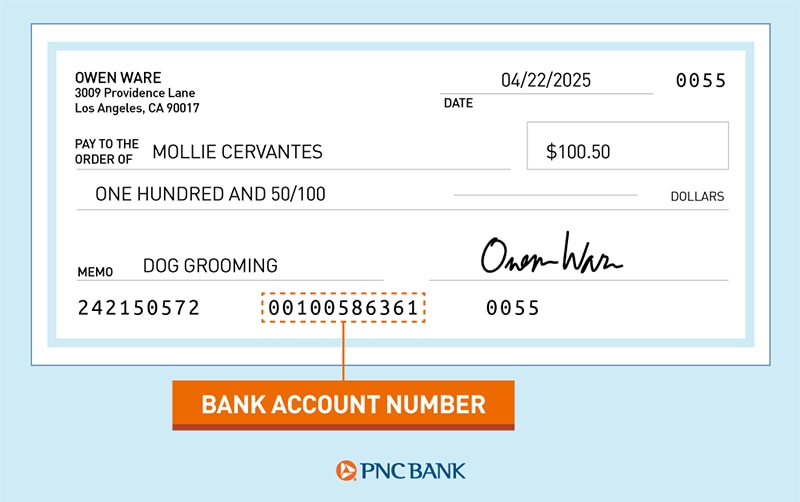
While often used in tandem, routing numbers and account numbers serve distinct purposes. Think of the routing number as the street address of your bank branch, identifying the financial institution itself. Your account number, on the other hand, is like your specific apartment number within that building, unique to your individual account (e.g., checking, savings, money market). It’s imperative not to confuse these two, as supplying the wrong number can lead to severe transactional issues. A routing number is generally consistent for all accounts within a specific geographic region or state for a given bank, while an account number is always unique to your personal or business account.
Why Your Routing Number is Crucial for Financial Operations
The importance of your routing number cannot be overstated. It’s not merely a string of digits but a gateway to a myriad of financial services:
- Direct Deposits: Receiving your salary, government benefits, or tax refunds directly into your bank account.
- Automatic Payments: Setting up recurring payments for utilities, loans, insurance premiums, or subscriptions.
- Wire Transfers: Sending or receiving large sums of money, often internationally, with high security.
- ACH Transfers: Facilitating electronic transfers, commonly used for online bill pay, peer-to-peer payments, and business-to-business transactions.
- External Account Linking: Connecting your PNC account to other financial apps, investment platforms, or payment services.
Understanding its critical role empowers you to manage your finances more securely and efficiently, making the ability to quickly locate it within your PNC App an invaluable skill.
Navigating the PNC App: A Step-by-Step Guide to Locating Your Routing Number
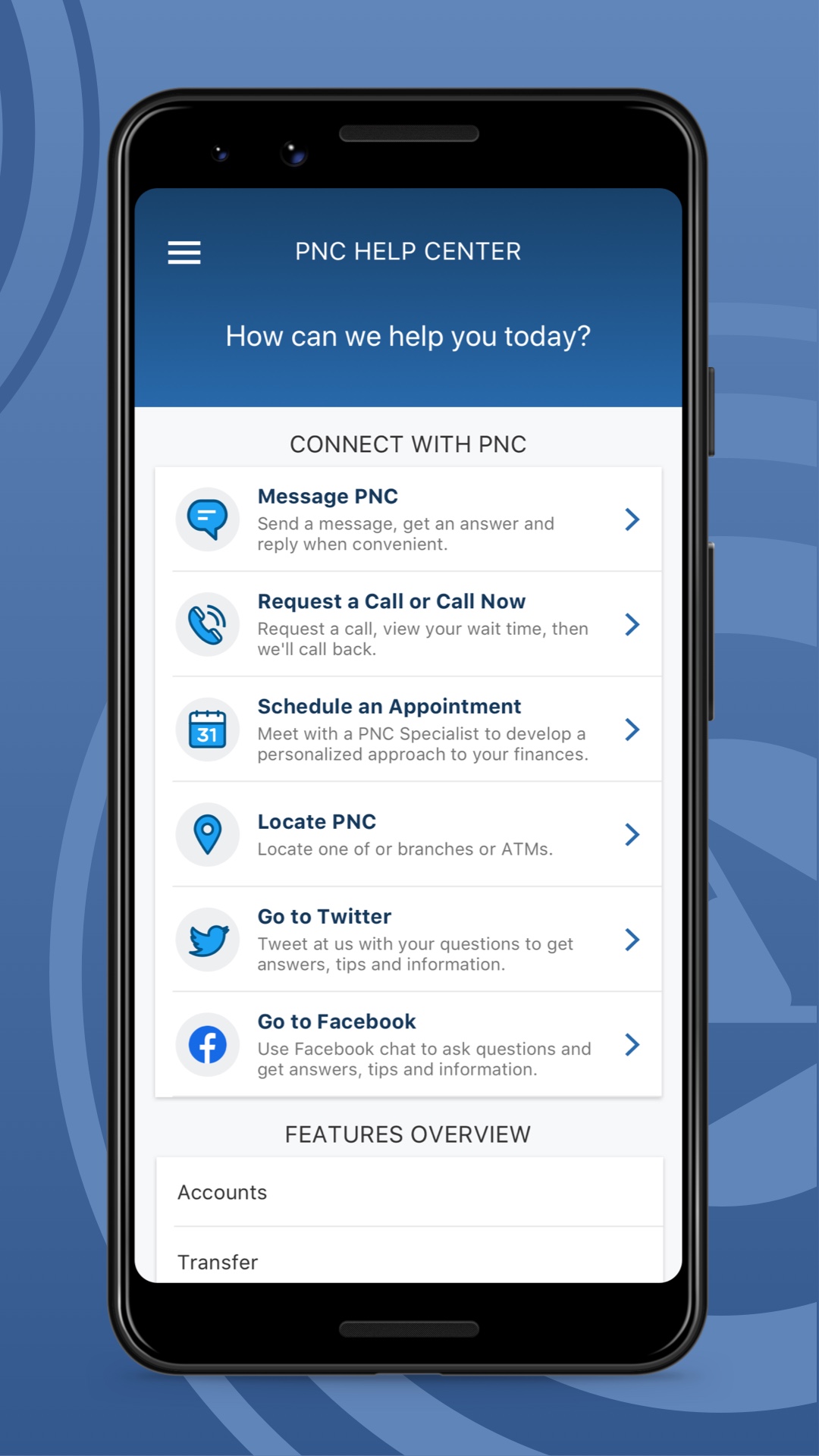
The PNC Mobile App is designed for user-friendliness, placing essential banking functions and information at your fingertips. Finding your routing number is a straightforward process, typically accessible within a few taps.
Pre-requisites for Seamless Access: Your PNC App and Login
Before you begin, ensure you have the PNC Mobile App downloaded to your smartphone or tablet and that you are successfully logged in. If you haven’t set up mobile banking yet, you’ll need to register your account and create your login credentials first. A stable internet connection is also crucial for uninterrupted access.
The Direct Path: Finding Your Routing Number on the Account Summary Screen
PNC has streamlined the process to make your routing number easily discoverable:
- Launch the PNC App: Tap the PNC icon on your device to open the application.
- Log In: Enter your User ID and Password. If you have biometric login (fingerprint or facial recognition) enabled, use that for quick access.
- Select Your Account: Once logged in, you’ll typically land on an overview screen showing your various accounts (checking, savings, credit cards, etc.). Tap on the specific checking or savings account for which you need the routing number. Routing numbers can sometimes vary slightly by account type or state, though often a single routing number applies to all deposit accounts within a state for PNC.
- Locate “Account Details” or “Show Details”: On the selected account’s summary page, look for an option or button labeled “Account Details,” “Show Details,” “View Details,” or similar. This is usually presented clearly to provide more granular information about the account.
- Retrieve Routing Number: Within the “Account Details” section, you should prominently see your account number and the routing number associated with that account. PNC often displays this information clearly for easy reference.
This method is generally the quickest and most common way to find your routing number within the app.
Alternative Routes: Checking Account Details and Statements within the App
If for some reason the routing number isn’t immediately visible on the account details screen, or if you prefer a different method, the app offers other avenues:
- View Statements: Most banking apps, including PNC’s, allow you to view electronic statements. Your routing number is always printed on your bank statements, usually at the top or bottom of the page. Navigate to the “Statements” or “Documents” section within the app, select a recent statement for your account, and you will find the routing number there.
- Contact Customer Service via App: If you’re having persistent trouble, the PNC App typically includes a “Contact Us” or “Help” section. You can initiate a secure chat with a customer service representative or find the bank’s general customer service phone number. They can verbally confirm your routing number after verifying your identity.
What to Do If You Can’t Find It: In-App Support and External Resources
Should you encounter any difficulties, remember that the app itself is a gateway to support.
- In-App Chat/Messaging: Look for a chat bubble or messaging icon within the app to connect with a PNC representative who can guide you.
- PNC Website: As a last resort, or if you prefer using a desktop, you can always visit the official PNC website. Routing numbers are typically published on their site, often in a “Contact Us” or “About Us” section, though it’s always best to verify it against your specific account if possible.
- Branch Visit: For those who prefer in-person assistance, a visit to a local PNC branch will quickly resolve any issues.
Beyond the App: When and Why You’ll Need Your PNC Routing Number
Knowing where to find your routing number is one thing; understanding its practical applications in your daily financial life is another. This nine-digit code is the key to unlocking seamless financial operations, from receiving your pay to managing your bills.
Facilitating Direct Deposits and Automatic Payments

For many, direct deposit is the primary method for receiving income. Whether it’s your salary, social security benefits, or a tax refund, providing your employer or relevant agency with your PNC routing number (along with your account number) ensures timely and accurate delivery of funds straight into your account. Similarly, setting up automatic payments for recurring expenses like rent, mortgage, utilities, or loan payments simplifies your financial management and helps avoid late fees. These typically utilize the ACH network, which relies heavily on routing numbers.
Streamlining Wire Transfers and ACH Payments
Wire transfers, often used for larger, time-sensitive transactions, and ACH payments, which are common for online bill pay and electronic checks, both require a correct routing number. For international wire transfers, you might also need a SWIFT/BIC code in addition to your routing number, though domestic wire transfers primarily use the routing number. Being able to quickly access this information means you can initiate or receive these types of transactions without delay, which can be critical for business operations or significant personal expenditures.
Setting Up Bill Pay and Third-Party Integrations
Many online bill payment services and third-party financial applications (like budgeting tools or investment platforms) require you to link your bank account using your routing and account numbers. This integration allows these services to securely pull or push funds from your PNC account. Having your routing number readily available on the app makes this setup process swift and error-free, enhancing your overall financial ecosystem.
Security Considerations When Sharing Your Routing Number
While essential, your routing number is not a secret like your PIN or password. It identifies your bank, not your specific account for withdrawal purposes alone. However, combined with your account number, it can facilitate transactions. Therefore, you should always exercise caution when sharing this information:
- Only Share with Trusted Entities: Provide your routing and account numbers only to legitimate entities like your employer, utility companies, or reputable financial institutions.
- Be Wary of Phishing Attempts: Never provide this information in response to unsolicited emails, texts, or calls, especially if they seem suspicious or pressure you for immediate action.
- Secure Platforms: Always use secure websites and applications when entering sensitive financial details.
- Monitor Your Accounts: Regularly check your PNC account statements and transaction history for any unauthorized activity.
Optimizing Your Financial Management with the PNC App
The PNC App is more than just a tool for finding your routing number; it’s a comprehensive platform designed to empower your financial journey. By understanding its full capabilities, you can elevate your personal and business financial management.
Beyond Routing Numbers: Other Key Features for Personal Finance
The ability to locate your routing number is just one facet of the app’s utility. PNC’s mobile banking platform typically offers a wealth of features:
- Account Balances and Transaction History: Instantly view current balances and review past transactions to track spending and income.
- Mobile Deposit: Conveniently deposit checks by simply taking a photo with your device’s camera.
- Bill Pay: Schedule and manage payments to various billers directly from the app.
- Transfers: Easily move money between your PNC accounts or to external accounts.
- Zelle®: Send and receive money quickly with friends and family using just their email address or U.S. mobile number.
- Financial Wellness Tools: Many apps include budgeting features, spending trackers, and financial insights to help you manage your money proactively.
- Alerts and Notifications: Set up custom alerts for low balances, large transactions, or direct deposits to stay informed.
Enhancing Security Practices Within Your Mobile Banking
While mobile banking offers unparalleled convenience, maintaining robust security practices is paramount. The PNC App incorporates various security measures, but user vigilance is also key:
- Strong, Unique Passwords: Use a complex password and enable multi-factor authentication if available.
- Biometric Login: Utilize fingerprint or facial recognition for quicker, more secure access.
- Keep App Updated: Ensure your PNC App is always updated to the latest version to benefit from security enhancements and bug fixes.
- Secure Wi-Fi: Avoid accessing your banking app over unsecured public Wi-Fi networks.
- Device Security: Keep your mobile device protected with a passcode and up-to-date antivirus software.
Leveraging Mobile Banking for Proactive Financial Planning
The immediate access to financial data provided by the PNC App can significantly aid in proactive financial planning. By regularly reviewing your account activity, tracking your spending patterns, and utilizing budgeting tools within the app, you can:
- Stay Within Budget: Identify overspending and make timely adjustments.
- Track Goals: Monitor progress towards savings goals or debt reduction.
- Spot Irregularities: Quickly identify any suspicious transactions or potential fraud.
- Make Informed Decisions: Have real-time data at your fingertips to make better financial choices.
Common Questions and Troubleshooting for PNC App Users
Even with clear instructions, questions can arise. Here are answers to some common inquiries regarding routing numbers and the PNC App.
What if I have multiple accounts?
PNC often uses the same routing number for all deposit accounts (checking, savings, money market) within a specific geographic area or state. However, it’s always best practice to verify the routing number for the specific account you intend to use for a transaction. Follow the steps outlined above for each individual account to confirm.
Is the routing number different for checking and savings?
Typically, for PNC, the routing number for checking and savings accounts within the same region or state is identical. However, there can be exceptions, particularly for specialized accounts or if you opened accounts in different states. Always confirm through the app for the specific account in question.
What are the security risks of sharing my routing number?
While less risky than sharing your full debit card number or online banking credentials, a routing number combined with your account number can be used to initiate ACH transactions. This is why it’s crucial to only share this information with trusted entities. Fraudsters could potentially use this information to set up unauthorized debits from your account, though federal regulations provide protections against such unauthorized transactions.
When should I contact PNC customer service?
You should contact PNC customer service if:
- You cannot locate your routing number using the methods described in the app.
- You suspect any unauthorized activity on your account.
- You have questions about specific transactions or app functionalities.
- You encounter technical issues with the app.
PNC provides multiple channels for support, including phone, secure in-app messaging, and in-person assistance at branches.
In conclusion, knowing how to quickly find your routing number on the PNC App is a fundamental skill for modern financial management. It not only ensures the smooth execution of essential transactions but also contributes to a more efficient and secure banking experience. By leveraging the comprehensive features of the PNC App, you can transform your smartphone into a powerful financial tool, giving you control and insight into your money wherever you are.
aViewFromTheCave is a participant in the Amazon Services LLC Associates Program, an affiliate advertising program designed to provide a means for sites to earn advertising fees by advertising and linking to Amazon.com. Amazon, the Amazon logo, AmazonSupply, and the AmazonSupply logo are trademarks of Amazon.com, Inc. or its affiliates. As an Amazon Associate we earn affiliate commissions from qualifying purchases.