
In today’s increasingly digital world, managing your finances effectively requires a keen eye on all your monetary reservoirs, and for many, PayPal stands as a significant one. Whether you’re a freelancer receiving payments, an online shopper, or simply someone who occasionally sends and receives money, knowing “how to check my PayPal balance” is more than just a procedural task; it’s a fundamental component of sound personal financial management. This guide will walk you through the essential steps to monitor your PayPal funds, offering insights into why this practice is crucial for maintaining financial health, preventing discrepancies, and optimizing your overall money strategy. By consistently tracking your balance, you empower yourself with the information needed to make informed financial decisions, secure your assets, and ensure your digital transactions align with your broader financial goals.
The Indispensable Value of Proactive Financial Monitoring
Regularly checking your PayPal balance transcends mere curiosity; it’s a proactive financial habit that offers multiple layers of protection and control over your digital funds. In the realm of personal finance, oversight is paramount, and digital platforms like PayPal, while convenient, require diligent attention to prevent potential issues and maximize their utility as financial tools.
Safeguarding Against Unauthorized Activity
One of the most critical reasons to frequently monitor your PayPal balance and transaction history is to act as an early warning system against fraud or unauthorized access. In an era where digital security threats are ever-present, a small, unnoticed transaction could be the precursor to a larger compromise. By regularly logging in, you can quickly spot any unfamiliar debits or credits that might indicate someone else has gained access to your account. Prompt identification allows you to report suspicious activity immediately, mitigating potential financial losses and protecting your sensitive financial information. This vigilance is a key element of cybersecurity hygiene, particularly for accounts linked to your primary banking institutions or credit cards.
Facilitating Effective Budgeting and Cash Flow Management
For individuals who use PayPal for receiving income (e.g., freelancers, online sellers) or making regular purchases, understanding your available balance is vital for budgeting and cash flow management. Knowing precisely how much liquid capital you have in your PayPal account allows you to allocate funds effectively, plan for upcoming expenses, and avoid overspending. It helps in deciding whether you can afford that online purchase, whether you need to transfer funds to your bank, or if you have sufficient funds to cover an invoice or subscription. This real-time insight into your digital wallet contributes significantly to maintaining a balanced budget and preventing unexpected financial shortfalls. Without this visibility, you risk misjudging your available funds, potentially leading to declined transactions or missed financial opportunities.
Identifying and Managing Pending Transactions
PayPal transactions aren’t always instantaneous. Payments can sometimes be pending due to various reasons, such as sender eCheck processing, holds for security reviews, or currency conversion delays. A quick glance at your balance will immediately show you not just your available funds, but often also any pending amounts that are yet to clear. Understanding the difference between your available balance and total balance (which might include pending funds) is crucial. It prevents you from mistakenly spending funds that aren’t yet fully accessible and helps you anticipate when larger sums will become liquid. For business owners or freelancers, this foresight is critical for managing operational cash flow and scheduling payments to suppliers or personal withdrawals.
Navigating PayPal for Instant Financial Clarity
Accessing your PayPal balance is designed to be straightforward, offering multiple convenient avenues whether you’re at your desk or on the go. Both the web interface and the mobile application provide intuitive pathways to your financial overview, ensuring you always have your monetary information at your fingertips.
Checking Your Balance via the PayPal Website
The most comprehensive way to view and manage your PayPal funds is through the official website. This method is ideal for detailed reviews and larger financial management tasks.
- Access the PayPal Homepage: Open your web browser and navigate to
www.paypal.com. - Log In Securely: Enter your registered email address and password. If you have two-factor authentication enabled (which is highly recommended for financial security), complete the verification step.
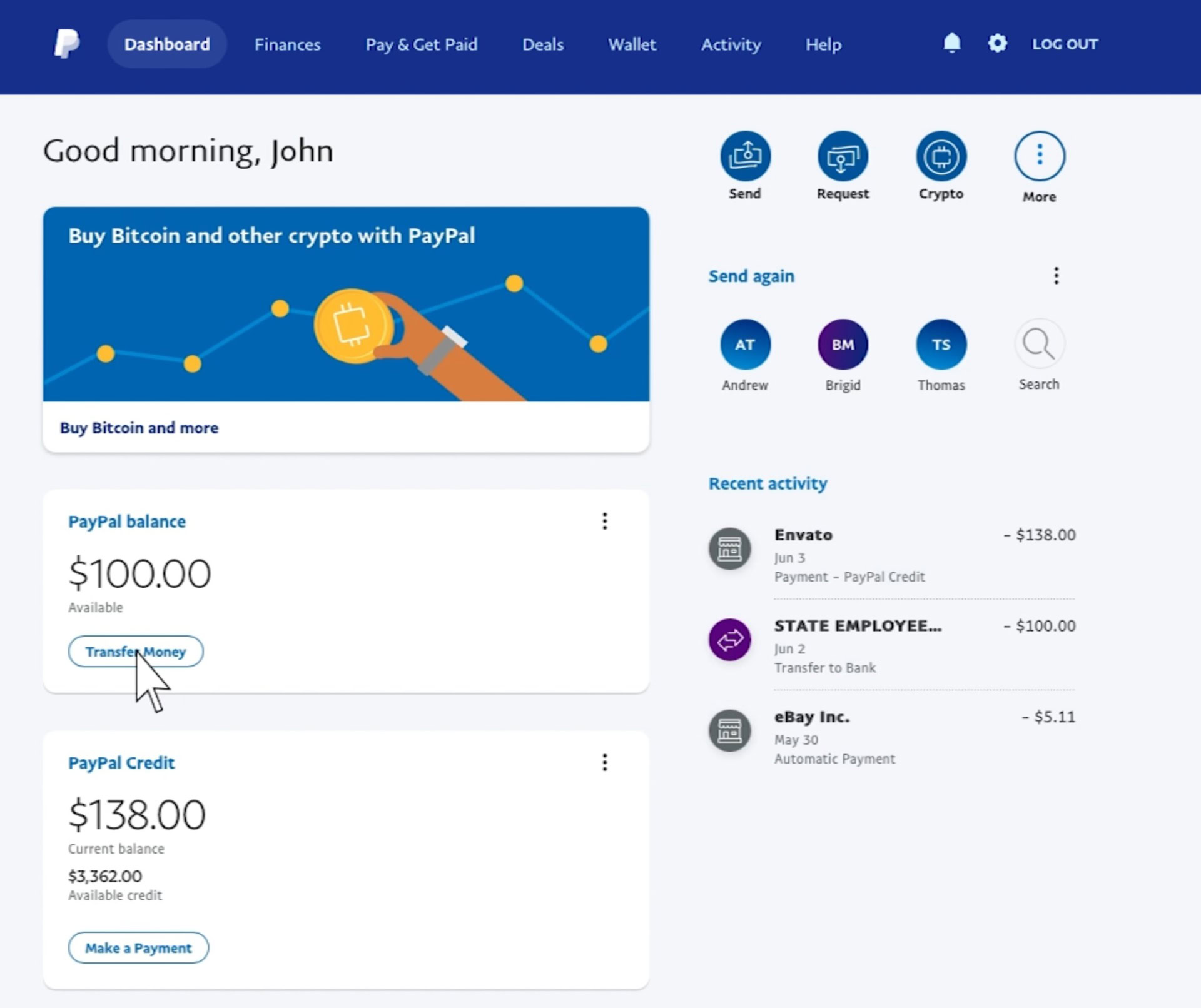
- View Your Summary: Upon successful login, you will typically land on your “Summary” page. Your current PayPal balance is prominently displayed in a dedicated section, often labeled “PayPal Balance” or similar. This is your primary available balance.
- Explore for Details: From the Summary page, you can also navigate to “Activity” to see a detailed breakdown of your transactions, including pending payments, completed transactions, and any holds. This historical view is invaluable for reconciliation and understanding your money flow.
Utilizing the Mobile App for On-the-Go Access
For day-to-day checks and managing your funds while away from a computer, the PayPal mobile app is an indispensable financial tool.
- Download and Install: Ensure you have the official PayPal app installed on your smartphone or tablet (available on iOS and Android app stores).
- Log In: Open the app and log in using your credentials. Similar to the website, two-factor authentication may apply.
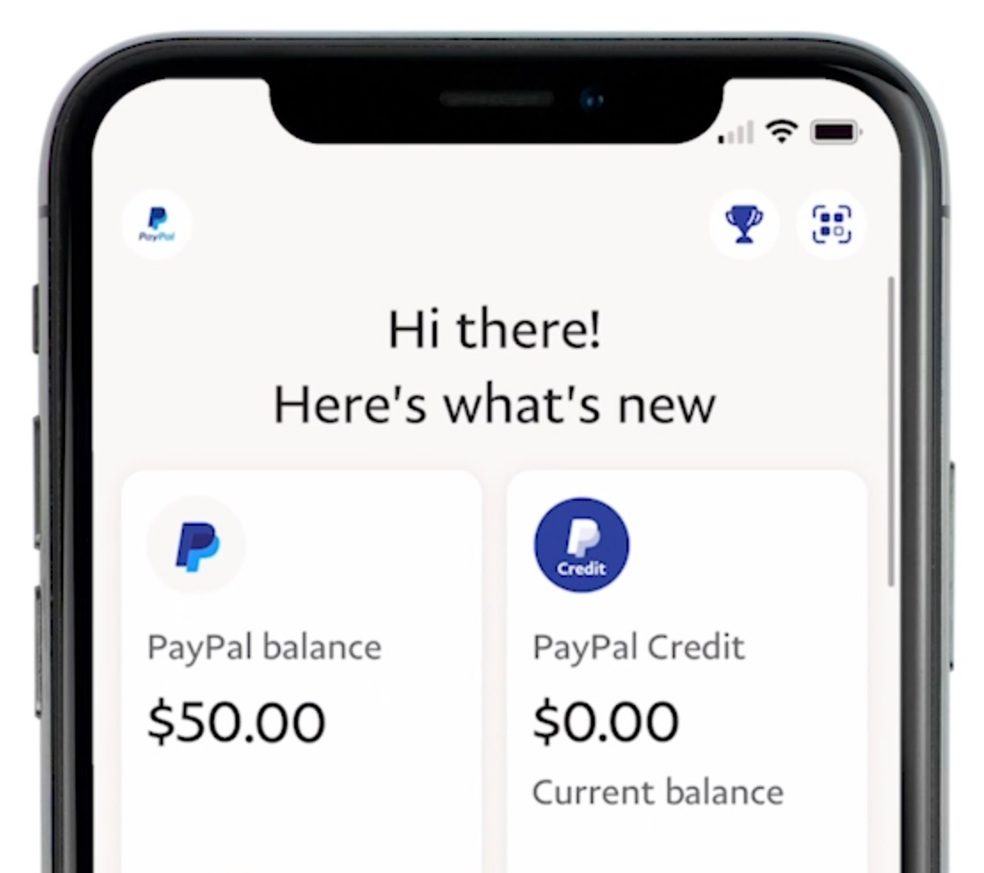
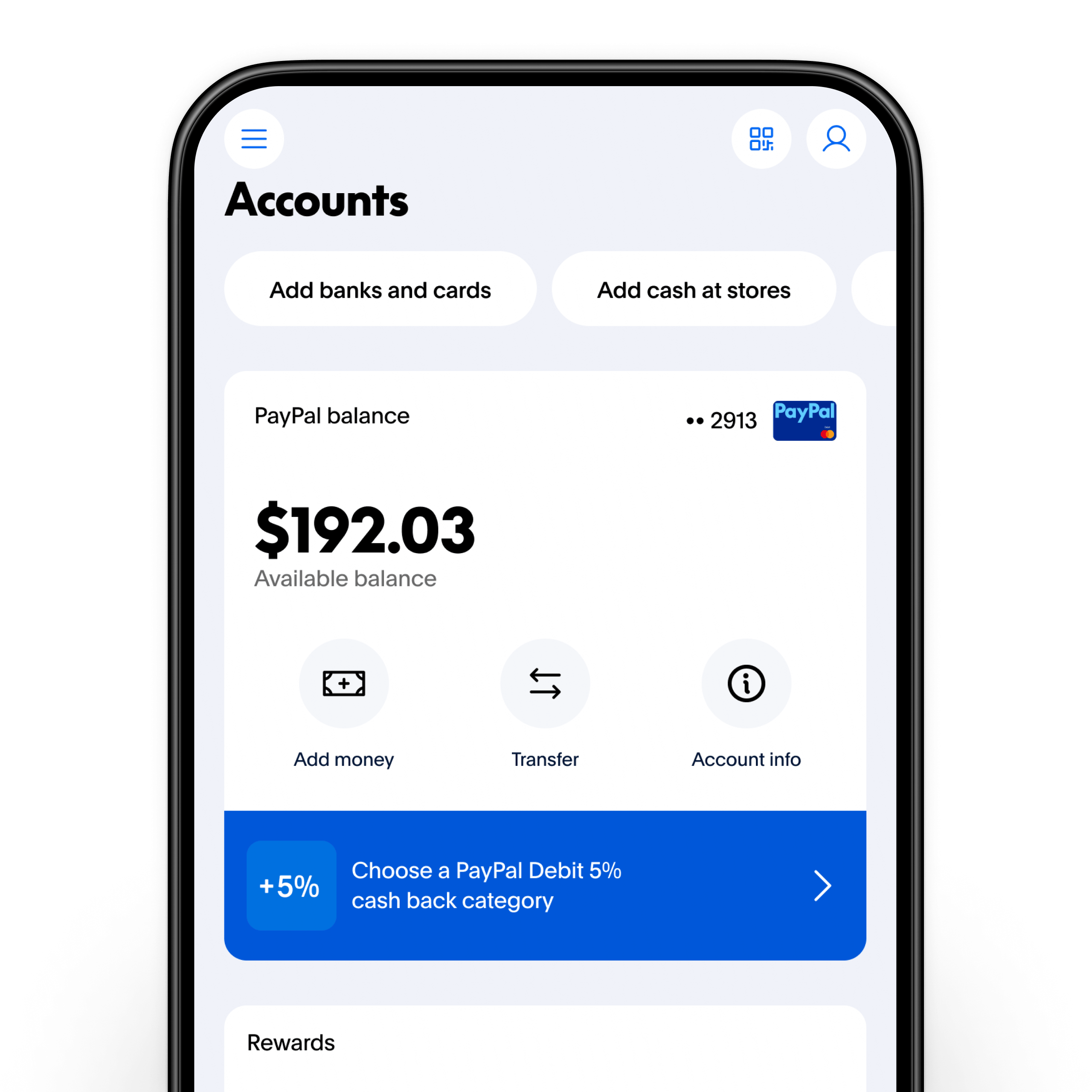
- Instant Balance Display: Once logged in, your primary PayPal balance is usually displayed prominently on the home screen or dashboard of the app, making it incredibly easy to see at a glance.
- Quick Access to Activity: The app also provides quick access to your recent activity, allowing you to review transactions, send or request money, and manage your linked financial instruments with ease. The mobile app optimizes the user experience for quick financial checks and immediate actions.
Understanding Balance Types: Available vs. Pending
When checking your balance, it’s crucial to differentiate between “Available Balance” and any “Pending” funds.
- Available Balance: This is the money that is immediately accessible for you to send, spend, or transfer to your linked bank account. This figure reflects funds that have cleared all processing and security checks.
- Pending Balance: These are funds that have been initiated but are not yet fully processed or released. Common reasons for pending funds include:
- eChecks: Payments sent via eCheck can take several business days to clear, similar to a traditional paper check.
- Seller Holds: For certain transactions, especially from new sellers or for high-value items, PayPal may place a temporary hold on funds to ensure buyer satisfaction and prevent fraud. These funds are released after a set period, delivery confirmation, or positive buyer feedback.
- Security Reviews: Occasionally, payments may be put on hold for a security review by PayPal to protect both buyer and seller.
Understanding these distinctions is vital for accurate financial planning, ensuring you don’t inadvertently overdraw or commit funds that are not yet liquid.
Integrating PayPal into Your Holistic Financial Strategy
PayPal is more than just a payment processor; it’s a versatile financial tool that, when integrated thoughtfully, can significantly enhance your overall personal finance management. Its capabilities extend beyond simple transactions to support various aspects of budgeting, income tracking, and expense management.
PayPal as a Tool for Online Income Management
For individuals leveraging the internet for income, such as freelancers, e-commerce sellers, or content creators, PayPal often serves as a primary conduit for receiving payments. Regularly checking your balance becomes synonymous with tracking your income.
- Income Stream Monitoring: Use the Activity log to categorize and sum up your earnings over different periods. This helps in understanding the seasonality of your income, identifying your most lucrative clients or platforms, and assessing your overall financial performance.
- Tax Preparation: Detailed transaction records from PayPal are invaluable during tax season. You can easily export statements that itemize your income, making it simpler to report earnings accurately to tax authorities. This streamlines the often-daunting task of financial record-keeping for self-employment.
- Expense Reimbursement: If you use PayPal for business-related expenses that are later reimbursed, the platform provides clear records to facilitate your reimbursement claims, ensuring you track every penny.
Leveraging PayPal for Budgeting and Savings Goals
While not a traditional savings account, PayPal can play a supportive role in your budgeting and even some savings strategies.
- Allocating Funds: You can use your PayPal balance as a temporary holding place for specific budget categories, such as “online shopping allowance” or “entertainment fund.” By keeping these funds separate from your main bank account, you gain better control over discretionary spending.
- Micro-Savings: Some users might designate a portion of their PayPal balance for small, short-term savings goals, especially if they frequently receive small payments. For instance, saving up for a specific online purchase or a digital subscription. While it’s not interest-bearing, it offers a convenient way to consolidate funds for a specific purpose.
- Expense Tracking: By reviewing your PayPal transaction history, you can meticulously track where your money is going online. This data can then be fed into your personal budgeting software or spreadsheets, providing a comprehensive view of your digital spending habits and identifying areas for potential savings.
Security Best Practices for Financial Protection
Given that PayPal holds your money and is linked to your bank accounts and cards, robust security practices are paramount to protect your financial well-being.
- Strong, Unique Passwords: Always use a complex password that is unique to your PayPal account. Avoid using easily guessable information or recycling passwords from other sites.
- Two-Factor Authentication (2FA): Enable 2FA immediately. This adds an extra layer of security by requiring a code from your phone in addition to your password, significantly reducing the risk of unauthorized access even if your password is compromised.
- Beware of Phishing Scams: Be vigilant against emails or messages pretending to be from PayPal, asking for your login details or financial information. Always go directly to the official PayPal website or app to log in, never through links in suspicious emails. PayPal will never ask for your full password or banking details via email.
- Regular Review of Linked Accounts: Periodically check which bank accounts and credit cards are linked to your PayPal and remove any that are no longer in use or authorized. This minimizes potential exposure.
- Public Wi-Fi Caution: Avoid accessing your PayPal account or conducting financial transactions on unsecured public Wi-Fi networks, as these can be vulnerable to eavesdropping. Use a secure, private network or a VPN when managing sensitive financial data.
Troubleshooting Common Balance-Related Queries
Despite PayPal’s user-friendly design, you might occasionally encounter situations where your balance doesn’t seem right or you have questions about specific transactions. Knowing how to address these can prevent unnecessary financial stress and quickly restore clarity.
Dealing with Missing or Incorrect Balances
If you log in and find your PayPal balance is lower than expected, or if a payment you sent or received seems to be missing, take the following steps:
- Check “Pending” Transactions: First, review your “Activity” or “Summary” page for any pending transactions. As discussed, funds might be temporarily held for various reasons before they become available.
- Review Full Transaction History: Go through your complete transaction history for any recent activity that might explain the change. Look for any purchases, transfers, or sent payments you might have forgotten about.
- Check for Chargebacks or Disputes: If you are a seller, a customer dispute or chargeback could temporarily remove funds from your available balance. These will be noted in your transaction history.
- Currency Conversion Issues: If you deal with multiple currencies, ensure you are viewing the balance in the correct currency or consider the exchange rate if funds were converted.
- Linked Accounts: Verify if any automatic transfers to or from a linked bank account might have occurred.
Contacting PayPal Support for Financial Discrepancies
If, after your thorough review, you still cannot account for a discrepancy in your balance, it’s time to reach out to PayPal’s customer support.
- Gather Information: Before contacting them, have all relevant details ready: transaction IDs, dates, amounts, and a clear explanation of the issue.
- Access Support: Log into your PayPal account on the website or app and look for the “Help” or “Contact Us” section. PayPal typically offers multiple support channels, including:
- Help Center/FAQ: Often, your question might be answered in their extensive knowledge base.
- Message Center: You can send a secure message directly through your account. This is usually the best first step for detailed inquiries.
- Phone Support: For urgent or complex issues, calling PayPal’s customer service can provide immediate assistance.
- Community Forums: Sometimes, fellow users might have solutions to common problems.
When communicating with support, remain clear, concise, and provide all requested information to facilitate a quick resolution. Your proactive engagement is key to resolving any financial anomalies promptly.
In conclusion, regularly checking your PayPal balance is a small but mighty habit that contributes significantly to robust personal financial management. It’s an act of vigilance that safeguards your funds, informs your budgeting, and empowers you to harness the full potential of PayPal as a critical financial tool in your digital arsenal. By embracing these practices, you maintain control, minimize risks, and ensure your digital finances align seamlessly with your broader monetary objectives.
aViewFromTheCave is a participant in the Amazon Services LLC Associates Program, an affiliate advertising program designed to provide a means for sites to earn advertising fees by advertising and linking to Amazon.com. Amazon, the Amazon logo, AmazonSupply, and the AmazonSupply logo are trademarks of Amazon.com, Inc. or its affiliates. As an Amazon Associate we earn affiliate commissions from qualifying purchases.