
In an increasingly digital financial landscape, managing your money effectively means staying on top of all your financial tools, and for many, PayPal is a crucial one. Whether you use it for online purchases, receiving payments for freelancing, or managing a small business, understanding your current balance is fundamental to sound financial planning. This guide goes beyond simple instructions, delving into the strategic importance of regularly monitoring your PayPal balance as a core component of your personal and business financial management.
The Indispensable Role of PayPal in Modern Financial Management
PayPal has evolved far beyond a simple payment processor; it’s a comprehensive financial tool enabling transactions across borders, facilitating online commerce, and acting as a digital wallet for millions. Its integration into daily financial life makes understanding its mechanics, particularly how to check your balance, an essential skill for anyone looking to maintain robust financial health.
PayPal as a Dynamic Financial Ecosystem
Consider PayPal not just as an app, but as a mini financial ecosystem. Within this ecosystem, your balance represents accessible funds that can be used for a variety of purposes: from instant online purchases to sending money to friends and family, or even withdrawing to your linked bank account for more traditional spending. For freelancers and small business owners, PayPal often serves as a primary conduit for income, making real-time insight into this balance critical for cash flow management and income tracking.
The convenience of PayPal, with its instant transfers and widespread acceptance, makes it a powerful component of an integrated financial strategy. However, this convenience also necessitates vigilance. Without a clear understanding of your available funds, you risk overspending, missing payment deadlines, or misallocating resources—all common pitfalls in personal and business finance. Regularly checking your balance is the first line of defense against these financial missteps.
Why Regular Balance Checks are Crucial for Financial Health
Many people view checking a balance as a reactive measure, only doing so when they need to make a purchase or confirm a payment. However, adopting a proactive approach to monitoring your PayPal balance offers significant financial advantages:
- Budgeting and Expense Tracking: For personal users, knowing your PayPal balance contributes to a holistic view of your spendable income. If you regularly use PayPal for subscriptions or online shopping, understanding this balance helps you allocate funds appropriately and stick to your budget, preventing unexpected overdrafts or overspending on other accounts.
- Cash Flow Management for Businesses: For small businesses and freelancers, PayPal is often a key indicator of incoming revenue. Regular checks allow you to monitor cash flow, anticipate available funds for operational expenses, and ensure financial stability. It’s a vital practice for reconciling accounts and making informed financial decisions about investments, payroll, or supplier payments.
- Fraud Detection and Security: Unexplained discrepancies in your balance can be an early warning sign of unauthorized activity or fraud. Proactive checks allow you to spot unusual transactions quickly, enabling you to report them to PayPal immediately and mitigate potential financial damage. This vigilance is a cornerstone of digital financial security.
- Avoiding Service Interruptions: If your business relies on PayPal for receiving payments, maintaining a sufficient balance (or understanding its status) ensures that you can cover any transaction fees or immediate outgoing payments, preventing delays in service or operations.
- Strategic Fund Allocation: Knowing your PayPal balance helps you decide when to withdraw funds to a traditional bank account, when to keep funds in PayPal for future online transactions, or when to transfer funds to other financial tools. This strategic allocation maximizes the utility of your money across different platforms.
In essence, checking your PayPal balance isn’t just about “how much money do I have?”; it’s about “how much money do I have here, how does it fit into my broader financial picture, and what actions should I take based on this information?”
Navigating Your PayPal Account: A Step-by-Step Guide to Balance Inquiry
Accessing your PayPal balance is designed to be straightforward, whether you’re at your desk or on the go. Understanding the various ways to check your balance ensures that you always have immediate access to your financial information, empowering you to make timely decisions.
Accessing Your Balance via the PayPal Website
The PayPal website offers the most comprehensive view of your account activity and balance information, making it ideal for detailed financial review.
- Open Your Web Browser: Navigate to the official PayPal website (
www.paypal.com). Always ensure you are on the legitimate PayPal site to avoid phishing scams. - Log In Securely: Click on the “Log In” button, usually located in the top right corner. Enter your email address or mobile number and your password. If you have two-factor authentication (2FA) enabled, which is highly recommended for financial security, you will need to complete this additional verification step (e.g., entering a code sent to your phone).
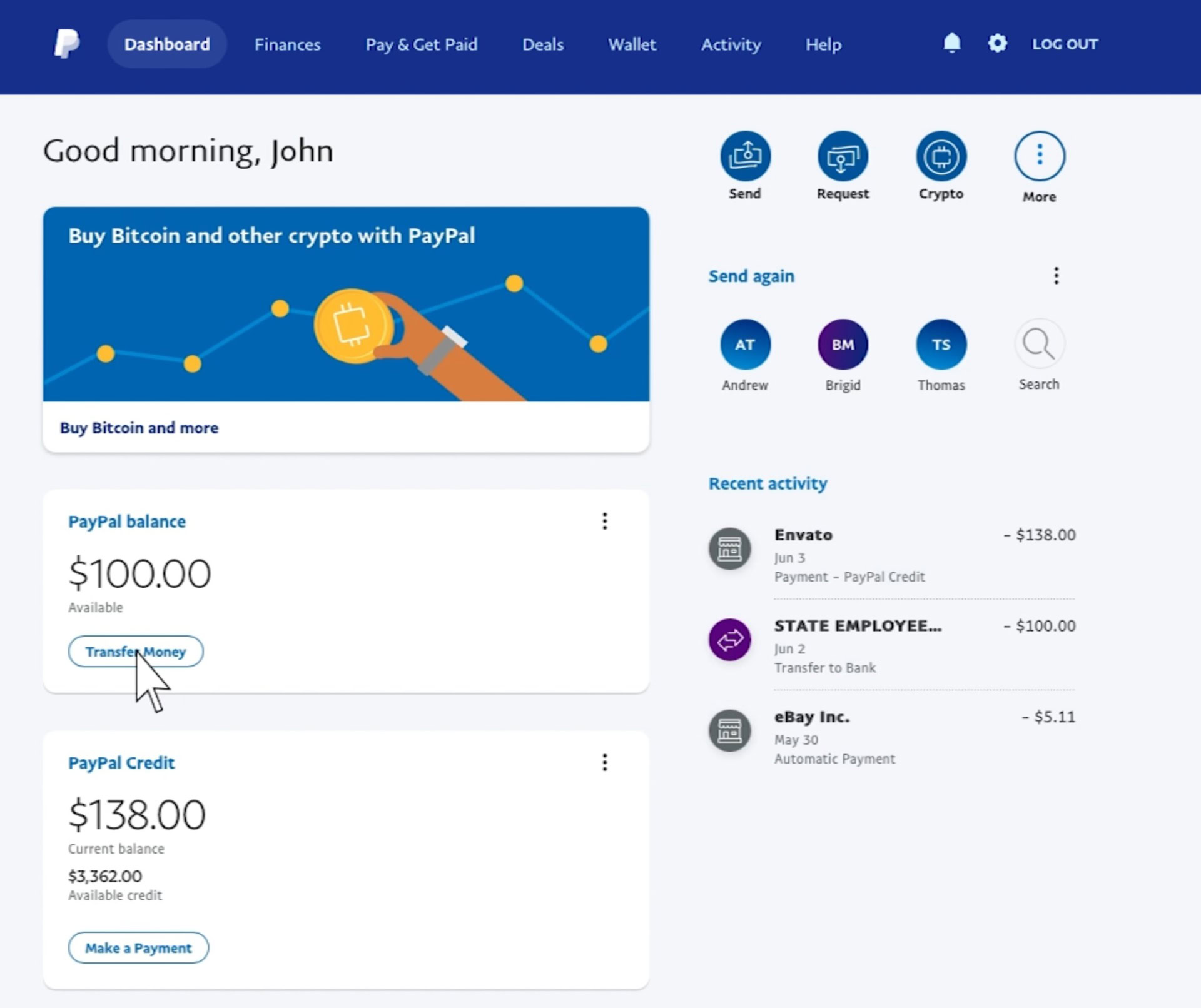
- View Your Dashboard: Once successfully logged in, you will typically be directed to your PayPal “Summary” or “Dashboard” page. Your current PayPal balance will be prominently displayed, often near the top of the page. It might be labeled “PayPal Balance,” “Available Balance,” or similar.
- Explore Transaction History (Optional but Recommended): Below your main balance, you’ll usually find a summary of your recent activity. For a more detailed financial overview, click on “Activity” or “History” from the main navigation menu. Here, you can filter transactions by date, type, and status, which is invaluable for reconciling your accounts and tracking income and expenses.
Checking Your Balance with the PayPal Mobile App
For convenience and on-the-go financial management, the PayPal mobile app is an indispensable tool. It provides instant access to your balance and key account features.
- Download and Install the App: If you haven’t already, download the official PayPal app from your device’s app store (App Store for iOS, Google Play Store for Android).
- Launch the App and Log In: Open the PayPal app. Enter your login credentials (email or mobile number and password). Similar to the website, complete any 2FA prompts. Many users opt for biometric login (fingerprint or face ID) for quicker and more secure access once initially set up.
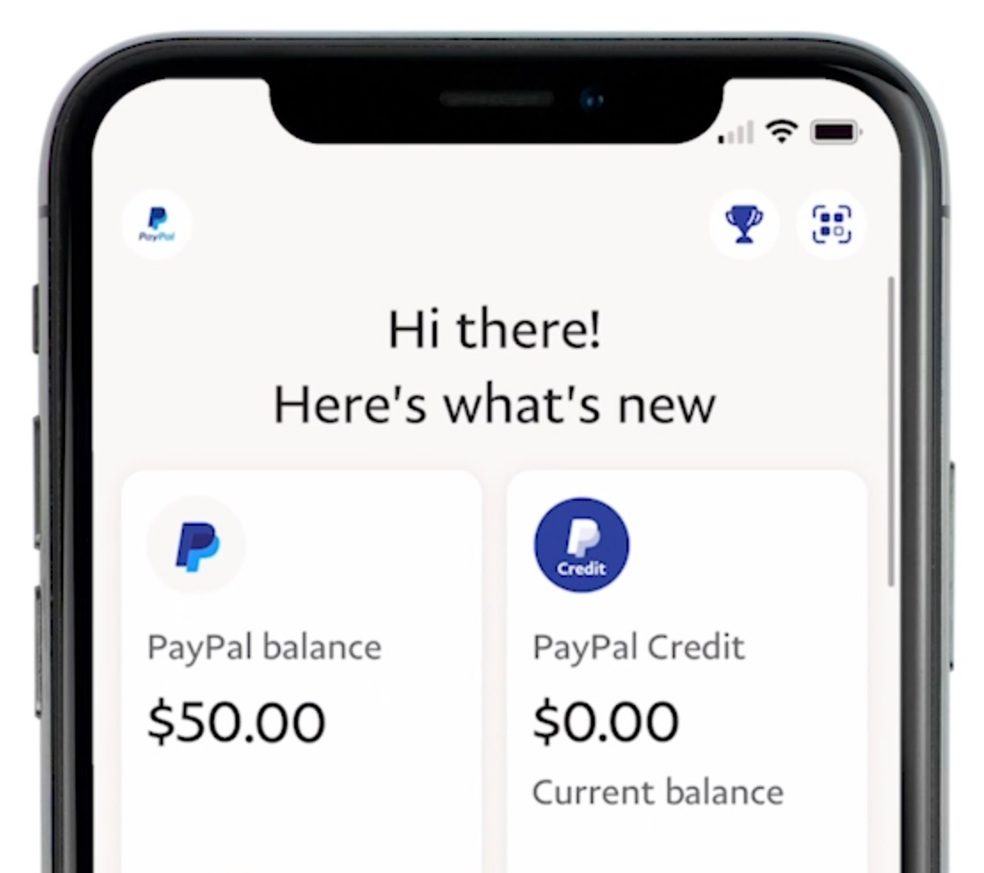
- Instant Balance Display: Upon successful login, your primary PayPal balance is usually displayed immediately on the app’s home screen or dashboard. It’s often the first piece of financial data you see.
- Quick Access to Activity: The app typically features intuitive navigation tabs at the bottom or top. Tapping on “Activity” will show you a list of your recent transactions, allowing for quick checks against your balance.
Understanding Your PayPal Balance: Available vs. Pending Funds
It’s crucial to distinguish between different types of balances you might see in your PayPal account to fully understand your financial standing. Misinterpreting these can lead to budgeting errors or operational delays for businesses.
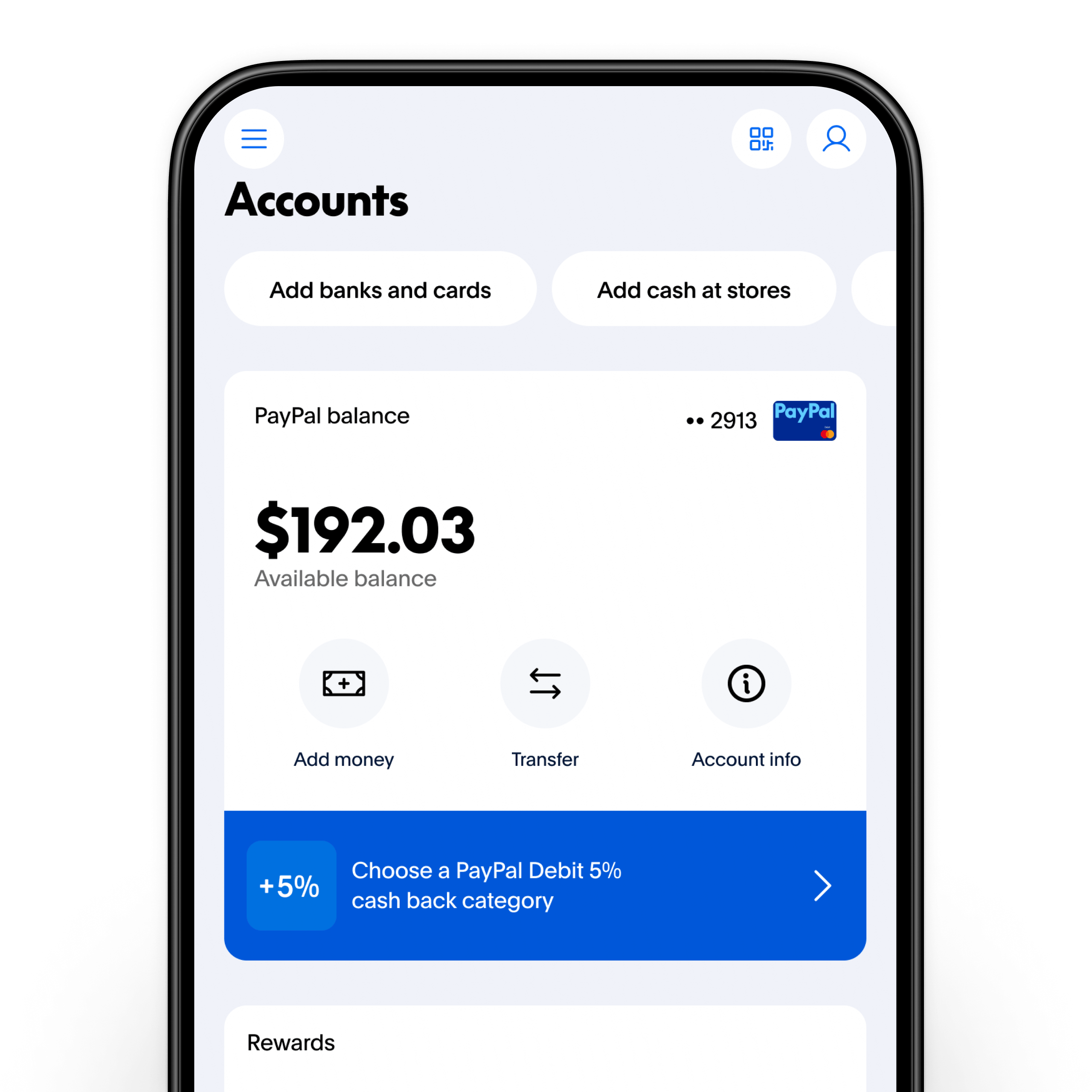
- Available Balance: This is the money that is immediately accessible for spending, sending, or withdrawing. This balance reflects funds that have cleared, are not subject to holds, and are truly yours to use. When checking your balance, this is generally the figure prominently displayed.
- Pending Balance: This refers to money that has been sent to you but has not yet cleared or been made available for use. This could be due to several reasons:
- eChecks: If someone sends you an eCheck via PayPal, it needs time to clear from their bank account, similar to a traditional paper check. This can take several business days.
- New Sellers/Infrequent Transactions: PayPal may place a temporary hold on funds for new sellers or accounts with infrequent transaction histories as a security measure to ensure the transaction is legitimate and there are no buyer disputes.
- Disputes or Reviews: If a transaction is under review for potential fraud or a buyer has filed a dispute, the funds related to that transaction may be temporarily held until the issue is resolved.
- Held Balance: In certain situations, PayPal may place a hold on funds due to policy violations, ongoing investigations, or regulatory requirements. This is distinct from pending funds and usually requires specific action from the account holder to resolve.
Always verify that the balance you are relying on is your “Available Balance” for immediate financial planning. If you see a significant “Pending” amount, investigate the reason in your transaction details to anticipate when these funds will become available.
Beyond the Balance: Advanced Account Management and Security
Checking your balance is just the first step in effective PayPal financial management. A truly robust approach involves understanding how to manage your linked financial instruments, implementing stringent security practices, and knowing how to troubleshoot potential issues.
Linking and Managing Your Financial Instruments
PayPal’s utility is significantly enhanced by its ability to connect with your other financial accounts. Proper management of these links is critical for seamless money movement and accurate financial oversight.
- Bank Accounts: Linking your primary checking or savings account allows for easy withdrawal of your PayPal balance to your bank, which is often necessary for paying bills, making larger purchases, or consolidating funds. It also enables you to add funds to PayPal if needed. Regularly review your linked bank accounts to ensure they are current and active.
- Credit and Debit Cards: Linking cards provides alternative payment methods for online transactions if your PayPal balance is insufficient or if you prefer to keep your balance separate. It’s wise to have at least one valid card linked for backup, but also to remove any cards that are expired or no longer in use to prevent security vulnerabilities.
- Automated Transfers: For business users or those receiving regular income via PayPal, setting up automated transfers to your bank account can significantly streamline cash flow. This ensures that funds are moved to a more liquid account without manual intervention, reducing the risk of funds sitting idle or being forgotten in your PayPal balance.
Security Best Practices for Your PayPal Account
Your PayPal balance represents real money, making it a prime target for cybercriminals. Adopting rigorous security practices is not optional; it’s a necessity for protecting your financial assets.
- Strong, Unique Passwords: Never reuse passwords. Create a complex password for your PayPal account that includes a mix of uppercase and lowercase letters, numbers, and symbols.
- Two-Factor Authentication (2FA): Enable 2FA immediately. This adds an extra layer of security by requiring a code from your phone (or a security key) in addition to your password, making it much harder for unauthorized users to access your account even if they have your password.
- Beware of Phishing Scams: PayPal will never ask for your password, bank account details, or full credit card number in an email. Be extremely suspicious of emails or messages asking for this information, especially those with urgent tones or unfamiliar links. Always type
www.paypal.comdirectly into your browser or use the official app. - Regularly Review Activity: Beyond just checking your balance, routinely review your transaction history for any unfamiliar activity. The sooner you spot something suspicious, the quicker you can report it and minimize potential losses.
- Secure Your Devices: Ensure that any device you use to access PayPal (computer, smartphone, tablet) is protected with up-to-date antivirus software, a firewall, and strong device passwords or biometrics.
Troubleshooting Common Balance Issues
Occasionally, you might encounter issues with your PayPal balance that require attention. Knowing how to address these can prevent financial stress.
- Balance Discrepancies: If your balance doesn’t match your expectations, first meticulously review your “Activity” log. Check for pending transactions, recent purchases, or incoming payments that may not have cleared. If the discrepancy persists, gather all relevant transaction IDs and contact PayPal customer service directly.
- Funds on Hold: If funds are on hold, navigate to the specific transaction in your “Activity” section. PayPal will usually provide a reason for the hold and outline the steps required to release the funds (e.g., provide shipping information for an item sold, await buyer confirmation). Follow these instructions diligently.
- Account Limitations: In rare cases, PayPal might place limitations on your account, affecting your ability to send, receive, or withdraw funds. This is usually due to unusual activity or failure to comply with their user agreement. PayPal will notify you of any limitations and provide instructions on how to resolve them, often requiring identity verification or providing additional business documentation.
Maximizing Your Financial Control with PayPal Insights
Beyond simply knowing your balance, PayPal offers a wealth of data that, when strategically utilized, can significantly enhance your financial acumen. Leveraging its features for budgeting, strategic fund management, and business insights transforms PayPal from a mere payment tool into a powerful financial analysis instrument.
Leveraging Transaction History for Budgeting and Expense Analysis
Your PayPal transaction history is a treasure trove of financial data, far more than just a list of past movements. For both personal and business finance, a detailed review of this history is essential.
- Category Identification: Export your PayPal activity (often available on the website) and use spreadsheet software to categorize your spending. This helps identify where your money is going, highlighting areas of overspending or opportunities for savings.
- Income Tracking: For freelancers and small businesses, PayPal often serves as a primary income stream. Regularly reviewing incoming payments helps in tracking revenue against projections, identifying peak earning periods, and ensuring all payments have been received.
- Subscription Management: Many online subscriptions are paid via PayPal. Reviewing your activity can reveal recurring charges, allowing you to cancel forgotten subscriptions and save money.
- Tax Preparation: A well-maintained transaction history simplifies tax preparation, providing clear records of income and expenses, which is crucial for compliance and maximizing deductions.
Strategic Fund Management: When to Withdraw or Hold
The decision to keep funds in your PayPal balance or withdraw them to a traditional bank account is a strategic one, influenced by your financial goals and usage patterns.
- For Immediate Online Spending: If you frequently make online purchases or send money to others via PayPal, maintaining a sufficient balance can be convenient, allowing for instant transactions without needing to link directly to your bank every time.
- For Security and Liquidity: For larger sums or funds not immediately needed for online transactions, it’s generally safer and more financially prudent to withdraw them to an FDIC-insured bank account. This provides an additional layer of security and ensures the funds are liquid and accessible through traditional banking channels.
- Avoiding PayPal Fees (Where Applicable): While adding funds to PayPal is usually free, some specific transactions or currency conversions might incur fees. Understanding these can help you decide if holding funds in PayPal or moving them elsewhere is more cost-effective.
- Interest Earning Potential: Traditional bank accounts or investment vehicles may offer interest on your funds, whereas PayPal balances typically do not. For significant amounts, consider the opportunity cost of holding funds in PayPal versus an interest-bearing account.
PayPal for Business: Monitoring Income and Expenses
PayPal offers specific features tailored for business accounts, providing more robust tools for financial oversight.
- Sales Reporting: Business accounts often have access to detailed sales reports, allowing businesses to track revenue by product, service, or customer. This data is invaluable for performance analysis and strategic planning.
- Expense Tracking: While primarily an income receiver, many businesses also use PayPal for outgoing payments (e.g., to suppliers or contractors). Tracking these expenses within PayPal helps maintain a comprehensive financial record.
- Invoicing and Payments Management: PayPal’s invoicing features streamline the billing process, and monitoring the status of these invoices directly impacts cash flow and revenue recognition. Regularly checking the balance and pending payments tied to invoices is critical for healthy business operations.
Conclusion: Empowering Your Financial Journey with PayPal
Checking your PayPal balance is far more than a routine task; it’s a fundamental aspect of digital financial literacy and strategic money management. By understanding not just how to access this information but also why it matters, you empower yourself to make more informed decisions about your spending, saving, and investing.
From ensuring accurate budgeting for personal finances to optimizing cash flow for a burgeoning business, a proactive approach to monitoring your PayPal balance serves as a critical safeguard against financial surprises and a catalyst for greater financial control. Embrace the discipline of regular balance checks, coupled with astute account management and unwavering security practices, to fully harness PayPal’s potential as a powerful ally in your overall financial journey. In a world increasingly driven by digital transactions, mastering the tools at your disposal, like PayPal, is key to achieving and maintaining robust financial health.
aViewFromTheCave is a participant in the Amazon Services LLC Associates Program, an affiliate advertising program designed to provide a means for sites to earn advertising fees by advertising and linking to Amazon.com. Amazon, the Amazon logo, AmazonSupply, and the AmazonSupply logo are trademarks of Amazon.com, Inc. or its affiliates. As an Amazon Associate we earn affiliate commissions from qualifying purchases.