
Python, a versatile and widely adopted programming language, owes a significant part of its accessibility and power to its robust package management system. At the heart of this system lies pip, the de facto standard installer for Python packages. Whether you’re a seasoned developer building complex applications or a budding coder just starting your journey, understanding how to install and utilize pip is fundamental. This comprehensive guide will walk you through the process, ensuring you can seamlessly integrate external libraries and tools into your Python environment, thereby accelerating your development workflow and unlocking a world of possibilities across technology, brand development, and even financial management.
Understanding the Role of Pip in the Python Ecosystem
Before diving into the installation process, it’s crucial to grasp why pip is so indispensable. Python’s strength lies not just in its core language features but in its vast ecosystem of third-party libraries and frameworks. These pre-written code modules, often referred to as packages, can perform a myriad of tasks, from web development and data analysis to machine learning and artificial intelligence. Imagine trying to build a website without a framework like Django or Flask, or attempting complex data manipulation without libraries like NumPy or Pandas. It would be an arduous, time-consuming, and often impractical endeavor.
pip acts as the bridge that connects you to this incredible repository of Python packages. It automates the process of downloading, installing, and managing these dependencies. Without pip, you would have to manually download package files, resolve their own dependencies (which often have their own dependencies, creating a complex web), and manually configure them to work with your Python installation. This would be a nightmare for any developer, especially as projects grow in complexity.
The Python Package Index (PyPI), often pronounced “pie-pee-eye,” is the official repository where pip fetches most of its packages. Think of PyPI as a massive online library for Python code. pip‘s primary function is to interact with PyPI, allowing you to search for, download, and install any package available there. This seamless integration is what makes Python development so efficient and accessible.
Why is Pip Essential for Different Fields?
The impact of pip extends far beyond the realm of pure software development, touching upon areas relevant to technology trends, brand strategy, and personal finance.
For the Tech Enthusiast and Developer:
- Rapid Prototyping and Innovation: Accessing cutting-edge AI tools, machine learning libraries, and data science packages allows for faster experimentation and the development of innovative solutions. Need to integrate a new natural language processing model?
pipmakes it a breeze. - Streamlined Development Workflows: Web frameworks, database connectors, and utility libraries significantly reduce the amount of boilerplate code you need to write, accelerating development cycles for applications, apps, and gadgets.
- Digital Security: Libraries for cryptography, network analysis, and secure coding practices are readily available through
pip, enabling developers to build more robust and secure software. - Productivity Enhancements: Tools for automation, task management, and code analysis can be easily installed, boosting individual and team productivity.
For Brand and Marketing Professionals:
- Data-Driven Marketing Insights: Python libraries for data analysis and visualization can be used to analyze marketing campaign performance, understand customer behavior, and inform brand strategy. Tools like Matplotlib and Seaborn, installed via
pip, are invaluable for creating compelling reports. - Personalized Branding Experiences: Developing custom tools for content generation, social media analysis, or customer relationship management becomes more feasible with access to specialized Python packages.
- Automated Design Processes: While Python isn’t a primary design tool, libraries exist that can assist in tasks like image manipulation or generating design assets programmatically, which can be integrated into larger branding workflows.
- Reputation Management Tools: Building or utilizing custom scripts for monitoring brand mentions across the web or analyzing sentiment can be achieved with Python packages.
For the Financially Savvy and Entrepreneur:
- Personal Finance Management: Libraries for financial data analysis, budgeting tools, and even simple algorithmic trading scripts can be developed and utilized.
- Investment Analysis: Access to historical stock data, financial modeling libraries, and visualization tools can empower individual investors to make more informed decisions.
- Online Income and Side Hustles: Developing automated trading bots, creating custom e-commerce tools, or building data-driven services for clients can be facilitated by Python and its package ecosystem.
- Business Finance and Analytics: Python can be used to build custom financial dashboards, perform complex forecasting, and automate reporting for businesses of all sizes.
Essentially, pip democratizes access to powerful tools, allowing individuals and organizations to leverage Python’s capabilities across a wide spectrum of disciplines.
Installing Pip on Your Python Environment
The installation process for pip is generally straightforward, and in most modern Python installations, it’s already included by default. However, it’s always a good practice to verify its presence and, if necessary, install or upgrade it.
Scenario 1: Pip is Already Installed (Most Common)
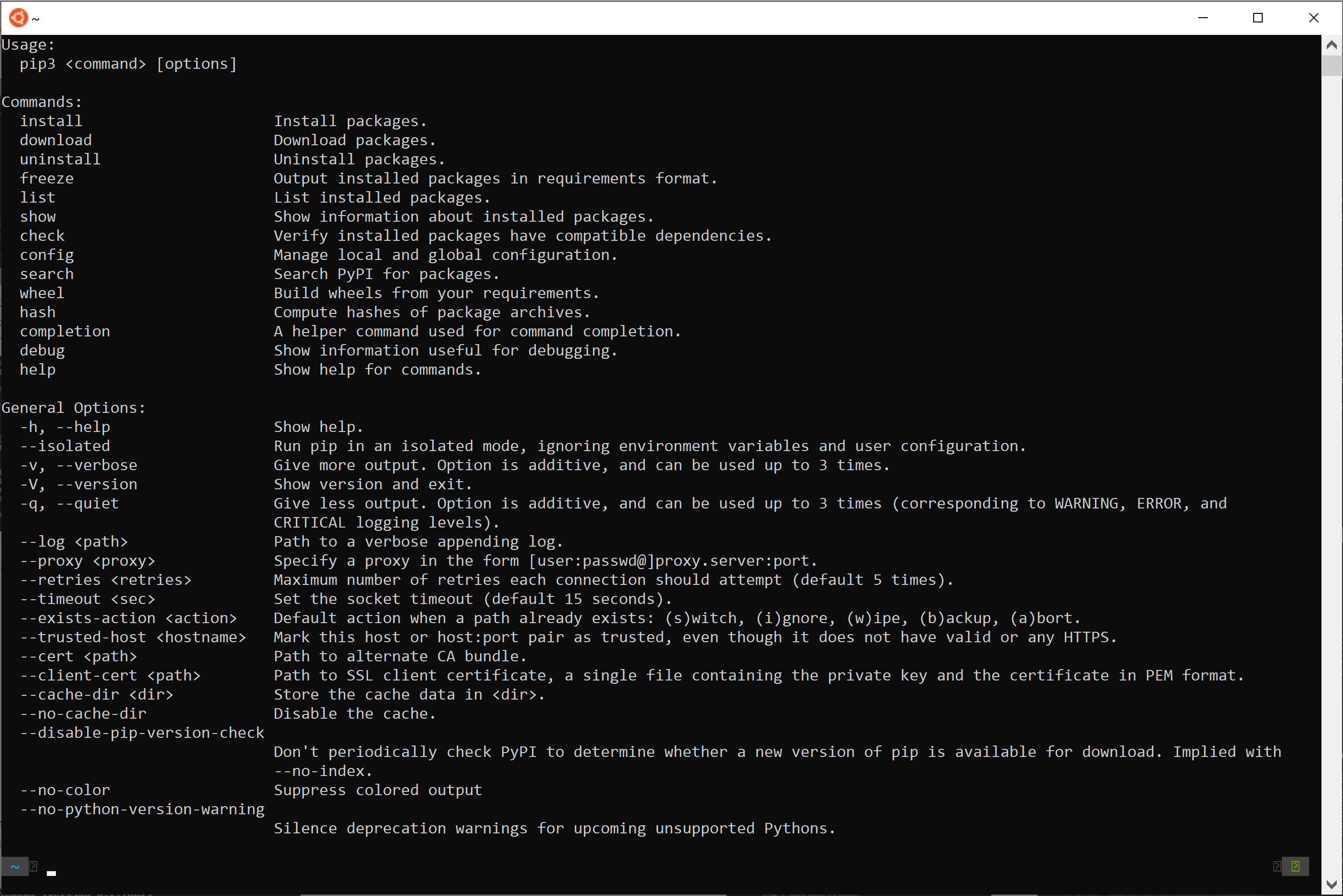
When you install Python from the official website (python.org) for recent versions (Python 3.4+ and Python 2.7.9+), pip is typically bundled as part of the installation. To check if pip is installed, open your command prompt (Windows) or terminal (macOS/Linux) and run the following command:
pip --version
or, if you’re using Python 3 specifically, you might need to use:
pip3 --version
If pip is installed, you will see output indicating the version of pip and the Python version it’s associated with. For example:
pip 23.2.1 from /path/to/your/python/site-packages/pip (python 3.10)
If you see this output, congratulations! pip is ready to use. You can proceed to learn how to use it for installing packages.
Scenario 2: Pip is Not Installed or Needs Manual Installation
In rare cases, especially with older Python installations or custom builds, pip might not be present. Fortunately, Python provides a simple bootstrapping script to install pip if it’s missing.
Method: Using get-pip.py
-
Download the
get-pip.pyscript:
Open your web browser and navigate to the following URL: https://bootstrap.pypa.io/get-pip.py
This will display the Python code for the script. Right-click on the page and select “Save as…” or “Save Page As…” to download the file. Save it to a location you can easily access, such as your Downloads folder or your project directory. -
Open your command prompt or terminal:
Navigate to the directory where you saved theget-pip.pyfile using thecdcommand. For example, if you saved it in your Downloads folder:cd Downloads -
Run the script:
Execute the downloaded script using your Python interpreter. If you have multiple Python versions installed, ensure you are using the correct one.For Python 3:
python3 get-pip.pyFor Python 2 (if you are still using it, though highly discouraged):
python get-pip.pyThe script will download and install
pipandsetuptools(another essential package management tool) for your Python environment. -
Verify the installation:
After the script finishes, run the version check command again to confirmpiphas been successfully installed:pip --versionor
pip3 --version
Upgrading Pip
It’s always a good idea to keep pip updated to the latest version to benefit from new features, bug fixes, and security patches. You can upgrade pip using pip itself!
python -m pip install --upgrade pip
or for Python 3:
python3 -m pip install --upgrade pip
This command uses the pip module to upgrade itself. The -m flag ensures that you are running pip as a module within your specified Python environment, which can help avoid issues with multiple Python installations.
Managing Python Packages with Pip
Once pip is installed, you can start leveraging its power to manage your Python projects. The primary function of pip is to install, uninstall, and manage packages from the Python Package Index (PyPI).
Installing Packages
The most common use of pip is to install libraries and frameworks. The basic syntax is:
pip install package_name
For example, to install the popular web framework Flask:
pip install Flask
If you are using Python 3:
pip3 install Flask
pip will then connect to PyPI, download Flask and any of its dependencies, and install them into your Python environment.

You can also install specific versions of a package:
pip install package_name==version_number
For instance, to install version 2.0 of Flask:
pip install Flask==2.0
You can also install a package that is greater than or equal to a specific version:
pip install package_name>=version_number
Or less than or equal to:
pip install package_name<=version_number
Installing Packages from a Requirements File
For projects with multiple dependencies, manually listing and installing each one can be cumbersome and error-prone. pip allows you to manage these dependencies efficiently using a requirements.txt file.
-
Create a
requirements.txtfile:
In your project’s root directory, create a text file namedrequirements.txt. Each line in this file should list a package and optionally its version.Example
requirements.txt:requests==2.28.1 numpy>=1.23.0 pandas Flask==2.2.2 -
Install packages from the file:
Navigate to the directory containing yourrequirements.txtfile in your terminal and run:pip install -r requirements.txtThis command will install all packages listed in the
requirements.txtfile. -
Generating a
requirements.txtfile:
To create arequirements.txtfile for your current environment (which is useful for documenting your project’s dependencies), you can use the following command:pip freeze > requirements.txtThis command lists all installed packages in the current environment and redirects the output to the
requirements.txtfile.
Uninstalling Packages
To remove a package from your Python environment, use the uninstall command:
pip uninstall package_name
For example, to uninstall Flask:
pip uninstall Flask
pip will prompt you to confirm the uninstallation.
Listing Installed Packages
To see a list of all packages currently installed in your environment, use the list command:
pip list
This will display a table of installed packages and their versions.
Advanced Pip Usage and Best Practices
As you become more comfortable with pip, you’ll discover its advanced features and realize the importance of adopting certain best practices to maintain a clean and efficient development environment.
Virtual Environments: The Cornerstone of Good Practice
Perhaps the most crucial best practice when working with Python and pip is the use of virtual environments. A virtual environment is an isolated Python installation that allows you to manage dependencies for specific projects separately from your global Python installation.
Why use virtual environments?
- Dependency Isolation: Different projects might require different versions of the same library. Without virtual environments, installing a new version for one project could break another. Virtual environments prevent this by providing each project with its own set of installed packages.
- Clean Global Environment: Keeps your main Python installation clean, avoiding clutter from project-specific libraries.
- Reproducibility: Makes it easier to share projects and ensure that others can replicate your environment by installing packages from a
requirements.txtfile. - Avoiding Permissions Issues: Installing packages globally might require administrator privileges. Virtual environments typically do not, making development more accessible.
How to create and use virtual environments (using venv, built-in for Python 3.3+):
-
Create a virtual environment:
Navigate to your project directory in the terminal and run:python -m venv myenvReplace
myenvwith the desired name for your virtual environment (e.g.,venv,.venv). This command will create a new directory (e.g.,myenv) containing a copy of the Python interpreter and a place to install packages. -
Activate the virtual environment:
-
On Windows:
myenvScriptsactivate -
On macOS and Linux:
bash

source myenv/bin/activate
Once activated, your terminal prompt will usually change to indicate that you are inside the virtual environment (e.g.,
(myenv) your_username@your_computer:~/$). -
-
Install packages within the virtual environment:
With the virtual environment activated, anypip installcommands will install packages only into this environment.pip install Flask requests -
Deactivate the virtual environment:
When you’re done working on the project, you can deactivate the virtual environment by typing:deactivate
Alternative for older Python versions or more advanced needs: virtualenv (which you would install via pip) is another popular tool for creating virtual environments.
Pip Cache
pip uses a cache to store downloaded package wheels and source distributions. This speeds up subsequent installations of the same packages, as pip can retrieve them from the local cache instead of re-downloading them from PyPI. You can manage the cache, but generally, it’s best to let pip handle it automatically.

Pip for AI, Data Science, and Web Development
The power of pip truly shines when you consider the vast array of specialized packages available.
- For AI and Machine Learning: Libraries like
TensorFlow,PyTorch,scikit-learn, andKerasare easily installed viapip, forming the backbone of modern AI development. - For Data Science:
NumPy,Pandas,Matplotlib,Seaborn, andSciPyare indispensable for data manipulation, analysis, and visualization. - For Web Development: Frameworks like
Django,Flask, andFastAPIenable rapid development of web applications. Tools for database interaction (e.g.,SQLAlchemy), API clients (e.g.,requests), and frontend build tools often integrate with Python development workflows.
By mastering pip, you are not just learning a command-line tool; you are gaining access to a universe of tools and technologies that can drive innovation, enhance your brand’s digital presence, and even help you manage your personal finances more effectively. It’s an essential skill for anyone looking to harness the full potential of Python in today’s interconnected world.