
The evolution of ChromeOS from a “browser-in-a-box” operating system to a robust development environment is one of the most significant shifts in the modern computing landscape. At the heart of this transformation is Crostini—the official name for the Linux (Beta) environment on ChromeOS. While Google provides a stable, user-friendly Debian container by default, the underlying architecture of Crostini is remarkably flexible. For power users, developers, and enthusiasts, the question isn’t just about using Linux on a Chromebook, but rather: which Linux distributions can be installed using Crostini, and how do they perform?
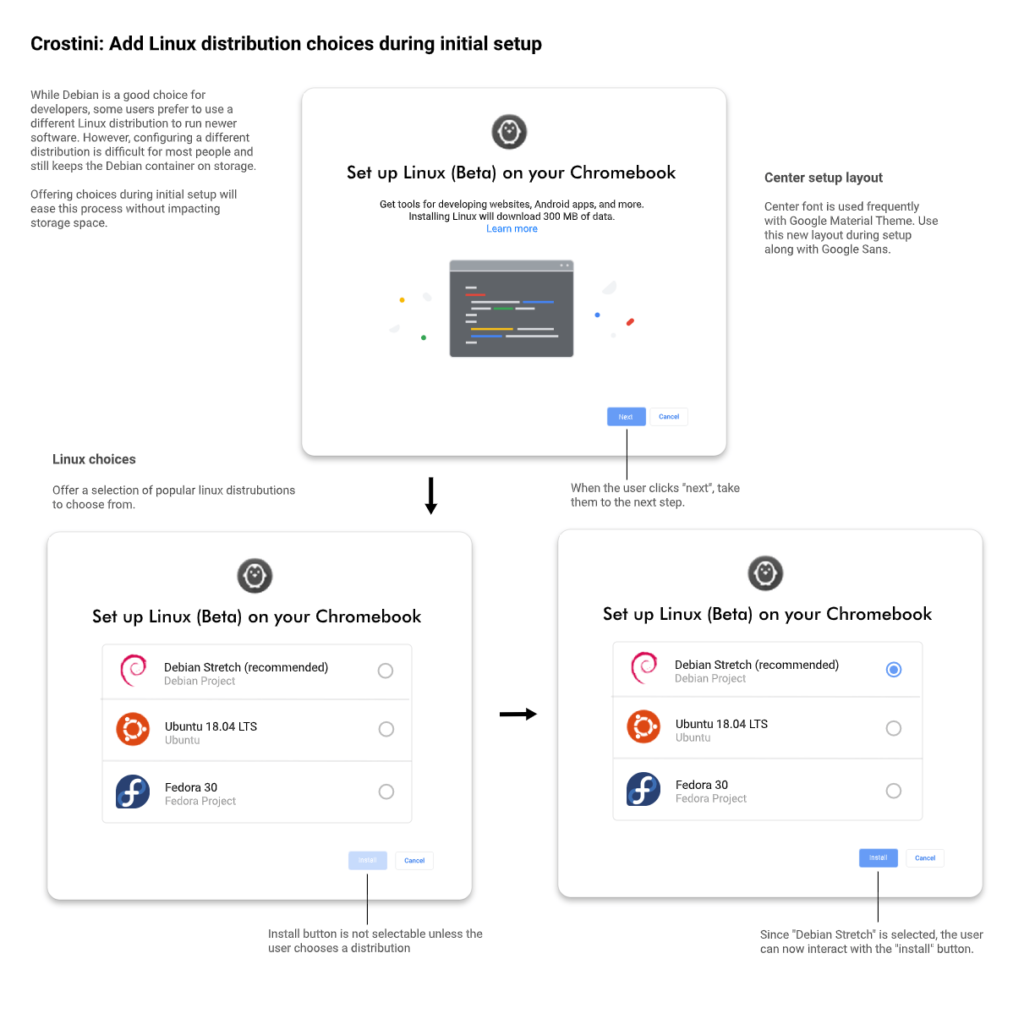
In this guide, we will explore the technical framework that allows Crostini to support various distributions, the specific distros available for installation, and the methodologies required to step outside the Debian ecosystem.
The Foundation of Crostini: How Containerization Enables Distro Diversity
To understand why you can install different distributions, it is essential to look at the “Russian Doll” architecture of Crostini. Unlike traditional dual-booting or GalliumOS, Crostini does not run directly on the hardware. Instead, it operates within a highly secure, high-performance virtualization layer.
The Role of the Termina Virtual Machine
Crostini starts with a custom-built Virtual Machine (VM) called “Termina.” This VM runs a stripped-down version of ChromeOS’s Gentoo-based kernel, optimized specifically to host containers. Because Termina handles the hardware passthrough—including GPU acceleration, audio, and network interfaces—the Linux distributions sitting inside the containers don’t need to worry about the specific drivers of your Chromebook. This abstraction is what makes the installation of diverse distributions possible.
LXD and the Power of Container Images
Inside Termina, Google uses LXD (a container manager) to handle the actual Linux environments. By default, when you click “Turn on” in your ChromeOS settings, LXD pulls a Debian image. However, LXD is capable of pulling images from a variety of repositories. As long as a distribution has an ARM or x86_64 LXC/LXD image available, it can technically run within the Crostini framework. This opens the door to dozens of flavors of Linux, ranging from mainstream consumer releases to niche security-focused builds.
Expanding Your Horizons: Popular Linux Distributions for ChromeOS
While Debian is the “official” choice due to its stability and conservative update cycle, many users require the specific package managers, newer kernels, or unique repositories found in other distributions.
Ubuntu: The Developer’s Favorite
Ubuntu is arguably the most requested alternative for Crostini. Since Ubuntu is based on Debian, it feels familiar to most users but offers more frequent updates for software packages. Many developers prefer Ubuntu because of the Personal Package Archives (PPAs), which allow for the installation of the very latest versions of tools like Python, Node.js, or Go. Installing Ubuntu 22.04 or 24.04 via Crostini provides a seamless experience for those coming from a standard desktop Linux background, offering a balance between cutting-edge features and system reliability.
Arch Linux: Rolling Releases for Power Users
For the “bleeding edge” enthusiast, Arch Linux is a top-tier choice for Crostini. Arch follows a rolling release model, meaning you install it once and update it forever, rather than performing major version upgrades. In the context of a Chromebook, Arch is valued for its minimalism. You can build a very lean environment that consumes fewer system resources than the default Debian setup. Furthermore, the Arch User Repository (AUR) gives ChromeOS users access to almost any piece of software ever written for Linux, often before it reaches other distributions.
Fedora and Kali Linux: Specialized Workflows
Fedora is often seen as the testing ground for new technologies that eventually make their way into Red Hat Enterprise Linux. It is an excellent choice for developers working in enterprise environments. On the other hand, Kali Linux—a distribution focused on penetration testing and digital forensics—can also be installed via Crostini. While certain low-level networking tools in Kali might struggle with the containerized limitations of Crostini (such as direct Wi-Fi card access), it remains a powerful mobile workstation for security researchers using a lightweight Chromebook.
The Installation Pipeline: Moving Beyond the Default Terminal
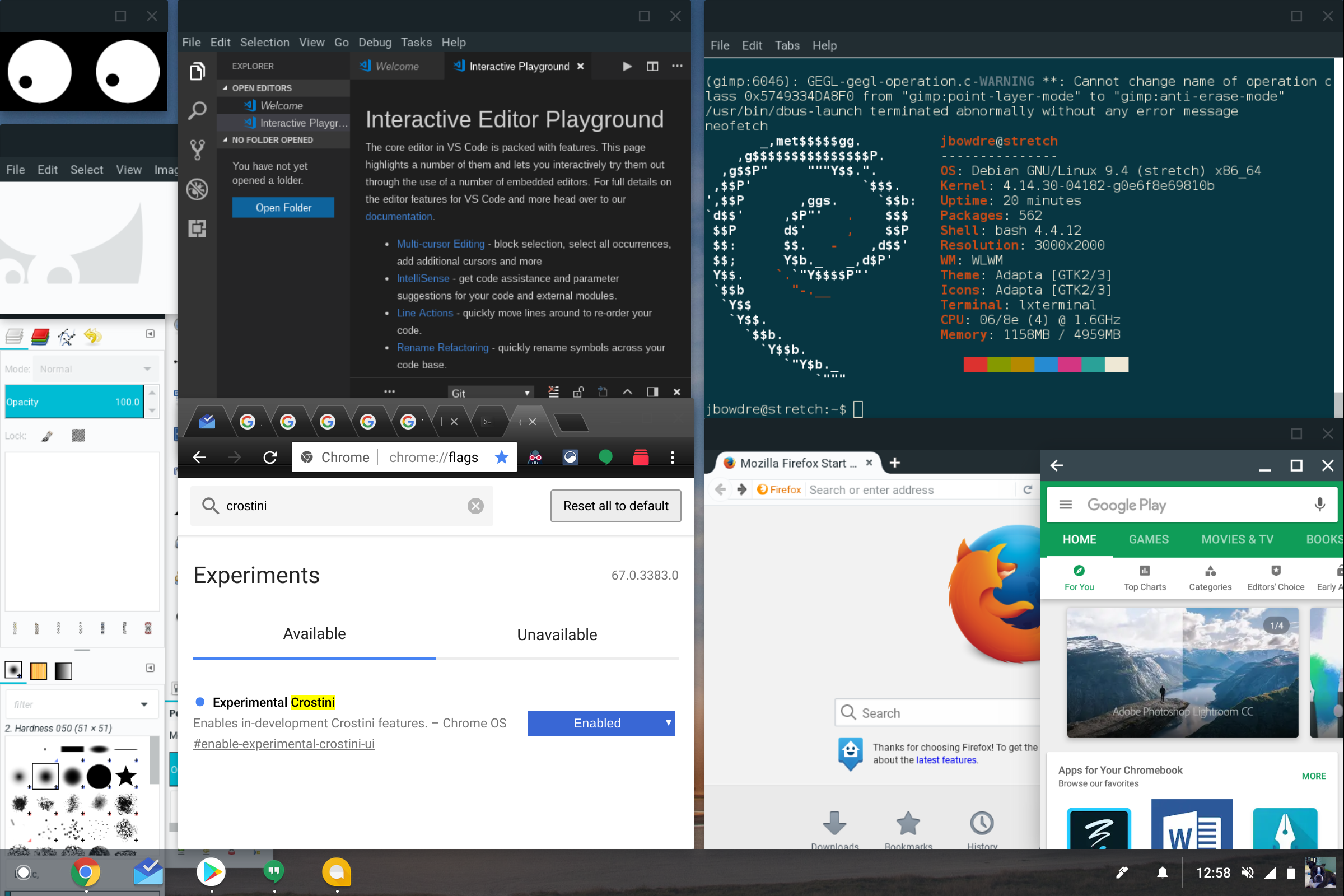
Replacing or adding a distribution in Crostini is not handled through the standard ChromeOS Settings menu. Instead, it requires interaction with the vmc and vsh commands via the ChromeOS Developer Shell (Crosh).
Accessing the Crostini Shell
To begin the process, users must enter the Crosh terminal (Ctrl+Alt+T) and access the Termina VM. By typing vmc stop termina followed by vmc start termina, you gain access to the environment where containers are managed. From here, you are no longer just a user of the default “penguin” container; you are the architect of your Linux subsystem.
Creating and Launching New Containers
The command lxc launch images:[distro/version] [container_name] is the gateway to new distributions. For example, to install Ubuntu, a user would point LXD toward the Ubuntu image server. Once the image is downloaded and the container is launched, you can enter the new environment using lxc exec [container_name] -- /bin/bash.
This capability allows for “multi-distro” setups. You can keep your stable Debian container for office work while running an Arch container for experimental coding and a Kali container for security audits—all simultaneously on the same Chromebook.
Integrating the New Distro with ChromeOS UI
One of the “magic” features of Crostini is how Linux GUI apps appear in the ChromeOS App Drawer. When you use a non-standard distribution, you must manually install the guest tools (such as cros-guest-tools or equivalent scripts) to ensure that file sharing between ChromeOS and Linux works, and that GUI applications are correctly scaled and rendered using the Sommelier window manager.
Technical Challenges and Optimization Strategies
While the ability to install various distros is powerful, it is not without its hurdles. ChromeOS is designed with a “Security First” philosophy, which sometimes limits the depth of integration for third-party containers.
Managing System Resources and Performance
Chromebooks often have limited RAM compared to high-end workstations. Running multiple containers can quickly deplete system resources. It is vital to monitor resource usage using tools like htop within the container. Additionally, users should be aware that while CPU performance in Crostini is near-native, disk I/O can be slower due to the virtio-fs layer used to bridge the VM and the host. Choosing lightweight distributions like Alpine Linux can significantly improve performance on entry-level hardware.
Handling GUI Applications via Sommelier
The biggest hurdle for alternative distros is the display server. Crostini uses a custom Wayland proxy called Sommelier to allow Linux apps to appear as windows in ChromeOS. When installing Arch or Fedora, users often need to manually configure the display environment variables. If these are not configured correctly, GUI apps may fail to launch, or they may lack high-DPI scaling, making them appear tiny on high-resolution screens like those found on the Pixelbook or high-end Acer Spin models.
Audio and Graphics Acceleration
Google has made significant strides in enabling VirGL (virtualized OpenGL) for Crostini. This allows Linux apps to use the Chromebook’s GPU for hardware acceleration. When switching distros, ensuring that the mesa-va-drivers and libgl1 packages are correctly installed and mapped to the Termina VM’s hardware passthrough is crucial for tasks like video editing or light gaming.
Conclusion: The Future of ChromeOS as a Multi-Distro Hub
The ability to install diverse Linux distributions via Crostini has transformed the Chromebook from a niche education tool into a versatile machine for professionals. Whether you require the stability of Debian, the freshness of Ubuntu, the rolling updates of Arch, or the specialized toolset of Kali, the LXD-based architecture of Crostini makes it possible.
As Google continues to refine the VirtIO interfaces and improve the integration of the Termina VM, the friction involved in running alternative distributions will likely decrease. For now, the process remains a rewarding endeavor for those willing to dive into the command line. By stepping outside the default Debian container, users can tailor their ChromeOS experience to their exact technical needs, effectively turning a simple laptop into a multi-purpose Linux powerhouse.
aViewFromTheCave is a participant in the Amazon Services LLC Associates Program, an affiliate advertising program designed to provide a means for sites to earn advertising fees by advertising and linking to Amazon.com. Amazon, the Amazon logo, AmazonSupply, and the AmazonSupply logo are trademarks of Amazon.com, Inc. or its affiliates. As an Amazon Associate we earn affiliate commissions from qualifying purchases.