
Red Dead Redemption 2 (RDR2) stands as a monumental achievement in open-world gaming. Its breathtaking vistas, intricate narrative, and deeply realized characters have captivated millions. However, for some players, the base game, while extraordinary, can serve as a canvas for further personalization and enhancement. This is where the vibrant world of RDR2 modding comes into play. Modding allows players to introduce new gameplay mechanics, graphical improvements, custom content, and even entirely new experiences into the game. If you’re looking to dive into this exciting aspect of RDR2, understanding how to install mods is the crucial first step. This guide will walk you through the essential processes, from understanding the prerequisites to applying your first modifications, all while keeping in mind the broader technological and digital landscape that enables such customization.

Understanding the Modding Landscape for RDR2
Before you embark on your modding journey, it’s vital to grasp the fundamental principles and potential complexities involved. Modding RDR2, like many PC games, isn’t a officially supported feature by Rockstar Games. This means you’re operating within a community-driven ecosystem, relying on the ingenuity and dedication of fellow players and developers.
The Importance of the PC Version
It’s crucial to understand that modding RDR2 is almost exclusively confined to the PC version of the game. Console versions (PlayStation, Xbox, Nintendo Switch) operate in closed ecosystems that prevent the installation of third-party modifications. Therefore, if you’re on a console, you won’t be able to install mods. This distinction highlights a core tenet of PC gaming: its open and customizable nature, a stark contrast to the more curated experiences on consoles.
Types of Mods and Their Impact
RDR2 mods can range from minor tweaks to significant overhauls. Some common categories include:
- Visual Enhancements: These mods aim to improve the game’s graphics, such as higher-resolution textures, enhanced lighting, or more realistic weather effects. They can make an already beautiful game even more visually stunning.
- Gameplay Overhauls: These mods can fundamentally alter how the game plays. Examples include adding new weapons, vehicles, character models, or even introducing entirely new gameplay mechanics like more complex hunting systems or expanded roleplaying elements.
- Quality-of-Life Improvements: These mods focus on making the game more user-friendly. This could involve streamlining menu navigation, improving AI behavior, or adding features that were conspicuously absent in the vanilla game.
- Script Mods: These are often the most powerful and transformative mods. They utilize scripting engines to create complex new features and behaviors that go far beyond simple asset replacements.
When considering mods, it’s important to be aware of their potential impact. Some mods might offer significant improvements, while others could introduce bugs or instability. A good understanding of the modding community’s feedback and a cautious approach to installation are key.
Staying Updated: A Crucial Aspect of Modding
The gaming world is constantly evolving, and RDR2 is no exception. Rockstar Games periodically releases patches and updates for the game. These updates can sometimes break existing mods, rendering them incompatible or causing crashes. Therefore, staying informed about game updates and mod compatibility is an essential part of the modding process. Mod authors will typically update their mods to work with new game versions, and reliable modding websites will usually indicate which mods are compatible with the latest game patch. This iterative process of development and maintenance is a hallmark of the tech world, where software is constantly being refined and adapted.
Essential Tools and Preparations for Modding RDR2
Before you can start downloading and installing mods, you need to ensure your game is properly set up and you have the necessary tools. This preparatory phase is critical for a smooth and successful modding experience.
Ensuring Your Game is Mod-Ready
The most common and reliable way to prepare RDR2 for modding is by using a modding framework. For RDR2, the primary framework is Lenny’s Mod Loader. This tool acts as an intermediary, allowing mods to be loaded into the game without directly altering the core game files. This is a crucial concept in software development: using abstraction layers to manage complexity and enable extensibility.
- Where to Find Lenny’s Mod Loader: You’ll typically find Lenny’s Mod Loader on reputable PC gaming modding websites. Always download from trusted sources to avoid malware or corrupted files.
- Installation Process: Lenny’s Mod Loader usually involves downloading a zip file, extracting its contents into your RDR2 game directory, and then running a small executable or placing specific files in designated folders. The instructions provided by the mod loader’s author are paramount.
Essential Modding Utilities
Beyond the mod loader, other utilities can be beneficial, depending on the types of mods you intend to use:
- Script Hook (if applicable): While Lenny’s Mod Loader is the primary method, some older or specialized mods might still rely on a Script Hook. Script Hooks essentially allow custom code to be injected into the game. Again, only download these from trusted sources.
- OpenIV (Less common for RDR2 than GTA V, but worth noting): For some games, tools like OpenIV are essential for editing game archives. While RDR2 modding primarily relies on Lenny’s Mod Loader, understanding the existence of such powerful file manipulation tools is relevant to the broader tech landscape of game modification.
Organizing Your Game Files
A clean and organized game directory is key to avoiding conflicts between mods.
- Backup Your Game Files: Before installing any mods, it’s highly recommended to back up your RDR2 game folder. This is a standard practice in any significant software modification, providing a safety net in case something goes wrong.
- Create a Dedicated Mod Folder: Consider creating a separate folder within your RDR2 directory specifically for your mods. This makes it easier to manage, add, and remove mods later on.
This preparatory stage is akin to setting up your workspace before undertaking a complex technical project. Having the right tools and a well-organized environment drastically increases your chances of success.
Installing Your First RDR2 Mods
With the necessary tools and preparations in place, you’re ready to install your first mods. This process is generally straightforward, but paying close attention to individual mod instructions is paramount.
Locating and Downloading Mods
The primary hubs for RDR2 mods are reputable modding websites such as:
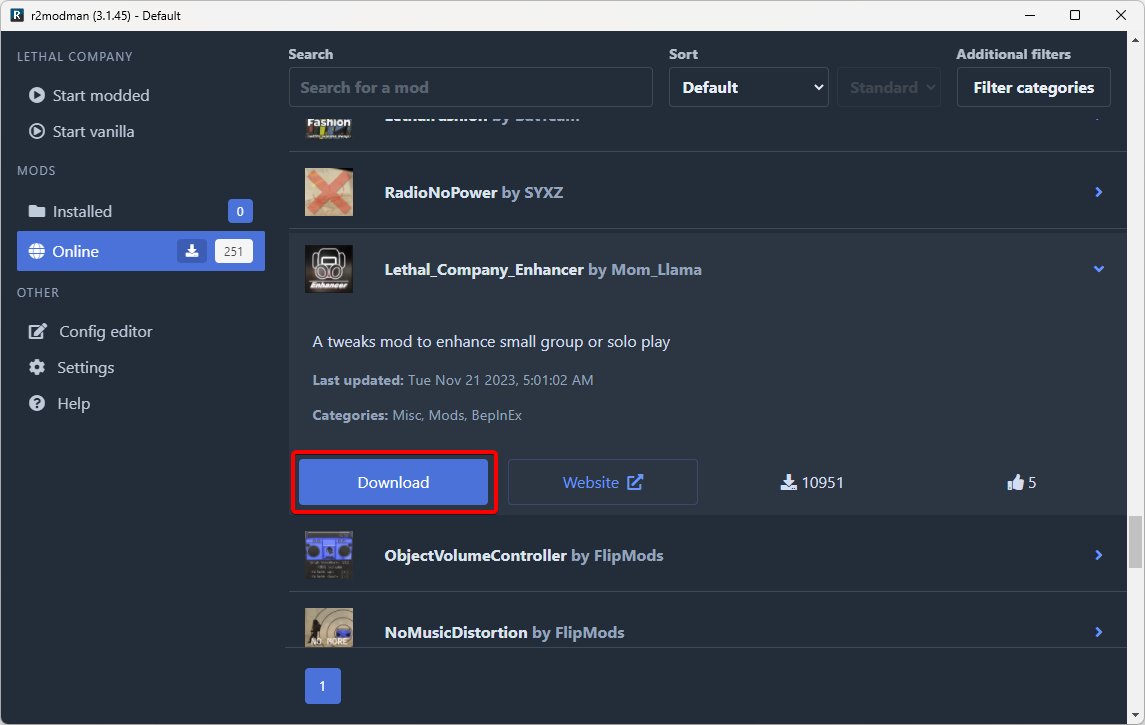
- Nexus Mods: This is arguably the largest and most popular platform for PC game mods, including a significant collection for RDR2.
- Other Dedicated RDR2 Modding Sites: You might discover other community-run forums or websites dedicated specifically to RDR2 modding.
When downloading a mod, always:
- Read the Description Carefully: Mod authors provide detailed instructions, compatibility notes, and installation requirements. Don’t skip this step.
- Check for Dependencies: Some mods require other mods or frameworks to function. Ensure you download and install any listed dependencies first.
- Verify Mod Author Reputation: Stick to mods from authors with good track records and positive community feedback.
- Scan for Viruses (Optional but Recommended): While reputable sites are generally safe, a quick scan of downloaded files with your antivirus software is a good security practice.
The Installation Process: A Step-by-Step Approach
The exact installation steps will vary slightly depending on the mod, but the general process using Lenny’s Mod Loader is as follows:
- Locate Your RDR2 Game Directory: This is typically found in your Steam or Epic Games library. For Steam, it’s often something like
C:Program Files (x86)SteamsteamappscommonRed Dead Redemption 2. - Open the
rdr2Folder within the Mod Loader Directory: After installing Lenny’s Mod Loader, you’ll find a folder structure within your RDR2 directory. Navigate to the appropriate mod folder (often namedlml). - Extract the Mod Files: Most mods are distributed as compressed files (like
.zipor.rar). Extract the contents of the mod’s archive directly into thelmlfolder (or the specific mod folder indicated by Lenny’s Mod Loader). This typically involves placing.asifiles, texture folders, or script files directly into this directory. - Launch RDR2: Start the game through your usual launcher (Steam, Epic Games Store).
- Verify the Mod is Working: Once in-game, check if the mod’s effects are present. This might involve noticing a new item, a change in the environment, or a new gameplay mechanic.
Example Scenario: Installing a New Weapon Mod
Let’s say you download a mod that adds a new rifle to the game.
- You would first ensure Lenny’s Mod Loader is installed correctly.
- You would then download the rifle mod from a trusted source like Nexus Mods.
- You would read the rifle mod’s description, noting any dependencies (e.g., it might require a specific script hook).
- You would extract the mod’s files (likely a
.asifile and potentially a.ymtfile for the model, and a.ytdfile for textures) into your RDR2’slmlfolder. - Upon launching the game, you would go to a gunsmith or find the rifle in the world (depending on how the mod is designed) to see if it’s available.
This hands-on approach to mod installation mirrors the process of deploying and integrating new software components in any technological field. Each piece needs to be placed correctly and interact harmoniously with the existing system.
Troubleshooting and Maintaining Your Modded RDR2 Experience
Modding is not always a flawless process. Issues can arise, and maintaining a stable modded game requires ongoing attention. This is where the principles of technical troubleshooting and digital security become paramount.
Common Modding Issues and Their Solutions
- Game Crashes: This is the most frequent issue.
- Cause: Mod conflicts, outdated mods, corrupted mod files, or incorrect installation.
- Solution: Disable mods one by one to identify the culprit. Ensure all mods and mod loaders are updated to the latest versions. Reinstall mods carefully, following instructions precisely. Check mod descriptions for known conflicts.
- Missing Textures or Graphical Glitches:
- Cause: Incorrect mod file placement, conflicts with texture mods, or corrupted texture files.
- Solution: Ensure texture mods are installed in the correct directories (often within a specific “textures” or “stream” folder within
lml). Reinstall the problematic mod. Check for compatibility issues with other visual mods.
- Mods Not Loading:
- Cause: Lenny’s Mod Loader not installed correctly, incorrect mod file placement, or a game update that broke the mod loader.
- Solution: Reinstall Lenny’s Mod Loader. Double-check that mod files are in the correct
lmlsubfolders. Ensure your game is not a heavily modified or pirated version, as these can cause compatibility issues.
The Importance of Backups and Mod Management
- Regular Backups: Make it a habit to back up your RDR2 game folder before installing new mods or after a significant period of modding. This is your ultimate safety net.
- Mod Manager (if available): While RDR2 doesn’t have a universally adopted, robust mod manager like some other games, some community-developed tools might offer basic mod enabling/disabling features. Keep an eye on modding forums for such utilities.
- Keep a List of Your Mods: Maintaining a simple text file or spreadsheet listing the mods you have installed, their versions, and their sources can be incredibly helpful when troubleshooting.
Staying Secure in the Modding World
As with any online activity involving downloads, digital security is crucial.
- Download from Trusted Sources: We cannot stress this enough. Nexus Mods and reputable community sites are generally safe, but always exercise caution.
- Use Antivirus Software: Keep your antivirus software up-to-date and run scans on downloaded files.
- Be Wary of “All-in-One” Installers: Some unofficial sources might offer bundled mod installers. These can be risky and are often a vector for malware. Stick to manual installations from reputable sources.
By adopting a methodical approach to troubleshooting and prioritizing security, you can ensure your RDR2 modding experience remains enjoyable and stable. This proactive stance mirrors best practices in cybersecurity and software maintenance, ensuring long-term system health.
Beyond Installation: Embracing the Modding Community
Installing mods is just the beginning of a rewarding journey into the RDR2 modding scene. The community itself is a vital part of the experience, offering support, inspiration, and ongoing development.
Engaging with the RDR2 Modding Community
- Forums and Discord Servers: Many modding websites have dedicated forums, and popular mods often have their own Discord servers. These are excellent places to ask questions, get help with troubleshooting, and connect with other modders.
- Mod Showcases and Videos: Watching mod showcases on platforms like YouTube can give you ideas for new mods to try and demonstrate how they work in-game.
- Contributing to Mod Development: If you have programming or artistic skills, you might even consider contributing to existing mods or creating your own. The RDR2 modding community is always looking for new talent.
The Broader Context: Modding as a Digital Creative Outlet
The act of modding RDR2 is a microcosm of a much larger trend in technology and digital culture. It represents the user’s desire to customize, personalize, and extend the life and capabilities of the software they use. This mirrors trends in:
- Open Source Software: Where communities collaborate to build and improve software.
- Personalized Tech: From customizable smartphones to smart home setups, users increasingly want their technology to reflect their individual needs and preferences.
- Digital Art and Creation: Modding can be seen as a form of digital art, where players use game engines as a medium to express their creativity.
By understanding the tools, following best practices, and engaging with the community, you can unlock a whole new dimension of Red Dead Redemption 2. Happy modding!
aViewFromTheCave is a participant in the Amazon Services LLC Associates Program, an affiliate advertising program designed to provide a means for sites to earn advertising fees by advertising and linking to Amazon.com. Amazon, the Amazon logo, AmazonSupply, and the AmazonSupply logo are trademarks of Amazon.com, Inc. or its affiliates. As an Amazon Associate we earn affiliate commissions from qualifying purchases.