
The Apple Macintosh has long been celebrated for its intuitive user interface, robust operating system, and a powerful ecosystem of applications. Whether you’re a lifelong Mac user or just made the switch, understanding how to effectively install, manage, and even uninstall programs is fundamental to unlocking your machine’s full potential. Beyond mere functionality, the way you manage your software directly impacts your digital security, personal productivity, and even the financial integrity of your online endeavors. This comprehensive guide will navigate you through the various methods of software installation on macOS, offering insights into best practices that align with the latest tech trends, bolster your personal and corporate brand, and ultimately optimize your digital investments.
Navigating the Mac Software Ecosystem: A Foundation for Success
At its core, macOS is designed with security and user experience in mind. Apple’s stringent approach to software management ensures a relatively safe environment, but user vigilance remains paramount. Before diving into specific installation methods, it’s crucial to appreciate the underlying principles that govern the Mac’s software ecosystem. This understanding forms the bedrock for secure and efficient program installation, helping you to make informed decisions that protect your digital assets and enhance your productivity.
Apple’s commitment to security is exemplified by features like Gatekeeper, which checks downloaded applications for known malicious code and developer identification before allowing them to run. This “notarization” process is a key part of Apple’s brand identity, signaling reliability and trustworthiness, both for end-users and for software developers whose products are certified. From a “Tech” perspective, this constant evolution of security protocols keeps pace with emerging digital threats, ensuring that your Mac remains a safe platform for everything from casual browsing to mission-critical business operations. Investing in a Mac, therefore, isn’t just about hardware; it’s about investing in a secure, well-managed software environment, maximizing your return on investment through robust protection and seamless integration.
Furthermore, the diverse landscape of Mac applications encompasses everything from native desktop apps to web-based services and command-line utilities. Each type offers distinct advantages, catering to different user needs and technical proficiencies. Understanding these distinctions allows you to choose the most appropriate tool for the job, whether it’s a graphically intensive design application, an AI-powered productivity suite, or a simple utility, aligning your software choices with your personal branding goals and financial objectives, such as enhancing efficiency for side hustles or managing complex financial portfolios.
Primary Methods for Seamless Software Installation
For the vast majority of Mac users, software installation is a straightforward process, primarily leveraging one of three core methods. Each method offers a unique balance of convenience, security, and flexibility, catering to different types of applications and user preferences.
The Apple App Store: Simplicity, Security, and Curated Excellence
The Apple App Store stands as the most straightforward and arguably the safest gateway to acquiring software for your Mac. Integrated directly into macOS, it offers a streamlined, one-click installation experience coupled with automatic updates and robust security features.
From a Tech perspective, the App Store is a showcase for innovation. It features a vast array of applications, from cutting-edge AI tools that automate tasks and enhance creativity, to essential productivity suites, powerful development tools, and engaging entertainment options. Developers often design apps specifically for the App Store to take advantage of macOS features, ensuring optimal performance and user experience. Users benefit from discovering new apps, reviewing ratings, and staying abreast of technology trends, making it a hub for digital exploration.
The Brand aspect of the App Store is equally significant. Apple’s rigorous review process for submitted applications not only enhances user security by vetting against malware and privacy violations but also serves to curate a high-quality selection. This builds immense trust, benefiting both Apple’s corporate identity and the individual software brands featured within the store. For developers, getting an app approved by Apple lends a certain credibility, reinforcing their brand’s reputation for quality and reliability. For users seeking software for their personal branding efforts – perhaps a sleek photo editor for social media content or a sophisticated presentation tool – the App Store offers a reliable selection of tools to elevate their output.
Financially, the App Store offers a clear and transparent model. Many applications are free, while others follow a freemium model with in-app purchases or subscription services. For those looking at “Money” topics, the App Store is home to numerous personal finance tools, budgeting apps, and business management software that can aid in managing investments, tracking online income, or running a side hustle. The subscription model, while sometimes perceived as a recurring cost, often provides continuous updates, cloud syncing, and premium features, representing a sound investment in ongoing productivity and access to the latest tech.
Installing from Downloaded Files: .dmg, .pkg, and Beyond
Beyond the App Store, a significant number of applications are distributed directly by developers through their websites. These typically come in two primary formats: .dmg (disk image) files and .pkg (package) installers.
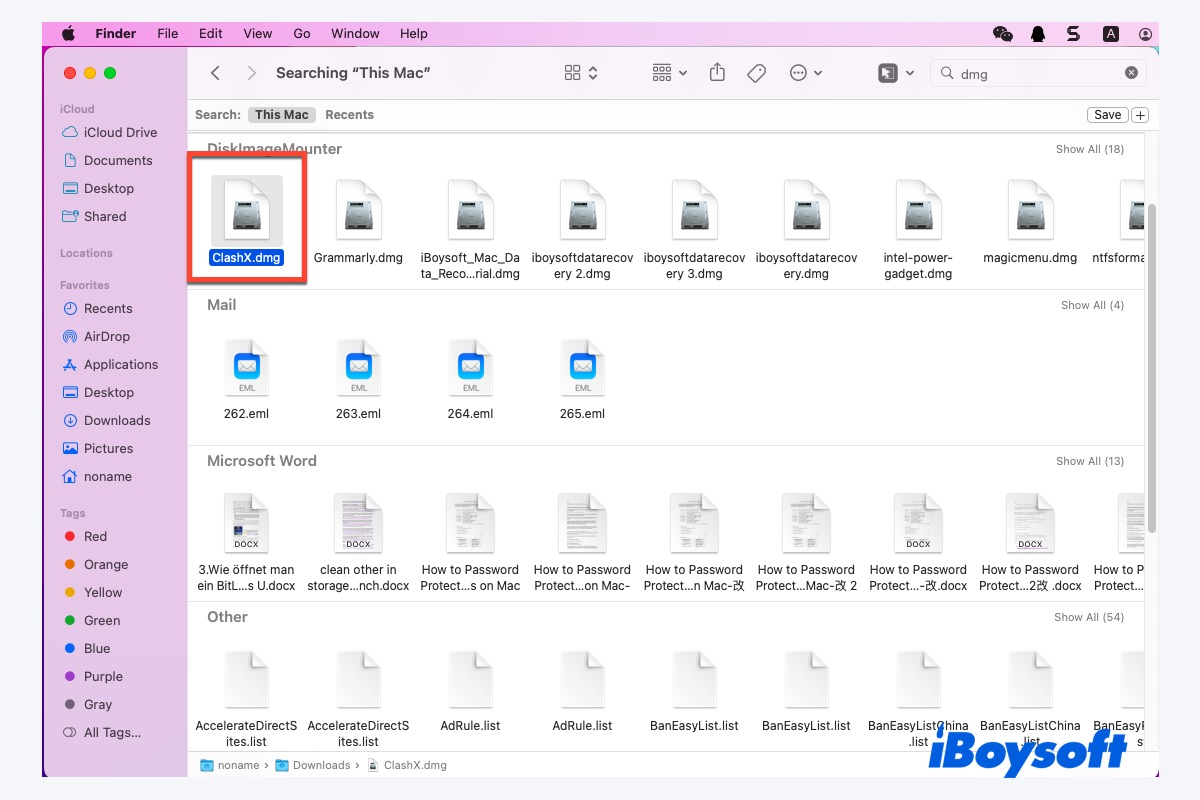
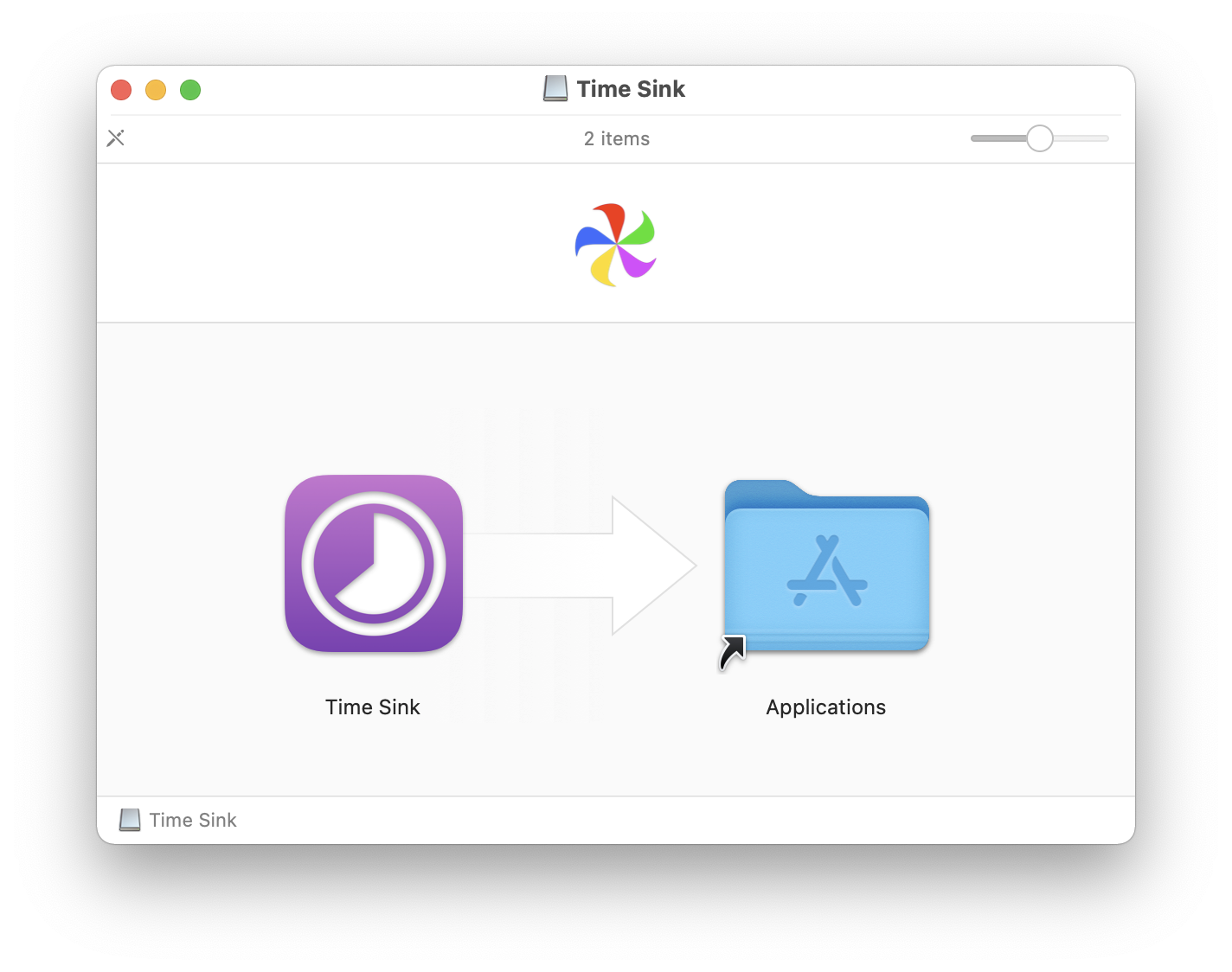
.dmg files are essentially virtual disk images that, when opened, mount like a physical drive. Installing an application from a .dmg is incredibly simple: you typically drag the application icon from the mounted disk image to your Applications folder. This method is popular for standalone applications that don’t require complex system integrations. The user-friendliness of this drag-and-drop mechanism has become a hallmark of Mac software installation for decades.
.pkg installers, on the other hand, are similar to installation wizards found on other operating systems. They guide you through a series of steps, often requiring administrative passwords, and are used for more complex software that might need to install system extensions, helper tools, or multiple components across different directories. This method is common for large applications, developer tools, and utilities that interact more deeply with the macOS system.
From a Tech standpoint, installing from downloaded files offers developers greater flexibility outside of App Store guidelines, allowing for more specialized or lower-level software. However, this method places a greater emphasis on “Digital Security.” Users must exercise caution, only downloading software from trusted, reputable sources. Gatekeeper will still perform checks, but users are responsible for verifying the developer’s identity and ensuring the integrity of the downloaded file.
The Brand of the software developer becomes crucial here. Established companies with strong corporate identities and positive reputations are generally safe sources. Their branding – often reflected in a professional website, clear licensing terms, and strong customer support – serves as a trust signal. Conversely, downloading from unknown or suspicious websites risks installing malware, which can severely damage your personal brand and digital reputation through data breaches or system compromise. For professionals who rely on specific software not available in the App Store, like specialized design tools or niche industry applications, understanding how to verify trusted sources is a key skill.
In terms of Money, many professional and enterprise-grade software solutions, often with significant upfront costs or annual licenses, are distributed via .dmg or .pkg files. These might include advanced video editing suites, CAD software, or comprehensive business finance tools. While free open-source options also exist, investing in licensed software from a reputable brand typically comes with support, updates, and reliability, representing a sound financial decision to ensure productivity and data security, avoiding the hidden costs of troubleshooting or dealing with compromised systems.
Web-Based Applications and Browser Extensions: The Cloud Frontier
The rise of cloud computing has made web-based applications an increasingly popular and often indispensable part of our digital lives. These applications, also known as Software as a Service (SaaS), don’t require any local installation in the traditional sense. Instead, they run directly in your web browser (Safari, Chrome, Firefox, etc.) and access data stored online. Examples include Google Workspace, Microsoft 365 web apps, various project management platforms, and online design tools.
Closely related are browser extensions, small software modules that add specific functionalities to your web browser. These can range from ad blockers and password managers to productivity enhancers and specialized tools for online research or e-commerce. They “install” within the browser itself rather than the operating system.
From a Tech perspective, web apps and extensions exemplify the trend towards cloud-first computing, offering accessibility from any device, cross-platform compatibility, and automatic updates without user intervention. They leverage the power of distributed systems and often integrate cutting-edge AI tools for enhanced user experience and automation. For instance, AI-powered writing assistants or data analysis dashboards are increasingly offered as web services.
The Brand implications for web applications are immense. Many modern companies build their entire corporate identity around their SaaS offerings, emphasizing ease of access, collaboration features, and continuous innovation. For individuals, mastering web apps and extensions can significantly boost “Personal Branding” by streamlining workflows, improving content creation, and ensuring a professional online presence. Think of social media management dashboards or CRM tools – these are often web-based and critical for modern marketing and brand strategy.
When it comes to Money, web-based applications frequently operate on a subscription (SaaS) model, offering various tiers of service. This can represent a significant portion of an individual’s or business’s “Financial Tools” budget. However, the benefits often outweigh the costs: reduced IT overhead, access to the latest features, and scalability. Many web apps are designed specifically for “Online Income” generation or “Side Hustles,” such as e-commerce platforms, freelance marketplaces, or content creation tools. Browser extensions, while often free, can also be paid, offering premium features that save time and increase productivity, effectively paying for themselves over time.
Advanced Installation and Leveraging Your Mac’s Full Potential
For power users, developers, and those looking to extend their Mac’s capabilities beyond standard applications, more advanced installation methods offer unparalleled flexibility and access to a vast ecosystem of tools.
Homebrew: The Unofficial Package Manager for Power Users and Developers
Homebrew is famously known as “the missing package manager for macOS.” It’s a free, open-source command-line tool that simplifies the installation of thousands of software packages, utilities, and developer tools that aren’t available on the App Store or through traditional .dmg / .pkg installers. For anyone venturing into coding, system administration, or utilizing specific open-source utilities, Homebrew is indispensable.
From a Tech standpoint, Homebrew revolutionizes how power users interact with their Mac. It automates the process of downloading, compiling, and installing software, managing dependencies, and keeping everything updated. This is critical for staying current with the latest versions of programming languages, frameworks, and utility tools crucial for software development and IT operations. It embraces the open-source philosophy, promoting collaborative innovation and giving users access to a wider range of cutting-edge applications.
For Brand, while Homebrew itself doesn’t have a traditional corporate brand, its adoption by tech professionals signifies a certain level of technical acumen and efficiency. Many reputable open-source projects rely on Homebrew for distribution, enhancing their own brand’s reach and ease of adoption. For individuals focused on “Personal Branding” in the tech space, demonstrating proficiency with tools like Homebrew can be a valuable asset, signaling expertise and a commitment to leveraging powerful technical solutions.
Financially, Homebrew offers access to a treasure trove of powerful software without direct cost. This is a massive boon for developers, freelancers, and small businesses looking to maximize their “Online Income” or support “Side Hustles” without incurring significant software expenses. The productivity gains achieved through automated installations and access to essential tools can directly translate into saved time and increased earning potential, making it a critical “Financial Tool” for the technically inclined.
Mastering Application Management: Updates, Uninstallation, and Security
Installing software is only half the battle; effectively managing your applications throughout their lifecycle is equally crucial for maintaining a healthy, secure, and productive Mac.
Keeping Your Software Current: The Importance of Updates
Regularly updating your software is not merely about gaining new features; it’s a critical component of digital security, system stability, and compatibility. Outdated software can leave your Mac vulnerable to security exploits, lead to performance issues, or cause compatibility problems with newer operating system versions or other applications.
From a Tech perspective, updates often include crucial security patches that address newly discovered vulnerabilities, protecting your data and privacy from evolving cyber threats. They also introduce performance enhancements, bug fixes, and innovative new features, often leveraging the latest in AI to make applications smarter and more efficient. Keeping your apps updated ensures you’re always using the most stable and feature-rich versions.
For a software Brand, consistent and timely updates signal a commitment to quality, customer satisfaction, and ongoing innovation. Brands that neglect updates risk user dissatisfaction and a reputation for insecurity or obsolescence. For users, ensuring your creative software, business tools, or communication apps are up-to-date reflects a professional “Corporate Identity” and attention to detail, especially when collaborating or sharing work.
From a Money standpoint, failing to update software can lead to significant financial costs – from data breaches requiring expensive recovery efforts to lost productivity due to system instability or security compromises. Conversely, staying updated protects your financial data within banking apps, online shopping platforms, and investment tools. It’s a low-cost, high-impact method of protecting your digital investments and ensuring the smooth operation of your “Online Income” sources and “Side Hustles.”
Efficient Uninstallation: Decluttering Your Digital Workspace
Just as installing software is important, knowing how to properly uninstall it is vital for maintaining an organized, efficient, and secure Mac. Simply dragging an application to the Trash often leaves behind residual files like preference files, caches, and support folders that can accumulate over time, wasting disk space and potentially impacting performance.
For Tech enthusiasts, proper uninstallation is a key aspect of system optimization and digital hygiene. It ensures that unnecessary files aren’t cluttering your drive, preventing potential conflicts or slowdowns. For apps installed via the App Store, dragging to the Trash often suffices, but for others, an official uninstaller provided by the developer or a third-party uninstaller utility might be necessary for a thorough cleanup.
From a Brand perspective, a clean and uncluttered digital workspace reflects good organizational habits and a professional approach to your tools. This is especially important for creators, designers, or anyone whose “Personal Branding” is tied to showcasing their work and maintaining an efficient digital workflow. Brands that provide clear uninstallation instructions or dedicated uninstallers demonstrate a thoughtful approach to user experience throughout the software lifecycle.
Financially, clearing out unused applications and their residual files can free up valuable disk space, which is particularly beneficial for older Macs with limited storage. This can extend the life of your device or improve its resale value. More importantly, it helps maintain peak system performance, ensuring that your “Financial Tools,” “Online Income” platforms, and “Business Finance” applications run smoothly, preventing productivity losses that can cost money.
Digital Security Best Practices: Protecting Your Investment
Beyond individual installation steps, a holistic approach to digital security is paramount for all Mac users. Every software installation decision has security implications.
- Trust Your Sources: Always download software from official developer websites or the Apple App Store. Avoid sketchy download sites or unsolicited links.
- Heed Gatekeeper Warnings: When macOS warns you about an unsigned or unverified application, pay attention. Do not bypass these warnings unless you are absolutely certain of the software’s legitimacy and origin.
- Review Permissions: During installation or first launch, applications may request access to your files, camera, microphone, or location. Understand why an app needs these permissions and only grant what’s necessary.
- Utilize Anti-Malware Software: While macOS has robust built-in security, a reputable anti-malware solution can provide an additional layer of protection, especially when downloading from external sources.
- Regular Backups: In the unlikely event of a software-related issue or malware infection, a recent backup (e.g., via Time Machine) can be your financial and data lifeline.
From a Tech standpoint, these practices are foundational for cybersecurity and data privacy. They leverage built-in OS features and advocate for smart user behavior to protect against phishing, ransomware, and other forms of digital attack.
The Brand implications are profound. A personal or corporate data breach due to careless software installation can severely damage reputation and trust. Maintaining strong digital security is essential for preserving your “Corporate Identity” and “Personal Branding,” especially in a world where digital integrity is increasingly scrutinized.
Financially, the costs associated with a security breach – data recovery, identity theft, fraudulent transactions, or even legal liabilities – can be devastating. Investing time in understanding and implementing these security practices is one of the most crucial “Financial Tools” you have to protect your assets, “Online Income,” and overall financial well-being. It’s an investment in peace of mind and continuity for your business and personal life.
Conclusion
Installing programs on a Mac is, by design, an intuitive and often effortless experience. However, beneath the surface of simplicity lies a rich ecosystem of methods, tools, and best practices that empower users to truly master their digital environment. By understanding the nuances of the Apple App Store, navigating direct downloads, harnessing the power of web apps and developer tools like Homebrew, and committing to diligent application management, you not only enhance your Mac’s functionality but also fortify its security.
In an increasingly interconnected world, where technology trends evolve rapidly, your software choices and management habits are more than just technical decisions. They are strategic moves that shape your digital security posture, influence your personal and corporate brand, and directly impact your financial well-being. From safeguarding your online income streams to protecting sensitive personal finance data, every installation and update contributes to a larger narrative of digital empowerment. By approaching software installation on your Mac with knowledge and care, you ensure a productive, secure, and future-ready computing experience, truly leveraging your investment in Apple’s sophisticated ecosystem.
aViewFromTheCave is a participant in the Amazon Services LLC Associates Program, an affiliate advertising program designed to provide a means for sites to earn advertising fees by advertising and linking to Amazon.com. Amazon, the Amazon logo, AmazonSupply, and the AmazonSupply logo are trademarks of Amazon.com, Inc. or its affiliates. As an Amazon Associate we earn affiliate commissions from qualifying purchases.