
In today’s hyper-connected world, video content is king. From educational tutorials and entertaining vlogs to breaking news and insightful documentaries, platforms like YouTube have become indispensable sources of information and entertainment. The question “How can I install YouTube?” might seem straightforward, but it actually opens a door to understanding the nuances of accessing this ubiquitous platform across a variety of devices and scenarios. While YouTube is primarily accessed through web browsers or pre-installed applications, the underlying “installation” process varies depending on your chosen device and your specific needs. This article will delve into the various ways you can access and utilize YouTube, exploring the technological aspects of installation, how brands leverage the platform, and even the financial implications of your digital consumption.
Understanding the “Installation” of YouTube: More Than Just an App
When we ask “how can I install YouTube?”, it’s important to clarify what we mean by “install.” Unlike traditional software that requires a lengthy download and installation process, YouTube’s primary accessibility is built into the fabric of the internet and most modern devices. However, the process of setting up and optimizing your YouTube experience often involves steps that can be perceived as an “installation.”
1. Accessing YouTube on Different Devices: A Seamless Integration
The beauty of YouTube lies in its near-universal accessibility. For most users, the “installation” is practically non-existent, as it’s either a pre-loaded application or readily available through a web browser.
1.1 Smart Devices and Operating Systems
-
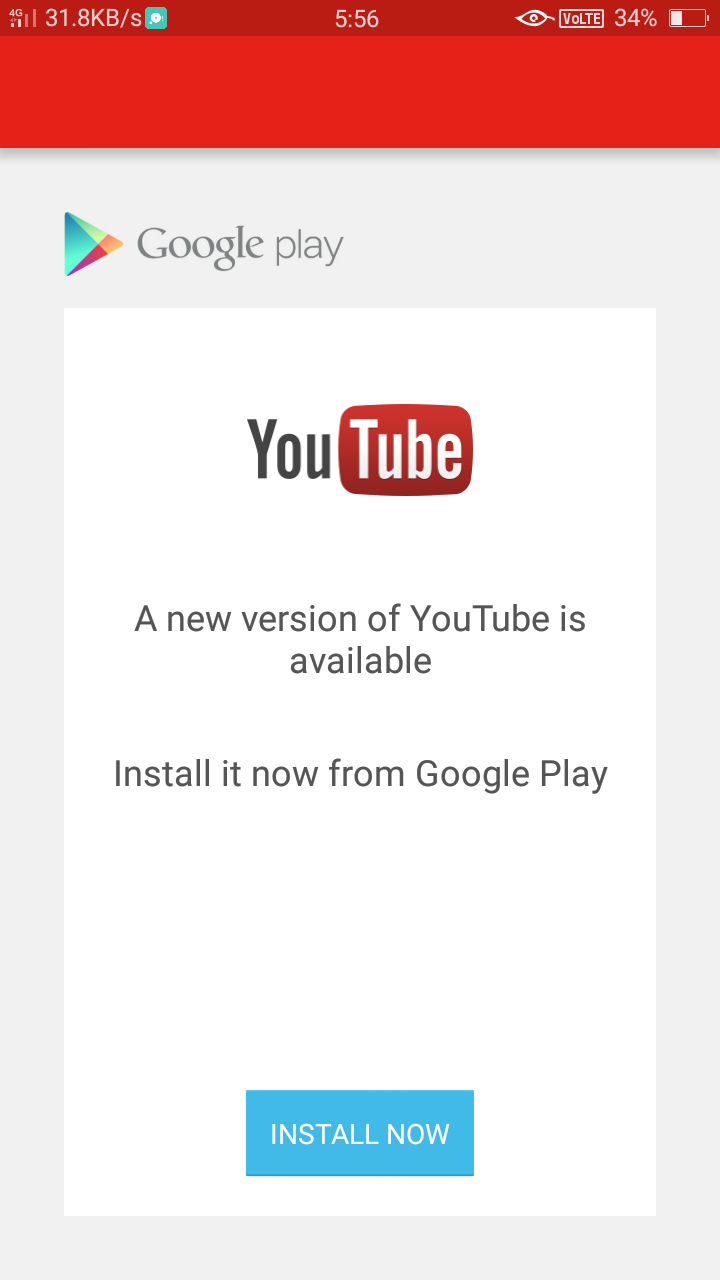
Smartphones and Tablets (iOS and Android): This is arguably the most common way users interact with YouTube. For Android devices, the YouTube app is typically pre-installed by Google. If for some reason it’s not, or you’ve uninstalled it, you can easily “install” it from the Google Play Store. Simply search for “YouTube,” tap “Install,” and the app will download and set itself up. On iOS devices (iPhones and iPads), the YouTube app is also a standard download from the App Store. Search for “YouTube,” tap “Get,” and the app will be installed on your home screen. The “installation” here refers to downloading and configuring the app, allowing for features like background playback (with YouTube Premium) and push notifications.
-
Smart TVs and Streaming Devices: YouTube is a staple on most smart TVs. The app is usually pre-installed. If it’s missing or needs an update, you can typically find it in your TV’s app store. For dedicated streaming devices like Roku, Amazon Fire TV Stick, Apple TV, or Google Chromecast, YouTube is almost always a featured app, downloadable from their respective app stores. The “installation” on these devices involves adding the app to your device’s dashboard and signing in to your Google account to access your subscriptions and watch history.
-
Gaming Consoles (PlayStation, Xbox): Modern gaming consoles have evolved into multimedia hubs, and YouTube is a key component of this. You can find and download the YouTube app from the respective console’s digital store. The “installation” process is similar to that on smart TVs – locate the app, download, and install it. This allows gamers to easily switch between gaming and watching their favorite content without needing a separate device.
-
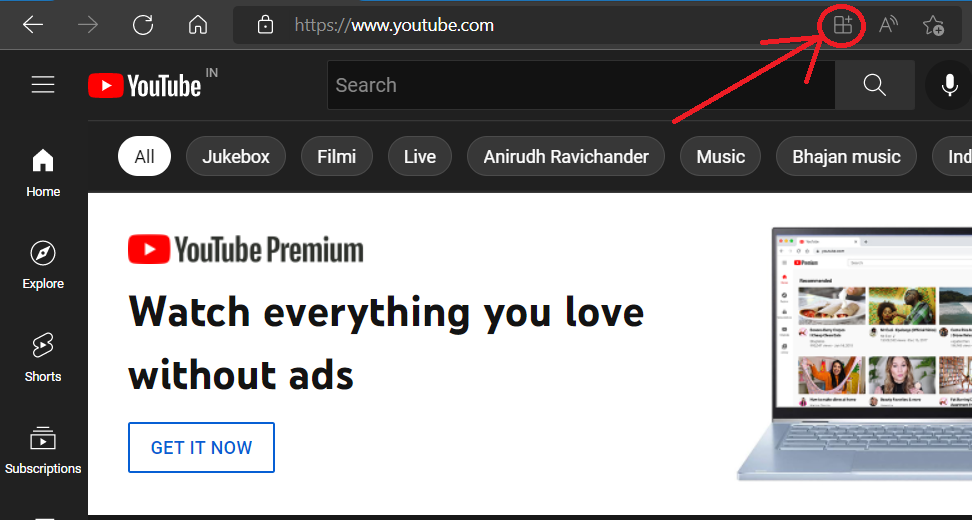
Computers (Windows, macOS, Linux): On a desktop or laptop, “installing” YouTube primarily means accessing it through a web browser like Chrome, Firefox, Safari, or Edge. You simply navigate to www.youtube.com. There isn’t a traditional installation required for basic viewing. However, some users might consider browser extensions that enhance the YouTube experience (like ad-blockers or downloaders) as a form of “installation.” For more dedicated experiences, some platforms offer Progressive Web Apps (PWAs) that mimic a desktop application feel, but these still operate fundamentally through the browser.
1.2 Web Browsers: The Universal Gateway
The most fundamental way to access YouTube, and the one that requires no “installation” in the traditional sense, is through a web browser on any internet-connected device. Simply typing youtube.com into your browser’s address bar will take you to the platform. This cross-platform compatibility is a testament to the web’s power and YouTube’s strategic design. The “installation” here is effectively the browser itself, which acts as the portal to the vast world of YouTube content.
2. Beyond Basic Access: Optimizing Your YouTube Experience
While accessing YouTube is generally straightforward, users often seek to “install” or configure specific features to enhance their viewing. This is where the concept of “installation” starts to overlap with customization and integration.
2.1 YouTube Premium: Unlocking Enhanced Features
For many, the desire to “install” YouTube is tied to acquiring premium features. YouTube Premium, a paid subscription service, offers several compelling benefits that can be considered an “upgrade” or an “enhanced installation” of the YouTube experience.
-
Ad-Free Viewing: The most significant benefit is the removal of all advertisements. This seamless viewing experience can be achieved by subscribing to YouTube Premium, which then integrates these ad-free settings into your account across all devices where you’re logged in. It’s not a separate installation but a feature unlock tied to your account.
-
Background Playback: This feature allows you to continue listening to videos even when you switch to another app or turn off your screen. This is particularly useful for music or podcasts. The “installation” of this feature is enabled by your Premium subscription and is managed by the app on your device.
-
Offline Downloads: YouTube Premium allows you to download videos to your device for offline viewing. This is a crucial feature for situations with limited internet access. The “installation” of downloaded content happens within the YouTube app itself, where the videos are stored locally.
-
YouTube Music Premium: This is bundled with YouTube Premium and offers a dedicated music streaming experience with ad-free listening, background playback, and offline downloads for music. It’s essentially a separate “installation” of a music-focused app, powered by your Premium subscription.
2.2 Third-Party Tools and Extensions: Customizing the Experience
While not officially supported by YouTube, some users explore third-party applications and browser extensions to further customize their YouTube experience. These can range from ad-blockers that enhance ad-free viewing without a Premium subscription, to tools that offer advanced download capabilities or unique playback features.
-
Browser Extensions: For desktop users, extensions like AdBlock Plus, uBlock Origin, or SponsorBlock can significantly alter the viewing experience by removing ads and skipping sponsored segments. The “installation” here is straightforward – you add the extension to your browser of choice through its respective extension store. It’s crucial to exercise caution and only install extensions from reputable sources to avoid security risks.
-
Download Managers (Use with Caution): Some users look for ways to “install” the ability to download YouTube videos directly. While YouTube’s terms of service generally prohibit unauthorized downloading, various third-party download managers and online services exist. The “installation” of these tools varies, but it’s important to understand the legal and ethical implications, as well as the potential security risks associated with such software.
3. YouTube as a Brand and Marketing Channel
The question of “how can I install YouTube” also extends to how individuals and businesses utilize the platform, not just as consumers but as creators and marketers. YouTube has become an indispensable tool for building brands and reaching audiences.
3.1 Personal Branding and Creator Economy
For individuals looking to build a personal brand, YouTube offers a powerful platform to share their expertise, passion, or personality. The “installation” here isn’t about a physical download but about the strategic setup of a channel.
-
Creating a YouTube Channel: This involves signing up for a Google account and then creating a YouTube channel. You’ll need to choose a channel name, design a banner and profile picture, and write a compelling channel description. This is the foundational “installation” for any creator.
-
Content Strategy and Production: Once the channel is “installed,” the focus shifts to content creation. This involves planning video topics, scripting, filming, editing, and uploading. The “installation” of effective content creation often involves learning and utilizing various software tools for editing, graphics, and audio.
-
Monetization and Growth: As channels grow, creators can “install” monetization features like the YouTube Partner Program (YPP), which allows them to earn revenue from ads, channel memberships, and merchandise. This requires meeting specific subscriber and watch time thresholds.
3.2 Corporate Identity and Marketing Campaigns
Businesses leverage YouTube extensively for marketing, customer engagement, and brand building. The “installation” of a corporate presence on YouTube is a strategic decision.
-
Branded Channels: Companies create official YouTube channels to host product demonstrations, commercials, behind-the-scenes content, customer testimonials, and educational resources. This is akin to “installing” a digital storefront and communication hub.
-
Advertising and Promotions: YouTube’s advertising platform allows businesses to “install” targeted ad campaigns to reach specific demographics and interests. This can involve TrueView in-stream ads, bumper ads, and display ads, all designed to drive brand awareness and conversions.
-
Case Studies and Brand Storytelling: Brands use YouTube to tell compelling stories about their products, services, and company values. High-quality video content can significantly impact brand perception and customer loyalty. The “installation” of a strong brand narrative on YouTube requires careful planning and execution.
The Financial Ecosystem of “Installing” and Using YouTube
Understanding “how can I install YouTube” also touches upon the financial aspects, both for consumers and creators.
1. Cost of Access and Premium Subscriptions
For the average user, accessing YouTube is “free,” supported by advertising. However, the desire for an enhanced experience often leads to financial decisions.
-
YouTube Premium Subscription: As mentioned, this is a recurring monthly cost that unlocks premium features. The decision to “install” this premium experience is a personal financial choice based on the perceived value of uninterrupted viewing and additional functionalities.
-
Device Costs: The initial “installation” of YouTube on a smart TV, smartphone, or tablet involves the cost of the device itself. These hardware investments are the gateway to accessing the platform.
2. Monetizing YouTube Content
For creators, the “installation” of a YouTube channel opens up avenues for generating online income.
-
Advertising Revenue: The YouTube Partner Program allows creators to earn money from ads displayed on their videos. The “installation” of ad revenue is contingent on meeting eligibility criteria and agreeing to YouTube’s monetization policies.
-
Sponsorships and Brand Deals: Successful creators can secure lucrative sponsorships and brand deals, where companies pay them to promote products or services within their content. This is a significant “installation” of a revenue stream, often built on a strong personal brand.
-
Merchandise and Channel Memberships: Creators can also generate income through selling their own merchandise or offering exclusive content and perks to channel members who pay a recurring fee. These are further “installations” of income-generating opportunities.

Conclusion: A Multifaceted “Installation”
In essence, the question “how can I install YouTube” is a gateway to understanding the diverse ways we interact with this dominant video platform. Whether it’s the seemingly effortless pre-installation on our smart devices, the intentional download of an app from an app store, the subscription to premium features, or the strategic setup of a creator channel for personal branding and online income, YouTube’s “installation” is a multifaceted concept. It’s deeply intertwined with the technology we use, the brands we encounter, and the financial decisions we make in our increasingly digital lives. By understanding these different facets, users can better navigate the digital landscape and maximize their experience with the world’s largest video-sharing platform.
aViewFromTheCave is a participant in the Amazon Services LLC Associates Program, an affiliate advertising program designed to provide a means for sites to earn advertising fees by advertising and linking to Amazon.com. Amazon, the Amazon logo, AmazonSupply, and the AmazonSupply logo are trademarks of Amazon.com, Inc. or its affiliates. As an Amazon Associate we earn affiliate commissions from qualifying purchases.