
In the ever-evolving landscape of mobile technology, where devices are often designed with planned obsolescence in mind, a certain segment of tech enthusiasts yearns for more. They seek control, customization, and the exhilarating challenge of repurposing hardware beyond its original intent. One such intriguing quest, resonfacing from the annals of digital history, is the endeavor to install Linux on a BlackBerry. It’s a question that piques the curiosity of open-source advocates, retro-tech hackers, and anyone who appreciates the deep dive into device architecture. But which BlackBerry devices, if any, are truly capable of hosting the venerable Linux operating system, and what does this pursuit tell us about technology, branding, and value in the digital age?
The Allure of Linux and the BlackBerry Legacy
The journey to understand Linux on a BlackBerry is fundamentally a story of two distinct technological philosophies converging – or perhaps, clashing. On one side, we have BlackBerry, once a titan of enterprise mobility, synonymous with security, productivity, and a distinctive physical keyboard. Its operating systems, from the proprietary BlackBerry OS (BBOS) to the more modern QNX-based BlackBerry 10 (BB10) and later, Android, defined an era. On the other, Linux, the emblem of open-source freedom, customization, and community-driven development, offers a stark contrast to BlackBerry’s traditionally locked-down ecosystem.
A Glimpse into BlackBerry’s Evolution
To appreciate the challenge, we must first understand the BlackBerry narrative. For years, BlackBerry devices were the ultimate business tool, revered for their robust security features, push email capabilities, and the tactile satisfaction of their keyboards. The original BlackBerry OS, while proprietary, was highly optimized for these functions, delivering impressive battery life and multitasking efficiency on relatively modest hardware.
However, as the smartphone revolution took hold with the advent of iOS and Android, BlackBerry found itself struggling to adapt. Its attempt to compete with the touch-first paradigm led to BlackBerry 10, an impressive operating system built on the QNX real-time operating system (RTOS) kernel. While technologically sophisticated, BB10 faced an uphill battle against the burgeoning app ecosystems of its rivals. Eventually, BlackBerry pivoted, licensing its brand to third-party manufacturers and adopting Android for its devices, such as the BlackBerry Priv, DTEK series, and the Key series. Each of these phases presents a unique set of obstacles and possibilities for the ambitious Linux enthusiast.
Why Linux? The Open-Source Imperative
The motivation behind installing Linux on an unconventional device like a BlackBerry stems from several powerful drivers inherent in the tech community. Firstly, there’s the spirit of exploration and mastery. Modern smartphones are often black boxes; users consume rather than create. Installing a custom OS like Linux represents a reclaiming of control, a challenge to understand the underlying hardware and software. It’s an exercise in digital archeology, uncovering hidden potential in devices that might otherwise be discarded.
Secondly, Linux offers unparalleled customization and flexibility. Unlike highly curated commercial operating systems, a Linux distribution can be tailored precisely to the user’s needs, stripping away bloatware and adding only necessary components. This allows for niche applications, unique user interfaces, or even turning an old phone into a dedicated single-purpose device, like a network monitoring tool or a portable server.
From a digital security perspective, open-source operating systems are often seen as more transparent and trustworthy because their code can be scrutinized by a global community. This appeals to users concerned about privacy and proprietary backdoors. Lastly, there’s the aspect of sustainability and extending device life. Rather than contributing to electronic waste, repurposing an older BlackBerry with a modern, lightweight Linux distribution gives it a new lease on life, transforming a relic into a functional, if niche, piece of tech. This aligns directly with a growing movement towards responsible tech consumption and the “right to repair” ethos.
Decoding the Possibility: Hardware, Software, and OS Barriers
The question of installing Linux on a BlackBerry is less about “if” and more about “how difficult” and “is it even practical?” The challenges are multifaceted, encompassing the device’s original operating system, its internal hardware architecture, and the omnipresent hurdle of locked bootloaders and missing drivers.
The Operating System Divide: BBOS, BB10, and Android
The native operating system of a BlackBerry device is the first and most significant determinant of Linux compatibility.
-
BlackBerry OS (BBOS – pre-BB10 devices): These older devices, such as the Bold, Curve, and Pearl series, ran on a proprietary, Java-based operating system. Their hardware, typically featuring ARM processors (often older ARMv5/6/7 architectures), was designed specifically for BBOS. The kernel and low-level drivers are deeply integrated with this proprietary system, making a clean Linux port incredibly complex. The bootloader is almost certainly locked, and there’s virtually no community support or readily available tools for unlocking it or installing alternative kernels. For these devices, installing a full-fledged Linux distribution is, for all practical purposes, a non-starter. Emulation or running specific Linux applications within the BBOS Java environment might be theoretically possible but wouldn’t constitute installing Linux itself.
-
BlackBerry 10 (BB10 – Z10, Q10, Passport, Classic, Leap, Z30): This is where things get slightly more interesting, albeit still immensely challenging. BB10 is built on the QNX microkernel, a Unix-like real-time operating system. This means it shares some conceptual similarities with Linux (both are Unix-like). However, QNX is proprietary, and BlackBerry implemented significant security measures, including a highly secure boot chain and locked bootloaders. While the kernel itself might be a distant cousin to Linux, the entire userland, device drivers, and security infrastructure are distinct. The community around hacking BB10 devices was relatively small, and efforts primarily focused on Android app sideloading rather than fundamental OS replacement. A full Linux port would require bypassing the secure boot, porting countless drivers for specific hardware components (display, touch, cellular modem, Wi-Fi, camera, etc.), and building a Linux userland from scratch for the device’s specific ARM architecture. The sheer technical hurdle makes this an endeavor for only the most dedicated and skilled low-level developers, with very limited chances of success for the average enthusiast.
-
Android-Powered BlackBerry Devices (Priv, DTEK50/60, KeyOne, Key2): These devices represent the most plausible, though still challenging, candidates for installing a custom Linux distribution. The reason is simple: Android itself is built on the Linux kernel. This means the fundamental hardware abstraction layer (HAL) and many device drivers are already compatible with a Linux-based environment. Furthermore, Android devices, especially older ones, often have larger rooting communities and more publicly available information about unlocking bootloaders or flashing custom ROMs.
However, even here, significant hurdles remain. BlackBerry’s Android devices often came with enhanced security features (like hardware root of trust, secure boot technologies, and custom kernel modifications) designed to make them more resistant to tampering than generic Android phones. While some of these devices might have had exploits or methods for unlocking the bootloader at some point, these are often patched, require specific firmware versions, or are no longer actively maintained. Even with an unlocked bootloader, creating a fully functional Linux distribution would still require significant effort in driver compatibility, display server configuration, and ensuring telephony and other essential functions work.
Under the Hood: Processor Architectures and Bootloaders
Beyond the OS, the device’s core hardware presents further obstacles. Most BlackBerry devices utilize ARM processors (Qualcomm Snapdragon being common in later models). While Linux runs extensively on ARM, each specific SoC (System on Chip) requires a custom kernel build and specific drivers. The bootloader, a critical piece of software that loads the operating system, is typically locked down by manufacturers to prevent unauthorized software from running. Bypassing or unlocking this bootloader is often the first, and most difficult, step in installing a custom OS. Without an unlocked bootloader, the device will simply refuse to load anything but the manufacturer-approved software.
The Driver Dilemma: Making Hardware Sing
Even if one could overcome the bootloader and compile a Linux kernel for a specific BlackBerry SoC, the next monumental task is acquiring or reverse-engineering device drivers. Every component – the display, touch screen, camera, Wi-Fi chip, Bluetooth module, cellular modem, GPS, battery management unit, keyboard (if physical), and countless sensors – requires specific software to function correctly with the operating system. Manufacturers often keep these drivers proprietary and do not release them to the public. This means that even if Linux boots, much of the device’s functionality might remain inert, rendering the effort largely pointless for practical use. This is a common stumbling block for porting Linux to any consumer device, let alone one with such a tight ecosystem as BlackBerry.
Identifying Potential Candidates (or the Lack Thereof)
Given the immense challenges, the list of BlackBerry devices that can realistically run a functional Linux distribution is exceedingly short, bordering on non-existent for a complete, daily-driver experience.
The Android-Powered BlackBerry Devices: A Glimmer of Hope?
The most promising, albeit still unlikely, candidates are the BlackBerry devices that ran on Android:
- BlackBerry Priv: As BlackBerry’s first Android phone, it featured a sliding physical keyboard. While it ran Android (which uses a Linux kernel), its security architecture was formidable. Some community efforts existed for rooting and custom ROMs in its early days, but a full-fledged non-Android Linux port remains elusive. The main “hope” here is that its Android base makes the underlying hardware more amenable to Linux concepts.
- BlackBerry DTEK50/DTEK60: Essentially rebadged Alcatel/TCL devices, these were generic Android phones with BlackBerry’s security enhancements. If generic Android phones of their era could be rooted and custom ROMs installed, these might theoretically have a slightly higher chance. However, the unique BlackBerry security features might still add layers of difficulty.
- BlackBerry KeyOne / Key2 / Key2 LE: These later Android-powered devices combined a physical keyboard with Android. While popular in their niche, their relative newness and BlackBerry’s continued focus on security meant that bootloader unlocking and deep system modifications were (and largely remain) extremely difficult, if not impossible, for most users.
For these Android-based devices, the “easiest” path would involve modifying the existing Android kernel or environment to run more Linux-like tools and services, rather than a full replacement. Tools like Termux allow a Linux-like environment within Android, but this is far from installing a full desktop-grade Linux distribution.
BB10 Devices: A More Formidable Challenge
Devices like the BlackBerry Passport, BlackBerry Classic, Z10, and Q10, running BB10, present a monumental challenge. While QNX is Unix-like, the secure boot and proprietary nature of the entire system (including kernel modifications and drivers) make direct Linux installation extremely difficult. There have been no widely successful, publicly available projects to install a full Linux distribution on these devices. Any attempt would be a research-grade project, requiring deep expertise in low-level embedded systems and reverse engineering.
Legacy BBOS Devices: A Dream Too Far?
Older BlackBerry OS devices (e.g., Bold, Curve, Pearl) are effectively impossible targets for a full Linux installation. Their hardware limitations, proprietary architecture, and lack of community tools make it an almost entirely fruitless endeavor. These devices are best preserved as nostalgic artifacts or repurposed for simple tasks they were originally designed for.
The Realities and Recommendations for Enthusiasts
For most users, the pursuit of installing Linux on a BlackBerry is more of a romantic ideal than a practical endeavor. The technical barriers are simply too high for all but the most dedicated and skilled developers.
The Path Less Taken: Unofficial Ports and Community Efforts
Historically, the success stories of Linux on mobile devices often involve either manufacturer support (like some early Nokia N-series phones with Maemo/MeeGo) or extensive community-driven reverse engineering. For BlackBerry, such widespread community efforts for full Linux ports have largely been absent, primarily due to the brand’s dwindling market share and the immense difficulty posed by its secure ecosystems. Any success would likely be limited to getting a basic kernel to boot with minimal functionality, not a usable daily driver. The few examples of success often involve highly specific models, firmware versions, and exploits that are quickly patched or become irrelevant.
Practical Limitations and the Effort vs. Reward Equation
Even if one were to achieve a basic Linux boot on a BlackBerry, the practical utility would be minimal. Without working drivers for critical components like cellular modems, Wi-Fi, touchscreens, and cameras, the device would function more as a very limited, portable terminal rather than a smartphone. The amount of time, expertise, and resources required to overcome these hurdles far outweighs any potential “reward” in terms of device functionality for the vast majority of users. It becomes an academic exercise or a proof-of-concept for the sheer challenge.
Alternatives for the Open-Source Aficionado
For those genuinely interested in running Linux on mobile hardware, there are far more viable and productive avenues:
- Linux-Native Phones (e.g., PinePhone, Librem 5): These devices are specifically designed to run open-source Linux distributions like Ubuntu Touch, PostmarketOS, and Mobian. They offer a proper Linux experience with community support and ongoing development.
- Android Custom ROMs: For many Android phones, installing a custom ROM like LineageOS provides a more open, de-Googled Android experience, often with a more up-to-date Linux kernel than the stock OS. While not “pure Linux,” it scratches a similar itch for control and customization.
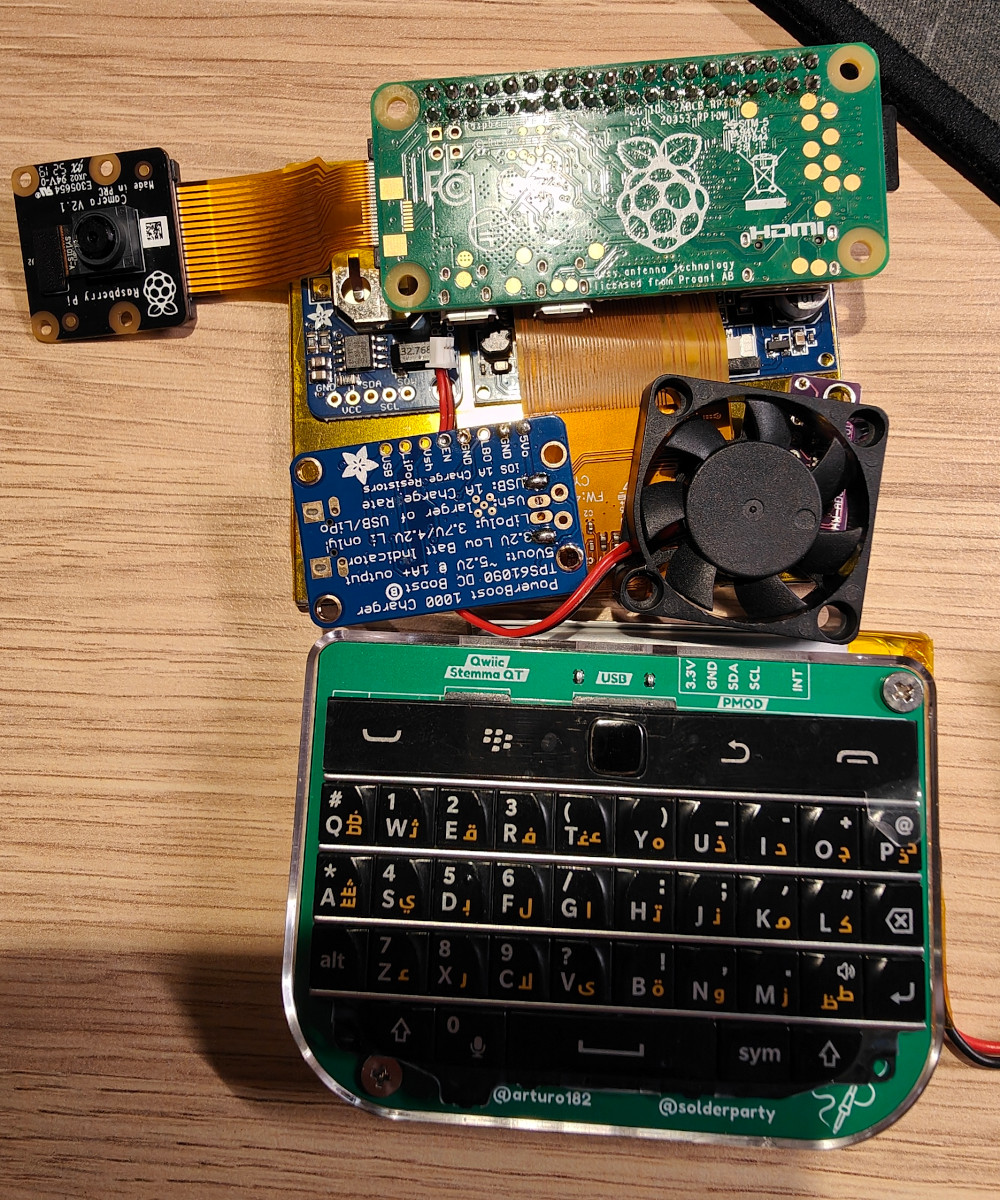
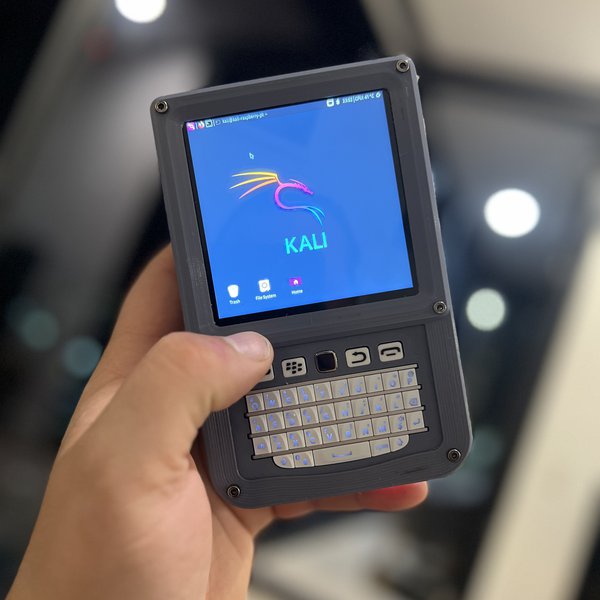
- Repurposing Single-Board Computers (SBCs): Projects like the Raspberry Pi can be used to build custom portable devices that run full Linux distributions, offering much greater flexibility and fewer hardware compatibility headaches than trying to force Linux onto a locked-down smartphone.
- Android with Termux: As mentioned, Termux provides a powerful Linux terminal environment directly on Android, allowing users to run many command-line Linux tools and even graphical applications via VNC, without replacing the underlying Android OS.
Beyond the Hack: The Broader Implications (Tech, Brand, Money)
The seemingly niche quest to install Linux on a BlackBerry actually touches upon profound themes relevant to the broader tech industry, brand perception, and even personal finance.
Tech Innovation and the Right to Repair/Modify
This endeavor embodies the spirit of tech innovation through re-imagination. It challenges the prevailing industry model where manufacturers exert tight control over their hardware and software. The hacker’s drive to install Linux on a BlackBerry is a small but potent act of digital civil disobedience, highlighting the importance of the right to repair and modify our devices. It champions the idea that once we own hardware, we should have the freedom to decide what software runs on it. This philosophy drives progress in open-source development and fosters a deeper understanding of technology. It pushes the boundaries of what’s possible and often uncovers vulnerabilities or opportunities for improvement that closed ecosystems might miss.
Branding Through Customization: Personal Tech Identity
From a brand perspective, BlackBerry’s original identity was built on security and reliability – often at the expense of openness. The act of attempting to install Linux on one of its devices transforms that perception. It creates a new, personalized brand for the device itself – no longer just “a BlackBerry,” but “my BlackBerry, running Linux.” This reflects a broader trend in personal branding within the tech community, where users distinguish themselves through their unique configurations, custom setups, and choice of operating systems. Opting for Linux on an obscure device becomes a statement of identity, showcasing a user’s technical prowess, dedication to open source, and desire to stand apart from the mainstream. It’s about crafting a unique digital persona through the tools one chooses to wield.
The Economic Value of Open Source and Device Longevity
Finally, the “money” aspect of this pursuit is multifaceted. On one hand, the pursuit itself can be costly in terms of time and specialized tools. On the other, it highlights the immense economic value of open-source software. Linux, free to use and modify, offers a powerful alternative to expensive proprietary licenses. By extending the life of an old device with a free operating system, users are effectively increasing its utility and delaying the need for a new purchase, thus saving money. This contributes to a more sustainable tech economy, where resources are utilized more efficiently.
Furthermore, the knowledge gained from such an endeavor can translate into tangible skills. Expertise in embedded Linux, bootloader hacking, and driver development is highly sought after in various tech industries, from IoT to specialized hardware development. What starts as a hobbyist project can become a valuable side hustle or enhance career prospects, demonstrating a deep understanding of core technological principles. The “return on investment” isn’t just about a functional phone; it’s about the invaluable experience and knowledge acquired along the way.

Conclusion
The question of “Which BlackBerry can you install Linux on?” ultimately leads to a nuanced answer. For the vast majority of BlackBerry devices, particularly the older BBOS and BB10 models, installing a fully functional Linux distribution is an aspiration that borders on impossible for anyone outside of highly specialized development teams. The technical barriers – proprietary bootloaders, unique hardware, and a severe lack of open-source drivers – are simply too formidable. The Android-powered BlackBerry devices offer a slightly more plausible, though still immensely challenging, path due to their Linux kernel base, but even here, BlackBerry’s security hardening presents significant hurdles.
Yet, the very act of asking the question, and the spirit behind the pursuit, remains deeply significant. It underscores the enduring appeal of open-source technology, the human desire for control over our digital tools, and the innovative drive to repurpose and extend the life of hardware. While the practical outcome might be limited to a highly experimental and incomplete system, the journey itself reveals much about the interplay of technology, brand identity, and the economic value we place on freedom and customization in our digital lives. For those seeking a practical Linux phone, modern purpose-built devices are the clear answer. But for the true retro-tech revolutionary, the allure of coaxing Linux onto a vintage BlackBerry will always remain a testament to the unyielding spirit of digital exploration.
aViewFromTheCave is a participant in the Amazon Services LLC Associates Program, an affiliate advertising program designed to provide a means for sites to earn advertising fees by advertising and linking to Amazon.com. Amazon, the Amazon logo, AmazonSupply, and the AmazonSupply logo are trademarks of Amazon.com, Inc. or its affiliates. As an Amazon Associate we earn affiliate commissions from qualifying purchases.