
The rollout of iOS 18 represented one of the most significant architectural shifts in the history of the iPhone, but for many users, the initial release felt like a foundation waiting for its skyscraper. While iOS 18.1 introduced the first wave of Apple Intelligence, it is iOS 18.2 that truly delivers on the futuristic promises made during the Worldwide Developers Conference (WWDC).
This update isn’t merely a collection of bug fixes; it is a comprehensive expansion of the Apple ecosystem’s generative capabilities, local intelligence, and user autonomy. From the integration of world-class LLMs like ChatGPT to creative tools that redefine digital expression, iOS 18.2 marks the moment the iPhone becomes a truly AI-native device.
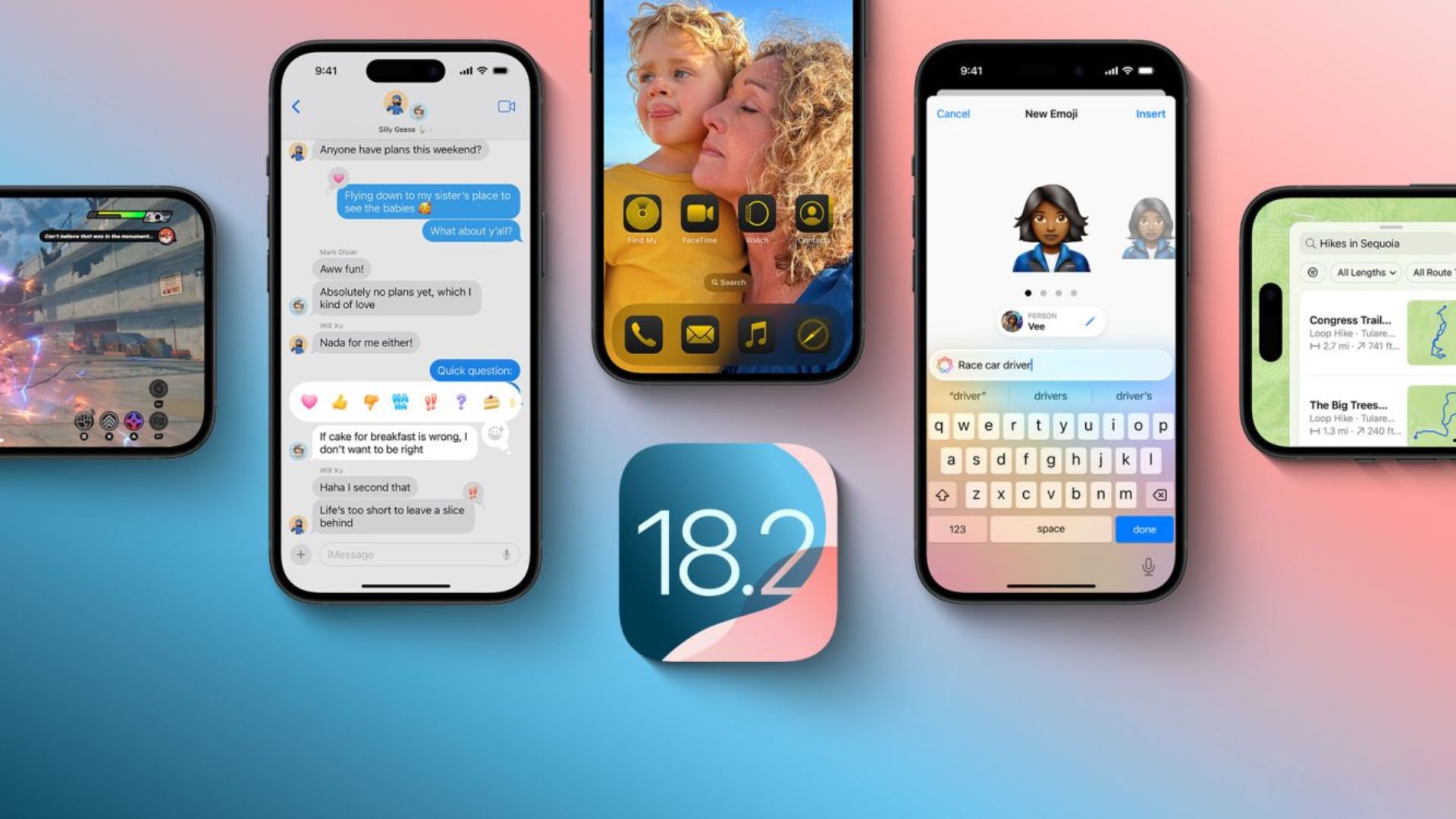
The Creative Powerhouse: Image Playground and Genmoji
The centerpiece of the iOS 18.2 update is the suite of creative tools designed to make generative AI accessible to the average user. Unlike third-party tools that often require complex prompting and external subscriptions, Apple has baked these features directly into the operating system’s framework.
Image Playground: Generative Art for Everyone
Image Playground is a standalone app and a system-wide integration that allows users to create stylized images in seconds. Unlike photo-realistic generators that have raised ethical concerns, Apple has focused on three distinct styles: Animation, Sketch, and Illustration.
The tool is remarkably intuitive. Users can choose from suggested concepts—ranging from themes like “party” or “adventure” to specific locations and outfits—or type a custom description. Because the tool is integrated with the Contacts app, you can even select a friend’s profile picture, and the AI will generate a stylized version of that person in the scene you’ve described. This represents a significant shift in how we personalize digital communication.
Genmoji: Beyond the Standard Unicode
For years, users have been limited by the official Unicode Consortium’s emoji library. iOS 18.2 shatters this limitation with Genmoji. This feature allows users to create entirely custom emojis on the fly using a text prompt.
Whether you need a “squirrel wearing a spacesuit eating a taco” or a specific representation of a personal hobby, Genmoji generates an inline image that behaves exactly like an emoji. These are powered by the on-device Apple Intelligence engine, ensuring that the generation process is fast and private. If the recipient is on a modern Apple device, the Genmoji appears as a standard character; for older devices or non-Apple platforms, it is delivered as a small, high-quality image.
Image Wand in Notes
For students and professionals, the Image Wand is perhaps the most practical addition. Located within the Apple Notes tool palette, the Image Wand can transform a rough finger-drawn sketch into a polished illustration. Even more impressive is its ability to use “contextual awareness.” If you circle a blank space in a note filled with text about the solar system, the Image Wand will analyze your writing and suggest relevant images to generate, effectively acting as an automated graphic designer for your personal documents.
Deepening AI Integration: ChatGPT and Visual Intelligence
While Apple’s own models handle on-device tasks with extreme efficiency, iOS 18.2 acknowledges that some queries require the massive world-knowledge of a Large Language Model (LLM). This update introduces a landmark partnership with OpenAI to bring ChatGPT directly into the Siri experience.
Siri Meets ChatGPT
In iOS 18.2, Siri acts as a sophisticated traffic controller. When you ask a question that falls outside of Siri’s local capabilities—such as “Create a five-day itinerary for a gluten-free trip to Tokyo” or “Write a poem in the style of Robert Frost about a broken iPhone”—Siri will ask for permission to consult ChatGPT.
This integration is seamless. Users do not need a separate ChatGPT account to access the basic features, and Apple has implemented industry-leading privacy protections. Your IP address is obscured, and OpenAI does not store your requests. For power users who do have a ChatGPT Plus subscription, iOS 18.2 allows you to sign in to access more advanced models and features directly through the Siri interface.
Visual Intelligence for the iPhone 16 Series
Exclusive to the iPhone 16 lineup, Visual Intelligence is Apple’s answer to Google Lens, but with a focus on speed and hardware integration. By clicking and holding the new Camera Control button, users can point their camera at the world around them to gather instant information.
If you point it at a restaurant, you’ll see hours, ratings, and menu previews. Point it at a flyer for an event, and the iPhone will automatically extract the date and time to create a Calendar event. Perhaps most importantly, Visual Intelligence serves as a gateway to other tools; you can take a photo of a bicycle you like and instantly search for it on Google to find a retailer, or use ChatGPT to help solve a complex math problem written on a chalkboard.
Enhanced Privacy and User Control
A recurring theme in iOS 18.2 is “Transparency.” Whenever the device uses an external model (like ChatGPT) or processes sensitive visual data, there are clear indicators. Apple has made it easy to toggle these features on or off in the settings, ensuring that users who are skeptical of AI integration can maintain a traditional smartphone experience if they choose.

Regional Expansion and Global Accessibility
One of the primary criticisms of the initial Apple Intelligence launch was its limited availability. iOS 18.2 takes the first major steps toward making these features a global reality.
New English Dialects
Previously, Apple Intelligence was restricted to U.S. English. With 18.2, support has expanded to include localized versions of English for the United Kingdom, Australia, Canada, Ireland, New Zealand, and South Africa. This isn’t just about accents; it’s about the AI understanding local slang, cultural references, and spelling conventions (like “colour” vs “color”), which significantly improves the utility of the Writing Tools and Siri.
The Path to the EU and China
While regulatory hurdles remain, iOS 18.2 includes the backend code necessary to eventually support more languages, including French, Spanish, German, and Italian. For users in the European Union, this update provides more clarity on how Apple intends to comply with the Digital Markets Act (DMA) while still delivering AI features, though some specific functionalities remain staggered in their rollout for that region.
System Overhauls and App Refinements
Beyond the headline-grabbing AI features, iOS 18.2 introduces several “quality of life” improvements that refine the daily user experience.
The New Mail App Architecture
The Mail app has received its most significant redesign in years. It now features “on-device categorization,” which automatically sorts your incoming mail into four distinct buckets:
- Primary: Personal emails and time-sensitive communications.
- Transactions: Receipts, tracking numbers, and order confirmations.
- Updates: Newsletters, social media notifications, and general announcements.
- Promotions: Marketing emails and sales.
This categorization happens entirely on-device, meaning Apple doesn’t read your emails in the cloud to sort them. There is also a new “Snippet” view that summarizes long threads, allowing you to catch up on a workplace conversation without reading fifty individual replies.
Default Apps and Customization
Under pressure from both users and global regulators, Apple is becoming more flexible with its ecosystem. iOS 18.2 introduces a new “Default Apps” section in the Settings menu. For the first time, users can easily manage their default choices for not just web browsers and email, but also for messaging and phone calls. This is a massive shift for the iPhone, signaling a move toward a more open platform where third-party apps can compete on a more level playing field with Apple’s native software.
Volume Control and Safety
A small but notable change is the inclusion of a “Volume Limit” toggle for the iPhone’s built-in speakers. This allows users to set a maximum decibel level for media playback, protecting hearing and preventing accidental loud blasts of sound in public spaces. It’s a thoughtful addition that aligns with Apple’s long-standing focus on health and accessibility.
Performance, Security, and Public Release Timeline
As with any x.2 update, the underlying stability of the OS has been improved. Apple has optimized the neural engine’s power consumption, ensuring that the new AI features don’t lead to excessive battery drain.
Security Enhancements
Digital security remains a pillar of the iOS experience. iOS 18.2 includes updated protections against “brute force” attacks on encrypted data and introduces more granular permissions for apps requesting access to your photo library. The “Stolen Device Protection” feature introduced in earlier versions has also been refined to be more intuitive, providing a safety net for users in high-risk environments.
The Road to the Public Release
Currently, iOS 18.2 is in the hands of developers and public beta testers. Historically, Apple follows a rigorous testing cycle for its December updates. Based on current progress, users can expect the stable public release to hit their devices in mid-to-late December.
For users eager to try these features now, the Public Beta is available, but it comes with the standard caveats: backup your data, expect occasional bugs, and ensure your hardware (iPhone 15 Pro or newer) is compatible with the Apple Intelligence features.

Conclusion
iOS 18.2 is the version of iOS 18 we have been waiting for. It moves Apple Intelligence from the realm of “proof of concept” into a practical, creative, and highly useful toolset. By balancing the raw power of ChatGPT with the privacy-first approach of on-device processing, Apple has created a unique AI implementation that feels distinctly “Apple.”
Whether you are a creative looking to experiment with Genmoji, a professional seeking to streamline your inbox with the new Mail categories, or a casual user wanting more from Siri, iOS 18.2 delivers a more intelligent, personal, and capable iPhone experience. It is not just an update; it is a glimpse into the future of mobile computing.
aViewFromTheCave is a participant in the Amazon Services LLC Associates Program, an affiliate advertising program designed to provide a means for sites to earn advertising fees by advertising and linking to Amazon.com. Amazon, the Amazon logo, AmazonSupply, and the AmazonSupply logo are trademarks of Amazon.com, Inc. or its affiliates. As an Amazon Associate we earn affiliate commissions from qualifying purchases.