
In the modern era, travel is no longer just about packing a suitcase with clothes and toiletries. For the professional, the creator, and the digital nomad, a flight is a mobile office and a high-tech transition zone. However, as our dependence on hardware and software grows, so does the complexity of international and domestic flight regulations. Understanding “what you are allowed to bring on a plane” from a technological perspective is no longer a matter of checking a simple list; it requires a deep dive into battery chemistry, data security, and hardware compliance.
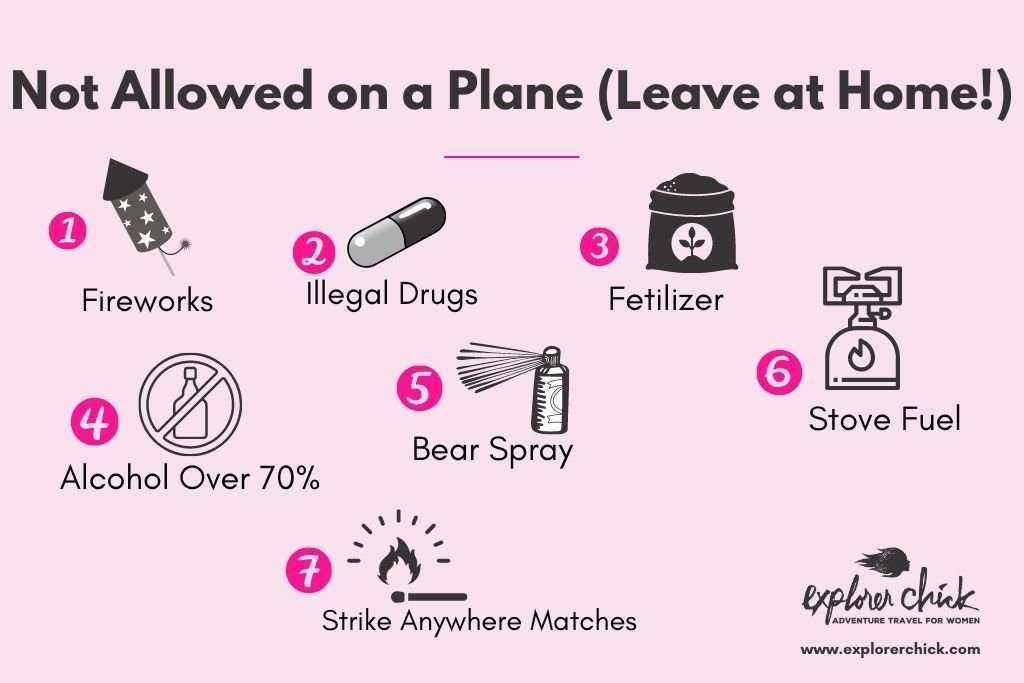
This guide explores the intersection of technology and aviation, ensuring that your digital toolkit remains safe, legal, and operational from takeoff to touchdown.
Powering Your Journey: Lithium-Ion Battery Regulations and Portable Energy
The most significant constraint for any tech-focused traveler is the lithium-ion battery. While these high-density energy cells power everything from our smartphones to our high-performance laptops, they are classified as hazardous materials by aviation authorities like the FAA and EASA due to the risk of “thermal runaway.”
Understanding Watt-Hours (Wh) and Capacity Limits
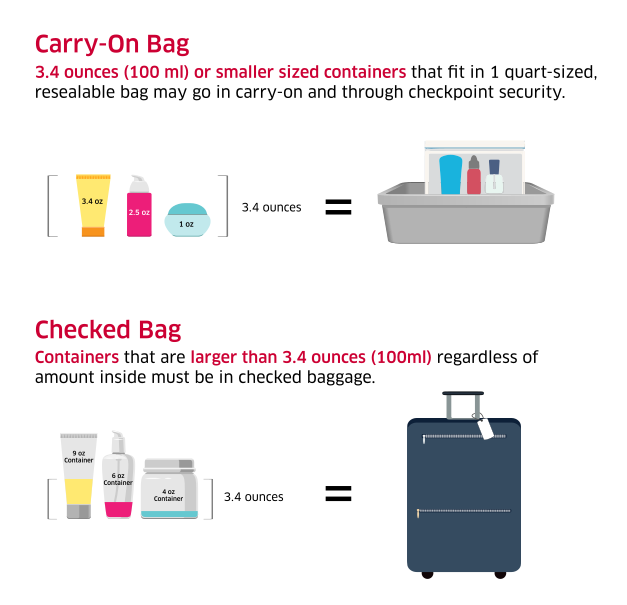
Most travelers focus on milliampere-hours (mAh) when buying power banks, but airlines calculate safety based on Watt-hours (Wh). The standard limit for a single lithium-ion battery allowed on a plane without special airline approval is 100Wh.
To calculate your device’s capacity, use the formula: (mAh x Voltage) / 1000 = Wh. For example, a massive 26,800mAh power bank at 3.7V equals approximately 99Wh, placing it just under the legal threshold. Bringing a battery larger than 100Wh (up to 160Wh) usually requires prior notification and approval from the carrier, while anything over 160Wh is strictly prohibited.
The “Cabin Only” Rule: Why Tech Stays with You
One of the most critical tech regulations is the prohibition of loose lithium batteries in checked luggage. If a battery malfunctions and catches fire in the pressurized cargo hold, the onboard fire suppression systems may not be able to extinguish a metallic-lithium fire. In the cabin, however, the crew is trained to manage such incidents using specialized thermal containment bags.
This means your laptops, tablets, cameras, and external battery packs must remain in your carry-on. Furthermore, if you are forced to gate-check a bag because the overhead bins are full, you must remove all power banks and devices with non-integrated batteries before handing the bag over to the ground crew.
Special Considerations for High-Performance Hardware
For specialized professionals, such as drone pilots or cinematographers, the rules get more granular. High-capacity drone batteries often approach the 100Wh limit. It is recommended to keep these in “LiPo-safe” fire-retardant bags and to ensure that the terminals are taped over or recessed to prevent short-circuiting. For those traveling with high-end workstation laptops (like the 16-inch MacBook Pro), the internal battery is specifically designed to sit just at 99.6Wh to comply with these global aviation standards.
Digital Sovereignty: Security Protocols and Hardware Encryption
What you “bring” on a plane isn’t just physical; it is also digital. As you cross borders, your hardware becomes subject to the laws of the jurisdiction you are entering. In an age of heightened digital surveillance, tech-savvy travelers must consider the implications of the data they carry.
Border Crossings and Device Searches
In many countries, border agents have the legal authority to search electronic devices without a warrant. This includes the power to demand passwords or biometric unlocks. From a tech perspective, this means that “what you bring” includes your entire digital history.
To mitigate risk, many professionals utilize “travel builds” for their laptops—wiping sensitive corporate data and instead utilizing secure cloud environments that can be accessed only after the border has been crossed. This ensures that the physical hardware contains nothing but the operating system and essential tools, keeping intellectual property safe from intrusive searches.
The Essentials of Full Disk Encryption (FDE)
If you are carrying sensitive data, Full Disk Encryption (FDE) is not optional; it is a prerequisite. Tools like BitLocker (Windows), FileVault (macOS), or LUKS (Linux) ensure that if your device is lost or stolen during transit, the data remains inaccessible.
However, travelers must be aware that some countries have “key disclosure laws.” If you are traveling to a region with strict encryption regulations, you may be legally required to provide your decryption key upon request. In these specific tech environments, the most secure way to “bring” data is not to bring it at all, but to rely on encrypted end-to-end cloud storage like Proton Drive or specialized AWS instances.
Biometrics vs. Passcodes
At security checkpoints, tech hygiene is vital. It is a recommended practice to temporarily disable biometric unlocking (FaceID or Fingerprint) and revert to a strong alphanumeric passcode before entering the security line. In many jurisdictions, the legal protections for “something you know” (a password) are stronger than for “something you are” (a biometric marker), providing an extra layer of digital defense during the screening process.
The Evolving Landscape of Smart Luggage and Connectivity
The luggage industry has undergone a technological revolution, integrating GPS, Bluetooth, and internal power grids directly into the frame of the suitcase. While these features add convenience, they also fall under strict aviation scrutiny.
GPS Trackers and Bluetooth Compliance
The rise of the Apple AirTag and similar trackers like Tile has changed how we monitor our belongings. Current FAA and TSA regulations allow these devices in both checked and carry-on luggage. They operate on Bluetooth Low Energy (BLE), which does not interfere with aircraft navigation systems.
These devices are essential “tech to bring” because they provide a decentralized network for locating lost items. For a traveler with thousands of dollars in camera gear or specialized hardware, an AirTag provides a layer of redundancy that airline tracking systems cannot match.
Integrated Power Hubs and Removable Modules
“Smart bags” that feature built-in charging ports must comply with the same lithium-ion rules mentioned earlier. The industry standard now mandates that any battery integrated into a suitcase must be easily removable. If you arrive at the gate with a smart bag where the battery is screwed into the frame and cannot be detached, the airline can—and likely will—refuse to allow the bag on the aircraft.
When selecting tech for travel, prioritize modularity. A smart bag with a removable 10,000mAh battery is a versatile tool; a bag with a fixed battery is a liability that may be confiscated.
Software and Cloud Synchronization for the Cloud-Bound
Once you are in the air, the tech you brought becomes your ecosystem. The transition from ground-based 5G to satellite-based inflight Wi-Fi requires a specific software strategy to remain productive.
Offline Mode and Local Data Storage
Despite the promise of “high-speed” inflight Wi-Fi, the reality is often high-latency and low-bandwidth. The prepared tech traveler ensures their “offline stack” is ready. This includes local copies of GitHub repositories, cached versions of project management boards (like Notion or Trello), and offline-mapped directories.
Furthermore, ensure that your software updates are paused. A background Windows update or a Creative Cloud sync can consume your entire paid data allotment in minutes. Manually managing your “Allowed Background Data” is a critical skill for maximizing the utility of the tech you bring on board.
VPNs and Public Wi-Fi Hygiene
Inflight Wi-Fi networks are notorious for being unencrypted and prone to “Man-in-the-Middle” (MitM) attacks. If you are bringing a laptop to do work, a robust VPN (Virtual Private Network) is an essential piece of your digital kit.
Using protocols like WireGuard or OpenVPN ensures that your data remains tunneled and encrypted, even on the plane’s open network. This is particularly important if you are accessing corporate intranets or financial portals. In the context of “what you are allowed to bring,” a VPN is your most important non-physical tool, acting as a digital shield for the physical hardware in your lap.
Conclusion
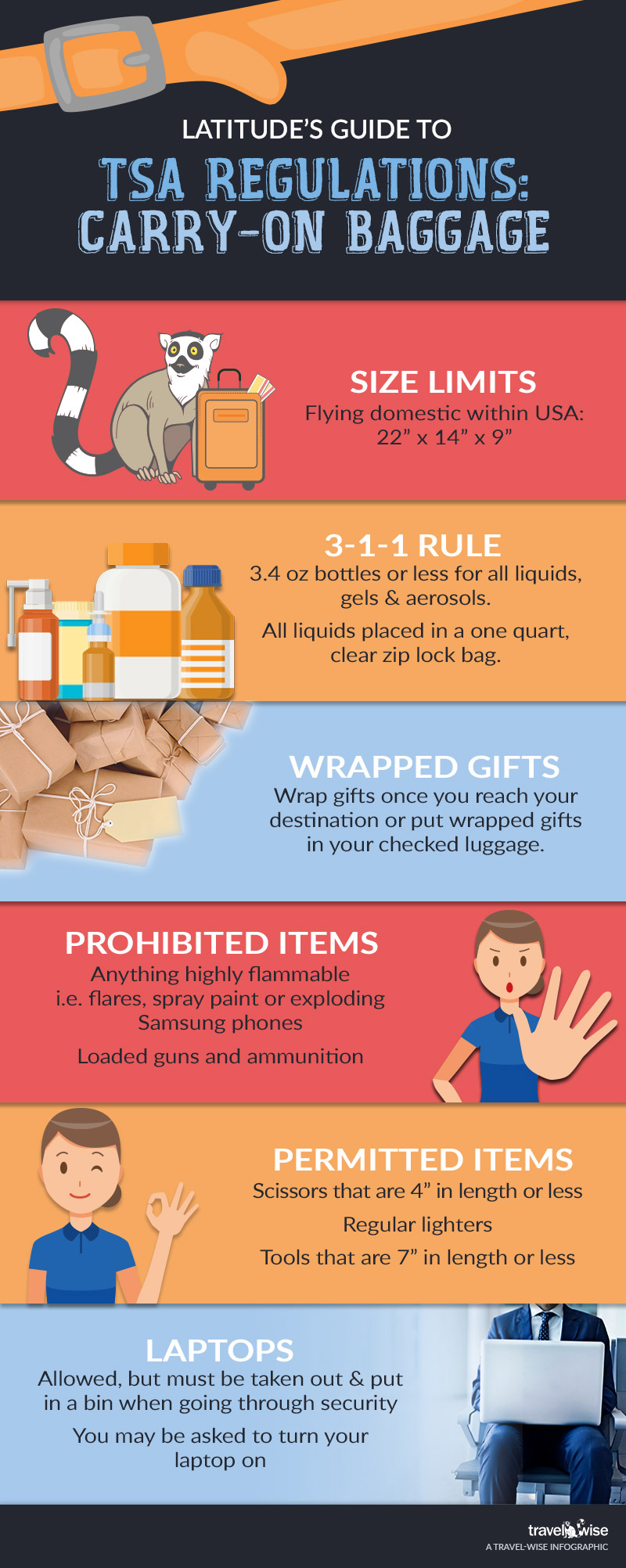
Navigating the rules of what you can bring on a plane requires a sophisticated understanding of both hardware limitations and digital security. By respecting the physics of lithium-ion batteries, protecting your data through encryption and smart transit builds, and choosing modular, compliant smart gear, you turn the challenges of aviation travel into a seamless extension of your digital life.
As technology continues to evolve, the definition of “carry-on” will only become more complex. Staying informed on the latest tech regulations ensures that your tools—and your data—reach your destination as safely as you do.
aViewFromTheCave is a participant in the Amazon Services LLC Associates Program, an affiliate advertising program designed to provide a means for sites to earn advertising fees by advertising and linking to Amazon.com. Amazon, the Amazon logo, AmazonSupply, and the AmazonSupply logo are trademarks of Amazon.com, Inc. or its affiliates. As an Amazon Associate we earn affiliate commissions from qualifying purchases.