
In the modern digital landscape, the sensation of “dizziness” has transitioned from a purely physiological symptom to a common technological byproduct. Whether it is the literal nausea induced by a high-end Virtual Reality (VR) headset or the metaphorical vertigo caused by the breakneck pace of Artificial Intelligence (AI) developments, tech-induced dizziness—often referred to as Cyberkinosis—is a significant hurdle for developers and users alike.
When you feel “dizzy” in a tech context, it is usually a signal that your sensory inputs are misaligned with your digital environment or that your cognitive load has exceeded its processing bandwidth. This guide explores the technical roots of these sensations and provides actionable strategies to recalibrate your digital experience.
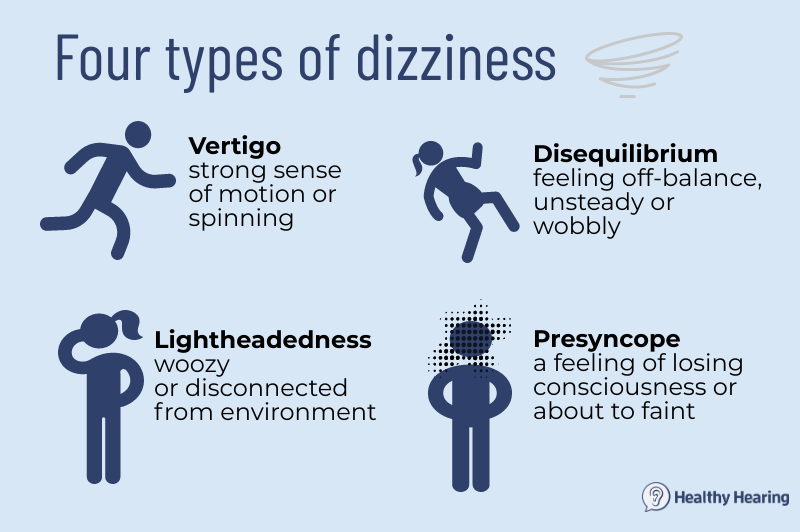
Understanding Cyberkinosis: The Science of Tech-Induced Motion Sickness
The most direct form of dizziness in the tech world occurs within the realms of VR, Augmented Reality (AR), and even high-speed gaming. This phenomenon, known as Cyberkinosis or “sim sickness,” happens when there is a conflict between the vestibular system (the inner ear) and the visual system.
The Vestibular-Ocular Mismatch in VR and AR
In a Virtual Reality environment, your eyes may perceive that you are flying through a nebula or racing down a track, but your inner ear detects that you are sitting stationary in a chair. This sensory mismatch sends conflicting signals to the brain, resulting in dizziness, cold sweats, and nausea.
To combat this, hardware manufacturers are focusing on “Motion-to-Photon” (MTP) latency. This is the time it takes for a user’s movement to be reflected on the screen. To eliminate the feeling of dizziness, MTP latency must ideally stay below 20 milliseconds. If you are feeling dizzy in a headset, the first technical check should be your hardware’s frame rate. A refresh rate of 90Hz is considered the bare minimum for comfort, while 120Hz or higher significantly reduces the likelihood of vertigo.
Hardware Solutions: Refresh Rates and FOV Adjustments
Beyond latency, the Field of View (FOV) plays a massive role in how “dizzy” a piece of tech makes you feel. Wide FOVs provide immersion but can overwhelm the peripheral vision, which is highly sensitive to motion. High-end headsets now allow for software-based FOV narrowing (often called “vignetting” or “tunneling”) during movement. By blacking out the peripheral edges of the screen during fast-paced digital travel, developers can ground the user and prevent the onset of dizzying sensations.
Software and UI Solutions: Designing for Stability
Dizziness isn’t limited to immersive headsets; it can also be triggered by standard software interfaces. “Scroll fatigue” and parallax effects in modern web design often cause a subtle sense of disorientation in users who are sensitive to rapid visual shifts.
Reducing Motion Blur and Parallax Effects
Many modern operating systems, including iOS and Windows 11, have introduced “Reduce Motion” settings. When enabled, these settings replace zooming transitions with simple cross-fades. For power users who spend ten to twelve hours a day staring at screens, the constant “zooming” of windows and the sliding of sidebars can lead to a cumulative sense of dizziness.
Technically, this is often caused by “motion blur” in the software’s rendering engine. In gaming and high-performance applications, disabling motion blur and depth-of-field effects can provide a much sharper, more stable image that is easier for the brain to process. If you are feeling dizzy while navigating a complex software suite, checking the “Accessibility” or “Graphics” settings for motion reduction is the professional’s first line of defense.
Accessibility Features in Modern OS Environments
Modern UI design has moved toward “Fluent” and “Material” design languages, which emphasize depth and animation. While aesthetically pleasing, these can be taxing. Software developers are now prioritizing “pre-attentive processing”—designing interfaces that the brain can map without conscious effort. If an interface is poorly designed, with inconsistent navigation or erratic animations, it creates “cognitive dizziness.” Utilizing tools that force a high-contrast, static layout can alleviate the mental strain of navigating cluttered digital workspaces.
Managing Information Vertigo in the Age of AI
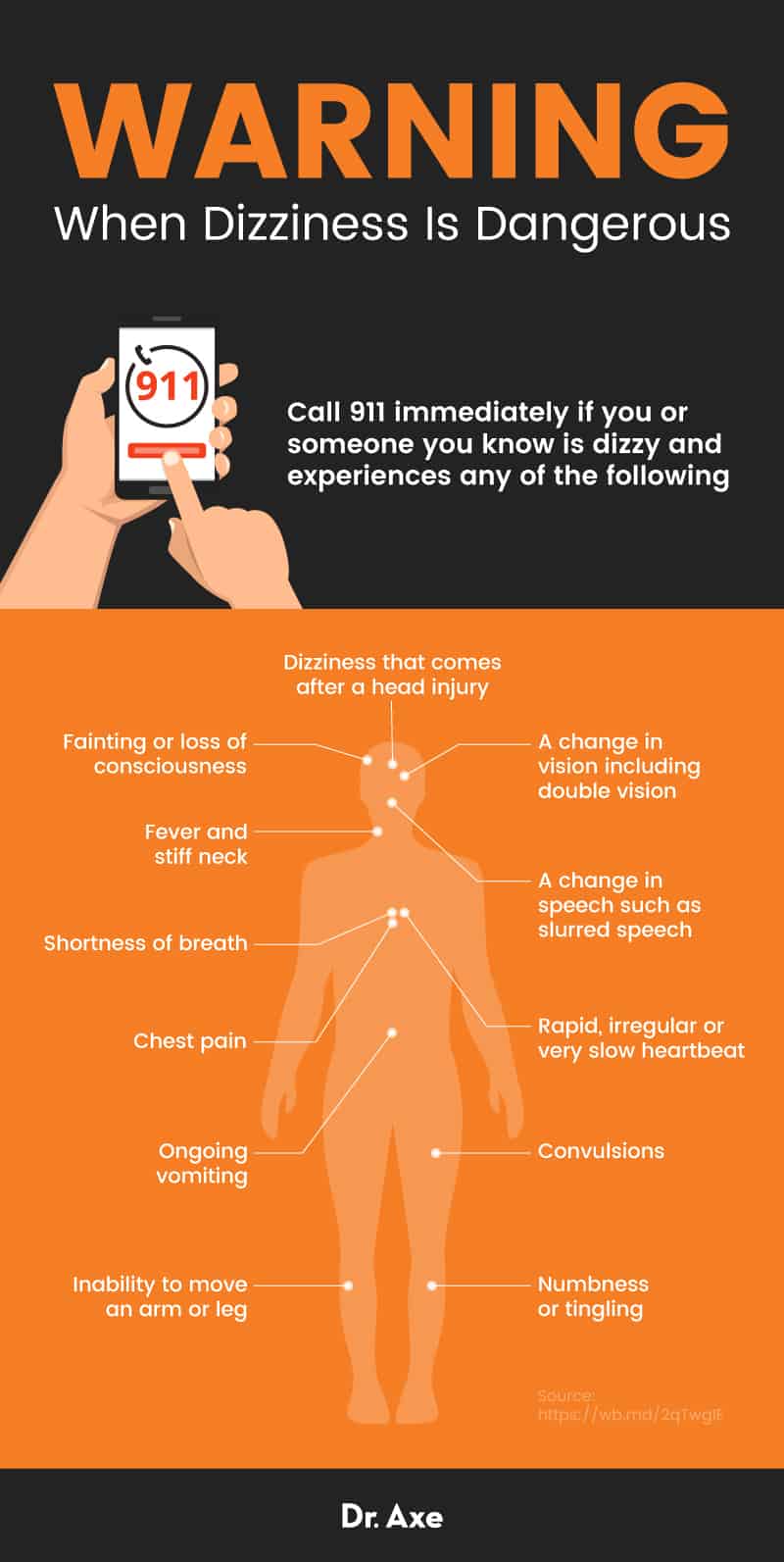
In 2024, “feeling dizzy” is often a metaphor for the overwhelming speed of the AI revolution. The sheer volume of new tools, Large Language Models (LLMs), and automated workflows can lead to “Information Vertigo,” a state where the user feels unable to find a stable footing in their professional tech stack.
Algorithmic Fatigue and the Search for Meaning
The algorithms that power our social feeds and professional discovery tools are designed for maximum engagement, often at the expense of user equilibrium. The “infinite scroll” is a technical feature specifically engineered to keep the brain in a state of constant, low-level arousal. However, this lack of a “stopping point” or “footer” in digital architecture is a primary cause of mental dizziness.
To mitigate this, users are turning to “intentional tech” stacks. This involves using software that imposes artificial limits or “batching” mechanisms. For example, instead of a constant stream of notifications, some enterprise tools now offer “Pulse” updates—AI-summarized digests delivered at set intervals to prevent the dizzying effect of constant context switching.
AI Tools to Curate and Simplify the Digital Stream
Paradoxically, the same technology that causes the dizziness can also be the cure. AI-driven curation tools like Perplexity, ChatGPT, and various “Second Brain” apps (like Notion or Obsidian) act as filters. By using AI to synthesize a hundred open browser tabs into a single, cohesive brief, you reduce the “visual noise” that leads to disorientation.
The technical approach to solving information dizziness involves “Aggressive Curation.” This means leveraging LLMs to handle the “Exploration” phase of research so that the human user can focus exclusively on the “Execution” phase. By narrowing the digital funnel, you provide your brain with a stable horizon line, much like a sailor looking at the edge of the sea to cure seasickness.
Digital Hygiene and Preventive Gadgets
As technology becomes more integrated into our biology, the “tech” used to prevent dizziness has moved into the realm of wearables and specialized peripherals.
Wearables for Monitoring Cognitive Load
New-age wearables are moving beyond simple step-counting. Devices like the Oura Ring or Whoop strap provide “Readiness Scores” and track Heart Rate Variability (HRV). From a technical standpoint, a drop in HRV is a leading indicator of neurological fatigue. When your cognitive load is too high, your sympathetic nervous system is stuck in “fight or flight” mode, which can manifest as lightheadedness or dizziness.
By integrating these wearable data points into your workflow—perhaps using an API that triggers a “Focus Mode” or a “Break Reminder” on your computer when your stress levels spike—you can automate the prevention of digital vertigo.
Establishing a Healthy Tech-Life Equilibrium
Finally, the most advanced tech solution for dizziness is often the one that manages the hardware-human interface: the monitor. The rise of “E-Ink” monitors for professional coding and writing is a testament to the need for stability. Unlike traditional LCD or OLED screens, E-Ink does not flicker and does not emit blue light in the same way, providing a paper-like experience that eliminates the “PWM (Pulse Width Modulation) flickering” that causes dizziness in sensitive individuals.
Furthermore, investing in “blue light” filtering at the hardware level (rather than just software filters) ensures that the circadian rhythm remains undisturbed. When the technical environment is optimized for human biology—incorporating high-refresh-rate screens, ergonomic UIs, and AI-assisted curation—the feeling of being “dizzy” in the digital age begins to dissipate.
Conclusion
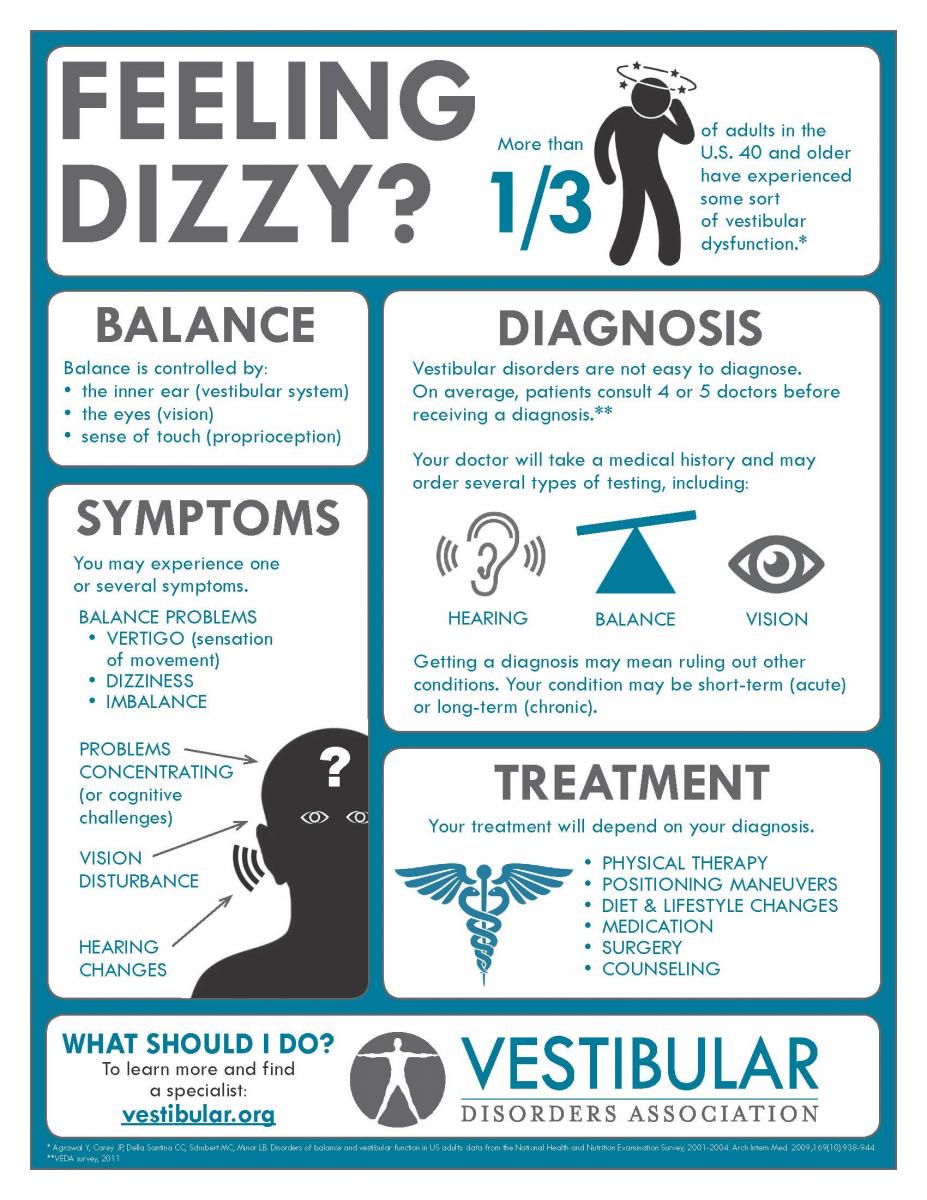
Feeling dizzy in the modern era is rarely a sign to stop using technology entirely; rather, it is a signal to optimize your tech stack. By understanding the hardware requirements of VR, the UI settings of your operating system, and the curation power of AI, you can transform a disorienting digital experience into a streamlined, high-performance environment.
In a world where technology moves faster than human evolution, the key to stability lies in the settings. Whether it is bumping your refresh rate to 120Hz, enabling “Reduce Motion” in your OS, or using an LLM to filter the noise of the internet, you have the technical tools at your disposal to regain your balance. Stay calibrated, stay focused, and remember that in the digital realm, stability is a configuration, not just a feeling.
aViewFromTheCave is a participant in the Amazon Services LLC Associates Program, an affiliate advertising program designed to provide a means for sites to earn advertising fees by advertising and linking to Amazon.com. Amazon, the Amazon logo, AmazonSupply, and the AmazonSupply logo are trademarks of Amazon.com, Inc. or its affiliates. As an Amazon Associate we earn affiliate commissions from qualifying purchases.