
In the world of iOS development, the journey from a local code repository to the hands of a global audience is paved with several checkpoints. One of the most critical, yet often misunderstood, phases is the TestFlight review. For developers, product managers, and tech stakeholders, understanding what the TestFlight review check is for—and why Apple mandates it—is essential for maintaining a streamlined deployment pipeline.
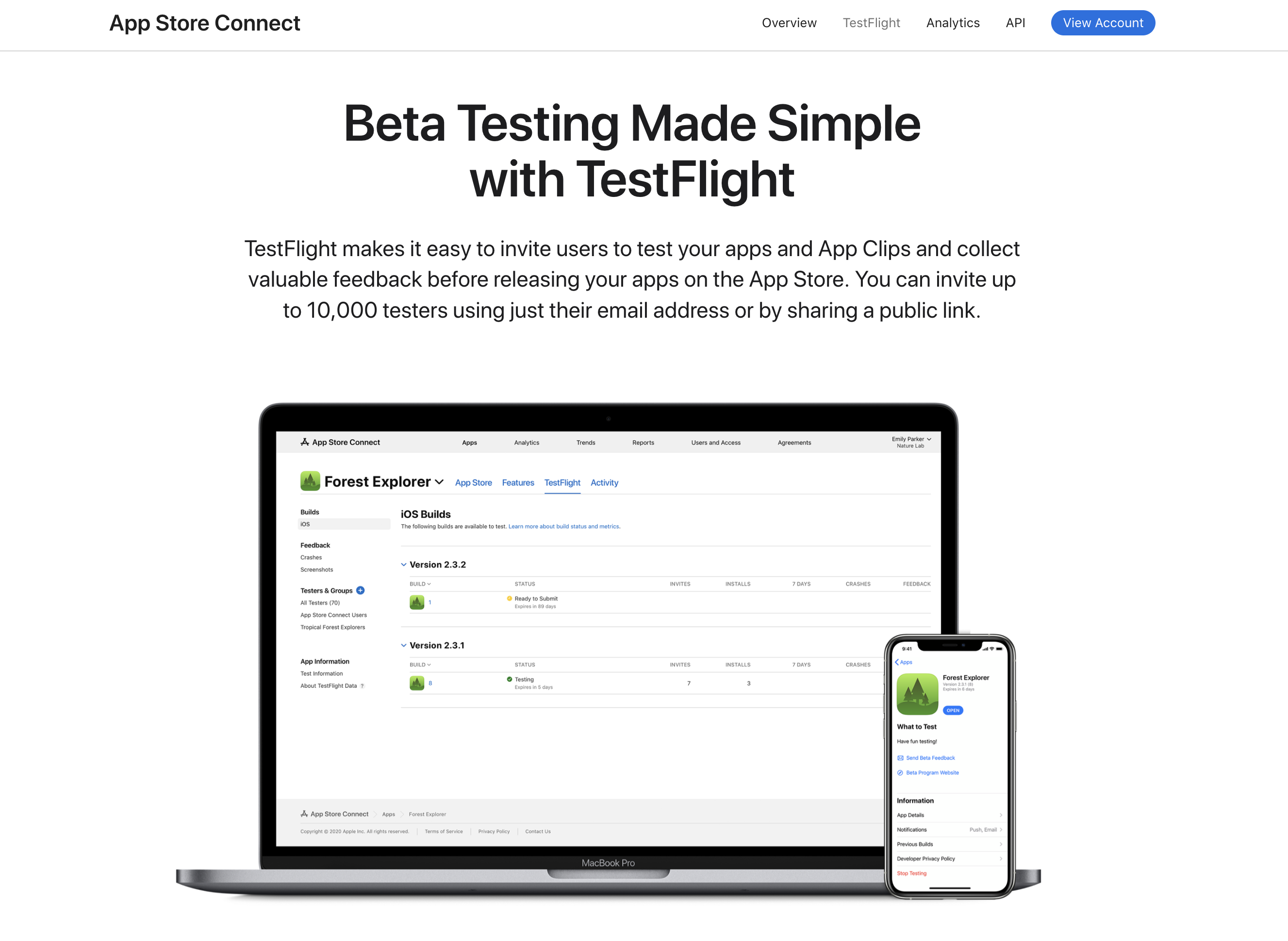
TestFlight is Apple’s proprietary online service for the installation and testing of mobile applications. Before an app can be shared with “External Testers,” it must undergo a Beta App Review. While this process is generally less rigorous than the final App Store review, it serves as a vital gatekeeper for the ecosystem’s safety and integrity.

The Core Purpose of the TestFlight Beta App Review
The primary reason Apple implements a review check for TestFlight builds is to ensure that beta software adheres to basic safety and content standards. Unlike internal testing, where you can distribute builds to your own team members without oversight, external testing involves inviting up to 10,000 users who may not be affiliated with your organization.
Bridging the Gap Between Development and Distribution
The TestFlight review acts as a transitional phase. It ensures that the app is “stable enough” and “safe enough” for a wider audience. Apple’s reputation is built on a curated, secure experience; if they allowed malicious or broken apps to be distributed via their official testing platform, it would compromise the trust users have in the iOS environment. The review check ensures that even in its beta stage, an app reflects the fundamental quality associated with the Apple brand.
Protecting the Ecosystem from Malicious Software
Security is the cornerstone of the Tech category. The review check scans for the use of private APIs—code segments that Apple does not allow developers to use because they could compromise user privacy or system stability. By checking the build at the TestFlight stage, Apple can catch potential security vulnerabilities or data-mining attempts before the app reaches thousands of testers.
What Does the TestFlight Review Specifically Check For?
When you submit a build for external testing, it enters a “Waiting for Review” state. During this time, Apple’s automated systems and human reviewers evaluate the submission based on a subset of the App Store Review Guidelines.
Adherence to App Store Review Guidelines
While the TestFlight review is a “lite” version of the full review, it still focuses on the core pillars: Safety, Performance, Design, and Legal.
- Safety: The review checks if the app contains objectionable content, such as hate speech, excessive violence, or illegal activities.
- Legal: This involves checking for privacy policy links and ensuring the app doesn’t violate intellectual property rights.
- Business: While monetization isn’t always fully functional in beta, Apple checks if the app’s business model (like In-App Purchases) adheres to their general ecosystem rules.
Safety and Content Standards
Apple is particularly sensitive to apps that might be used for phishing or fraud. The review check looks for “scammy” behavior—apps that pretend to be something they are not. For example, if your app claims to be a fitness tracker but immediately asks for credit card information without providing any functionality, it will likely be rejected during the TestFlight check.
Functionality and Stability Basics
A TestFlight build does not have to be feature-complete—that is the point of a beta. However, it must be functional. If a reviewer opens the app and it crashes immediately upon launch (a “crash on launch” error), the build will be rejected. The check is designed to ensure that testers are actually able to test the app rather than just staring at a broken interface.
Navigating the Technical Requirements for External Testing
Understanding the technical nuances of the TestFlight check can save development teams weeks of wasted time. The requirements differ significantly depending on who is receiving the build.

Internal vs. External Testers: Why Only One Needs Review
Apple distinguishes between “Internal Testers” (members of your App Store Connect team with Admin, Technical, or App Manager roles) and “External Testers” (anyone with an email address or a public link).
- Internal Testing: No review is required. You can upload a build and push it to your team immediately.
- External Testing: Requires a successful Beta App Review. This is because Apple assumes you have a high level of trust with your internal team, whereas external testers require the protection of Apple’s oversight.
Metadata and App Information Accuracy
The review check isn’t just about the binary code; it’s about the metadata. You must provide:
- A Description: What should the testers look for?
- Feedback Email: How can testers reach you?
- Review Notes: This is a crucial field where you explain how to use the app and provide any necessary login credentials. If the reviewer cannot get past a login screen, they cannot check the app, leading to an automatic rejection.
Common Reasons for TestFlight Rejections
Even seasoned developers face rejections during the TestFlight review. These rejections are often not due to poor coding, but rather a lack of documentation or oversight regarding Apple’s specific beta policies.
Missing Documentation or Demo Accounts
The most common “Tech” hurdle in the review process is the “Information Needed” rejection. If your app requires a specific hardware accessory (like a Bluetooth heart rate monitor) or a specialized backend login, you must provide a video of the app in action or a “Demo Account.” Reviewers need to see the core functionality to verify that it complies with safety standards.
Performance Issues and Crashes
While beta apps are expected to have bugs, they cannot be “non-functional.” If the app fails to load content because of a server-side error during the review, the reviewer will flag it. It is a best practice to ensure your staging or production servers are fully operational before clicking “Submit for Review.”
Violation of Export Compliance
Because apps use encryption, they are subject to U.S. export laws. If your app uses non-standard encryption and you haven’t provided the proper documentation or set the ITSAppUsesNonExemptEncryption key in your Info.plist, your build may be held up or rejected.
Best Practices for a Seamless TestFlight Review
To maintain a fast-paced development cycle, you want the TestFlight review to be as invisible as possible. Following these best practices ensures that your tech stack remains agile and your testers remain engaged.
Preparing Your Build for Success
Before submitting, run a checklist:
- Validate the Build: Use Xcode’s validation tool to check for missing icons or incorrect permissions.
- Update the “What to Test” Section: Provide clear instructions to the reviewer. If you only changed the UI of the settings page, tell them. This speeds up the human element of the review.
- Check Privacy Permissions: Ensure that your
Info.plistcontains “Purpose Strings” (the text that explains why you need access to the camera, location, etc.). Missing these strings is an automatic rejection.
Managing Updates and Subsequent Builds
A common misconception is that every single build requires a full review. Currently, Apple often “auto-approves” subsequent builds of the same version if the initial build was approved. For example, if version 1.0 (Build 1) is approved, version 1.0 (Build 2) might be available for testing almost instantly. However, once you increment the version number to 1.1, a new review is typically triggered. Understanding this allows teams to push minor bug fixes to testers without waiting for a 24-hour review cycle.
Leveraging Public Links Safely
TestFlight now allows for “Public Links,” which can be shared on social media or tech forums to recruit testers. Since these links can lead to thousands of downloads, the review check for builds using public links is often slightly more scrutinized. Ensure your app’s “Marketing URL” and “Privacy Policy” are valid, as these are public-facing elements that Apple will verify during the check.
Conclusion: The Strategic Value of the Review Check
While the TestFlight review check might seem like a bureaucratic hurdle, it serves a fundamental role in the software development lifecycle. By enforcing a baseline of quality, security, and stability, Apple ensures that the beta testing experience is productive for both developers and users.
For developers, the review check is a “sanity check.” It identifies major flaws or policy violations early, before the much more stressful and time-consuming final App Store submission. Embracing the TestFlight review as a tool for quality assurance—rather than just a hurdle—allows tech teams to build more robust, secure, and user-friendly applications. By staying informed on what the review checks for, you can navigate the Apple ecosystem with confidence, ensuring your innovations reach your audience without unnecessary delays.
aViewFromTheCave is a participant in the Amazon Services LLC Associates Program, an affiliate advertising program designed to provide a means for sites to earn advertising fees by advertising and linking to Amazon.com. Amazon, the Amazon logo, AmazonSupply, and the AmazonSupply logo are trademarks of Amazon.com, Inc. or its affiliates. As an Amazon Associate we earn affiliate commissions from qualifying purchases.