
In the rapidly evolving landscape of mobile technology, the way we communicate has undergone a radical transformation. Yet, despite the rise of instant messaging giants like WhatsApp, Telegram, and Signal, the humble Short Message Service (SMS) remains a foundational pillar of the Android experience. For millions of users worldwide, understanding “what is SMS on Android” involves more than just knowing how to send a text; it requires a look at the protocols, the evolution of messaging standards, and the sophisticated tools Google has integrated into the operating system to bridge the gap between legacy technology and the future of digital communication.
The Fundamentals of SMS and MMS on the Android Platform
At its core, SMS (Short Message Service) is a communication protocol that allows for the exchange of short text messages between fixed-line or mobile phone devices. On Android, this service is baked into the telephony stack, allowing any device with a SIM card to communicate with any other mobile number globally, regardless of the recipient’s operating system.
How SMS Works Technically
Unlike internet-based messaging apps that rely on data packets (IP), traditional SMS uses the cellular network’s signaling path. This is why you can often send a text even when your data connection is too weak to load a webpage. On an Android device, when you hit “send,” the message is routed to a Short Message Service Center (SMSC), which acts as a “store-and-forward” mechanism, ensuring the message reaches the recipient even if their device is temporarily offline.
SMS vs. MMS: Breaking Down the Differences
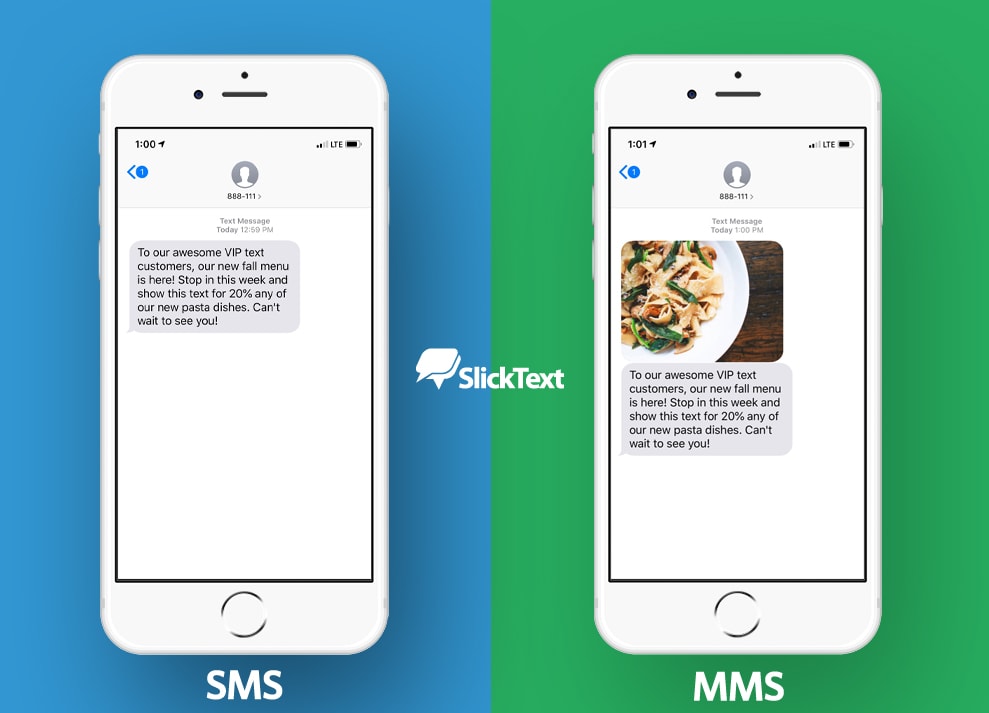
While SMS is limited to 160 characters of plain text, Multimedia Messaging Service (MMS) expands these capabilities. Android devices automatically transition from SMS to MMS when you attach a photo, video, or audio file, or when you exceed the character limit. However, MMS operates differently under the hood, requiring a data connection (cellular data) to transmit the larger file sizes, even if the text portion remains small.
The Role of the Default Messaging App
Every Android device comes with a “Default SMS Controller.” Whether it is the stock Google Messages app or a manufacturer-specific version (like Samsung Messages), this app serves as the gateway between the user interface and the underlying cellular radio hardware. Android allows users to change their default app, offering a level of flexibility that is a hallmark of the ecosystem.
The Evolution of Messaging: From SMS to RCS
While SMS has served the world for decades, its limitations—lack of typing indicators, read receipts, and low-resolution media—have become increasingly apparent. To address this, the Android ecosystem has spearheaded the adoption of RCS (Rich Communication Services).
Understanding RCS: The “SMS 2.0”
RCS is the modern successor to SMS. Often branded as “Google Chat” within the Android environment, it brings the features of modern IM apps to the native texting experience. When two Android users communicate via RCS, they enjoy high-resolution photo sharing, group chat capabilities, and real-time interaction indicators over both Wi-Fi and cellular data.
Why Google is Championing the RCS Standard
For years, the mobile world was fragmented. Google’s push for RCS is a strategic move to create a universal, carrier-interoperable standard that rivals Apple’s iMessage. By integrating RCS into the “Messages by Google” app, Android has effectively modernized the “SMS” experience, making it a “data-first” service while maintaining SMS as a reliable fallback for when data is unavailable.
The Interoperability Challenge
One of the most significant tech trends involving Android SMS is the ongoing push for cross-platform compatibility. For a long time, the experience between Android (RCS) and iPhone (iMessage) users reverted to the basic SMS standard. However, with recent industry shifts and regulatory pressure, the bridge between these technologies is finally being built, ensuring that “SMS on Android” eventually becomes a seamless, high-quality experience regardless of who you are texting.
Choosing the Best SMS and Messaging Apps for Android
One of the greatest strengths of the Android operating system is the ability to customize your experience. If you are dissatisfied with the pre-installed messaging app, the Google Play Store offers a variety of alternatives that prioritize different aspects of communication.
Google Messages: The Industry Standard
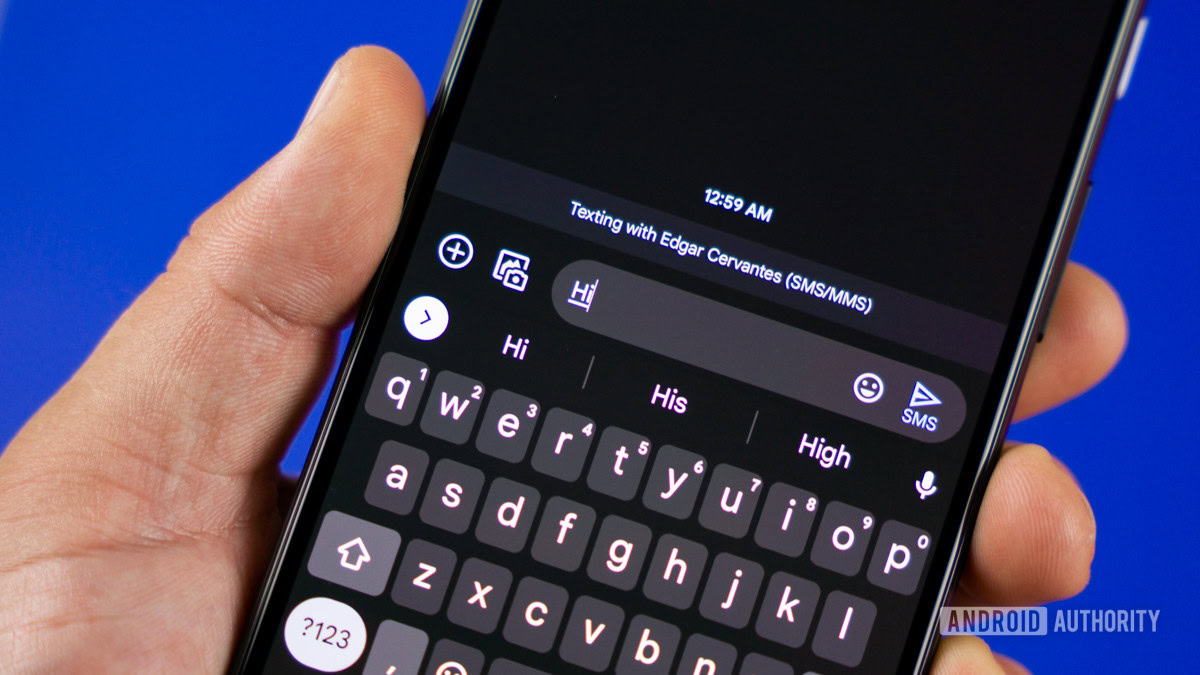
Google Messages is currently the most recommended app for Android users. It is the primary vehicle for RCS features and offers a clean, Material You design. It also features “Messages for Web,” allowing users to sync their Android SMS threads to a desktop browser—a vital tool for productivity.
Third-Party Alternatives: Customization and Privacy
For users who want more than what Google offers, apps like Textra or Chomp SMS provide deep customization options, including themes, per-contact bubble colors, and advanced notification settings. On the privacy front, Signal can also function as an SMS client (on some versions), though its primary strength lies in its encrypted proprietary protocol.
Managing Dual-SIM SMS
Many Android devices support Dual-SIM functionality. Modern Android SMS apps are designed to handle this seamlessly, allowing users to toggle between two different numbers for outgoing texts. This is particularly useful for professionals who want to keep their business and personal SMS communications separate on a single device.
Digital Security and Privacy in Android Messaging
As we move more of our lives online, the security of our communications has become paramount. Traditional SMS is inherently insecure, but the Android platform has introduced several layers of protection to safeguard user data.
The Vulnerabilities of Traditional SMS
It is important for tech-savvy users to understand that standard SMS is not end-to-end encrypted. Messages are sent in plain text across the carrier’s network, making them susceptible to interception or “SIM swapping” attacks. Furthermore, SMS is a frequent vector for “smishing” (SMS phishing) attacks, where malicious actors send links to harvest personal information.
End-to-End Encryption (E2EE) in RCS
To combat these vulnerabilities, Google has implemented end-to-end encryption for one-on-one and group chats within the Messages app, provided both parties have RCS enabled. This means that neither Google nor your carrier can read the content of your messages. Look for the “lock” icon next to the send button to verify if your conversation is secure.
Spam Protection and Verified Business Messaging
Android’s “Spam Protection” feature uses machine learning to identify and move suspicious messages to a spam folder automatically. Additionally, “Verified SMS” for businesses helps users identify legitimate communications from banks or retailers, reducing the risk of falling victim to fraud. This tech-driven approach to security makes the modern Android SMS experience significantly safer than its predecessors.
Mastering SMS: Productivity Tips and Hidden Features
To truly understand what SMS on Android is, one must look at the advanced features that turn a simple text app into a powerful productivity tool.
Scheduling Messages
A powerful yet often overlooked feature in Google Messages is the “Schedule Send” function. By long-pressing the send button, users can choose a specific time and date for a message to be delivered. This is an essential feature for communicating across time zones or ensuring you don’t forget to send a birthday greeting.
Smart Reply and Task Integration
Android uses on-device AI to suggest “Smart Replies”—one-tap responses that can save time. Furthermore, the integration with Google Assistant allows users to set reminders based on SMS conversations. If a friend texts you about a meeting, you can quickly create a calendar event or a task directly from the notification shade.
Organizing with Categories and Archive
As the volume of SMS increases—ranging from personal chats to OTPs (One-Time Passwords) and marketing alerts—keeping an organized inbox is crucial. Many Android SMS apps now offer “Message Categories” that automatically sort texts into “Personal,” “Transactions,” and “OTPs.” Additionally, the “Archive” function allows users to declutter their main screen without permanently deleting important historical data.
The Future of SMS on Android
The question of “what is SMS on Android” is no longer answered by a simple definition of a 160-character text. It is a story of technological evolution. We are witnessing the gradual sunsetting of the legacy SMS protocol in favor of a robust, encrypted, and feature-rich RCS ecosystem.
As AI becomes more deeply integrated into the Android OS, we can expect the SMS experience to become even more intuitive. From real-time translation of incoming texts to AI-generated summaries of long group chats, the messaging app is becoming an intelligent hub for all mobile interaction. While the “SMS” name might stick around for branding reasons, the technology powering it is moving toward a future that is faster, more secure, and infinitely more capable. Whether you are a casual user or a tech enthusiast, mastering the tools and settings of Android messaging ensures you stay connected in an increasingly digital world.
aViewFromTheCave is a participant in the Amazon Services LLC Associates Program, an affiliate advertising program designed to provide a means for sites to earn advertising fees by advertising and linking to Amazon.com. Amazon, the Amazon logo, AmazonSupply, and the AmazonSupply logo are trademarks of Amazon.com, Inc. or its affiliates. As an Amazon Associate we earn affiliate commissions from qualifying purchases.