
In an era where digital footprints are tracked, analyzed, and often sold, the concept of privacy has moved from a luxury to a necessity. For iPhone users, the gateway to the internet is primarily Safari, and at the heart of its privacy suite lies “Private Browsing Mode.” While many users recognize it by the darkened interface or the lack of a history log, the underlying technology and the specific security protocols it employs are far more complex. This article explores the mechanics of Private Browsing on the iPhone, its evolution within the iOS ecosystem, and how it fits into a broader digital security strategy.
1. The Mechanics of Private Browsing: How Safari Protects Your Data
Private Browsing Mode is essentially a specialized session in the Safari browser that operates independently of your standard browsing data. When you open a Private Tab, Safari creates a temporary “sandbox” for that specific session. Understanding what happens—and what doesn’t happen—inside this sandbox is key to leveraging the tool effectively.
The Suppression of Local Data Storage
Under normal circumstances, Safari acts as a meticulous librarian. It records every URL you visit, caches images to speed up future loading, and stores cookies to keep you logged into websites. In Private Browsing Mode, this recording process is suspended. Once a private tab is closed, iOS immediately purges the cache, deletes the cookies associated with that session, and ensures that the URLs do not appear in your “History” or the “Auto-fill” suggestions of the Smart Search field.
Isolated Session Architecture
One of the more technical aspects of Private Browsing is its use of isolated sessions. In standard mode, if you are logged into Facebook in one tab, you are likely logged in across all tabs because they share a cookie jar. Private Browsing attempts to isolate these elements. This is particularly useful for users who need to manage multiple accounts on the same platform simultaneously without the browser confusing the session tokens.
Enhanced Protection with iOS 17 and Beyond
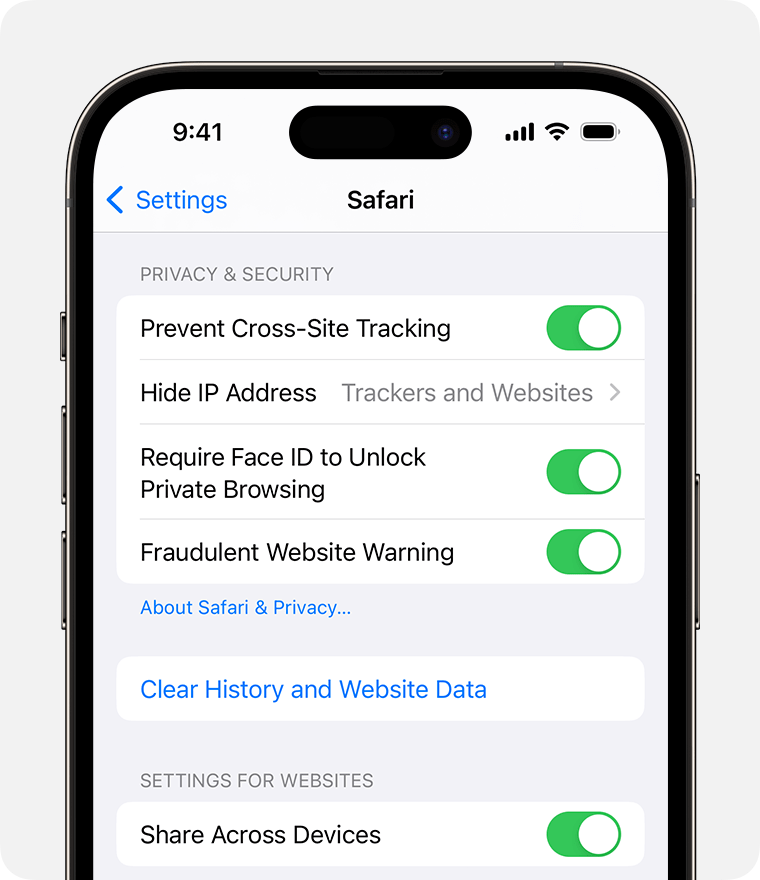
Apple has recently introduced “Locked Private Browsing.” This feature utilizes Face ID, Touch ID, or your device passcode to restrict access to your open private tabs. Even if you hand your unlocked phone to someone else, your private sessions remain encrypted and hidden behind biometric authentication. This adds a layer of physical security to the digital privacy already provided by the software.
2. Navigating the Interface: How to Use Private Browsing Effectively
Apple’s design philosophy emphasizes “progressive disclosure,” keeping advanced features tucked away until they are needed. Using Private Browsing on an iPhone is intuitive, but there are several hidden functionalities that power users should understand to maximize their digital hygiene.
Initiating and Managing Private Sessions
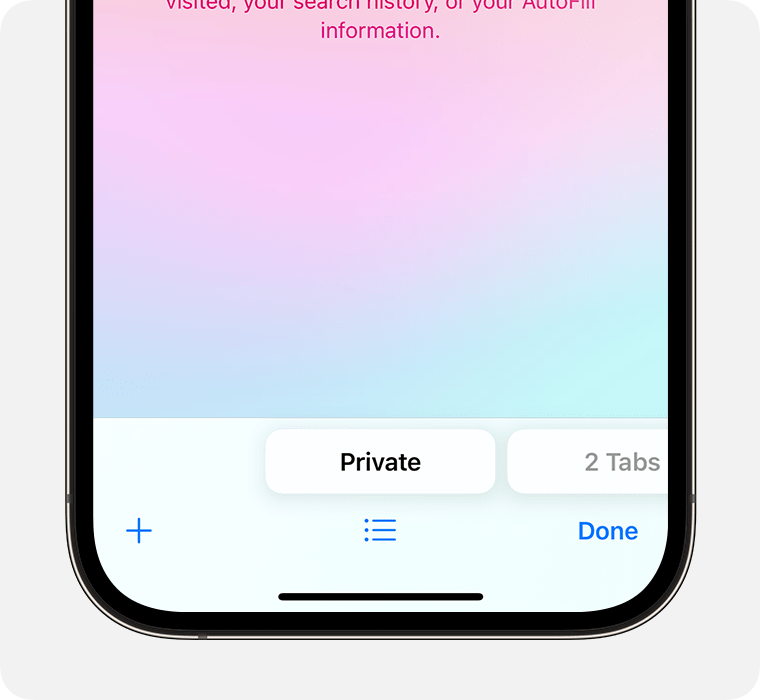
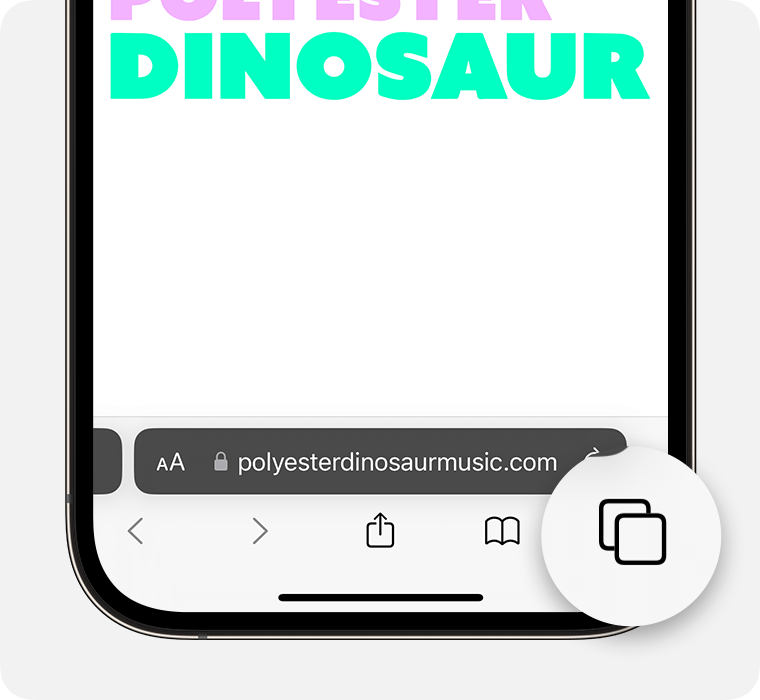
To enter Private Browsing, a user must open the Tab Overview (the two overlapping squares) and swipe to the “Private” section or tap the center menu to select “Private.” Once active, the search bar changes from white or light gray to a dark grey or black, signaling that the privacy protocols are active. It is important to note that tabs left open in Private Mode stay open even if you switch back to standard browsing; they only disappear once you manually close them or close the entire Private Group.
The Role of Search Engines in Private Mode
A common misconception is that Private Browsing changes how search engines see you. While Safari won’t save your search terms to the iPhone’s local memory, the search engine itself (like Google or Bing) may still record the query if you are logged into an account within that private tab. Users seeking maximum anonymity often pair Safari’s Private Browsing with a privacy-focused search engine like DuckDuckGo, which Safari allows as a default setting specifically for Private Mode.
Converting Standard Tabs to Private
While there is no direct “move to private” button for an active tab, iOS allows users to long-press the Tab icon to quickly open a New Private Tab. For those who frequently find themselves on sensitive sites in standard mode, the best practice is to copy the URL, switch to the Private group, and paste it there, ensuring the subsequent session data is not cached locally.
3. Debunking Myths: What Private Browsing Does Not Do
To use Private Browsing professionally, one must understand its limitations. There is a persistent myth that Private Browsing makes a user “invisible” or “untraceable.” From a technical standpoint, this is incorrect. Private Browsing is a shield against local prying eyes, not a cloak against the entire infrastructure of the internet.
Network-Level Visibility and ISP Tracking
When you visit a website in Private Browsing Mode, your iPhone still has to communicate with your Internet Service Provider (ISP) to request the data. Your ISP—and by extension, the administrators of any Wi-Fi network you are using (such as an office or a coffee shop)—can still see the domains you are visiting. The “tunnel” between your device and the server is not encrypted by Private Browsing; only the record of that journey on your device is erased.
Website Fingerprinting and IP Addresses
Websites use more than just cookies to track users. “Fingerprinting” involves collecting data about your device type, screen resolution, battery level, and system fonts to create a unique ID. Private Browsing limits some of this, but it does not hide your IP address. To a web server, a private visitor looks like a “new” user, but one coming from the same geographic location and IP address as their standard sessions.
Protection Against Malware and Phishing
It is a dangerous assumption that Private Browsing provides a “safe zone” from cyber threats. Private Browsing does not act as an antivirus or a firewall. If you download a malicious file or enter your credentials into a phishing site while in Private Mode, the damage is the same as it would be in standard mode. The technology is designed for data privacy, not necessarily for active threat defense.
4. The Broader Ecosystem: Safari’s Advanced Privacy Architecture
Apple’s commitment to privacy extends beyond the “Private” button. To truly understand what happens when you browse on an iPhone, you must look at the integrated technologies that work alongside Private Browsing to thwart the modern tracking industry.
Intelligent Tracking Prevention (ITP)
Safari utilizes on-device machine learning to power Intelligent Tracking Prevention. This technology identifies and blocks trackers that attempt to follow you from one site to another. While ITP is active in standard mode, it is significantly more aggressive in Private Browsing Mode. It works by stripping away tracking parameters from URLs and preventing “cross-site scripting” that advertisers use to build a profile of your interests.
iCloud Private Relay vs. Private Browsing
For users with an iCloud+ subscription, Apple offers “Private Relay.” This is often confused with Private Browsing, but they serve different functions. While Private Browsing hides your history from your device, Private Relay encrypts your DNS requests and masks your IP address from your ISP and websites. In many ways, Private Relay is the missing link that makes Private Browsing truly “private” at a network level. Using them in tandem provides a security posture similar to a high-end VPN.
Link Tracking Protection
In recent iOS updates, Apple introduced Link Tracking Protection. Many marketing companies add long strings of code to the end of a URL to track who clicked a link and from where. When you are in Private Browsing Mode, Safari automatically detects these tracking parameters and strips them out before the page loads. This ensures that even if you click a link from a promotional email, the destination website cannot link that click back to your specific user ID.
Conclusion: The Role of Private Browsing in Digital Hygiene
Private Browsing on the iPhone is a sophisticated tool designed for specific use cases: keeping gift shopping a secret from family members, logging into sensitive financial accounts on the go, or researching medical information without being bombarded by related ads later. However, as we have explored, it is not a catch-all solution for total anonymity.
From a technical perspective, Private Browsing is about local data management and tracker mitigation. It provides a clean slate for every session, ensuring that your iPhone does not become a permanent ledger of your every digital move. By understanding the distinction between local privacy (what Safari does) and network privacy (what tools like VPNs or Private Relay do), iPhone users can navigate the web with a professional level of security and a clear understanding of their digital footprint. As iOS continues to evolve, the integration of biometrics and machine-learning-driven tracking prevention ensures that Safari remains at the forefront of mobile privacy technology.
aViewFromTheCave is a participant in the Amazon Services LLC Associates Program, an affiliate advertising program designed to provide a means for sites to earn advertising fees by advertising and linking to Amazon.com. Amazon, the Amazon logo, AmazonSupply, and the AmazonSupply logo are trademarks of Amazon.com, Inc. or its affiliates. As an Amazon Associate we earn affiliate commissions from qualifying purchases.