
In the digital age, we often take for granted the seamless flow of data that powers our lives. Whether you are streaming high-definition video, participating in a global video conference, or accessing cloud-based AI tools, a complex dance of hardware and software is occurring behind the scenes. At the heart of this interaction lies a critical, yet often overlooked, piece of hardware: the Network Interface Card (NIC).
A Network Interface Card acts as the vital intermediary between a computer and a data network. Without it, a device is essentially an island, unable to communicate with other systems or access the vast resources of the internet. As technology evolves—moving from simple wired connections to high-speed fiber optics and advanced wireless protocols—the NIC has transformed from a bulky expansion card into a sophisticated component integrated directly into the silicon of our most advanced gadgets.
The Fundamentals: What is a Network Interface Card?
To understand a Network Interface Card, one must first view it as a translator. Computers process data in parallel—multiple bits of information moving simultaneously across internal buses. However, networks typically transmit data in serial—one bit after another. The NIC’s primary job is to convert these parallel signals into serial signals (and vice versa) so that data can travel across a network medium, such as a copper wire or radio waves.
Definition and Core Purpose
A Network Interface Card is a hardware component, typically a circuit board or a chip, that allows a computer to connect to a network. It operates at both the Physical Layer (Layer 1) and the Data Link Layer (Layer 2) of the Open Systems Interconnection (OSI) model. By providing a physical connection point and a logical address, the NIC ensures that data packets reach their intended destination accurately and efficiently.
The Anatomy of a NIC
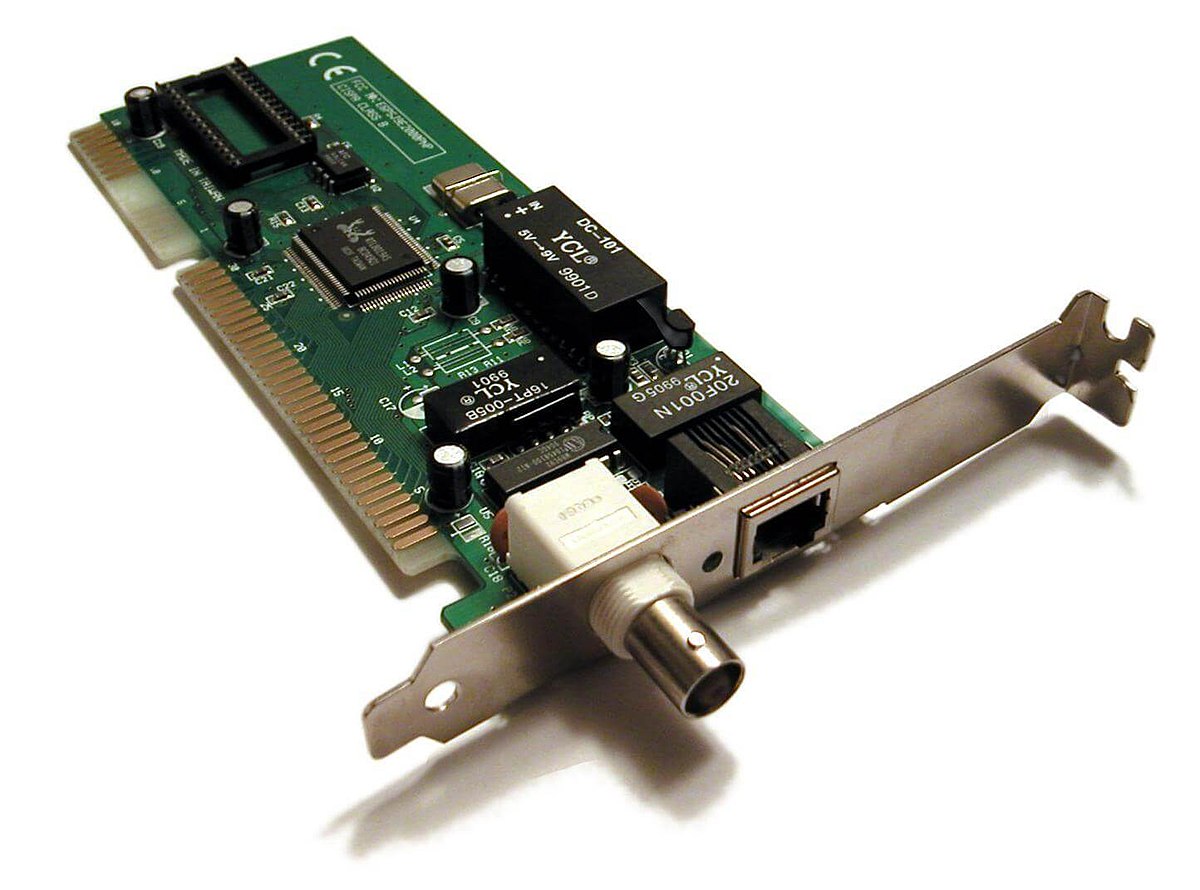
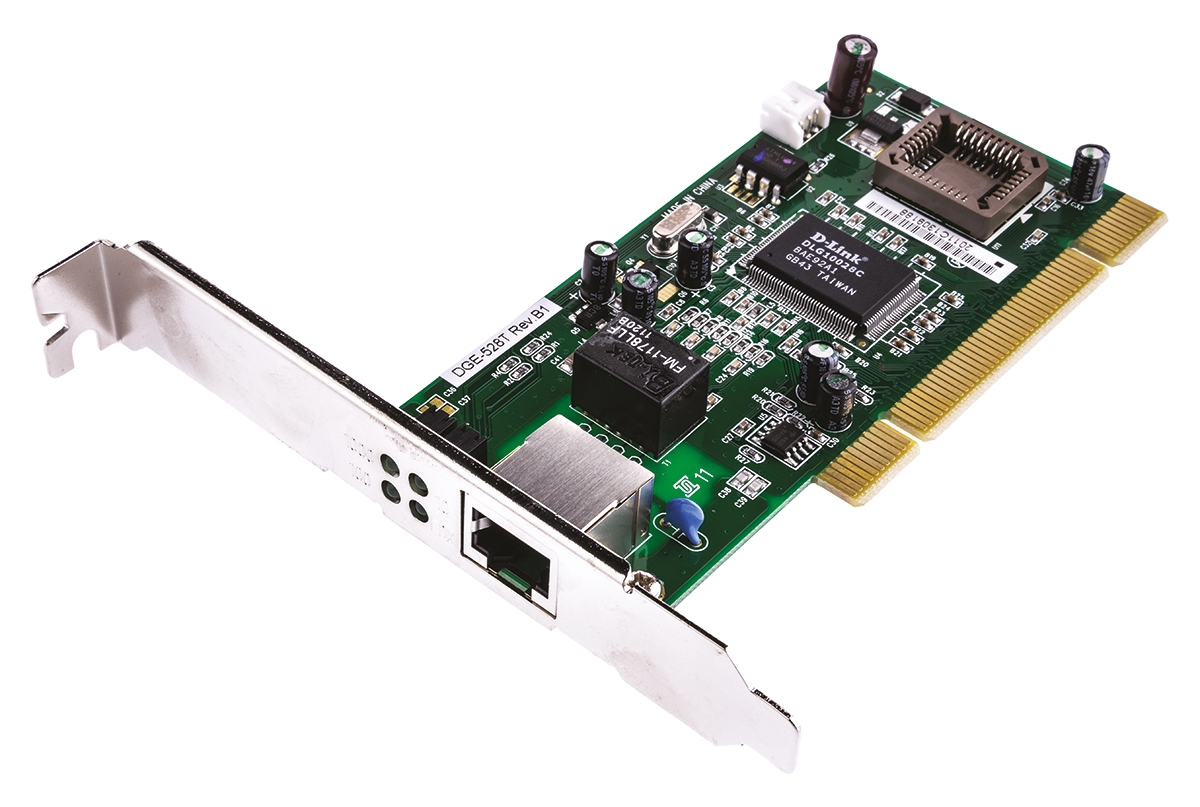
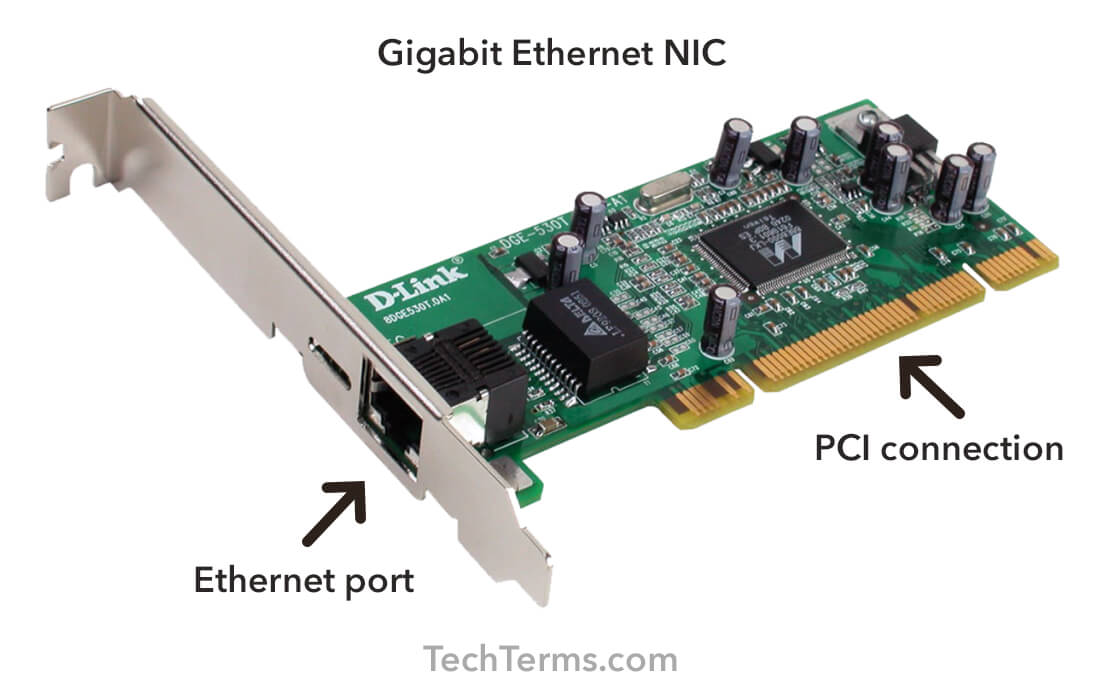
A standard NIC consists of several key components that work in unison. The Controller acts as the “brain” of the card, processing the data received from the computer’s CPU. The Boot ROM allows the computer to connect to a network for booting purposes before the operating system even loads. The Transceiver is responsible for sending and receiving the actual signals, and the Port (in wired versions) provides the physical interface for a cable, such as an RJ-45 connector for Ethernet.
How a NIC Works: The OSI Model Context
In the context of the OSI model, the NIC provides the circuitry necessary for physical transmission (Layer 1) and handles the framing of data into packets (Layer 2). It manages “Media Access Control,” ensuring that multiple devices can share the same network without constant data collisions. When you click a link, the NIC takes the data from your operating system, wraps it in a “frame” with destination information, and sends it out onto the network.
The Evolution and Types of Network Interface Cards
As computing needs have shifted from basic office tasks to data-heavy applications like 8K streaming and real-time AI processing, the hardware used to connect these systems has undergone a significant evolution.
Wired NICs (Ethernet)
Wired NICs remain the gold standard for stability and speed. Most commonly referred to as Ethernet cards, these devices use physical cables—typically twisted-pair copper or fiber optics—to transmit data. In professional environments, data centers, and gaming setups, wired NICs are preferred because they offer lower latency and are less susceptible to electromagnetic interference compared to their wireless counterparts. Modern Ethernet NICs can support speeds ranging from 1 Gigabit per second (Gbps) to 100 Gbps in enterprise environments.
Wireless NICs (Wi-Fi)
The explosion of mobile computing led to the dominance of Wireless Network Interface Cards (WNICs). These cards utilize an antenna to communicate via radio frequency signals rather than electrical pulses through a wire. As we move through different generations of Wi-Fi—from Wi-Fi 5 (802.11ac) to the latest Wi-Fi 7 (802.11be)—the WNIC has become increasingly complex, employing technologies like MIMO (Multiple Input, Multiple Output) to handle more data simultaneously across multiple antennas.
Integrated vs. Discrete NICs
In the early days of personal computing, a NIC was almost always a discrete card plugged into a motherboard’s expansion slot (like PCI or PCIe). Today, most consumer motherboards, laptops, and even smartphones feature “Integrated NICs,” where the networking controller is built directly into the chipset. However, “Discrete NICs” are still widely used in servers and high-performance workstations where specialized features, extra ports, or extreme speeds are required.
Key Technical Specifications and Features
When evaluating the performance of a network interface, several technical specifications dictate how effectively a device can handle modern digital demands.
Speed and Bandwidth: From Megabits to Gigabits
The most cited specification of a NIC is its transmission speed. While 10/100 Mbps (Megabits per second) was once the standard, modern tech environments demand at least 1 Gbps (Gigabit Ethernet). High-end workstations and creative studios often utilize 10GbE (10 Gigabit Ethernet) to move massive video files across a local network. The bandwidth of the NIC determines the “width of the pipe”—the more bandwidth available, the more data can flow simultaneously without congestion.
MAC Addresses: The Unique Digital Fingerprint
Every NIC in the world is assigned a unique hardware address known as a Media Access Control (MAC) address. This 48-bit identifier is burned into the card’s firmware during manufacturing. While an IP address identifies your location on a network (like a street address), the MAC address identifies the specific hardware (like a Social Security number). This allows routers to deliver data packets to the exact physical device intended.
Full-Duplex vs. Half-Duplex Communication
Modern NICs operate in “Full-Duplex” mode, meaning they can send and receive data at the same time. Older or cheaper networking equipment might operate in “Half-Duplex,” where the device must wait for a transmission to finish before it can send its own data. This distinction is crucial for modern applications like video conferencing, where a delay in two-way communication can lead to “lag” or dropped frames.
The Strategic Importance of NICs in Modern Tech Trends
The role of the NIC has expanded far beyond simple connectivity. In the current landscape of AI, cloud computing, and cybersecurity, the NIC has become a strategic asset in hardware architecture.
Supporting AI and Big Data
Artificial Intelligence and Big Data analytics require the movement of massive datasets between storage and processing units. Standard NICs can often become a bottleneck in these scenarios. This has led to the rise of SmartNICs. A SmartNIC includes its own onboard processor (often an ARM-based chip or an FPGA), allowing it to offload tasks such as data encryption, firewalling, and telemetry from the main CPU. This ensures that the system’s primary processing power is dedicated entirely to AI computations.
Enhancing Network Reliability and Latency
In the world of competitive gaming and high-frequency trading, every millisecond counts. Low-latency NICs are designed to bypass certain layers of the operating system’s software stack to get data to the CPU faster. This process, often involving “Zero-Copy” networking or RDMA (Remote Direct Memory Access), significantly reduces the “ping” or delay that users experience during real-time interactions.
Security Implications at the Hardware Level
Because the NIC is the entry point for all external data, it is a critical frontier for digital security. Modern enterprise-grade NICs feature hardware-based security protocols, such as Secure Boot and encrypted data transmission. By vetting data packets at the hardware level before they even reach the operating system, a robust NIC can provide an essential layer of defense against Distributed Denial of Service (DDoS) attacks and unauthorized intrusions.
Choosing the Right NIC for Your Infrastructure
Whether you are building a custom PC, upgrading a small business server, or optimizing a home office, selecting the appropriate Network Interface Card is essential for future-proofing your setup.
Considerations for Gaming and High-Performance Tasks
For gamers and creative professionals, the priority is usually a combination of high speed and low latency. Look for NICs that support at least 2.5GbE or 5GbE if your router supports it. Furthermore, check for advanced driver support; reputable manufacturers frequently update their drivers to fix bugs and optimize performance for the latest software releases.
Enterprise and Server-Level Requirements
In a corporate or data center environment, reliability and redundancy are paramount. Enterprise NICs often feature multiple ports, allowing for “link aggregation” (combining two connections to double the speed) or “failover” (automatically switching to a secondary port if the first one fails). Additionally, support for virtualization (SR-IOV) is crucial for servers running multiple virtual machines, as it allows each VM to have direct access to the NIC’s hardware.
Future-Proofing with Next-Gen Connectivity
As internet service providers begin to offer speeds exceeding 1 Gbps, a standard “Gigabit” NIC will eventually become a bottleneck. Investing in hardware that supports Wi-Fi 6E/7 or 10GbE wired connections ensures that your hardware remains relevant as network infrastructure continues to improve.
In conclusion, the Network Interface Card is much more than a simple port on the back of a computer. It is the sophisticated gatekeeper of our digital lives, translating the complexities of the physical world into the binary language of machines. By understanding the types, features, and strategic importance of NICs, users and IT professionals alike can build more efficient, secure, and powerful digital environments. As we move toward an increasingly connected future, the humble NIC will continue to be the bridge that brings the world to our screens.
aViewFromTheCave is a participant in the Amazon Services LLC Associates Program, an affiliate advertising program designed to provide a means for sites to earn advertising fees by advertising and linking to Amazon.com. Amazon, the Amazon logo, AmazonSupply, and the AmazonSupply logo are trademarks of Amazon.com, Inc. or its affiliates. As an Amazon Associate we earn affiliate commissions from qualifying purchases.