
In the digital era, YouTube stands as the undisputed titan of video content, hosting billions of hours of media. For creators, developers, and tech enthusiasts, the question “what file format are YouTube videos?” is more complex than it appears on the surface. To provide a definitive answer, one must distinguish between the formats used for uploading content and the sophisticated delivery formats YouTube uses to stream that content to diverse devices worldwide.
This guide explores the technical architecture of YouTube’s video ecosystem, focusing on the containers and codecs that power the platform, and providing the technical insights necessary to master video quality in the modern age.

Understanding the Architecture: Container Formats vs. Codecs
Before diving into specific YouTube standards, it is essential to clarify a common technical misconception: the difference between a container and a codec.
The Container (The Wrapper)
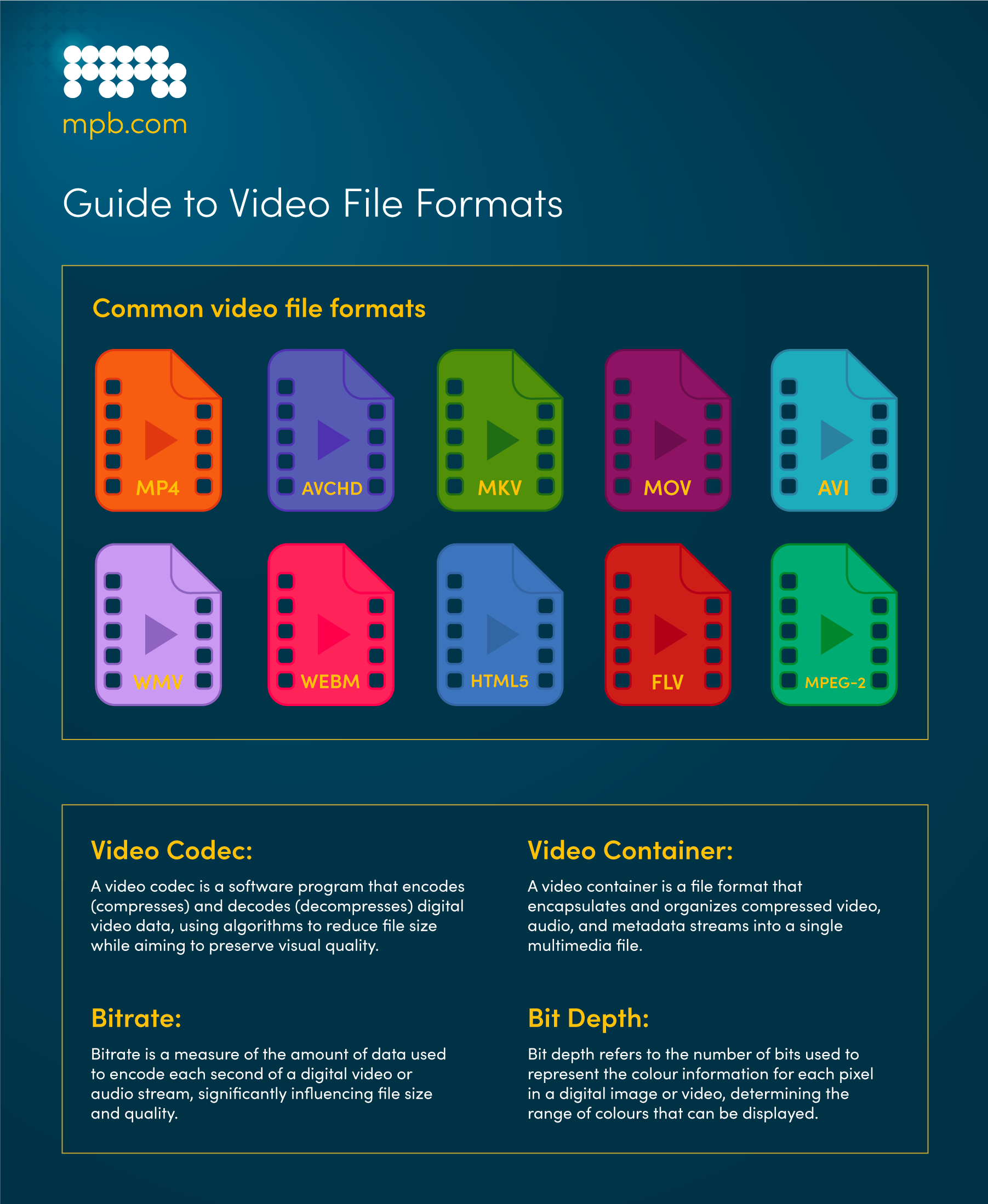
A container format is a “wrapper” that holds video streams, audio streams, and metadata (like subtitles or chapter markers) together in a single file. When you see a file extension like .MP4, .MOV, or .MKV, you are looking at the container. YouTube supports a wide array of containers for uploading, but the platform’s internal processing engine ultimately standardizes them for delivery.
The Codec (The Compression Engine)
The codec (Coder-Decoder) is the mathematical algorithm used to compress and decompress the actual video or audio data. While the container holds the data, the codec determines how high the quality is and how small the file size will be. For YouTube, the choice of codec is arguably more important than the container, as it dictates the efficiency of data transmission across varying internet speeds.
Why YouTube Recommends MP4
While YouTube can ingest almost any modern format, it officially recommends the MP4 container. The reason is technical ubiquity. MP4 is highly compatible with virtually all hardware and software, making it the most efficient “universal language” for the platform’s ingest servers.
What YouTube Recommends for Uploads: The Gold Standard
To ensure the highest possible quality and fastest processing times, YouTube provides specific technical specifications for creators. Adhering to these standards prevents “re-encoding artifacts” and ensures that the platform’s compression algorithms have the best possible source material to work with.
The H.264 Video Codec
For uploads, the industry standard is H.264 (also known as AVC). It strikes a perfect balance between file size and visual fidelity. Technically, YouTube prefers a “High Profile” H.264 with “Progressive Scan” (no interlacing) and a “Closed GOP” (Group of Pictures). These settings allow YouTube’s servers to slice the video into chunks for adaptive streaming more effectively.
Audio Specifications: AAC-LC
Audio is often overlooked, but YouTube has strict preferences here as well. The recommended audio codec is AAC-LC (Advanced Audio Coding – Low Complexity). The standard sampling rate is 48 kHz or 96 kHz, providing a clean, transparent audio profile that survives the platform’s secondary compression process without losing significant high-frequency detail.
Bitrate and Resolution Targets
The bitrate—the amount of data processed per second—is the primary factor in video clarity. YouTube recommends specific bitrates based on resolution:
- 4K (2160p): 35–45 Mbps (at 24/25/30 fps) or 53–68 Mbps (at 48/50/60 fps).
- 1080p: 8 Mbps (at 24/25/30 fps) or 12 Mbps (at 48/50/60 fps).
Choosing a bitrate higher than these recommendations provides “diminishing returns” because YouTube will eventually compress the file down to its own internal delivery standards.
How YouTube Processes Content: The Delivery Formats
What you upload is rarely what the viewer sees. Once a video is uploaded, YouTube’s transcoding engine creates dozens of different versions of that file. This process is designed to support Adaptive Bitrate Streaming (ABR), which adjusts video quality in real-time based on the viewer’s bandwidth.
The Rise of VP9
For high-resolution content (1440p and 4K), YouTube predominantly uses the VP9 codec. Developed by Google as an open-source alternative to the paid HEVC (H.265) codec, VP9 is significantly more efficient than H.264. It allows for high-definition streaming with much lower data usage, which is why 4K video often looks remarkably crisp on YouTube despite being delivered over a standard residential internet connection.
AV1: The Future of Efficiency
YouTube is currently transitioning toward AV1 (AOMedia Video 1). AV1 is the next generation of video compression, offering roughly 30% better compression than VP9. This means a video in AV1 format can maintain 4K quality while using the bandwidth typically required for 1080p. While AV1 requires more computational power to encode, its efficiency makes it the target format for the future of mobile and 8K streaming.
DASH and HLS Protocols
YouTube delivers these formats using protocols like DASH (Dynamic Adaptive Streaming over HTTP). This technology breaks the video into small segments (usually 2–5 seconds long). The YouTube player on your app or browser then selects the best codec (VP9, AV1, or H.264) and the best resolution for each segment based on your device’s hardware capabilities and current network speed.
Optimizing for the YouTube Algorithm: Technical Best Practices
Understanding the file formats is only half the battle; knowing how to utilize them to maximize “Watch Time” and “Visual Quality” is where the technical meets the practical.
Frame Rates and Motion Blur
YouTube supports frame rates from 24fps to 60fps. From a tech perspective, uploading in the same frame rate as your source material is critical. Converting 24fps cinema footage to 30fps for upload introduces “judder”—a technical artifact where frames are duplicated, causing a stuttering effect that can be jarring to the viewer.
Color Space and HDR (High Dynamic Range)
Modern YouTube videos often utilize the BT.2020 color space for HDR. To upload HDR content, you must use a codec that supports 10-bit depth, such as HEVC or ProRes. If you upload HDR content in a standard 8-bit MP4 container, the colors will appear “washed out.” YouTube’s backend is sophisticated enough to map HDR content into SDR (Standard Dynamic Range) for older displays, but the source file must be formatted correctly to trigger this processing.
Aspect Ratios and the “Black Bar” Problem
While 16:9 is the standard, YouTube’s player is now dynamic. Whether you upload in 1:1 (square), 9:16 (vertical/Shorts), or 21:9 (cinematic ultrawide), the platform will adapt its container to fit the screen. However, for technical consistency, it is always recommended to avoid “hardcoding” black bars into your file. Upload the raw aspect ratio, and let YouTube’s player handle the framing.
The Technical Horizon: What’s Next for YouTube Video?
As we look toward the future of video technology, YouTube’s file format strategy continues to evolve to meet the demands of new hardware and higher user expectations.
8K and Beyond
While 4K is the current high-end standard, YouTube already supports 8K (4320p) resolution. Processing 8K requires immense data throughput, making the adoption of the AV1 codec mandatory for these files. As 8K displays become more common in the consumer market, we can expect YouTube to further refine its internal encoding profiles to handle the massive metadata requirements of these files.
AI-Enhanced Transcoding
One of the most exciting trends in YouTube’s tech stack is the use of AI and machine learning to optimize encoding. Instead of using a “one-size-fits-all” bitrate for every video, YouTube is experimenting with content-aware encoding. For example, a video of a static “talking head” requires much less data than a fast-paced gaming video. AI models can analyze the complexity of the video frames and allocate data exactly where it is needed, resulting in higher quality at lower file sizes.
VR and 360-Degree Metadata
For Virtual Reality (VR) and 360-degree videos, the “file format” includes specialized spatial metadata. YouTube uses an “Equirectangular” projection to wrap a flat video file around a virtual sphere. Technical precision in the metadata injection is what allows the YouTube app to recognize the file as a 360-degree environment rather than a distorted flat image.

Conclusion
In summary, while the simple answer to “what file format are YouTube videos?” is MP4 for uploads and VP9/AV1 for streaming, the reality is a sophisticated symphony of software engineering. YouTube operates a global infrastructure that takes your high-quality source files and transforms them into a versatile range of formats designed to work on everything from a high-end 8K smart TV to a low-bandwidth smartphone in a developing region. By understanding these technical nuances—choosing the right codec, respecting bitrate targets, and staying ahead of compression trends like AV1—creators and tech professionals can ensure their content remains at the cutting edge of the digital landscape.
aViewFromTheCave is a participant in the Amazon Services LLC Associates Program, an affiliate advertising program designed to provide a means for sites to earn advertising fees by advertising and linking to Amazon.com. Amazon, the Amazon logo, AmazonSupply, and the AmazonSupply logo are trademarks of Amazon.com, Inc. or its affiliates. As an Amazon Associate we earn affiliate commissions from qualifying purchases.