
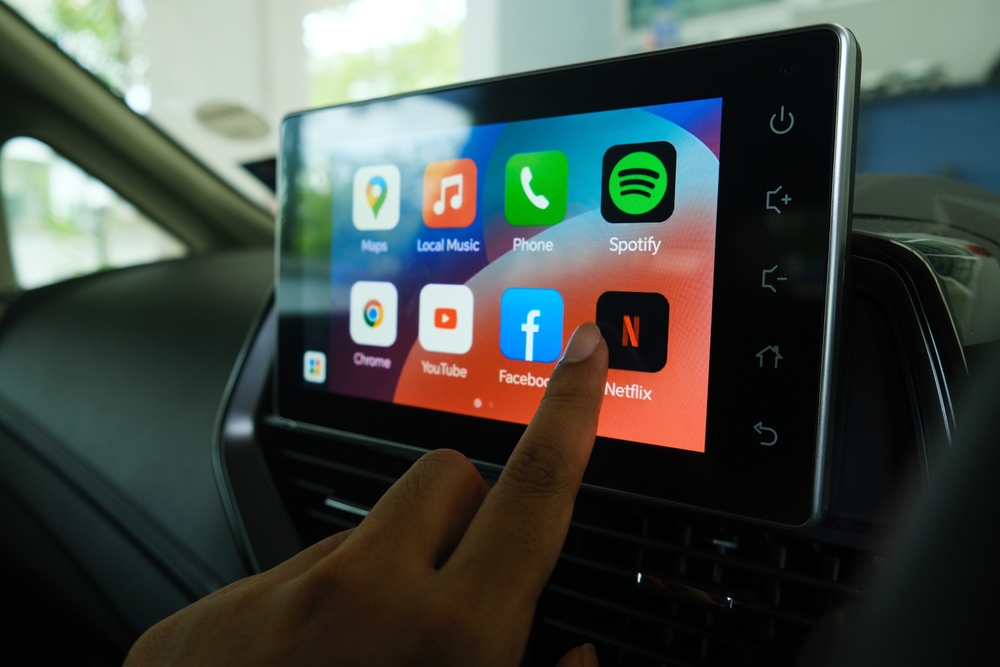
Android Auto has fundamentally transformed the relationship between our smartphones and our vehicles. By projecting a driver-friendly interface onto the car’s infotainment screen, it minimizes distractions while maximizing the utility of the hardware we carry in our pockets. However, not every app on the Google Play Store is compatible with this platform. Google enforces strict design and safety guidelines to ensure that apps used behind the wheel do not lead to cognitive overload.
Understanding which apps work with Android Auto is essential for any modern driver looking to optimize their commute. The ecosystem is categorized into specific niches: navigation, communication, media, and productivity. In this guide, we will explore the top-tier software available for the platform, how they integrate with Google Assistant, and how to manage them for a seamless digital experience.
The Foundations of Travel: Navigation and Mapping Apps
Navigation is the cornerstone of the Android Auto experience. While early versions of the platform were locked down primarily to Google’s own offerings, the ecosystem has opened significantly, allowing third-party developers to provide specialized mapping tools that cater to different driving styles and regional needs.
Google Maps vs. Waze: The Internal Rivalry
Most users begin their journey with Google Maps, the default and arguably most robust navigation tool available. Its strength lies in its massive database of Points of Interest (POIs), Street View integration, and highly accurate ETAs based on historical data. Google Maps on Android Auto offers a clean, dual-pane interface that allows you to see your turn-by-turn directions alongside your media controls.
On the other hand, Waze—also owned by Google—offers a more community-centric approach. It is the preferred choice for power users who want real-time alerts on speed traps, road hazards, and construction. Waze’s “gamified” interface is slightly more colorful and focuses heavily on finding the absolute fastest route, even if it involves navigating complex side streets.
Specialized Navigation: Sygic and TomTom
For those who drive in areas with spotty cellular reception or who require more advanced lane guidance, third-party apps like Sygic and TomTom GO Navigation are invaluable. Sygic was one of the first non-Google apps to be welcomed into the Android Auto fold. It offers offline 3D maps and high-quality visuals that often surpass the stock look of Google Maps. These apps are particularly popular in Europe and for long-haul travelers who cannot rely on a constant data connection.
Communication and Messaging: Staying Connected Safely
The primary goal of Android Auto is to keep your eyes on the road and your hands on the wheel. To achieve this, communication apps do not function as they do on a phone. There are no keyboards; instead, everything is handled via voice-to-text and text-to-speech through Google Assistant.
Mainstream Messaging: WhatsApp, Telegram, and Messenger
Almost all major messaging platforms have adapted to the Android Auto framework. WhatsApp, Facebook Messenger, and Telegram work seamlessly. When a message arrives, a notification appears at the top of the screen. Tapping it triggers Google Assistant to read the message aloud. You can then reply by speaking, and the AI will transcribe your voice into text.
This “hands-free” protocol is universal across these apps. The integration is so tight that the user experience is nearly identical whether you are using Signal for encrypted messaging or Discord for community chats. The tech behind this involves the “MessagingStyle” API, which standardizes how notifications are presented in the vehicle environment to prevent driver distraction.
Professional Connectivity: Microsoft Teams and Webex
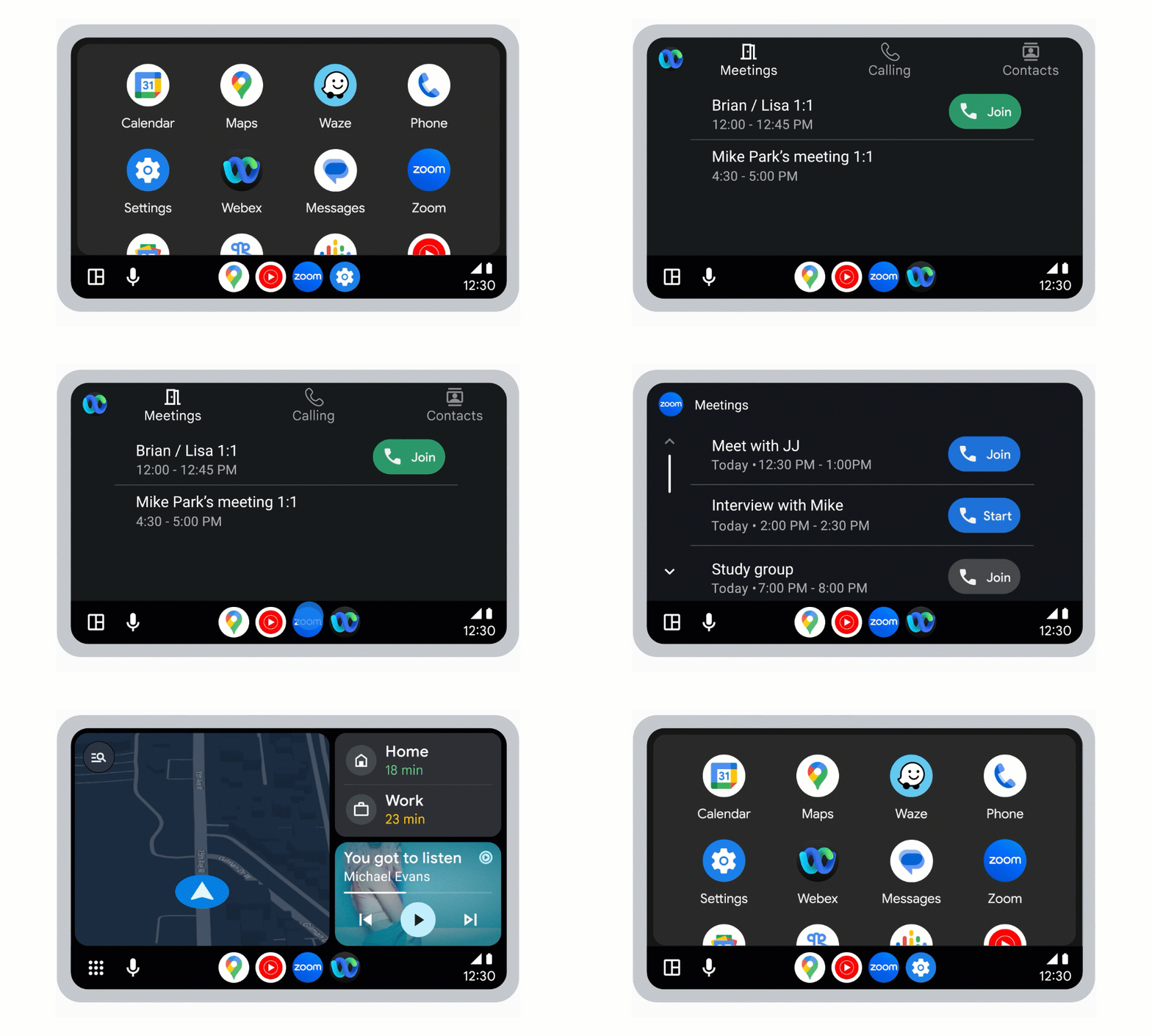
With the rise of remote work and the “mobile office,” Android Auto has expanded to include professional communication tools. Microsoft Teams and Webex now offer dedicated interfaces for the car. These apps allow you to join audio meetings with a single tap. While you cannot view video feeds for obvious safety reasons, the interface provides large, easy-to-hit buttons for muting, unmuting, and ending calls, ensuring that your professional life doesn’t skip a beat during your commute.
Entertainment and Media: The Soundtrack of the Road

Beyond utility, Android Auto is a powerful entertainment hub. The platform supports a wide array of audio-based apps, ranging from music streaming services to deep-dive podcast players and audiobook libraries.
Music Streaming Giants: Spotify, YouTube Music, and Tidal
Music is the most common use case for Android Auto. Spotify is the industry leader here, offering a highly optimized UI that categorizes your library into “Recently Played,” “Made For You,” and “Podcasts.” YouTube Music, being a first-party Google product, offers deep integration with the system’s voice commands.
For audiophiles, Tidal and Deezer provide high-fidelity streaming options that work perfectly through the Android Auto interface. These apps utilize a simplified browsing structure—usually limited to a few levels of menus—to ensure the driver isn’t scrolling through endless lists while moving.
Spoken Word: Audible and Pocket Casts
For many, the commute is a time for learning or storytelling. Audible is the go-to for audiobooks, featuring a dedicated Android Auto layout that allows for easy chapter skipping and 30-second rewinds (perfect for when you need to focus on a difficult merge).
Podcast enthusiasts often turn to Pocket Casts or Google Podcasts. These apps provide “up next” queues that sync across your devices. If you start a podcast on your phone while walking to your car, Android Auto will pick up exactly where you left off the moment the phone connects to the head unit.
Productivity and Utility: Beyond the Basics
As the Android Auto ecosystem matures, Google is allowing more “utility” categories into the fold. These apps help manage your day and even your smart home without requiring you to reach for your phone.
Calendar and Reminders
The Google Calendar app for Android Auto is a model of minimalist design. It doesn’t show you a full month view; instead, it focuses on your “Agenda.” If your calendar entry includes a location, you can tap the event to immediately launch your preferred navigation app. This integration of scheduling and mapping is a hallmark of the “smart” driving experience.
Weather and Smart Home Integration
While Android Auto doesn’t allow “apps” for smart homes in the traditional sense, it integrates Google Assistant routines. By using the “Customized Launcher,” you can create icons that trigger home automation. For example, a “Heading Home” icon could simultaneously open your garage door, turn on your hallway lights, and set your thermostat to 72 degrees.
Additionally, weather apps like Weather & Radar provide real-time overlays. While you shouldn’t be checking complex weather maps while driving, these apps can provide severe weather warnings and rain alerts that are crucial for road safety in volatile climates.
Maximizing the Experience: Customization and Security
The final piece of the Android Auto puzzle is how you manage these apps. Not every compatible app on your phone needs to be on your car’s screen.
Customizing the Launcher
To keep the interface clean, users can go into the Android Auto settings on their smartphone to “Customize Launcher.” Here, you can hide apps you don’t use and reorder the ones you do. Placing your most-used navigation and music apps at the top of the list ensures they are always within easy reach. This level of customization is vital for reducing “on-screen time” while driving.
Digital Security and Data Privacy
Using third-party apps in a vehicle raises questions about data privacy. Android Auto acts as a bridge; it doesn’t store your data in the car’s hardware. Instead, the data remains on your phone. When you disconnect your device, the car’s screen returns to its stock infotainment system, leaving no trace of your messages, recent destinations, or personal contacts. For those using apps like Signal or Telegram, this ensures that your private communications stay private, even if you are driving a rental or a shared corporate vehicle.
Conclusion
The library of apps that work with Android Auto is constantly expanding, moving beyond simple navigation into a full-fledged digital ecosystem. By selecting the right mix of mapping, communication, and media tools, you can turn your vehicle into a productive, entertaining, and, most importantly, safe environment. As AI continues to integrate deeper into Google Assistant, the way we interact with these apps will only become more intuitive, further bridging the gap between our digital lives and the open road.
aViewFromTheCave is a participant in the Amazon Services LLC Associates Program, an affiliate advertising program designed to provide a means for sites to earn advertising fees by advertising and linking to Amazon.com. Amazon, the Amazon logo, AmazonSupply, and the AmazonSupply logo are trademarks of Amazon.com, Inc. or its affiliates. As an Amazon Associate we earn affiliate commissions from qualifying purchases.