
In the modern era of the Internet of Things (IoT), our smartphones no longer exist as isolated communication tools. They serve as the central nervous system for a sprawling ecosystem of peripheral hardware, including smartwatches, fitness trackers, wireless earbuds, and smart home appliances. For this ecosystem to function reliably, the connection between the primary smartphone and these “companion devices” must be persistent, secure, and energy-efficient.
On the Android operating system, the silent engine driving this synergy is the Companion Device Manager (CDM). While most users may never interact with it directly, CDM is one of the most significant architectural improvements introduced in recent years to balance user privacy with the technical demands of cross-device connectivity.
Understanding the Fundamentals of Companion Device Manager (CDM)
The Companion Device Manager is a specialized system API introduced by Google, starting with Android 8.0 (Oreo), designed to manage the association between an app and a companion device. Before its inception, the process of linking a peripheral to a smartphone was often clunky, intrusive, and demanding from a permission standpoint.
Evolution of Device Pairing in Android
In the early days of Android, if a developer wanted to build an app that synced with a Bluetooth heart rate monitor, the app had to request broad “Location Permissions.” This was necessary because scanning for nearby Bluetooth devices could theoretically be used to pinpoint a user’s geographic location. However, this created a trust gap; users were often confused as to why a fitness app required GPS access just to pair with a watch.
CDM was developed to bridge this gap. It provides a dedicated system-level interface that handles the scanning and pairing process, allowing the app to interact with a specific device without ever gaining access to the user’s broader location data or other sensitive system logs.
How CDM Differs from Standard Bluetooth Pairing
Standard Bluetooth pairing occurs at the OS level and often creates a permanent bond visible in the Bluetooth settings menu. CDM, however, creates an “association.” This is a high-level logical link where the system recognizes that App A is specifically tied to Device B.
Unlike standard pairing, which can be power-intensive due to constant background scanning, CDM utilizes a “Companion Device Provider Service.” This service allows the system to wake up an app only when the companion device is nearby or attempting to sync, significantly reducing the “vampire drain” on the smartphone’s battery.
Core Functionalities and Technical Architecture
To appreciate why the Companion Device Manager is essential for modern tech enthusiasts and developers, one must look at how it manages the lifecycle of a connection. It isn’t just a “gatekeeper”; it is a sophisticated manager that optimizes how data flows between hardware components.
The Association Process: Simplifying the User Experience
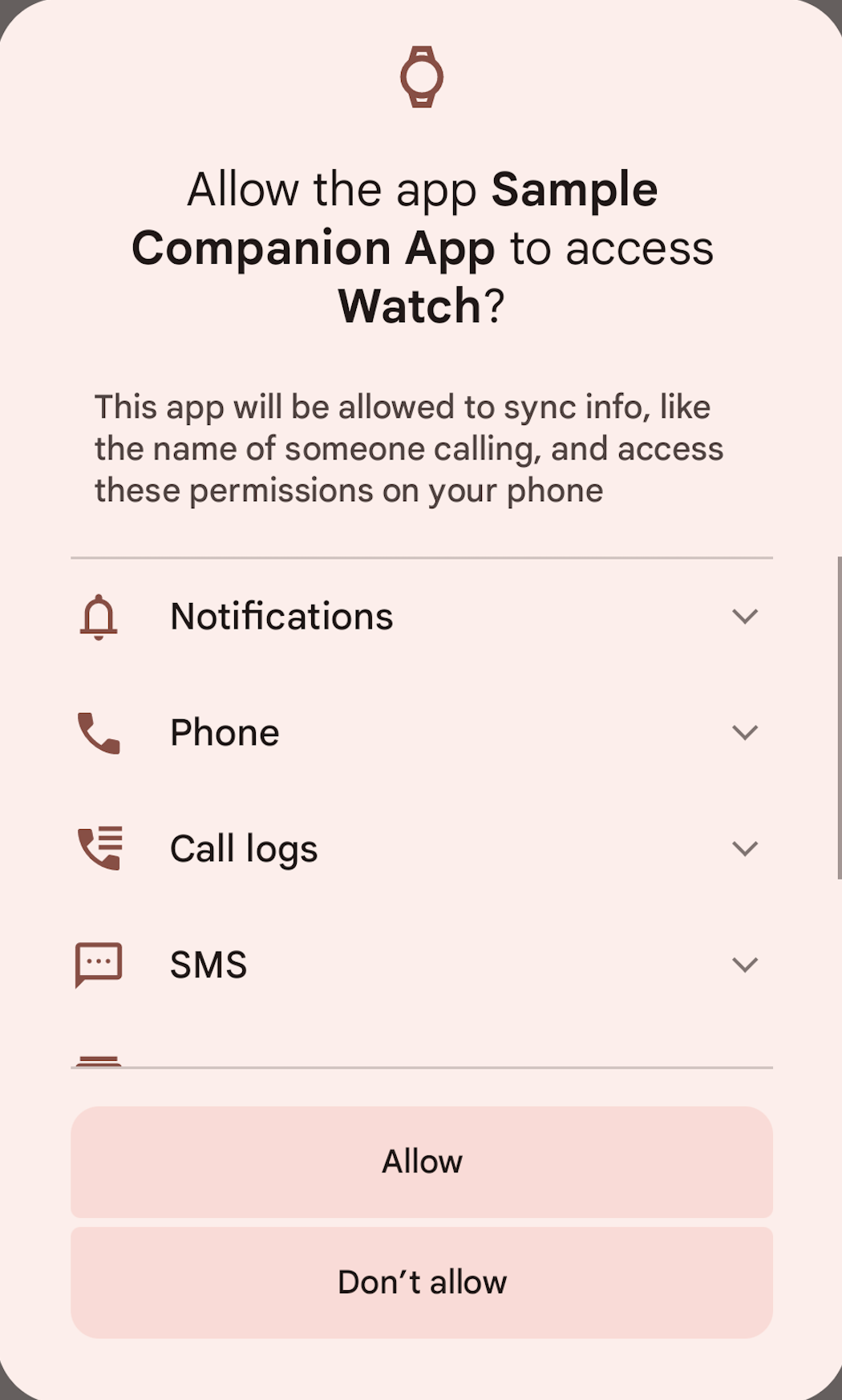
When an app utilizes the CDM API, it triggers a system-controlled dialog box rather than a custom app screen. This dialog shows a list of nearby devices that match the app’s requirements. Once the user selects their device, the system creates an association.
From a technical standpoint, this is a “single-device” grant. Instead of the app having permission to see all Bluetooth devices in the room (your neighbor’s TV, a stranger’s headphones), it is granted access only to the specific device the user tapped. This granular control is a hallmark of modern Android security architecture.
Managing System Resources and Battery Optimization
One of the greatest challenges in the mobile tech space is background processing. In older versions of Android, an app had to keep a “foreground service” running—often indicated by a persistent notification—to ensure it didn’t lose connection with a smartwatch.
CDM changes this dynamic through a feature called “Keep-alive.” Because the OS itself manages the association, it can keep a communication channel open even if the app is minimized or the phone is in a deep sleep mode (Doze mode). This ensures that your messages still reach your wrist and your alarms still sync, without the app needing to hog the CPU.
Observant Mode and Background Connectivity
In recent updates (Android 12 and 13), CDM introduced “Observant Mode.” This allows the system to monitor for the presence of a companion device in the background. When the device comes within range, the system can automatically launch the companion app’s background service. This “just-in-time” connectivity ensures that the user doesn’t have to manually open an app to trigger a sync—it happens invisibly in the background.
Privacy and Security Benefits of Using CDM
For many tech-savvy users, digital security and data privacy are paramount. The Companion Device Manager is a direct response to the “over-permissioning” problem that plagued early mobile software.
Moving Beyond Broad Location Permissions
As mentioned previously, the primary security benefit of CDM is the decoupling of device pairing from location services. By using CDM, developers can declare that their app “uses companion devices,” which allows them to bypass the need for fine-grained GPS permissions. For the user, this means fewer creepy “This app is accessing your location in the background” notifications. It ensures that the app only knows about the hardware it is supposed to talk to, not where the user is walking.
Sandboxing Connections for Enhanced Safety
CDM acts as a sandbox. By delegating the discovery process to the Android System UI, the app never actually sees the raw MAC addresses of other devices in the vicinity. It only receives a “handle” to the specific device the user authorized. This prevents malicious apps from “sniffing” the local network or mapping out every smart device in a user’s home.
Data Integrity and Secure Handshakes
By leveraging system-level protocols, CDM ensures that the handshake between the phone and the peripheral follows the latest security standards. This reduces the risk of “man-in-the-middle” attacks, where a third-party device could intercept the data being sent between a phone and a medical device, such as a continuous glucose monitor (CGM).
The Role of CDM in the Modern Ecosystem of Gadgets
The utility of the Companion Device Manager extends across various categories of technology, making it a cornerstone of the “connected life” philosophy.
Wearables and Fitness Trackers
The most common use case for CDM is in the wearable market. Whether it is a Wear OS watch, a Garmin tracker, or a Fitbit, these devices rely on CDM to maintain a stable link for heart rate data, step counts, and notification mirroring. Because CDM allows for “Profile” specific associations (like the “Watch” profile), the OS can automatically grant specific permissions—such as access to notification listeners—exclusively to the watch app, ensuring a seamless setup.
Smart Home Integration and IoT
As we move toward more complex smart home setups, CDM is being utilized for “Matter” and “Thread” device commissioning. When you bring a new smart bulb or camera home, CDM helps the setup app find the device and pass off Wi-Fi credentials securely. It ensures that your home automation remains responsive without requiring the control app to be active on your screen at all times.
The Future of Cross-Device Synergy
Looking forward, CDM is evolving to support “Multi-device experiences.” Google is leveraging these frameworks to allow for features like “Phone Hub” on Chromebooks or “Nearby Share” across tablets and phones. By standardizing how devices recognize and trust each other, CDM is paving the way for a future where our gadgets feel like a single, cohesive unit rather than a collection of separate tools.
Troubleshooting Common Companion Device Manager Issues
Despite its sophistication, users may occasionally encounter issues where companion devices fail to sync or stay connected. Understanding the underlying tech can help in troubleshooting.
Connectivity Drops and Syncing Errors
Most issues with CDM arise from aggressive battery optimization settings. Some manufacturers (like Xiaomi or Samsung) have their own “Battery Savers” that may override the Android System’s CDM instructions. If a device stops syncing, the first step is often to check if the companion app has been “optimized” for battery usage and to switch it to “Unrestricted” or “Not Optimized.”
Clearing Cache and Resetting Permissions
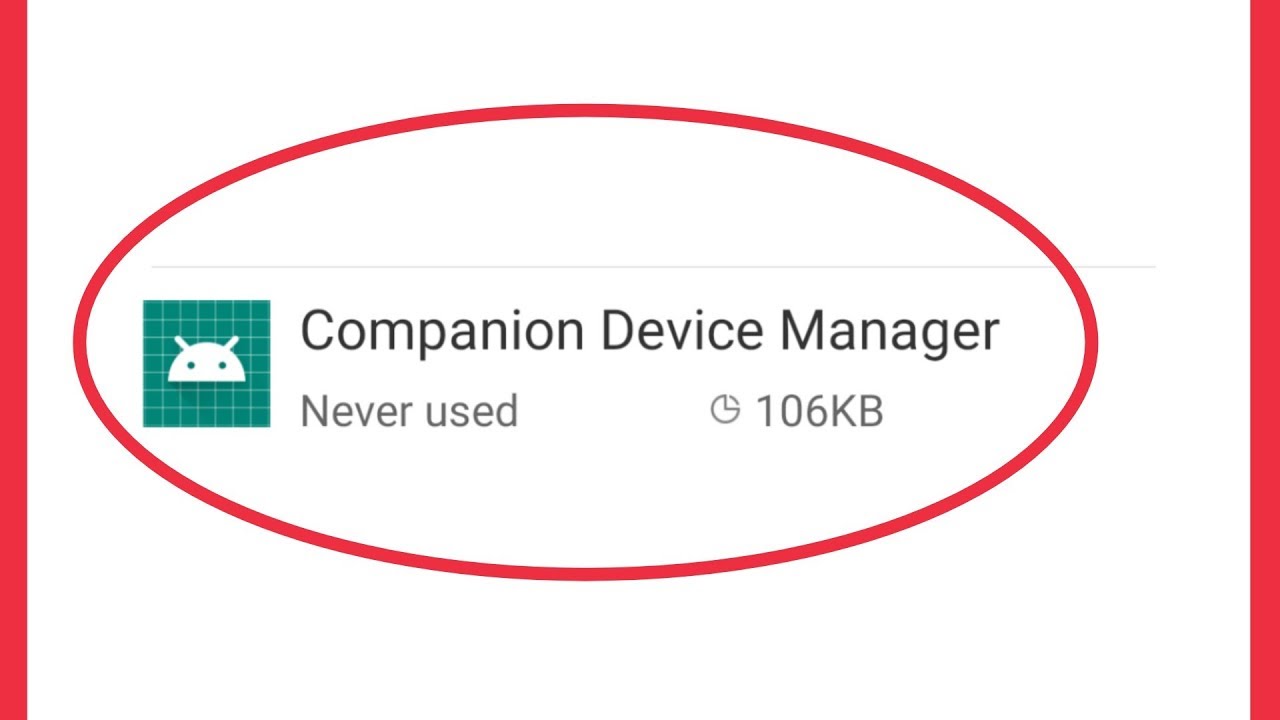
If an association becomes corrupted, the best course of action is not just to unpair the Bluetooth device, but to reset the companion app’s settings. In the Android settings menu under “Apps,” users can find the “Companion Device Manager” (sometimes listed under System Apps) or look at the “Associated Devices” section within the specific app’s info page. Clearing the association and re-pairing from scratch forces the CDM to create a fresh, secure handshake, usually resolving persistent handshake errors.
Conclusion
The Companion Device Manager represents a masterclass in how modern operating systems can balance complex technical requirements with user-centric design. By taking the burden of device discovery and background maintenance away from individual apps and placing it within the secure, optimized framework of the Android OS, Google has created a more stable and private environment for the IoT era.
As we continue to surround ourselves with smarter gadgets, the role of the Companion Device Manager will only grow. It is the invisible glue of the Android ecosystem, ensuring that our devices stay connected, our data stays private, and our batteries stay charged. Understanding this tool is key to appreciating the subtle complexities that make the modern digital lifestyle possible.
aViewFromTheCave is a participant in the Amazon Services LLC Associates Program, an affiliate advertising program designed to provide a means for sites to earn advertising fees by advertising and linking to Amazon.com. Amazon, the Amazon logo, AmazonSupply, and the AmazonSupply logo are trademarks of Amazon.com, Inc. or its affiliates. As an Amazon Associate we earn affiliate commissions from qualifying purchases.