
In the rapidly evolving landscape of digital communication, micro-interactions and visual cues play a pivotal role in how we perceive availability and social boundaries. Discord, originally conceived as a haven for gamers but now a cornerstone of community interaction for millions, utilizes a sophisticated “presence” system to help users navigate social dynamics. Among the various colorful icons that appear next to a user’s avatar, few cause as much curiosity as the green phone icon.
Understanding the green phone icon is more than just a matter of identifying a status; it is about understanding how Discord’s infrastructure bridges the gap between desktop and mobile environments. In this article, we will analyze the technical implications of this icon, the mechanics of Discord’s presence system, and how users can manage their digital visibility within the platform’s ecosystem.

The Architecture of Real-Time Communication: Discord’s Presence System
To understand the green phone, one must first understand how Discord handles “presence.” In software development, presence refers to the real-time state of a user—whether they are online, busy, idle, or offline. Discord’s backend relies on a series of WebSocket connections to ensure that when you change your status or open the app, that information is broadcasted to all your mutual servers and friends near-instantly.
The Role of Gateway Intents
From a technical standpoint, Discord’s API uses “Gateway Intents” to track what users are doing. When a user logs in, a session is established. If that session is initiated from a mobile device (iOS or Android), the platform flags the session specifically as a mobile connection. This distinction is crucial for the UI to decide which asset to display: the traditional circle for desktop or the phone icon for mobile.
Cross-Platform Synchronization
Discord is designed to be cross-platform, meaning a single user can be logged in on a PC, a tablet, and a smartphone simultaneously. The presence system must prioritize which status to show. Generally, if a user is active on a desktop, the system defaults to the standard desktop status (the solid green circle). However, when the desktop app is closed or idle and the mobile app is active, the green phone takes precedence.
Decoding the Green Phone Icon: A Deep Dive into Mobile Indicators
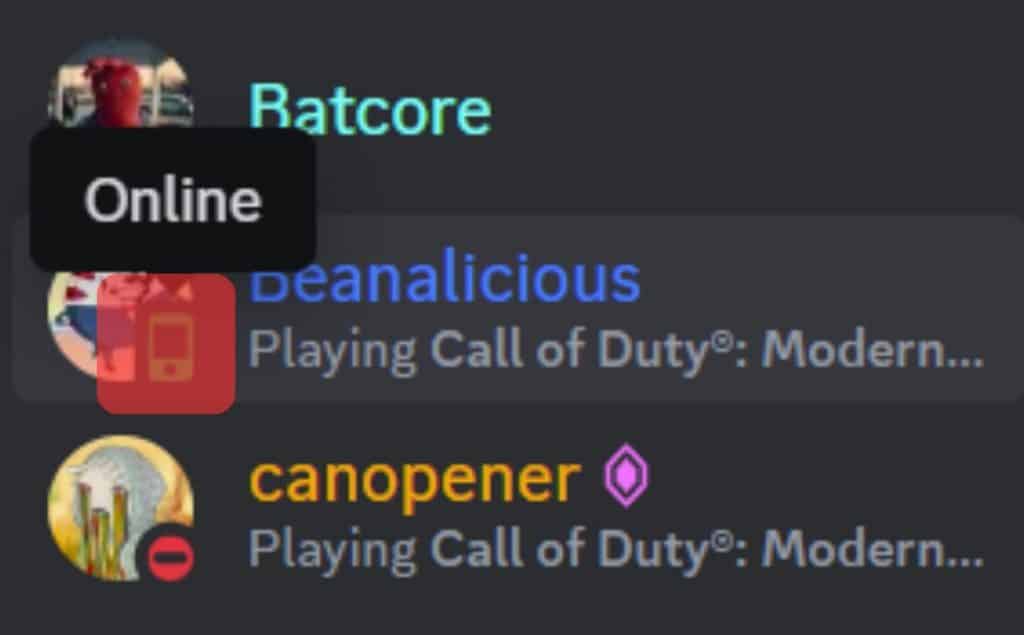
The green phone icon on Discord is a specific status indicator that signifies a user is currently online and active using the Discord mobile app. Unlike the standard green circle, which typically represents a user on a desktop or web browser, the phone icon is a UX (User Experience) choice meant to inform others about the context of the user’s connection.
What It Specifically Signifies
When you see a green phone next to a friend’s name, it means their mobile device has an active session with the Discord servers and the app is currently in the foreground or has been recently used. It tells the observer two things:
- Availability: The person is reachable and likely has their phone nearby.
- Context: Since they are on mobile, they might be on the go, potentially making them less likely to engage in long-form typing or complex tasks compared to a desktop user.
The Difference Between the Phone Icon and the Circle
The standard green circle indicates a “Desktop” or “Web” status. For power users and community managers, this distinction is important. A user with a green circle is often perceived as being at a workstation, capable of multi-tasking or sharing screens. A user with the green phone icon is recognized as being in a “mobile-first” mindset, which might influence how a teammate or friend chooses to initiate a conversation.
The Technical Logic Behind Status Synchronization
A common question among Discord users is why the green phone sometimes persists even when the user claims they aren’t using the app. This leads us into the technicalities of mobile operating systems and how they handle background processes.
Foreground vs. Background Processes
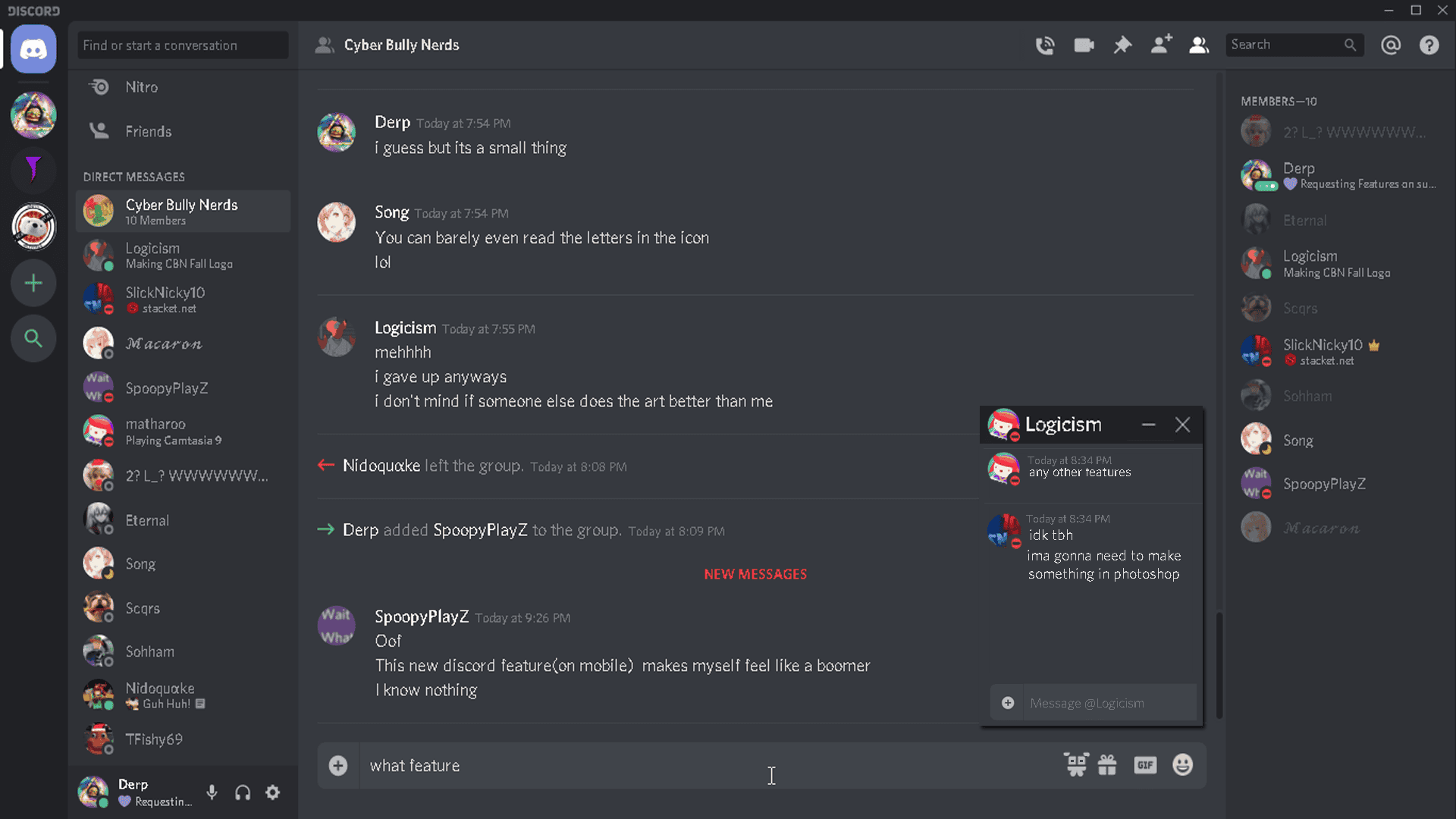
On mobile operating systems like iOS and Android, apps are moved to a “suspended” state when not in the foreground to save battery. However, Discord maintains a heartbeat connection to its servers to deliver push notifications. If the app hasn’t been fully “force-closed,” the Discord API may still report the user as online with the green phone icon for several minutes after they have locked their screen. This is a common latency issue in real-time presence tracking.
The Impact of Multiple Devices
If a user is logged into Discord on both a laptop and a smartphone, the system has to make a logical choice. If the user is actively typing on the laptop, the status will appear as a green circle. If the laptop goes into “Sleep” mode, but the phone is sitting on the desk with the app open, the status will automatically switch to the green phone. This seamless handoff is part of Discord’s robust synchronization engine, designed to provide the most accurate representation of user availability possible.
Privacy, Security, and Managing Your Digital Footprint on Discord
In an era where digital privacy is paramount, the ability to control who knows when you are online is a critical feature. The green phone icon, while helpful for social coordination, can sometimes feel like an invasion of privacy for those who wish to browse Discord without being “seen.”
Utilizing “Invisible” and “Do Not Disturb”
Discord provides users with the tools to override the green phone icon entirely.
- Invisible Mode: This is the most popular choice for privacy-conscious users. When set to “Invisible,” you will appear as a grey “Offline” circle, even if you are actively browsing on your mobile device. This effectively kills the green phone icon for your profile.
- Do Not Disturb (DND): If you are on mobile and set your status to DND, the icon will change to a red circle with a white dash. Interestingly, it usually loses the “phone” shape and reverts to a circle, though some UI updates have experimented with a red phone icon to indicate “Mobile but Busy.”
Security Implications of Status Tracking
From a digital security perspective, your status can unintentionally reveal patterns of behavior—such as when you are awake, when you are commuting, or when you are at home. For users in high-profile servers or those concerned about social engineering, being mindful of the green phone icon is essential. It is often recommended to use the “Invisible” status if you are accessing Discord from public Wi-Fi or in environments where you do not want your real-time activity logged by third-party “user-tracking” bots that some servers employ.
UX Design Philosophy: Why Visual Cues Matter in Modern Apps
The decision by Discord’s design team to use a specific icon for mobile users is a masterclass in UX communication. In the early days of the internet, status was binary: you were either online or offline. As the “Always-On” culture evolved through smartphones, the binary status became insufficient.
Enhancing Social Intelligence
The green phone icon provides “Social Intelligence.” It allows a sender to calibrate their expectations. If you see a colleague has a green phone icon at 9:00 PM, you understand they are likely checking their phone casually, rather than sitting at their desk ready for a deep-dive work session. This subtle visual shorthand reduces social friction and prevents the “why aren’t they replying?” anxiety that often plagues digital communication.
Accessibility and Clarity
Furthermore, these icons are designed with accessibility in mind. The distinct shapes (circle vs. phone) help users who may have color vision deficiencies. Even if a user cannot perfectly distinguish between the green of “Online” and the yellow of “Idle,” the shape of the phone icon provides a secondary layer of information that a standard circle does not. This multi-layered approach to information architecture is what makes Discord one of the most user-friendly communication tools in the tech industry today.
Conclusion: The Significance of the Smallest Icons
While it may seem like a minor detail, the green phone icon on Discord is a window into the complex world of real-time data syncing, cross-platform software engineering, and user experience design. It represents the platform’s ability to track state across different hardware environments while providing users with the context they need to communicate effectively.
As Discord continues to dominate the space of community-based communication, the nuances of its presence system will likely become even more sophisticated. For now, the green phone serves as a helpful reminder that in our hyper-connected world, the context of how we are online is often just as important as the fact that we are online at all. Whether you choose to embrace the transparency of the mobile icon or hide behind the cloak of “Invisible” mode, understanding these tech-driven cues empowers you to navigate the digital world with greater insight and control.
aViewFromTheCave is a participant in the Amazon Services LLC Associates Program, an affiliate advertising program designed to provide a means for sites to earn advertising fees by advertising and linking to Amazon.com. Amazon, the Amazon logo, AmazonSupply, and the AmazonSupply logo are trademarks of Amazon.com, Inc. or its affiliates. As an Amazon Associate we earn affiliate commissions from qualifying purchases.