
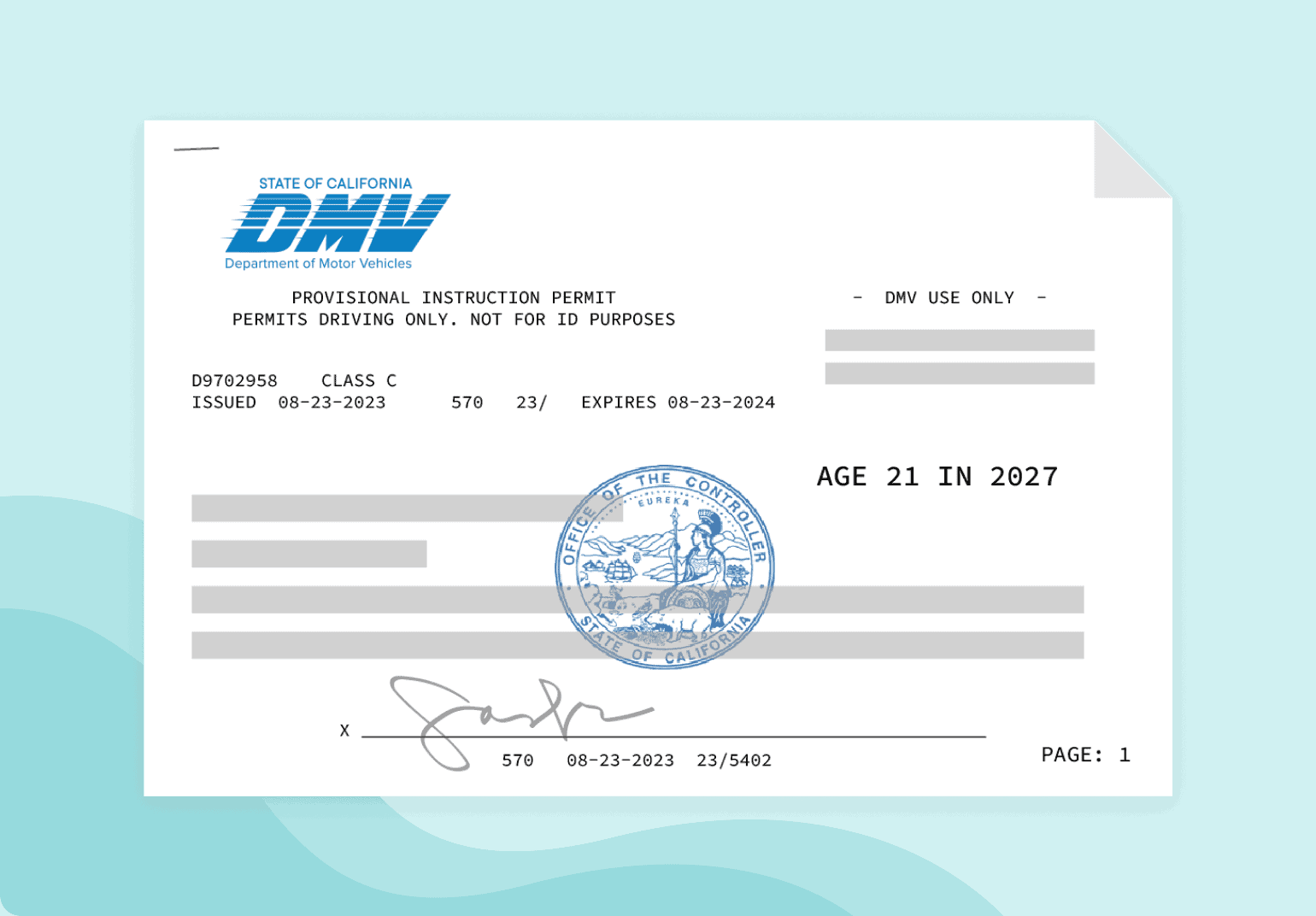
For decades, the answer to the question “what does an instruction permit look like” was simple: a rectangular piece of laminated paper or plastic featuring a grainy photograph, a state seal, and a “Learner” designation. However, as we move deeper into the 2020s, the visual and structural identity of the instruction permit is undergoing a radical technological transformation. Today, what an instruction permit “looks like” is increasingly defined by pixels, encryption protocols, and biometric data rather than physical ink.
In this deep dive, we explore the evolution of the instruction permit through the lens of modern technology, examining how mobile driver’s licenses (mDLs), digital security features, and user interface design are redefining this foundational document.

The Visual Anatomy of a Modern Instruction Permit
While the transition to digital is well underway, the physical permit remains the primary touchpoint for many. However, even the physical card has been redesigned to accommodate high-tech scanning and verification systems.
High-Security Physical Design and OCR-Friendly Layouts
Modern instruction permits are designed with Optical Character Recognition (OCR) in mind. Software used by law enforcement and financial institutions must be able to “read” the card instantly. This has led to a standardized layout where text is high-contrast and strategically placed to avoid interference with security holograms.
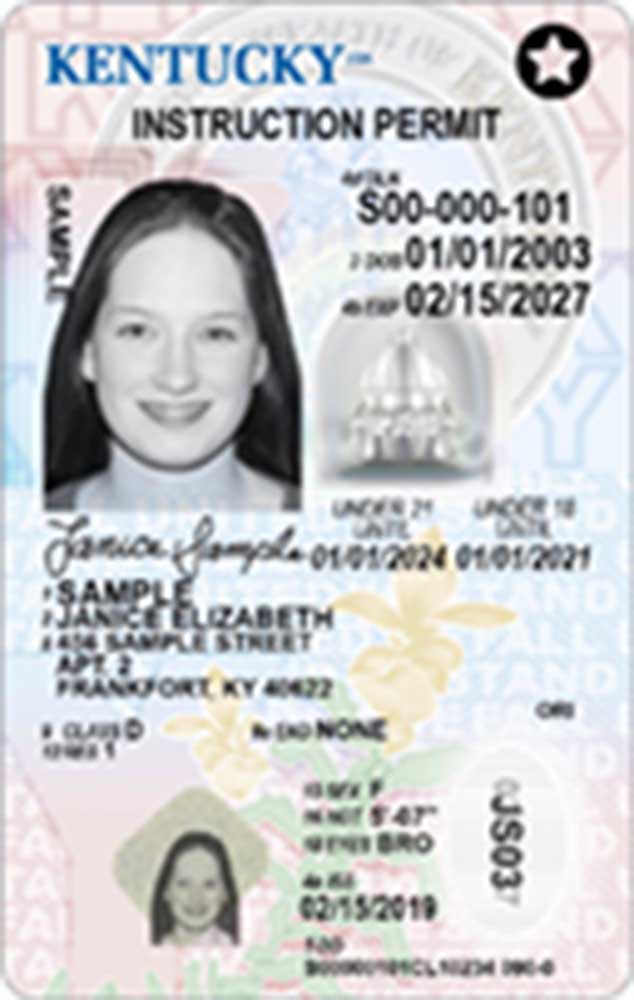
Visually, the modern permit often features “ghost images”—secondary, semi-transparent versions of the permit holder’s photo—and microprinting that is invisible to the naked eye but clear under digital magnification. These elements ensure that the permit’s “look” is not just for human eyes, but for sophisticated machine-learning algorithms designed to detect forgeries.
The Vertical vs. Horizontal Distinction
In the United States and several other regions, the most striking visual feature of an instruction permit is its orientation. To provide an immediate visual cue to vendors and authorities, permits for minors are almost exclusively printed in a vertical (portrait) orientation. This design choice is a “UX” (User Experience) shortcut for the physical world, allowing a glance to confirm that the holder is under a certain age threshold.
Integrated Security Graphics
The background of a modern permit is a marvel of graphic engineering. Using “guilloche” patterns—intricate, repetitive architectural designs—the permit creates a visual barrier that is nearly impossible to replicate with standard digital printers. When you look at a permit under different light spectrums (such as UV), it reveals hidden layers of tech-driven design, often including fluorescent inks that glow with specific metadata.
The Shift to Mobile Driver’s Licenses (mDL) and Digital Permits
The most significant change in “what a permit looks like” is the migration from the wallet to the smartphone. The Mobile Driver’s License (mDL) is not merely a photo of a physical card; it is a dynamic software application.
ISO 18013-5 Standards and the Digital Interface
What a digital instruction permit looks like is dictated by international standards, specifically ISO 18013-5. This ensures that a permit issued in one state or country can be digitally “read” by a device in another.
On a smartphone screen, the permit looks like a high-resolution digital pass. It often features an animated or shimmering background to prevent screen-recording fraud. Unlike a physical card, the digital permit can “hide” sensitive information. For example, when verifying a permit for a non-driving purpose, the UI might only show the holder’s age and photo, keeping their home address encrypted and invisible.
Integration with Digital Wallets (Apple and Google)
For millions of users, an instruction permit now looks like a “tile” in their Apple Wallet or Google Wallet. The design is minimalist, focusing on the brand identity of the issuing authority (such as a state DMV) and the portrait of the individual. These platforms use Near Field Communication (NFC) technology, meaning the permit “looks” like a wireless signal to a reader device. The visual representation on the screen is simply a confirmation of the secure handshake occurring in the background.
The UX of Privacy-Preserving Verification
The “look” of a digital permit changes depending on who is asking to see it. This is a concept known as “selective disclosure.” In a tech-forward ecosystem, if a user needs to prove they have a valid instruction permit, the app may generate a one-time-use QR code. To the observer, the permit doesn’t look like a card at all; it looks like a rotating, encrypted graphic that contains only the necessary verification tokens.
The Underlying Tech: How Security is “Baked In”
When we ask what a permit looks like, we must consider the invisible technological architecture that validates its appearance. A permit is only as good as the tech that prevents it from being faked.
Biometric Templates and Facial Recognition
One of the most critical “hidden” features of a modern permit is the biometric template. When a student driver has their photo taken, the software maps hundreds of facial coordinates. This data is often stored in a 2D barcode (PDF417) on the back of the physical card. To a high-tech scanner, the permit looks like a complex string of mathematical values that must match the person standing in front of the lens.
Cryptographic Keys and Digital Signatures
A digital instruction permit looks like a “signed” data packet to a computer. Every time a permit is updated—for example, when an “organ donor” status is added or a restriction is lifted—the issuing authority signs the change with a private cryptographic key. This ensures that the permit’s appearance on a device is authentic and hasn’t been tampered with by third-party photo-editing software.
NFC and Bluetooth Low Energy (BLE) Transmission
In a roadside stop scenario, the permit may not even need to be “shown” in the traditional sense. Using BLE technology, a digital permit can transmit its credentials to a law enforcement tablet from several feet away. In this context, the permit “looks” like a secure data stream. This enhances safety and efficiency, moving the concept of the permit away from a visual object and toward a functional digital credential.
Software Solutions for Issuance and Verification
The ecosystem surrounding instruction permits involves complex Government-to-Citizen (G2C) software platforms. These platforms determine how the permit is managed throughout its lifecycle.
AI in Identity Verification
The process of getting a permit has moved online in many jurisdictions. Here, the permit first “looks” like a series of uploads. AI-driven identity verification (IDV) software analyzes a user’s selfie against their birth certificate or passport. These AI tools look for “liveness”—ensuring that the person applying is a real human and not a high-resolution print or a deepfake video.
Blockchain and Decentralized Identity (DID)
Some forward-thinking jurisdictions are exploring blockchain for permit issuance. In this model, an instruction permit looks like a “Verifiable Credential” stored on a decentralized ledger. The beauty of this technology is that it removes the need for a central database that could be hacked. The permit becomes a self-sovereign identity, where the user has total control over their data, and its “look” is a set of tamper-proof digital “proofs.”
The Role of Cloud-Based DMV Systems
Modernizing the “look” of the permit requires a massive backend overhaul. Legacy DMV systems (some running on COBOL from the 1970s) are being replaced by cloud-native platforms. These systems allow for real-time updates. For instance, if a permit is suspended, the digital version updates instantly across all platforms. The permit, therefore, looks like a “live” document that reflects the user’s current legal standing at every second.
The Future: Augmented Reality and Beyond
As we look toward the future of technology, the way we interact with instruction permits will continue to evolve. We are moving toward a world where physical “looking” is secondary to digital “sensing.”
Augmented Reality (AR) Overlays
Imagine a training environment where a student driver’s instruction permit is linked to an AR dashboard in a smart vehicle. The car could “recognize” the permit holder and automatically apply speed limiters or restrict driving to daylight hours, as per the permit’s conditions. In this scenario, the permit looks like a set of digital parameters that govern the vehicle’s behavior.
Wearable Integration
As smartwatches and even smart glasses become more prevalent, the instruction permit will likely migrate to these devices. The “look” will become even more condensed—perhaps just a haptic vibration or a green checkmark on a watch face that confirms the driver is authorized to be behind the wheel.
Conclusion
In the modern technological landscape, an instruction permit is no longer just a piece of identification; it is a sophisticated interface between a citizen and the state. While it still retains a recognizable physical form—complete with vertical layouts and holographic security—its true essence has shifted into the digital realm.
What does an instruction permit look like today? It looks like a secure, encrypted, and highly portable data point. It is a fusion of graphic design, cybersecurity, and mobile software engineering. Whether it exists as a shimmer on an iPhone screen or an encrypted QR code, the modern instruction permit represents the cutting edge of digital identity technology, ensuring that the road to becoming a licensed driver is as secure as it is innovative.
aViewFromTheCave is a participant in the Amazon Services LLC Associates Program, an affiliate advertising program designed to provide a means for sites to earn advertising fees by advertising and linking to Amazon.com. Amazon, the Amazon logo, AmazonSupply, and the AmazonSupply logo are trademarks of Amazon.com, Inc. or its affiliates. As an Amazon Associate we earn affiliate commissions from qualifying purchases.