
In the rapidly evolving landscape of social media applications, Snapchat remains a pioneer of ephemeral communication and intuitive—albeit sometimes cryptic—user interface (UI) design. For the average user, navigating the myriad of icons, badges, and color-coded indicators can feel like learning a new digital language. One of the most frequent queries from the community involves the “yellow circle” or “yellow dot.” While it may seem like a minor aesthetic choice, this visual cue is a critical component of the app’s software architecture, designed to streamline user navigation and boost engagement through sophisticated psychological triggers.
Understanding what these indicators mean requires more than just a surface-level explanation; it demands an exploration into how modern software communicates with its users. This article provides a comprehensive technical breakdown of the yellow circle on Snapchat, its various iterations, and the UX principles that govern its existence.
The Technical Breakdown: Variations of the Yellow Circle
Snapchat utilizes a system of visual shorthand to convey information without cluttering the screen with text. The “yellow circle” generally appears in three distinct areas of the application, each serving a unique technical purpose.
The Yellow Dot on the Profile Icon (Bitmoji)
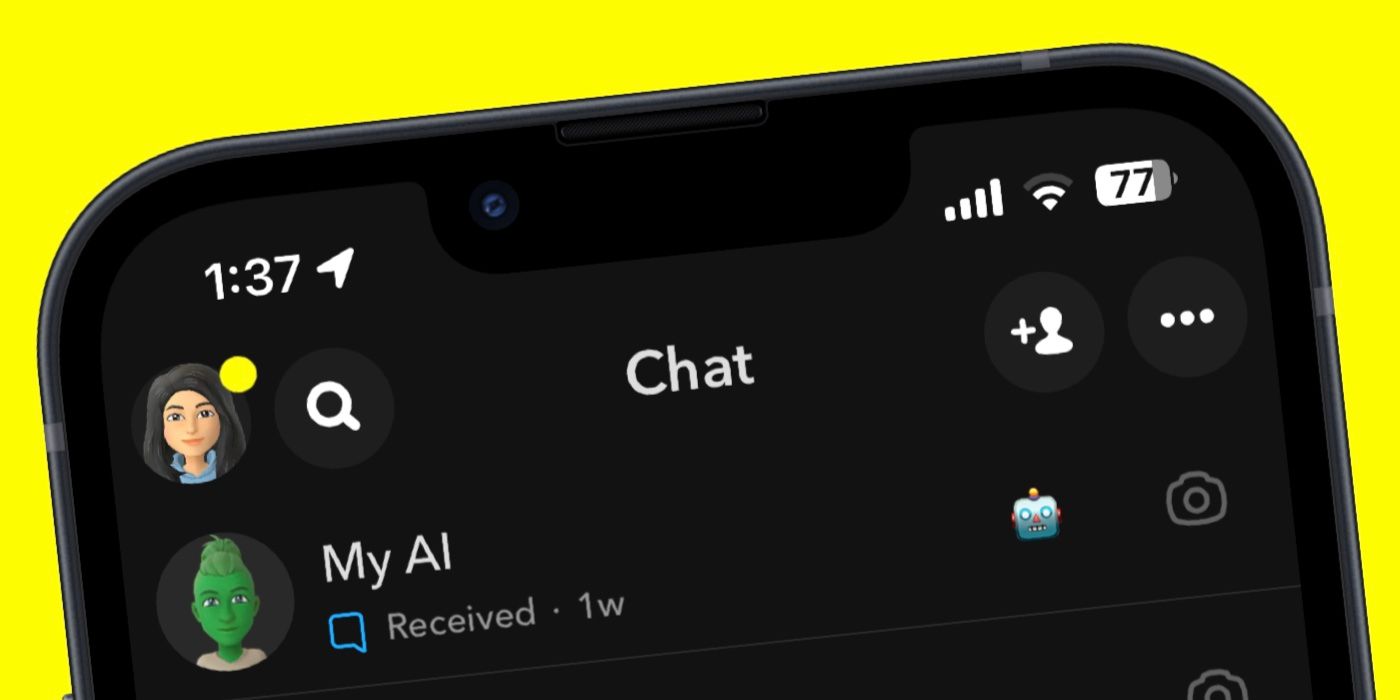
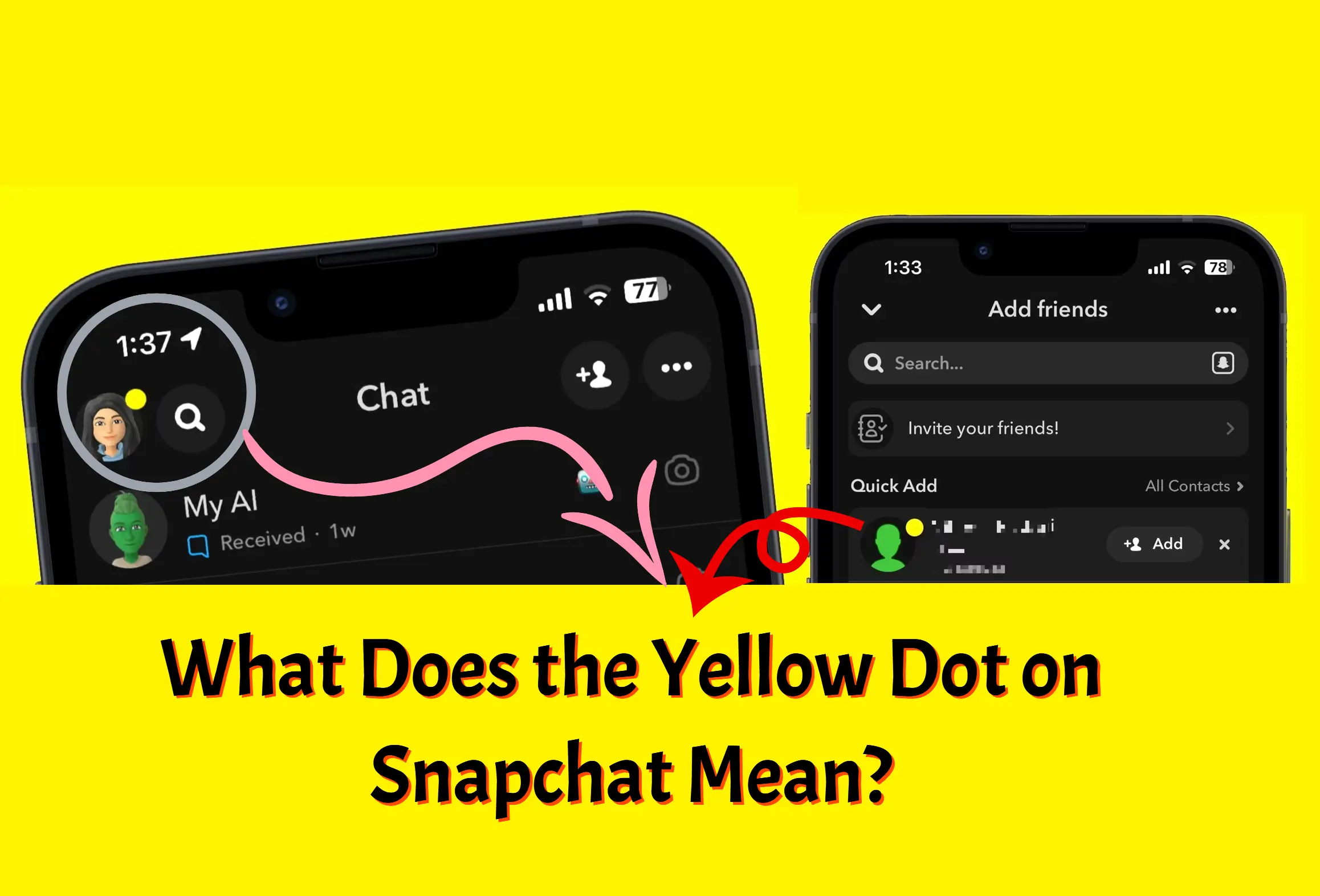
The most common occurrence of the yellow circle is the small dot that appears on your profile icon (or Bitmoji) in the top-left corner of the camera screen. From a software perspective, this is a “notification trigger.” It signals that the application has captured a background update that requires user attention. Typically, this indicates a new friend request, a notification regarding your Bitmoji’s “My AI” features, or a system update alert. This is handled by the app’s notification management system, which pushes server-side updates to the client-side UI in real-time.
The Yellow Outline on Stories
When navigating to the Stories tab, users often see a yellow circle or ring surrounding a friend’s profile or a specific Story. This is a primary state indicator. In the code, this represents an “unread” status. Unlike Instagram’s colorful gradient or WhatsApp’s green rings, Snapchat’s choice of yellow is synonymous with its brand identity and serves as a high-contrast visual cue to indicate that content is available for consumption. Once the packet of data (the Snap) is downloaded and viewed, the UI state changes, and the yellow ring disappears, often replaced by a gray or purple circle depending on the context.
The Gold Star and Snapchat+ Indicators
For users enrolled in the Snapchat+ subscription tier, the “yellow circle” takes on a more prestigious form: a gold star or badge. This is not merely a notification but a status symbol verified by the account’s metadata. Technically, this badge is an asset linked to the user’s unique ID (UID) in Snapchat’s database, ensuring that whenever their profile is rendered on another device, the “Gold Star” or yellow badge is displayed to signify their premium status.
The Psychology and UX Design Behind Snapchat’s Visual Language
The design of Snapchat is intentionally minimalist, forcing users to rely on visual cues rather than textual instructions. This approach is rooted in advanced User Experience (UX) principles that prioritize speed and habit formation.
The “Nudge” Theory in App Development
The yellow circle acts as a “nudge.” In behavioral economics and UI design, a nudge is a subtle prompt that encourages a user to take a specific action—in this case, clicking on a profile or viewing a Story. Because yellow is one of the most visible colors to the human eye, it creates a sense of mild urgency. Developers use these color-coded indicators to minimize the “cognitive load” on the user; you don’t have to read “New Story Available,” you simply see the yellow ring and react instinctively.
Gamification and User Retention
The persistence of the yellow dot is a masterclass in gamification. By placing a dot on the Bitmoji, Snapchat creates a “tension-release” cycle. The presence of the dot creates a minor psychological tension (the need to know what’s new), which is only resolved when the user clicks the icon. This loop is essential for maintaining high Daily Active User (DAU) counts. From a technical standpoint, this is implemented through a “persistent state” logic where the notification remains active until the specific server-side flag (the event that triggered the dot) is acknowledged by the user’s client.
Visual Hierarchy and Brand Consistency
Snapchat’s ecosystem is built around the color yellow (Pantone Yellow 123 C). By using this specific hue for its most important notifications, the app reinforces its brand identity. In the world of software development, this is known as maintaining a “Design System.” A consistent design system ensures that regardless of which screen a user is on, a yellow indicator always signifies the same thing: “New and Unseen.”

Managing Notifications and Digital Privacy
While these visual cues are designed to be helpful, they can sometimes lead to notification fatigue or privacy concerns. Understanding the settings behind these indicators allows users to take control of their digital experience.
Optimizing Notification Settings
If the yellow circle on your profile icon becomes distracting, it can be managed through the app’s internal settings. Users can navigate to the “Settings” menu (the gear icon) and drill down into “Notifications.” Here, you can toggle off specific triggers, such as “Friend Suggestions” or “Public Story Notifications.” From a technical perspective, this modifies the JSON (JavaScript Object Notation) file associated with your user profile, telling the Snapchat servers which events should trigger a push notification to your device and which should remain silent.
Data Privacy and the “My AI” Integration
Recently, the yellow dot has frequently appeared due to updates involving Snapchat’s “My AI,” an OpenAI-powered chatbot integrated into the app. For privacy-conscious users, the persistent yellow dot associated with AI prompts can be a point of contention. It is important to note that these notifications often relate to data processing or feature updates. Managing how the AI interacts with your data—accessible through the “Clear My AI Data” section in settings—can sometimes resolve persistent UI indicators that feel intrusive.
Security Alerts and Verification
Occasionally, a yellow indicator may appear in the settings menu itself. This is often a critical security prompt, such as an unverified email address or the need to enable Two-Factor Authentication (2FA). In the context of digital security, ignoring these “yellow flags” can leave an account vulnerable to unauthorized access. Developers use these persistent markers to ensure that users are aware of their security status every time they open the app.
Troubleshooting and Technical Maintenance
Sometimes, the yellow circle doesn’t behave as intended. It might remain on the screen even after all stories have been viewed or all notifications cleared. This usually indicates a synchronization error between the local cache and the cloud server.
Clearing the App Cache
The most effective way to resolve a “stuck” yellow dot is to clear the Snapchat cache. This can be done within the app settings under “Account Actions.” Clearing the cache deletes temporary files that might be incorrectly flagging a notification as “unread.” Crucially, this does not delete your Snaps or Chats; it simply forces the UI to refresh and pull the most current data from Snapchat’s servers.
Versioning and Software Updates
UI bugs, including ghost notifications, are often the result of running an outdated version of the app. Snapchat frequently pushes updates to patch “UI inconsistencies.” If a yellow circle persists despite your best efforts, checking the App Store or Google Play Store for an update is the next logical step. Developers often use “A/B testing” where different groups of users see different UI elements. If your yellow circle looks slightly different from a friend’s, it’s likely because you are part of a specific testing cohort in their deployment pipeline.
The Role of Network Latency
In some instances, a yellow ring may flicker or fail to disappear due to high network latency. If the “Seen Receipt” (the signal sent from your phone to the server) is dropped due to a poor connection, the server will continue to tell the app that the content is unread. This highlights the intricate dance between client-side rendering and server-side state management that defines the modern mobile app experience.
Conclusion: The Significance of Small Cues
In the broader context of technology and software design, the yellow circle on Snapchat is far more than a simple decoration. It is a sophisticated tool for communication, a driver of user engagement, and a manifestation of the app’s underlying data architecture. By understanding these nuances, users can better navigate the platform, manage their digital notifications, and appreciate the complex engineering that goes into creating a seamless social experience.
As Snapchat continues to integrate more advanced features—from Augmented Reality (AR) lenses to AI-driven interactions—the role of visual shorthand will only grow. The yellow circle serves as a reminder that in the world of high-tech software, even the smallest pixel is designed with purpose, intent, and a deep understanding of human behavior. Whether it’s a new friend, a premium badge, or a security reminder, the yellow circle is your gateway to staying connected in the ever-shifting digital landscape.
aViewFromTheCave is a participant in the Amazon Services LLC Associates Program, an affiliate advertising program designed to provide a means for sites to earn advertising fees by advertising and linking to Amazon.com. Amazon, the Amazon logo, AmazonSupply, and the AmazonSupply logo are trademarks of Amazon.com, Inc. or its affiliates. As an Amazon Associate we earn affiliate commissions from qualifying purchases.