
In the landscape of modern software development, Python has solidified its position as the language of choice for data science, automation, and web development. One of the reasons for its enduring popularity is its emphasis on readability and efficiency. Among its vast library of built-in methods, the .join() string method stands as a fundamental tool that every developer—from novice to architect—must master. While it may appear simple at first glance, the .join() method is a powerhouse of efficiency, offering a sophisticated alternative to traditional string concatenation.
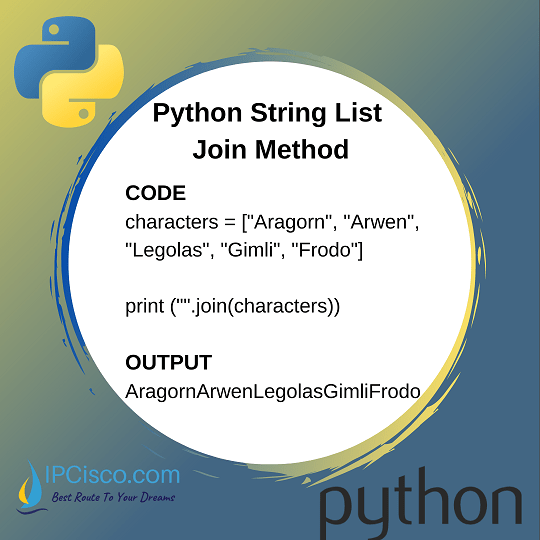
To understand what join does in Python, we must look beyond the surface level of “sticking strings together.” It is a method specifically designed to concatenate the elements of an iterable into a single string, using a specified separator. This article explores the technical nuances of the .join() method, its performance advantages, and its practical applications in professional software engineering.
Decoding the Mechanics of the .join() Method
The .join() method is a string method, meaning it is called on a string object (the separator) rather than on the collection of items itself. This often confuses beginners who expect the method to be part of the list or tuple class. However, by making it a string method, Python ensures that the separator remains the central focus of the operation.
The Syntax and Core Functionality
The basic syntax of the method is separator.join(iterable). The “separator” is the string that will be placed between each element of the iterable, and the “iterable” is the collection of strings you wish to combine.
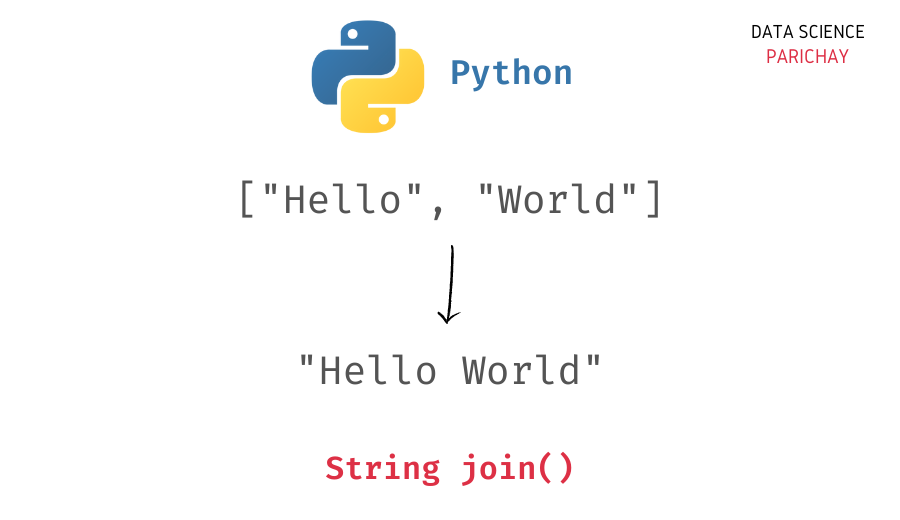
For example, if you have a list of words ['Python', 'is', 'powerful'] and you want to turn them into a sentence, you would use a space string as the separator: ' '.join(['Python', 'is', 'powerful']). The result is the single string "Python is powerful". If you used a hyphen as the separator ('-'.join(...)), the result would be "Python-is-powerful". This flexibility allows developers to format data dynamically based on the requirements of their application.
The Power of Iterables
One of the strengths of .join() is its versatility regarding the input it accepts. While lists are the most common input, the method works with any iterable containing strings. This includes tuples, sets, and even generators. This is particularly useful in “Tech” environments where data might arrive in various structures.
For instance, when processing results from a database query returned as a tuple, or when handling unique identifiers stored in a set, .join() provides a consistent interface for string construction. It is important to note, however, that all elements within the iterable must be strings. If the iterable contains integers, floats, or Booleans, Python will raise a TypeError. This design choice forces developers to be explicit about type conversion, which aligns with the “Zen of Python” philosophy: “Explicit is better than implicit.”
Performance Optimization: Why .join() Wins Over Concatenation
In software engineering, performance and resource management are paramount. A common mistake among junior developers is using the + operator or the += assignment in a loop to build a long string from a list of items. While this works for small datasets, it becomes a significant bottleneck as the scale of data increases.
The Cost of String Immutability
To understand why .join() is superior, we must look at how Python handles memory. In Python, strings are “immutable.” This means that once a string object is created in memory, it cannot be changed. When you use the + operator to combine two strings (e.g., a + b), Python does not simply append b to the end of a. Instead, it allocates a completely new block of memory, copies the contents of a, copies the contents of b, and then creates a new third string.
If you are concatenating strings in a loop—say, 10,000 times—Python is forced to create and destroy thousands of intermediate string objects. This results in quadratic time complexity (O(n²)), which can lead to sluggish performance and high memory overhead in large-scale applications.
Algorithmic Efficiency of .join()
The .join() method is designed to solve this specific problem. When you call .join(), the Python interpreter performs a two-pass operation. In the first pass, it calculates the total length of the final string by summing the lengths of all elements in the iterable plus the separators. In the second pass, it allocates a single block of memory of the required size and copies all the elements into it.
This approach reduces the complexity to linear time (O(n)). For a developer building AI tools or processing large log files, this difference is not merely academic; it is the difference between a process that takes milliseconds and one that takes seconds or even minutes. In the world of high-performance computing and scalable web apps, using .join() is the standard practice for string aggregation.
Practical Applications in Software Development
Understanding the theory behind .join() is essential, but seeing how it functions in real-world tech scenarios highlights its true value. From data formatting to system-level operations, this method is a ubiquitous tool.
Data Processing and CSV Generation
One of the most common tasks in technology is converting raw data into a structured format. Suppose you are building a tool that exports user data into a Comma-Separated Values (CSV) format. Rather than manually appending commas and handling trailing delimiters, .join() handles the logic seamlessly.
By using ','.join(user_data_list), the developer ensures that a comma is placed between every element, but crucially, not after the last element. This prevents the “trailing comma” bug that often plagues manual concatenation logic. This utility extends to generating TSV (tab-separated) files, log entries, or even custom-formatted reports for data analysis.
Building Dynamic SQL Queries and HTML
In web development and backend engineering, we often need to construct strings that represent code or queries. When building a dynamic SQL query, a developer might need to create an IN clause from a list of IDs. Using ", ".join(id_list) allows for the clean insertion of IDs into the query string.
Similarly, when generating HTML snippets dynamically without a heavy templating engine, .join() is used to wrap a list of strings (like list items <li>) into a single block. It keeps the code clean, readable, and highly performant, which is vital when rendering pages on the fly or processing large batches of structured data.
URL and Path Construction
While Python’s os.path.join or pathlib are the gold standards for file system paths, the standard string .join() is frequently used for URL construction or protocol-specific string building. For example, when building a breadcrumb navigation string for a website or a specific API endpoint path, .join() allows developers to define a delimiter like / and quickly assemble the path from a list of segments.
Navigating Common Pitfalls and Advanced Implementations
Even with its straightforward design, developers can run into “gotchas” when using .join(). Mastering these edge cases is what separates professional-grade code from quick scripts.
The TypeError Trap: Non-String Elements
As mentioned earlier, the most frequent error encountered with .join() is the TypeError. This occurs when the iterable contains non-string types. In a tech environment where data sources are often messy (such as JSON API responses), you might have a list like [1, 2, "three"].
The professional solution is to use a generator expression or the map() function to convert all elements to strings before joining. Using ", ".join(map(str, my_list)) is a highly “Pythonic” way to handle mixed-type data. This ensures that the code remains robust even when the input data is inconsistent.
Joining Dictionaries and Sets
When you pass a dictionary to the .join() method, Python iterates over the dictionary’s keys by default. This can be useful for creating a comma-separated list of headers from a data record. However, it is important to remember that in older versions of Python (pre-3.7), dictionary order was not guaranteed, which could lead to unpredictable string results.
Similarly, joining a set will result in the elements appearing in an arbitrary order because sets are unordered collections. In modern Python software development, if the order of the joined string matters, developers must ensure they are using an ordered iterable, like a list or a sorted version of the set.
Dealing with Large-Scale Data
When working with truly massive datasets (millions of rows), even .join() should be used judiciously. In such cases, developers might look toward libraries like pandas or numpy for vectorized string operations. However, for the vast majority of application-level logic, .join() remains the peak of efficiency for string construction.

Conclusion: The Professional Standard
What does join do in Python? On a basic level, it combines strings. But on a professional level, it represents the intersection of code readability and computational efficiency. It is a tool that respects the constraints of memory and the necessity of clean, maintainable logic.
For those operating in the tech sector, understanding the nuances of the .join() method is a prerequisite for writing “Pythonic” code. It allows developers to avoid the pitfalls of string immutability, handle complex data formatting with ease, and ensure that their applications remain scalable. Whether you are building the next generation of AI tools, managing digital security logs, or developing a high-traffic web application, the .join() method is an indispensable part of your programming toolkit. By prioritizing this method over less efficient alternatives, you align your development practices with the core principles of high-performance software engineering.