
When purchasing a new laptop or building a custom PC, one of the most critical decisions you will make isn’t just about the hardware—it’s about the software that governs it. For years, Microsoft has bifurcated its flagship operating system into two primary retail versions: Windows Home and Windows Pro. While the desktop environments look nearly identical upon first boot, the engines running beneath the surface differ significantly.
For the average consumer, Windows Home is the default gateway to the digital world. For the power user, developer, or business professional, Windows Pro offers a suite of management and security tools designed to handle complex workflows. Understanding the nuances between these two editions is essential to ensure you aren’t paying for features you’ll never use, or conversely, missing out on tools that could safeguard your data and streamline your productivity.
The Core Foundations: What Both Versions Share
Before diving into the disparities, it is important to acknowledge that both Windows Home and Windows Pro are built on the same architecture. Whether you are browsing the web, editing photos, or playing the latest AAA gaming titles, the fundamental experience remains consistent across both versions.
Standard Features and User Interface
Both editions include the hallmark features of the modern Windows ecosystem. This includes the Start menu, the Microsoft Edge browser, and the integrated Windows Search. Users of both versions have access to the Microsoft Store to download apps and games, and both support the “Windows Hello” biometric login system, which allows for facial recognition or fingerprint scanning to secure your device.
Gaming and Multimedia Capabilities
From a recreational standpoint, Microsoft does not penalize Home users. Both editions support DirectX 12 for high-end graphics rendering, Auto HDR for enhanced visuals, and the Xbox Game Bar for recording and social features. If your primary goal is building a gaming rig, Windows Home provides the exact same performance metrics and frame rates as Windows Pro.
Windows Update and Basic Security
Microsoft ensures that all users receive regular security patches and feature updates. Both Home and Pro include Windows Defender Antivirus, a robust, built-in security suite that protects against malware, viruses, and ransomware. While Pro offers more granular control over how and when these updates are applied, the core protective barrier is present in both editions.
Security Beyond the Surface: Why Pro Leads the Way
The first major divergence occurs in the realm of digital security. In an era where data breaches and identity theft are rampant, Windows Pro offers enterprise-grade protection tools that are absent in the Home version.
BitLocker Drive Encryption
Perhaps the most significant security feature exclusive to Windows Pro is BitLocker. This full-disk encryption tool allows you to “lock down” your entire hard drive. If your laptop is stolen, BitLocker prevents unauthorized users from accessing your files by requiring a recovery key to decrypt the data. While Windows Home offers a simplified “Device Encryption,” it lacks the granular control and management options of BitLocker, making Pro the preferred choice for anyone carrying sensitive professional data.
Windows Information Protection (WIP)
As the lines between personal life and professional work continue to blur, Windows Information Protection (WIP) becomes a vital asset. WIP is designed to prevent accidental data leaks. It allows organizations and individuals to distinguish between personal and corporate data on a single device. If an employee tries to copy a corporate spreadsheet into a personal social media post, WIP can block that action or flag it for review. This feature is a cornerstone for those who practice “Bring Your Own Device” (BYOD) in a corporate environment.
Business and Management: Features You Won’t Find in Home
The “Pro” in Windows Pro is short for “Professional,” and this is most evident in the networking and management tools provided. These features are designed for environments where multiple computers need to be managed by a single administrator.

Domain Join and Group Policy Management
In a business setting, computers are rarely “islands.” They need to be part of a larger network called a Domain. Windows Pro allows a device to join a Windows Server domain or Azure Active Directory. This is crucial for IT departments to manage permissions and access across hundreds of machines.
Furthermore, Windows Pro includes Group Policy Management. This allows an administrator to define specific “rules” for what users can and cannot do on their computers. For example, a company might use Group Policy to disable the use of USB flash drives across all office computers to prevent data theft or malware infections. Windows Home lacks the Group Policy Editor, leaving users with fewer ways to customize system-level behaviors.
Remote Desktop (Host)
While both Windows Home and Pro can initiate a Remote Desktop connection (allowing you to see and control another computer), only Windows Pro can act as the “host.” This means if you have a powerful workstation at the office running Windows Pro, you can access it from a Home-based laptop while sitting at a coffee shop. If your office computer is running Windows Home, you cannot “call into” it using the native Microsoft Remote Desktop protocol.
Azure Active Directory and Business Licensing
For modern businesses relying on cloud infrastructure, Windows Pro is the minimum requirement. It integrates seamlessly with Microsoft 365 and Azure, allowing for single sign-on (SSO) across various apps and services. It also supports the Microsoft Store for Business, which lets companies curate a private selection of apps for their employees to download.
Virtualization and Advanced Power User Tools
For developers, IT professionals, and tech enthusiasts, Windows Pro serves as a laboratory. It includes virtualization tools that allow you to run multiple operating systems or isolated environments on a single physical machine.
Hyper-V: The Developer’s Playground
Hyper-V is Microsoft’s native hypervisor. It allows you to create “Virtual Machines” (VMs). With Hyper-V, you can run a version of Linux or an older version of Windows inside a window on your desktop. This is invaluable for developers testing software across different environments or for tech enthusiasts who want to experiment with new OS builds without risking their primary installation. Windows Home does not support Hyper-V, forcing users to rely on third-party software like VirtualBox or VMware.
Windows Sandbox: Testing Without Risk
A standout feature for security-conscious users in Windows Pro is the Windows Sandbox. This creates a lightweight, temporary desktop environment that is completely isolated from the rest of your system. If you download a suspicious file or want to test a piece of software from an untrusted source, you can run it in the Sandbox. Once you close the Sandbox, everything inside it is permanently deleted, leaving your host operating system untouched and safe.
Assigned Access and Kiosk Mode
Windows Pro is frequently used in public spaces or retail environments. “Assigned Access” allows an administrator to lock a device down to a single app. This is commonly used for digital signage, check-in kiosks at airports, or point-of-sale systems. This level of environmental control is entirely absent from the Home edition, which is designed for multi-purpose personal use.
Making the Choice: Is the Upgrade Worth the Price Tag?
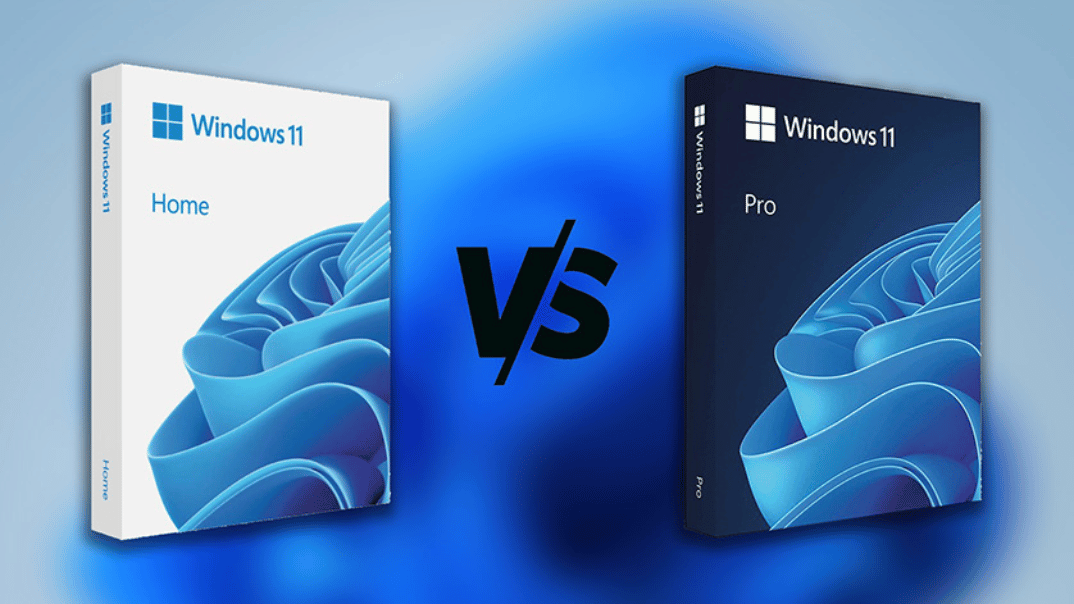
The price difference between Windows Home and Windows Pro is typically around $60 to $70 USD. While that might seem like a small gap, it is only a worthwhile investment if you actually utilize the “Pro” features.
For Students and Casual Users
If your daily routine involves web browsing, streaming movies, writing papers in Word, and casual gaming, Windows Home is more than sufficient. You are not missing out on any performance or aesthetic features. The money saved by sticking with the Home edition could be better spent on hardware upgrades, such as more RAM or a larger SSD.
For Remote Workers and Professionals
If you work from home and need to connect to an office network, or if you handle client data that requires high-level encryption, Windows Pro is the logical choice. The inclusion of BitLocker alone is often enough to justify the cost for professionals who travel with their laptops. Additionally, the ability to host Remote Desktop sessions provides a level of flexibility that Home users simply don’t have.
For Small Business Owners and IT Managers
For anyone managing more than one or two computers, Windows Pro is an absolute necessity. The management tools, deployment options, and integration with Azure Active Directory are essential for maintaining security and consistency across a fleet of devices. Attempting to manage a business on Windows Home often leads to “shadow IT” problems and security vulnerabilities that can cost far more than the initial license fee.
In conclusion, the choice between Windows Home and Windows Pro isn’t about which version is “better”—it’s about which version fits your specific ecosystem. Windows Home provides a streamlined, accessible experience for the general public, while Windows Pro provides the tools and security infrastructure required for the modern, high-stakes professional landscape. By identifying your needs—whether they involve virtualization, network management, or advanced data encryption—you can make an informed decision that ensures your OS is a tool for success rather than a bottleneck.
aViewFromTheCave is a participant in the Amazon Services LLC Associates Program, an affiliate advertising program designed to provide a means for sites to earn advertising fees by advertising and linking to Amazon.com. Amazon, the Amazon logo, AmazonSupply, and the AmazonSupply logo are trademarks of Amazon.com, Inc. or its affiliates. As an Amazon Associate we earn affiliate commissions from qualifying purchases.