
In the intricate tapestry of modern computing, devices interact with our systems in a multitude of ways. While some, like our monitors and speakers, are readily apparent, others operate more subtly, forming the invisible backbone of our digital experiences. Among these, a crucial category stands out: Human Interface Devices, commonly known as HID devices. These are the tools we directly use to communicate with our computers, providing the essential bridge between human intent and machine execution. From the ubiquitous keyboard and mouse to more specialized peripherals, understanding what constitutes a HID device and how it functions is fundamental to grasping the inner workings of our digital world.
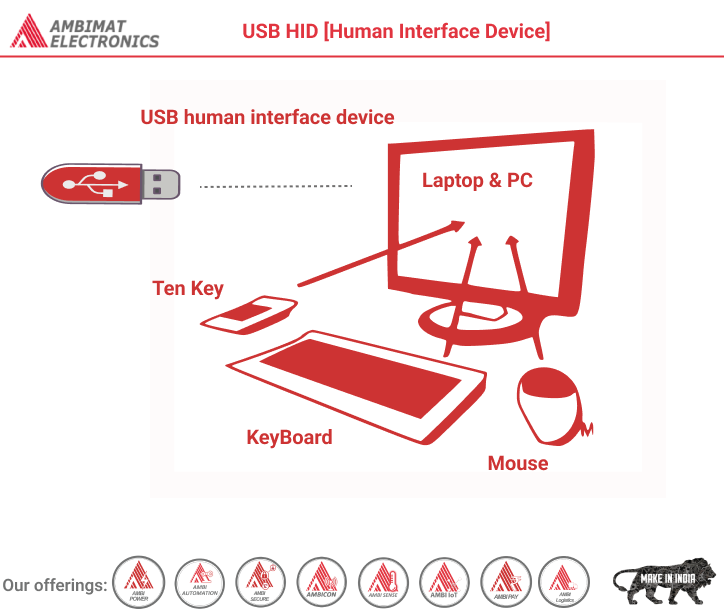
At its core, a HID device is any piece of hardware that allows a human to input data or control a computing system. This definition encompasses a broad spectrum of peripherals, all designed to facilitate our interaction with technology. They are the conduits through which we express commands, provide information, and navigate the digital landscape. The “Human” in Human Interface Device emphasizes this direct, personal connection, while “Interface” highlights their role as mediators, translating our actions into signals the computer can understand.
The Genesis and Evolution of HID Devices
The concept of Human Interface Devices is not a recent invention; rather, it’s an evolutionary outcome of our quest to interact more intuitively with machines. Early computing systems relied on complex punch cards or command-line interfaces, requiring a high degree of technical expertise. The advent of graphical user interfaces (GUIs) and the subsequent proliferation of personal computers necessitated simpler, more direct methods of input. This led to the development and standardization of devices that we now take for granted.
Early Innovations in Input
The foundational HID devices, the keyboard and the mouse, revolutionized computing. The typewriter’s evolution into the computer keyboard made text input accessible to a wider audience. The mouse, introduced by Douglas Engelbart in the 1960s, provided a groundbreaking way to interact with on-screen elements, paving the way for the point-and-click interface that dominates computing today. These devices weren’t just convenient; they fundamentally changed how we perceived and used computers, shifting them from specialized tools for engineers and scientists to accessible platforms for everyday tasks.
Standardization and the USB Revolution
The rise of the Universal Serial Bus (USB) in the mid-1990s was a pivotal moment for HID devices. USB offered a standardized way for peripherals to connect to computers, simplifying installation and eliminating the need for proprietary ports and drivers for each device. Crucially, the USB Implementers Forum established a standardized protocol for HID devices, known as the HID class. This standardized protocol meant that operating systems could natively support a wide range of HID devices without requiring specific drivers from manufacturers. This plug-and-play simplicity drastically lowered the barrier to entry for using new peripherals, fostering innovation and the widespread adoption of various input devices.
The Broadening Spectrum of HID Devices
Beyond keyboards and mice, the HID class has expanded to encompass an astonishing variety of devices. Touchscreens, whether on smartphones, tablets, or interactive displays, are prime examples of HID devices, translating our finger taps and swipes into digital commands. Game controllers, joysticks, and steering wheels allow for immersive interactive experiences in gaming. Styluses and drawing tablets enable digital art and precise input. Even specialized devices like barcode scanners, receipt printers, and some biometric devices fall under the HID umbrella when they provide a direct human interface for data input or control.
How HID Devices Function: The Underlying Technology
The magic behind HID devices lies in their ability to translate physical actions into digital signals that a computer can process. This translation is achieved through a combination of hardware components and standardized communication protocols. Understanding this process demystifies how our physical world interacts with the digital realm.
Sensing and Signal Generation
At the heart of every HID device is a sensor or a mechanism that detects the user’s input. For a keyboard, this involves tiny switches beneath each keycap that close a circuit when pressed. A mouse uses optical sensors or mechanical encoders to track movement and button presses. A touchscreen detects changes in electrical capacitance or resistance when touched. These sensors generate raw electrical signals that represent the user’s action – a key press, a directional movement, a touch location.
Data Formatting and Transmission
Once a signal is generated, the HID device formats this raw data into a standardized packet. This is where the HID protocol comes into play. The protocol defines a common language and structure for these data packets, ensuring that the computer’s operating system can understand them regardless of the specific device manufacturer. For example, a keyboard might send a report indicating which keys are currently pressed down. A mouse might send a report detailing its X and Y axis movement and button status. This standardized formatting is crucial for the plug-and-play functionality that USB and the HID class enabled.
The Role of the Host Controller and Operating System
The formatted data packets are then transmitted from the HID device to the host computer, typically via a USB connection. On the computer’s end, a host controller (part of the USB hub or motherboard) receives these packets. The operating system’s HID driver then interprets these packets, translating the standardized HID data into specific commands or events that applications can understand. For instance, the operating system might translate a “key press” report from a keyboard into a character displayed on the screen or a specific keyboard shortcut. Similarly, mouse movements are translated into cursor motion on the display. This seamless interpretation is what allows us to interact with our computers in such a fluid and intuitive manner.
Types of HID Devices and Their Applications
The diversity of HID devices is a testament to the evolving ways humans interact with technology. Each type serves a specific purpose, enhancing productivity, entertainment, or accessibility.
Input Devices for Productivity
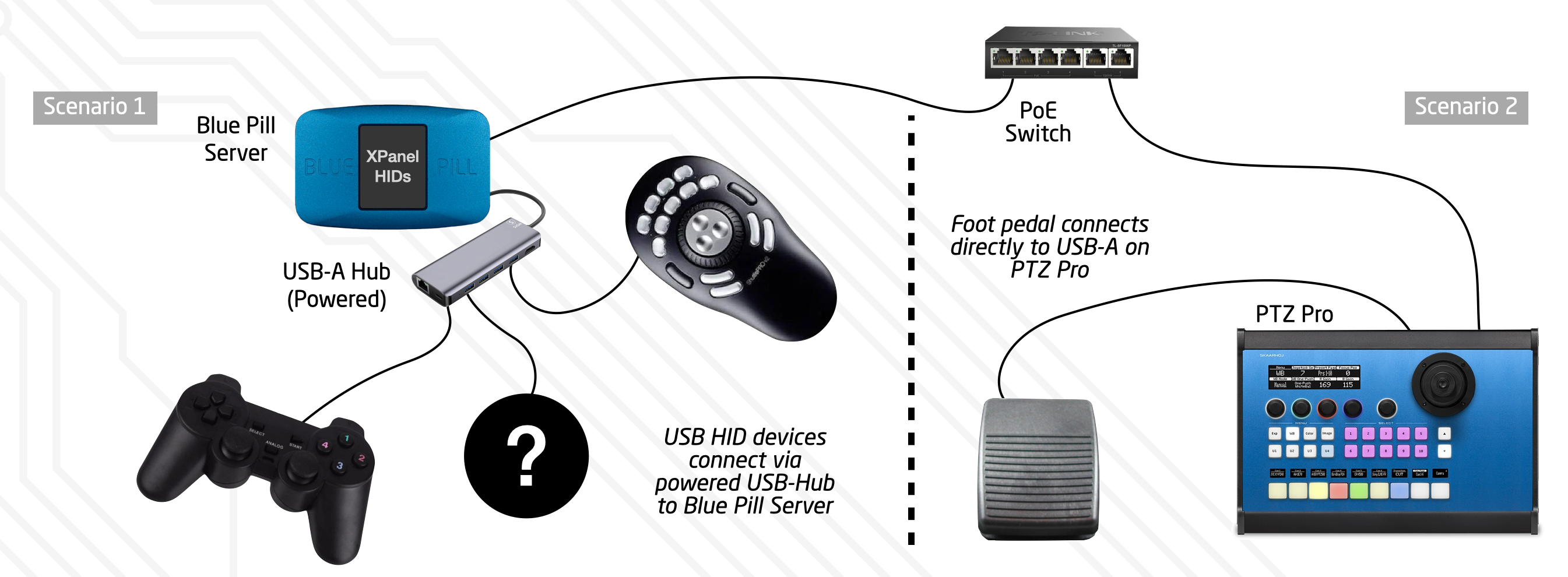
The most common HID devices fall into this category. Keyboards and mice are essential for data entry, navigation, and general computer operation. Beyond these essentials, trackballs offer an alternative for cursor control, often favored in environments where desk space is limited or for users with certain ergonomic needs. Touchpads on laptops are integrated HID devices that combine keyboard and mouse functionality in a compact form factor.
Gaming and Entertainment Peripherals
The gaming industry has been a significant driver of innovation in HID devices. Game controllers, from traditional gamepad layouts to more complex haptic-feedback controllers, provide intuitive control schemes for video games. Joysticks and flight yokes simulate the controls of aircraft, offering a realistic experience for flight simulators. Racing wheels and pedals immerse players in the world of motorsports. These devices are designed to enhance immersion and provide a level of control that is impossible with a standard keyboard and mouse.
Creative and Specialized Input Tools
For artists, designers, and professionals in creative fields, specialized HID devices are indispensable. Graphics tablets and pen displays allow for natural, intuitive drawing and illustration. Styluses offer precision input for touchscreens, enabling note-taking, sketching, and detailed work. MIDI controllers are used in music production to control synthesizers, samplers, and other digital audio workstations, translating physical button presses and knob turns into musical data.
Accessibility and Assistive HID Devices
HID technology also plays a critical role in making computing accessible to individuals with disabilities. Alternative keyboards with larger keys, different layouts, or built-in pointing devices can assist users with motor impairments. Eye-tracking devices allow individuals to control a computer using their gaze. Sip-and-puff systems enable control through breath. These assistive HID devices are crucial for empowering individuals to participate fully in the digital world.
The Importance of the HID Standard in the Digital Ecosystem
The existence of a standardized HID protocol is not merely a technical detail; it’s a cornerstone of the modern computing experience. This standardization has profound implications for users, developers, and the overall technological landscape.
Universal Compatibility and Ease of Use
The HID class ensures that most HID devices will work with any computer that supports the standard, regardless of the operating system (Windows, macOS, Linux, etc.) or the specific hardware. This universal compatibility translates directly into an enhanced user experience. Users can purchase a new keyboard or mouse from any reputable manufacturer and expect it to function immediately without the hassle of hunting for and installing specific drivers. This plug-and-play simplicity has made technology more approachable and less intimidating for a broad range of users.
Fostering Innovation and Competition
By providing a common interface, the HID standard allows manufacturers to focus on innovation and differentiation within their product lines rather than expending resources on developing proprietary communication protocols. This competition drives advancements in ergonomics, performance, and features. Consumers benefit from a wider selection of devices at various price points, all capable of seamlessly integrating into their digital setups. Developers, in turn, can build applications that respond to standard HID inputs without needing to account for a vast array of niche communication methods.
Security Considerations in HID Device Interaction
While HID devices primarily facilitate user input, their interaction with the system also has security implications. Malware can exploit vulnerabilities in how operating systems handle HID input. For example, a malicious HID device disguised as a legitimate peripheral could potentially inject keystrokes or commands into a system, bypassing standard security measures. This has led to the development of security protocols and hardware-level checks to verify the authenticity of HID devices. Furthermore, as more biometric HID devices become common, the secure handling and storage of the sensitive data they collect become paramount. The ongoing evolution of HID technology necessitates a continuous focus on maintaining robust digital security practices.
In conclusion, Human Interface Devices are the unsung heroes of our digital lives. They are the tangible extensions of our will, translating our intentions into actions that drive the complex machinery of computers. From the simplest click of a mouse to the intricate movements of a gaming joystick, HID devices empower us to interact, create, and explore the ever-expanding digital frontier. Their standardization, driven by advancements like USB, has democratized technology and fostered an ecosystem of innovation, making the digital world accessible and engaging for everyone. As technology continues to evolve, the role of intuitive and effective human-computer interaction will only become more critical, ensuring that HID devices remain at the forefront of our digital experiences.
aViewFromTheCave is a participant in the Amazon Services LLC Associates Program, an affiliate advertising program designed to provide a means for sites to earn advertising fees by advertising and linking to Amazon.com. Amazon, the Amazon logo, AmazonSupply, and the AmazonSupply logo are trademarks of Amazon.com, Inc. or its affiliates. As an Amazon Associate we earn affiliate commissions from qualifying purchases.