
In the increasingly interconnected world of personal technology, our digital lives often revolve around cloud services – platforms that store our precious data, synchronize our devices, and ensure seamless access to our information from anywhere. For users within Apple’s ecosystem, iCloud is the central nervous system, managing everything from photos and contacts to backups and app data. But what happens when this critical nexus becomes inaccessible? What does a “locked iCloud” truly mean, and what are its wide-ranging implications for technology, personal finance, and even brand perception?
A “locked iCloud” is far more nuanced than a simple forgotten password. It encompasses a spectrum of scenarios, each with distinct causes and consequences, fundamentally impacting a user’s ability to access their data, utilize their devices, and even determine the monetary value of their Apple hardware. Understanding these facets is crucial for anyone navigating the Apple ecosystem, whether you’re a seasoned tech enthusiast, a cautious consumer, or a business professional managing corporate assets.
Decoding the “Locked iCloud” Phenomenon: More Than Just a Forgotten Password
The term “locked iCloud” is a broad umbrella, covering several distinct situations where an iCloud account or an associated device becomes restricted. While they all lead to an inability to fully utilize Apple’s services, their underlying causes and the pathways to resolution differ significantly.
The Basic Scenario: Account Lockout Due to Security Concerns
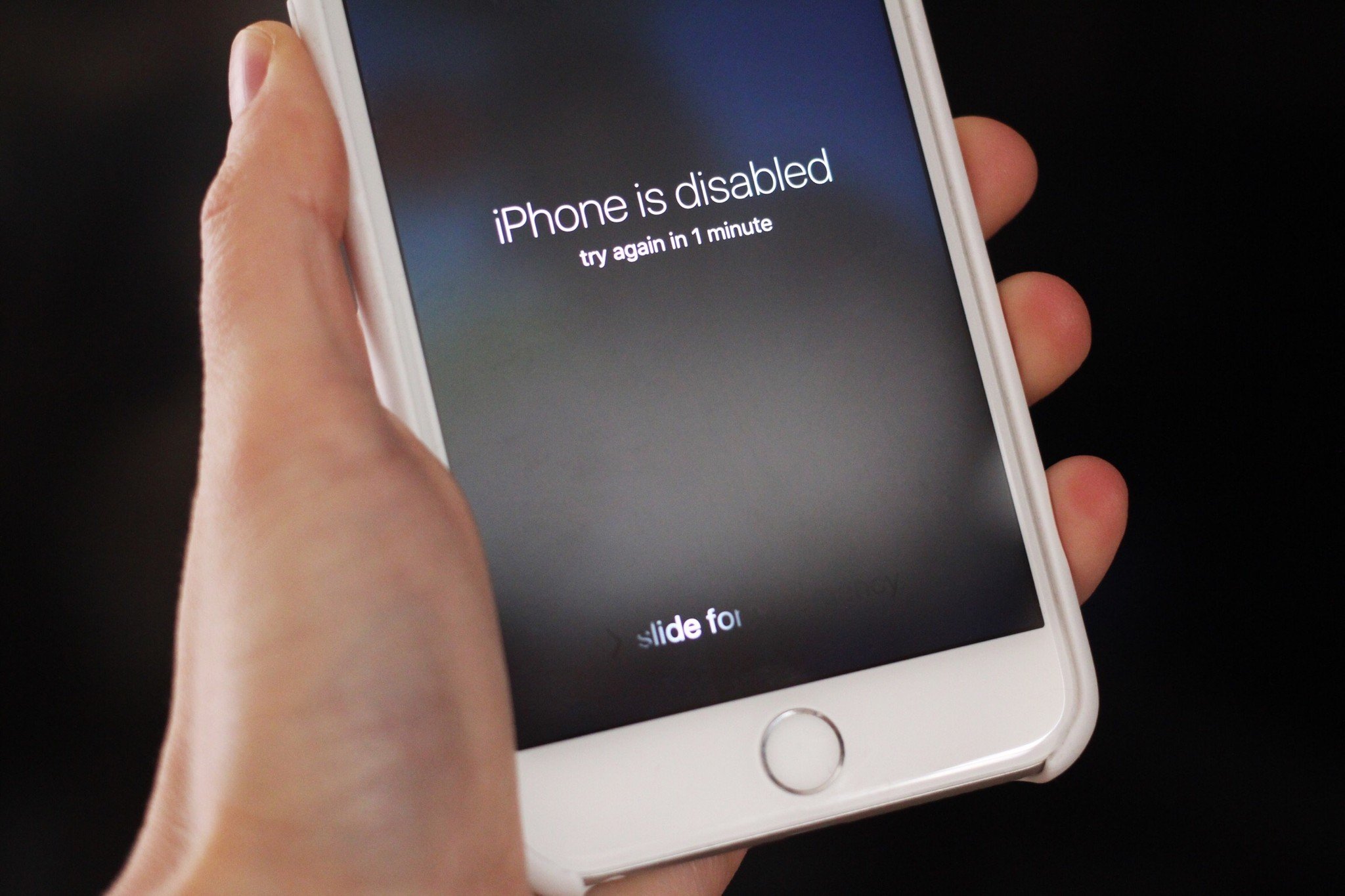
The most common understanding of a “locked iCloud” often refers to an iCloud account that has been temporarily or permanently locked by Apple due to suspected unauthorized access attempts or repeated incorrect password entries. This is a fundamental security measure designed to protect your personal data from malicious actors. When your account is locked in this manner, you typically receive a notification stating that your Apple ID has been locked for security reasons.
In such cases, you won’t be able to sign in to any Apple services that use your Apple ID – including iCloud, iTunes, App Store, iMessage, and FaceTime. Access to your iCloud Drive, Mail, Photos, and other synchronized data immediately becomes unavailable. The primary method for resolving this is through Apple’s account recovery process, which typically involves verifying your identity through trusted phone numbers, email addresses, or security questions. This process, while sometimes lengthy and frustrating, is paramount to ensuring that only the legitimate owner regains access to their sensitive information.
Activation Lock: Apple’s Robust Anti-Theft Mechanism
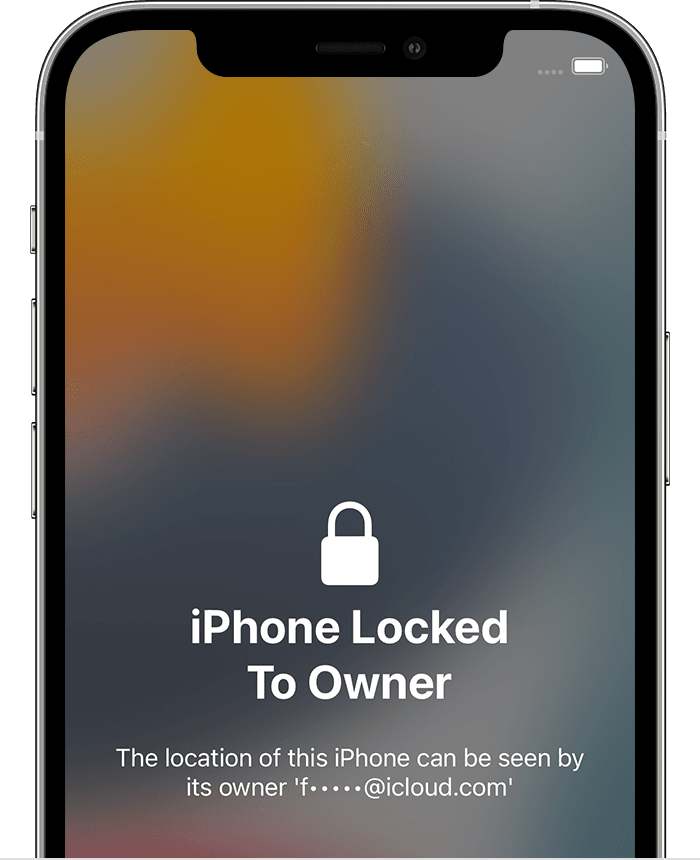
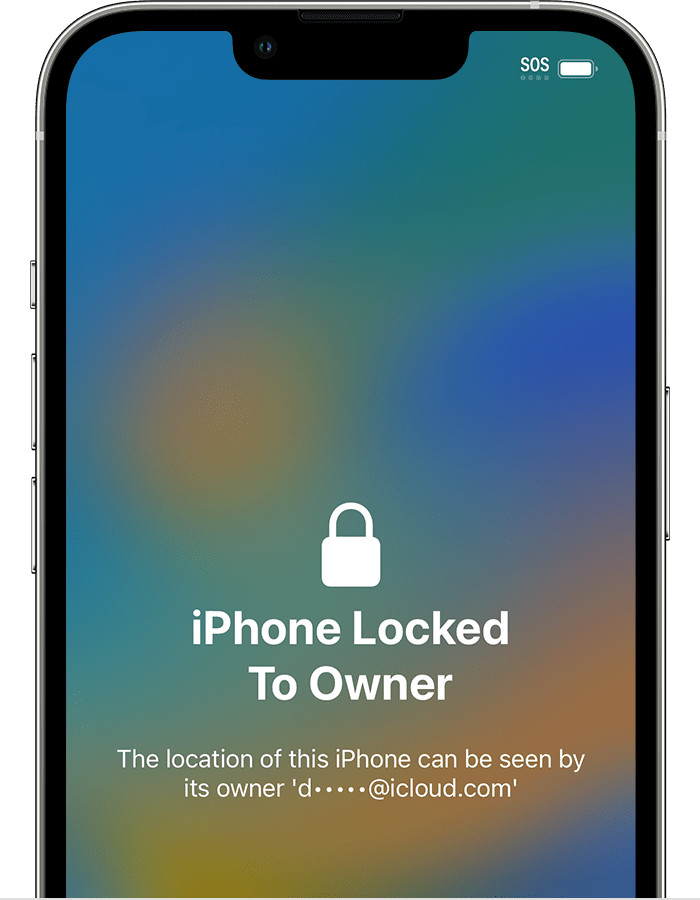
Perhaps the most impactful and often misunderstood form of a “locked iCloud” is Activation Lock. This powerful security feature is automatically enabled when you turn on Find My iPhone (or Find My) on your device. Activation Lock is designed to prevent anyone else from using, erasing, or reselling your iPhone, iPad, Apple Watch, or Mac if it’s lost or stolen.
When Activation Lock is active, the device is tied to your Apple ID. Even if someone erases the device, it will still display a screen asking for the Apple ID and password of the original owner before it can be activated and used by anyone else. This makes a stolen device essentially useless to a thief, significantly deterring theft and enhancing the overall digital security for Apple users. From a brand perspective, it reinforces Apple’s commitment to user privacy and device security, solidifying its reputation as a trusted technology provider. However, for a legitimate owner who has forgotten their Apple ID credentials, or for someone who unknowingly purchases a device with Activation Lock still enabled by a previous owner, this robust security feature can become a significant hurdle.
Device-Specific Locks: Passcodes, Restrictions, and Remote Wipes
Beyond the iCloud account itself, individual Apple devices can also be “locked” in ways that are closely tied to your iCloud account.
- Forgotten Device Passcode: While not strictly an “iCloud lock,” forgetting your iPhone or iPad passcode can lead to needing to erase the device. If you have iCloud Backup enabled, you can restore your data from an iCloud backup after erasing, effectively making iCloud the key to recovering your digital life.
- Screen Time Passcode/Restrictions: A forgotten Screen Time passcode can restrict access to certain apps or functionalities on a device. While this can often be reset via your Apple ID, it still represents a form of device lock.
- Remote Lock/Erase via Find My: If your device is lost or stolen, you can use Find My to remotely lock it with a passcode or erase all its data. This action leverages your iCloud account to secure or wipe your device, transforming it into a “locked” state to protect your information. This is a critical digital security tool, preventing unauthorized access to sensitive financial data, personal communications, and more.
The Far-Reaching Impact: From Personal Data to Device Value
A locked iCloud account or device isn’t just an inconvenience; it can have profound implications across various aspects of a user’s life, touching on digital security, financial well-being, personal productivity, and even the broader perception of Apple’s brand.
Digital Security and Data Accessibility (Tech)
The most immediate impact of a locked iCloud is the complete loss of access to your digital ecosystem. This means:
- Data Inaccessibility: Photos, videos, documents, contacts, calendars, notes, and app data stored in iCloud become unreachable. For many, this data represents years of memories, critical work documents, and essential contact information. The potential for permanent data loss, if no local backups exist, is a significant digital security risk.
- App and Service Interruption: You cannot download new apps from the App Store, update existing ones, or use services like iMessage, FaceTime, Apple Music, or iCloud Mail. This effectively cripples the utility of your Apple devices.
- Device Management Limitations: Without access to iCloud, you lose the ability to remotely locate, lock, or erase a lost device, compromising your digital security posture in case of theft.
For businesses, especially those relying on Apple devices for their operations, a locked iCloud account associated with a corporate device can lead to severe productivity issues and data silos. Ensuring proper offboarding procedures for employees, which includes detaching devices from personal iCloud accounts, is paramount to prevent such scenarios.
Financial Ramifications: The Diminished Value of a Locked Device (Money)
The financial impact of a locked iCloud, particularly one with Activation Lock, is perhaps the most striking.
- Reduced Resale Value: An iPhone or iPad with Activation Lock enabled is virtually worthless on the secondary market. Buyers cannot activate or use the device, making it indistinguishable from a brick. This drastically impacts the financial value of the hardware. Someone unknowingly purchasing such a device risks significant financial loss.
- Cost of Replacement/Recovery: If you cannot regain access to your iCloud account or bypass Activation Lock on your own device, you might be forced to purchase a new device, representing an unexpected financial outlay. While some “unlocking services” exist, many are fraudulent, preying on desperate users and leading to further financial loss without delivering a solution. The legitimate options, often involving Apple’s support, require proof of purchase and time.
- Access to Financial Tools: Many individuals rely on their primary device for online banking, investment apps, and managing personal finance. A locked iCloud can prevent access to these critical financial tools, potentially leading to missed payments, investment opportunities, or the inability to manage urgent financial matters. For those engaged in online income or side hustles, a locked device could mean a direct disruption to their earning capabilities.
Brand Perception and User Experience: Apple’s Double-Edged Sword (Brand)
From a brand perspective, Activation Lock is a powerful testament to Apple’s commitment to security and privacy. It projects an image of robust protection for its users. This aligns perfectly with a brand strategy that emphasizes premium, secure, and user-centric technology.
However, for users who find themselves locked out of their own legitimate devices or accounts, the experience can be incredibly frustrating. The stringent security measures, while effective, can sometimes feel like an impenetrable barrier, leading to:
- Negative User Experience: A user struggling to regain access to their own data can develop a negative perception of the brand, despite the underlying security rationale. This can impact customer loyalty and satisfaction.
- Reputation Management Challenges: While Apple’s overall brand reputation for security is high, individual stories of users unable to unlock their own devices can create localized negative sentiment, especially in online forums and social media.
- Corporate Identity: For businesses managing a fleet of Apple devices, issues with iCloud locks can reflect poorly on their internal IT management and can lead to operational inefficiencies that impact their corporate identity for employees and stakeholders.
Productivity Paralysis: When Your Digital Life Comes to a Halt (Tech/Productivity)
Beyond data access and financial concerns, a locked iCloud or device can bring an individual’s productivity to a screeching halt. Professionals who rely on their devices for communication, scheduling, document creation, and project management will find themselves severely hampered. Access to cloud-synced documents, communication apps, and specific productivity tools becomes impossible, leading to missed deadlines, communication breakdowns, and significant stress. In today’s digital-first work environments, where hybrid and remote work are common, device accessibility is synonymous with continued productivity and operational efficiency.
Navigating the Recovery: Steps, Safeguards, and What Not to Do
Understanding the complexities of a locked iCloud is only half the battle; knowing how to prevent it and, if necessary, recover from it, is equally vital.
Legitimate Pathways to Account Recovery
For a locked iCloud account, Apple provides several official methods for recovery:
- Password Reset: The simplest solution is resetting your Apple ID password through
iforgot.apple.com. This typically requires verifying your identity using a trusted phone number or email address. - Account Recovery: If you cannot verify your identity through traditional means, Apple initiates an account recovery process. This is a secure procedure designed to return access to your Apple ID to you when you don’t have enough information to reset your password. It can take several days or even weeks, as Apple verifies your identity to ensure only the rightful owner regains access. Patience and providing accurate information are key.
- Proof of Ownership for Activation Lock: If you are the original owner of an Activation Locked device and have proof of purchase (receipt showing serial number, date, and seller), Apple Support may be able to help remove the lock. This is the only legitimate way to bypass Activation Lock if you’ve forgotten your credentials.
Bypassing Activation Lock: Myths, Realities, and Risks
The internet is rife with promises of “iCloud unlock” or “Activation Lock removal” services. It’s crucial to approach these with extreme caution.
- Fraudulent Services: Many such services are scams, designed to extract money from desperate users without providing any solution. They often request upfront payment and then disappear.
- Illegal Methods: Some methods involve exploiting vulnerabilities or using stolen credentials, which are illegal and can lead to further security risks for your device and data.
- DNS Bypasses: While some temporary DNS-based bypasses for Activation Lock have existed in the past, they typically offer limited functionality (e.g., only access to certain apps) and are often patched by Apple, rendering them ineffective. They do not permanently remove Activation Lock.
The only truly legitimate way to remove Activation Lock without the Apple ID password is with proof of ownership directly through Apple.
Proactive Strategies: Preventing the iCloud Lock Nightmare
Prevention is always better than cure. Here’s how to safeguard against iCloud lock issues:
- Strong, Unique Passwords: Use robust passwords for your Apple ID and device passcode.
- Two-Factor Authentication (2FA): Enable 2FA for your Apple ID. This adds an extra layer of security, requiring a verification code sent to a trusted device or phone number, even if someone knows your password. It’s essential for digital security.
- Keep Recovery Information Updated: Ensure your trusted phone numbers, email addresses, and security questions are current and accessible.
- Regular Backups: While iCloud backs up automatically, also consider local backups to a computer (using Finder or iTunes) for an additional layer of data protection.
- Document Proof of Purchase: Keep your original receipts for all Apple devices. This is invaluable if you ever need Apple’s help with Activation Lock.
- Proper Device Preparation Before Selling/Gifting: Always sign out of your Apple ID and erase the device properly (Settings > General > Transfer or Reset iPhone > Erase All Content and Settings) before selling or giving it away. This ensures Activation Lock is removed and the next user doesn’t face issues.
- For Businesses: Implement Mobile Device Management (MDM) solutions for corporate devices. MDM allows businesses to centrally manage Apple IDs, bypass Activation Lock, and control device settings, ensuring smooth transitions when employees leave and maintaining control over company assets.
The Ecosystem Perspective: Security, Scams, and the Secondary Market
A locked iCloud is not just an individual problem; it reflects broader trends in digital security, the value of technology assets, and the dynamics of the secondary device market.
Reinforcing Apple’s Security Stance
Activation Lock, in particular, showcases Apple’s aggressive stance on security and user privacy. While sometimes inconvenient, it has undeniably made Apple devices less attractive targets for theft, contributing significantly to the brand’s reputation for robust digital security. This proactive approach to protecting user data and property is a core part of their brand strategy, differentiating them in a competitive tech landscape.
The Lure of “Unlocking Services”: A Cautionary Tale (Money/Scams)
The existence of a “locked iCloud” problem creates a niche for “unlocking services.” These often operate in a grey area, with many being outright scams or involving illicit methods. For individuals seeking a quick fix for a forgotten password or an inherited locked device, these services can appear to be a tempting solution. However, they frequently lead to financial loss, identity theft risks, or the installation of malware, underscoring the importance of relying only on official channels for support. This also highlights a key aspect of online income generation: distinguishing legitimate service providers from fraudulent ones.
Implications for the Used Device Market and Resale Value (Money)
The pervasive nature of Activation Lock has fundamentally reshaped the used device market for Apple products. It means that sellers must ensure their devices are properly unlocked before sale, and buyers must be vigilant to confirm that a device is free of Activation Lock. Ignorance can lead to a significant financial setback for either party. This impacts personal finance directly, as the ability to recoup value from old devices (whether for upgrade funds or direct income) depends entirely on their functional state, making the “locked iCloud” a direct threat to a device’s secondary market value. Businesses that regularly upgrade their tech fleet must have clear protocols to ensure their retired Apple devices are properly wiped and unlocked to maximize their residual value.
In conclusion, “what does a locked iCloud mean?” is a question with multiple answers, each pointing to critical aspects of our digital existence. It means potential data loss, diminished device value, compromised productivity, and a challenge to a brand’s user experience. While Apple’s robust security features are largely beneficial, understanding the nuances of iCloud locking mechanisms, employing preventative measures, and knowing the legitimate pathways to recovery are essential for anyone operating within the Apple ecosystem. This knowledge empowers users to protect their tech, preserve their finances, and maintain a seamless digital life.
aViewFromTheCave is a participant in the Amazon Services LLC Associates Program, an affiliate advertising program designed to provide a means for sites to earn advertising fees by advertising and linking to Amazon.com. Amazon, the Amazon logo, AmazonSupply, and the AmazonSupply logo are trademarks of Amazon.com, Inc. or its affiliates. As an Amazon Associate we earn affiliate commissions from qualifying purchases.