
The art of tattooing, steeped in centuries of tradition and personal expression, has experienced a remarkable evolution in recent decades, driven significantly by advancements in digital technology. What was once exclusively a domain of paper, pencils, and paint has increasingly transitioned to the realm of pixels and touchscreens. Today, many tattoo artists, from seasoned veterans to rising stars, leverage sophisticated drawing applications to conceptualize, refine, and present their designs, fundamentally transforming their creative process and client interactions. This shift isn’t just about adopting new tools; it represents a comprehensive overhaul of workflow, offering unprecedented levels of precision, flexibility, and communication that ultimately enhance the final artwork and the overall client experience.
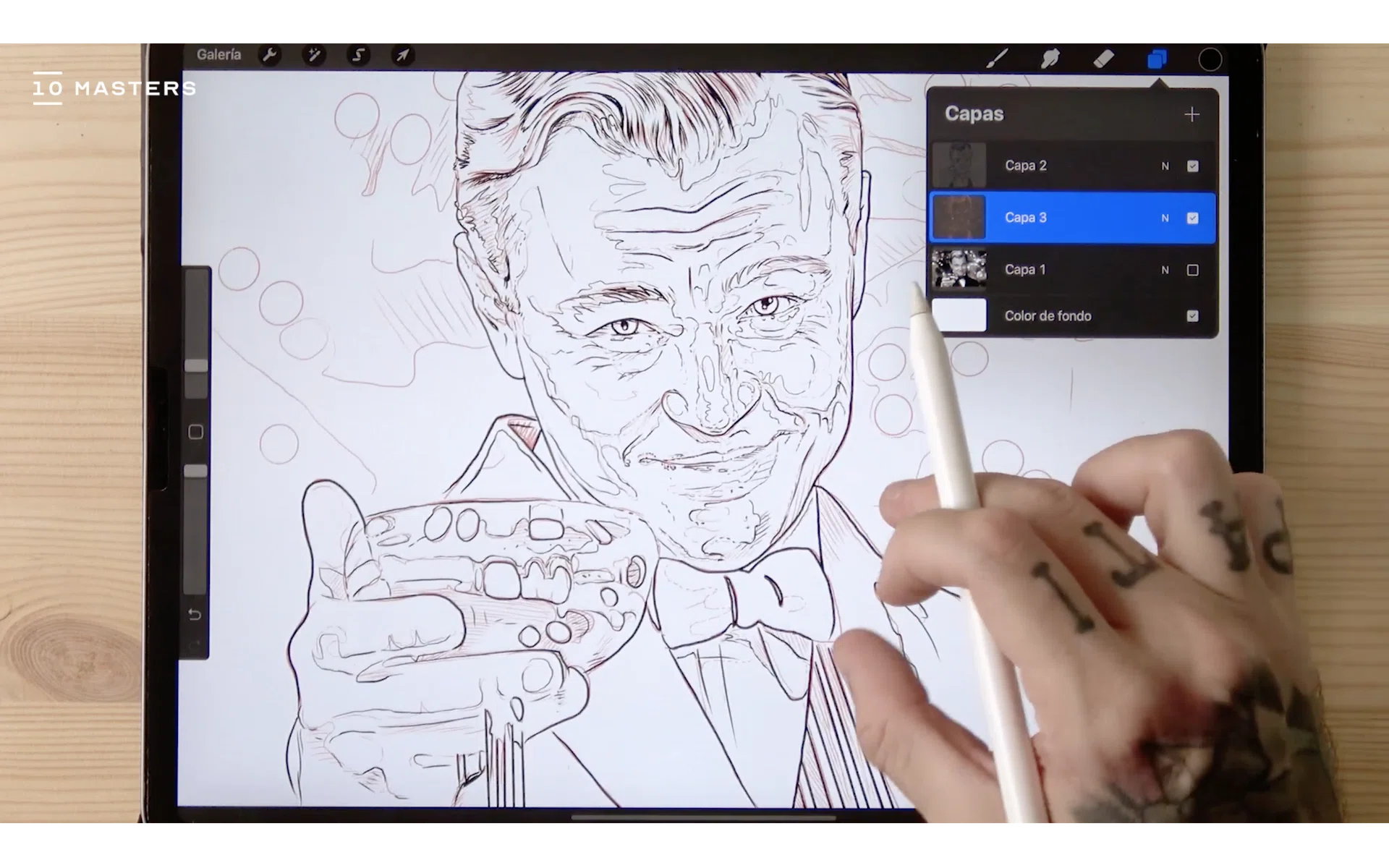
The Digital Canvas: Why Tattoo Artists Embrace Drawing Apps
The integration of digital drawing apps into the tattoo industry is more than a fleeting trend; it’s a strategic adoption of powerful tech tools that address common challenges and unlock new artistic possibilities. These applications serve as a digital canvas, providing artists with a versatile workspace that significantly streamlines their creative journey from initial concept to a ready-to-stencil design.
Efficiency and Workflow Optimization
One of the most compelling reasons for artists to go digital is the immense boost in efficiency. Traditional drawing often involves a linear process: sketch, ink, refine, and potentially redraw multiple times for different iterations. Digital apps, however, shatter these constraints. Layers allow artists to separate elements, experiment with different backgrounds, linework, and shading without altering underlying components. Tools like symmetry guides, shape libraries, and perspective rulers drastically reduce the time spent on repetitive tasks, enabling artists to focus more on the creative nuances of their design. Revisions, a common necessity in custom tattoo work, become effortless; a client’s request for a minor alteration, a color change, or a size adjustment can be implemented in minutes rather than hours, saving valuable time and expediting the design approval process. This efficiency directly translates into a more productive workflow, allowing artists to manage their time better and even take on more projects.
Expanding Creative Horizons
Digital drawing apps are veritable treasure troves of creative tools that extend far beyond what traditional mediums can offer. Artists gain access to an almost infinite palette of colors, customizable brushes that can mimic anything from an inky wash to a fine pencil line, and textures that can simulate various materials or skin tones. Features like blending modes, opacity controls, and selection tools empower artists to experiment with complex compositions and lighting effects that would be incredibly time-consuming or even impossible on paper. The ability to import reference images directly, trace over them, or even manipulate them within the design environment opens up new avenues for realism and intricate detail. Furthermore, some apps offer 3D model import, allowing artists to visualize how a design will wrap around a dynamic form, an invaluable feature when designing tattoos for specific body parts. This expansive toolkit encourages artists to push the boundaries of their creativity, exploring styles and techniques that might have previously been out of reach.
Bridging Art and Client Communication
Beyond the drawing board, digital apps significantly enhance the client consultation and approval process. A crucial aspect of any tattoo artist’s brand is their ability to effectively communicate their vision and ensure client satisfaction. With digital designs, artists can easily create realistic mock-ups by superimposing the proposed artwork onto a photograph of the client’s body part. This gives the client a clear, visual representation of how the tattoo will look, considering placement, size, and how it contours with their anatomy. These digital proofs facilitate clearer communication, reducing misunderstandings and building trust. Easy sharing options mean designs can be sent via email or messaging apps for remote review, making the process convenient for both parties. The ability to quickly make client-requested changes in real-time during a consultation further solidifies the artist’s professionalism and commitment to a bespoke experience, ultimately strengthening their brand reputation for client-centric service.
Top Apps Powering Tattoo Artistry
The market offers a diverse range of digital drawing applications, each with its unique strengths and weaknesses. The choice often depends on the artist’s preferred device, artistic style, and specific workflow requirements. Here’s a look at some of the most popular apps that tattoo artists use to bring their visions to life.
Procreate: The Industry Gold Standard (iPadOS)
Without a doubt, Procreate has emerged as a dominant force in the digital art world, especially among tattoo artists. Exclusively available for iPad and Apple Pencil, its intuitive interface, powerful brush engine, and robust feature set make it incredibly appealing. Artists laud its responsiveness and the natural feel of drawing on the screen. Key features include an extensive library of customizable brushes, an unlimited number of layers (device-dependent), advanced selection tools, reference image import, and the highly popular Time-lapse Recording feature, perfect for showcasing the creative process on social media. Its ease of use combined with professional-grade capabilities makes it an ideal choice for sketching, intricate linework, realistic shading, and vibrant coloring, catering to a wide array of tattoo styles.
Adobe Photoshop & Illustrator: The Professional Powerhouses (Desktop/Tablet)
For artists seeking the ultimate in versatility and industry-standard tools, Adobe’s Photoshop and Illustrator remain indispensable, often used in conjunction with a Wacom tablet or a pen display.
- Adobe Photoshop excels in raster graphics, making it perfect for photorealistic tattoo designs, complex shading, texture work, and photo manipulation. Its unparalleled layer management, blending options, and vast array of filters and adjustments allow for incredibly detailed and nuanced artwork. For realism tattoo artists, Photoshop’s capabilities in rendering light, shadow, and intricate details are unmatched.
- Adobe Illustrator, on the other hand, is the go-to for vector graphics. This means designs created in Illustrator are infinitely scalable without any loss of quality, which is crucial for tattoos that might be resized for different placements. It’s ideal for clean linework, geometric patterns, lettering, and sharp, graphic designs. Many artists use Illustrator for creating crisp outlines and then move to Photoshop for coloring and shading. Their seamless integration within the Adobe Creative Cloud ecosystem provides a powerful and comprehensive solution for any digital artist.
Clip Studio Paint: The Manga & Comic Artist’s Darling (Multi-platform)
Originally designed for comic and manga creation, Clip Studio Paint (formerly Manga Studio) has gained significant traction among tattoo artists for its powerful inking and coloring tools. Available on Windows, macOS, iPad, Android, and Chromebook, it offers natural brush strokes, robust perspective rulers, 3D model import for posing and reference, and vector layers that allow for line adjustments without redrawing. Its dynamic brush engine can replicate traditional media remarkably well, and its advanced fill tools accelerate the coloring process. Artists specializing in anime, comic, new traditional, or illustrative styles often find Clip Studio Paint to be an exceptionally versatile and responsive tool.
Autodesk Sketchbook: The Free & Intuitive Option (Multi-platform)
For artists just dipping their toes into digital art or those seeking a straightforward, high-quality drawing experience without a subscription fee, Autodesk Sketchbook is an excellent choice. Available across Windows, macOS, iOS, and Android, it boasts a clean, uncluttered interface that prioritizes the drawing experience. Despite being free, it offers a respectable set of features including a variety of brushes, layers, symmetry tools, and predictive stroke technology that smooths lines. While it might not have the advanced features of Procreate or Adobe products, its intuitive nature and professional-grade drawing engine make it a strong contender for sketching, concept art, and even finished linework, especially for artists on a budget.

Concepts: Vector Flexibility and Infinite Canvas (Multi-platform)
Concepts is a unique vector-based drawing app available on iOS, Windows, and Android, known for its infinite canvas and precise drafting tools. While less focused on expressive painting, it shines for geometric, ornamental, and highly precise tattoo designs. Its vector nature means every stroke can be manipulated and scaled with perfect clarity. Artists can use its infinite canvas to explore multiple variations of a design side-by-side, and its precision measurement tools are invaluable for intricate patterns and symmetrical work. For artists whose style demands clean lines, editable shapes, and modular design, Concepts offers a powerful and flexible environment.
Beyond the Brush: How Digital Tools Impact the Tattoo Business
The adoption of digital drawing apps extends far beyond the artistic process; it profoundly influences the business operations and financial landscape for tattoo artists. By embracing these tech solutions, artists can build stronger brands and enhance their money management strategies.
Enhancing Client Experience and Building Brand Reputation
In today’s competitive market, a superior client experience is paramount for building a strong brand reputation. Digital tools enable artists to present concepts with unparalleled professionalism. Realistic mock-ups demonstrate a commitment to precision and client satisfaction, fostering trust and enthusiasm. The ability to iterate quickly and incorporate client feedback seamlessly ensures a collaborative process, leading to happier customers and positive word-of-mouth referrals. Furthermore, many apps offer features like time-lapse recordings of the drawing process, which artists can share on social media. This not only showcases their skill and the magic behind the art but also provides engaging content that boosts their online presence and reinforces their personal brand as a forward-thinking, skilled professional. Consistency in the quality and presentation of designs, facilitated by digital tools, further solidifies their artistic identity and reputation in the industry.
Streamlining Business Operations and Financial Gains
From a money perspective, digital drawing apps offer significant advantages. Firstly, they lead to a reduction in material waste. Gone are the days of needing countless sheets of paper, pencils, inks, and expensive art markers for revisions or discarded concepts. The digital realm is inherently more sustainable and cost-effective in the long run. Secondly, the efficiency gains discussed earlier directly translate into financial benefits. By reducing the time spent on design iterations, artists can allocate more time to actual tattooing, manage a larger client load, or dedicate more hours to complex, higher-paying projects. This optimization of time directly increases potential revenue.
Moreover, digital designs are easily archived and organized, streamlining portfolio management and making it simple to retrieve past work or references. This digital asset management saves administrative time and can be crucial for legal or historical purposes. Artists can also leverage their digital skills to create and sell digital flash designs, custom brushes, or online tutorials, opening up additional income streams beyond tattooing. The initial investment in a tablet and software, while potentially significant, often proves to be a wise financial decision when weighed against the recurring costs of traditional art supplies and the long-term benefits of increased efficiency and expanded service offerings.
Choosing the Right Tool: Considerations for Tattoo Artists
Selecting the ideal digital drawing app is a personal decision, influenced by several factors that intertwine with an artist’s existing tech setup, artistic preferences, and financial considerations.
Device Compatibility and Ecosystem
The first major consideration is the hardware. Are you an iPad Pro user, committed to the Apple ecosystem? Then Procreate is an obvious choice. Do you prefer the power and flexibility of a desktop PC, possibly paired with a Wacom Cintiq or Intuos tablet? In that case, Adobe Photoshop, Illustrator, or Clip Studio Paint might be more suitable. Android tablets or devices like the Microsoft Surface Pro offer alternatives with apps like Sketchbook, Concepts, or Clip Studio Paint. The existing devices an artist owns, or is willing to invest in, will significantly narrow down the app choices.
Feature Set vs. Learning Curve
Artists need to evaluate which features are essential for their style and workflow. Do you primarily need robust sketching and painting tools, or do you require precise vector capabilities? While advanced apps like Photoshop offer a vast array of features, they also come with a steeper learning curve. Simpler apps like Sketchbook are more immediately intuitive. Balancing the desired feature set with the time commitment to learn new software is crucial. Some artists might opt for an easier entry point and gradually transition to more complex software as their digital skills grow.
Cost and Subscription Models
The money aspect is always a factor. Apps like Procreate and Clip Studio Paint offer a one-time purchase, providing long-term value. Adobe Creative Cloud, while incredibly powerful and comprehensive, operates on a subscription model, which can be a recurring expense. Free options like Autodesk Sketchbook offer a fantastic starting point with no financial commitment. Artists must weigh the upfront costs and ongoing expenses against their budget and the return on investment through increased efficiency and design quality.
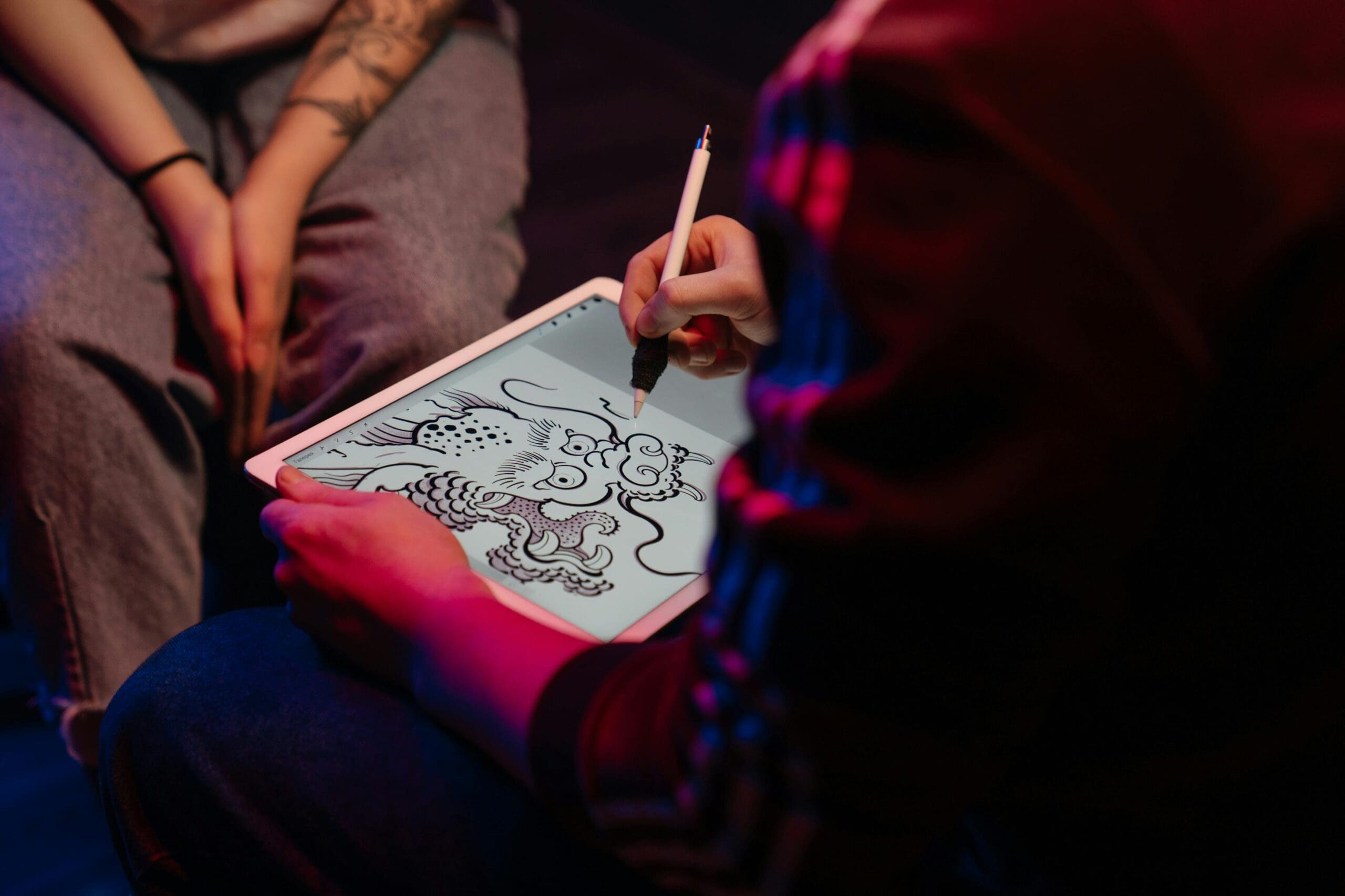
Personal Workflow and Artistic Style
Ultimately, the best app is the one that seamlessly integrates into an artist’s personal workflow and complements their artistic style. An artist specializing in hyperrealism might lean towards Photoshop for its advanced rendering capabilities, while a geometric or ornamental tattooist might prefer Illustrator or Concepts for their precision. Traditional and neo-traditional artists might find Procreate or Clip Studio Paint’s natural brush engines more appealing. Experimentation and trying out demos (where available) are often the best ways for an artist to discover their perfect digital match.
The journey of a tattoo design, from a fleeting idea to a permanent mark on skin, is increasingly being shaped by the digital tools tattoo artists choose. These applications are not merely conveniences; they are powerful accelerators for creativity, precision, and business efficiency. By leveraging the right app, tattoo artists can not only refine their craft and expand their artistic horizons but also elevate their client interactions, strengthen their brand, and optimize their financial operations. In a world where tech continues to evolve at a rapid pace, the digital canvas has become an indispensable extension of the tattoo artist’s toolkit, empowering them to create stunning, bespoke art that truly resonates with their clients and stands the test of time.
aViewFromTheCave is a participant in the Amazon Services LLC Associates Program, an affiliate advertising program designed to provide a means for sites to earn advertising fees by advertising and linking to Amazon.com. Amazon, the Amazon logo, AmazonSupply, and the AmazonSupply logo are trademarks of Amazon.com, Inc. or its affiliates. As an Amazon Associate we earn affiliate commissions from qualifying purchases.