
In the rapidly evolving world of digital media and social connectivity, few applications have captivated global audiences quite like TikTok. With its short-form video content, infectious trends, and intuitive editing tools, TikTok has transformed the landscape of entertainment and communication. Yet, despite its omnipresence, the simple question, “Can you install TikTok?” carries a surprising degree of complexity, especially when considering regional restrictions, device compatibility, and the intricacies of digital security. This article delves into the multi-faceted answer, guiding you through standard installation methods, exploring workarounds for geo-blocks, and crucially, highlighting the security considerations essential for any tech-savvy user.

Understanding TikTok’s Global Reach and Regional Restrictions
TikTok’s journey from a niche app to a cultural phenomenon has been meteoric, driven by its innovative algorithm and user-generated content. However, its global expansion hasn’t been without its challenges. Before diving into the mechanics of installation, it’s crucial to understand the broader context of its availability.
The Landscape of Availability: Where TikTok Flourishes and Where It’s Restricted
For the vast majority of smartphone users worldwide, installing TikTok is a straightforward process, akin to downloading any other mainstream application. It’s readily available in major app stores in North America, Europe, parts of Asia, Africa, and Latin America, reflecting its broad appeal and operational presence. Its user base spans demographics, from Gen Z trendsetters to small business owners leveraging its viral marketing potential.
However, TikTok’s Chinese origins and its parent company, ByteDance, have subjected it to intense scrutiny from governments and regulatory bodies globally. Concerns primarily revolve around data privacy, national security implications, and potential censorship. This has led to outright bans or significant restrictions in several countries. India, once TikTok’s largest market, banned the app in 2020 alongside hundreds of other Chinese-linked applications, citing national security concerns. Afghanistan also imposed a ban in 2022. Other nations, while not imposing outright bans, have considered or implemented partial restrictions, particularly on government-issued devices, or have engaged in ongoing regulatory battles that create uncertainty for users. These geopolitical tensions directly impact the “can you install TikTok” question for millions.
Device Compatibility and System Requirements
Beyond geographical availability, device compatibility is a fundamental prerequisite for installation. TikTok, like most modern applications, has specific operating system (OS) and hardware requirements to ensure optimal performance.
For Android users, TikTok generally requires Android 5.0 (Lollipop) or newer. While newer versions are always recommended for better security and feature access, most modern Android smartphones and tablets running a reasonably updated OS should be compatible. The app typically demands a certain amount of free storage space (usually a few hundred megabytes for the app itself, plus more for cached data and downloaded videos) and a stable internet connection.
iOS users need devices running iOS 12.0 or later. This means iPhone 6S and newer models, as well as relatively recent iPads and iPod Touches, are generally compatible. Similar to Android, sufficient storage and a reliable internet connection are essential. While TikTok is designed to be relatively lightweight, older devices with limited RAM or aging processors might experience slower loading times or occasional glitches, though the app strives for broad accessibility. Regularly updating your device’s operating system not only ensures compatibility with the latest app versions but also significantly enhances overall device security and performance.
Standard Installation Methods: The Official and Recommended Approach
For the vast majority of users in regions where TikTok is officially supported, installing the application is a seamless process facilitated by the respective app stores. This method is universally recommended due to its security, ease of updates, and direct support from the platform.
Installing TikTok via Google Play Store (Android)
Android users benefit from the vast ecosystem of the Google Play Store, which acts as the primary hub for legitimate applications. The installation process is straightforward:
- Ensure Internet Connectivity: Connect your Android device to a stable Wi-Fi network or enable mobile data. A strong connection prevents download interruptions.
- Open Google Play Store: Locate and tap the “Play Store” icon on your device’s home screen or app drawer. It’s typically a colorful triangle logo.
- Search for TikTok: Tap the search bar at the top of the Play Store interface. Type “TikTok” and press the search icon (magnifying glass).
- Select the Official App: From the search results, identify the official “TikTok” app, usually published by “TikTok Pte. Ltd.” or “ByteDance Ltd.” Check the developer name and the app icon to avoid unofficial clones or malicious fakes.
- Initiate Download and Install: Tap the “Install” button. The app will begin downloading and then automatically install on your device. You might be prompted to accept certain permissions before installation; review these carefully.
- Open and Set Up: Once installed, an “Open” button will appear. Tap it to launch TikTok. You’ll then be guided through the initial setup, which typically involves signing up or logging in, granting necessary permissions (like camera and microphone access), and personalizing your feed.
Installing TikTok via Apple App Store (iOS)
For iPhone and iPad users, the Apple App Store serves as the exclusive gateway for app installations, ensuring a curated and secure environment.
- Connect to the Internet: Ensure your iOS device has a stable Wi-Fi or cellular data connection.
- Launch App Store: Tap the blue “App Store” icon on your home screen.
- Use the Search Tab: Tap the “Search” tab (magnifying glass icon) at the bottom right of the screen.
- Search for TikTok: In the search bar at the top, type “TikTok” and tap “Search” on the keyboard.
- Locate the Official App: Find the official “TikTok” app in the search results. Verify the developer is “TikTok Pte. Ltd.” or “ByteDance Ltd.”
- Download and Install: Tap the “Get” button next to the app icon. You might need to authenticate with Face ID, Touch ID, or your Apple ID password. The app will download and install automatically.
- Access and Configure: Once installed, the “Get” button will change to “Open.” Tap it to launch TikTok. Proceed with creating an account or logging in and granting the requested permissions to customize your experience.
These standard methods are not only the easiest but also the safest, guaranteeing that you receive the legitimate, updated version of the app directly from trusted sources.
Navigating Regional Blocks and Workarounds for TikTok Installation
When TikTok is restricted in your region, the standard installation methods become ineffective, leading users to seek alternative ways to access the popular platform. While these workarounds can provide access, they often come with increased security risks and technical complexities. This section explores the primary methods for bypassing geo-blocks and accessing TikTok where it’s not officially available.
The Role of Virtual Private Networks (VPNs)
A Virtual Private Network (VPN) is a powerful tool that allows you to encrypt your internet connection and route it through a server located in another country. By doing so, your device appears to be browsing from that location, effectively bypassing geographical restrictions. This makes VPNs an invaluable asset for accessing region-locked content, including app stores and services like TikTok.
How VPNs Help with TikTok:
- Masking Your IP Address: When you connect to a VPN server, your real IP address is hidden, and you adopt the IP address of the VPN server. If you connect to a server in, say, the United States, websites and app stores will perceive you as being located in the US, where TikTok is available.
- Accessing App Stores: With a VPN active, you can access the Google Play Store or Apple App Store as if you were in the VPN server’s country. This might allow you to see and download TikTok if your app store account’s region setting is also adjusted (more on this below).
- Bypassing In-App Geo-Restrictions: Even if you manage to install TikTok, the app itself might perform geo-location checks. A VPN helps maintain the illusion of being in an allowed region, allowing the app to function correctly.
Choosing and Using a Reliable VPN:
- Reputation and Security: Opt for reputable VPN providers known for their strong encryption, no-log policies, and a good track record. Free VPNs often come with significant privacy risks, including data collection or injected ads.
- Server Locations: Choose a VPN with servers in countries where TikTok is freely available (e.g., USA, Canada, most European countries).
- Speed and Performance: A good VPN should offer decent speeds to ensure smooth video streaming on TikTok.
- Ease of Use: Select a VPN with user-friendly apps for your device (Android, iOS).
Steps to Use a VPN for TikTok:
- Subscribe and Install: Choose a reputable VPN service (e.g., ExpressVPN, NordVPN, Surfshark) and install its app on your device.
- Connect to a Server: Open the VPN app and connect to a server location where TikTok is not banned.
- Clear App Store Cache (Android): For Android, it’s often helpful to go to Settings > Apps > Google Play Store > Storage and tap “Clear cache” and “Clear data” to refresh its location awareness.
- Attempt Installation: With the VPN active, try installing TikTok through the standard App Store method. If your App Store account is tied to a restricted region, you might also need to change your App Store region.
Sourcing and Installing APK Files (Android Only)
For Android users, an alternative to the Google Play Store is to sideload applications using their Android Package Kit (APK) files. An APK is the package file format used by the Android operating system for the distribution and installation of mobile apps. While this offers a bypass for restricted app stores, it introduces significant security risks if not handled carefully.
How APKs Work:
When you download an app from the Google Play Store, you’re essentially downloading an APK file that the store then installs for you. Sideloading means you manually download this APK from a third-party source and install it yourself.
Steps to Install TikTok via APK:
- Enable Unknown Sources (Android Settings): Before you can install an APK, you must allow your device to install apps from sources other than the Google Play Store. Go to Settings > Apps & notifications > Special app access > Install unknown apps (or similar path depending on your Android version). From there, grant permission to your browser (e.g., Chrome) or file manager to install apps.
- Find a Reputable APK Source: This is the most critical step. Never download APKs from untrusted websites. Malicious actors often embed malware, viruses, or spyware into fake APK files. Reputable sites known for verified APKs include APKMirror, APKPure, and Aptoide. Even on these sites, always verify the app publisher and compare the APK’s hash value if possible.
- Download the TikTok APK: Search for “TikTok APK” on your chosen reputable site. Download the latest compatible version.
- Install the APK: Once downloaded, open your device’s file manager, navigate to your “Downloads” folder, and tap on the TikTok APK file. Follow the on-screen prompts to install the app.
- Disable Unknown Sources (Crucial Security Step): After successful installation, immediately go back to your device settings and disable “Install unknown apps” for all applications that you previously enabled. This prevents potential malware from silently installing other apps in the future.
- Use a VPN: Even after installing via APK, TikTok might still detect your geographical location. Activating a VPN connected to a non-restricted country is highly recommended for the app to function properly and access content.
Changing Your App Store Region (iOS and Android)
Both Apple and Google allow users to change their account’s associated country or region, which can influence the apps available to them. This method is more involved and comes with its own set of caveats.
For Apple App Store (iOS):
- Requirements: You must have no active subscriptions, store credit, or pending refunds. You might need a payment method and billing address associated with the new country.
- Steps: Go to Settings > [Your Name] > Media & Purchases > View Account > Country/Region. Follow the prompts to change it. This can be cumbersome and affect other apps or services tied to your original region.
For Google Play Store (Android):
- Requirements: You can only change your Play Store country once every 12 months. You need a payment method from the new country and must physically be in that country (or appear to be via VPN).
- Steps: Open the Play Store app, tap your profile icon, go to Settings > General > Account and device preferences > Country and profiles. If you have a payment method from the new country and are using a VPN from that country, you should see an option to switch.
While these methods can technically enable TikTok installation, they are more complex, potentially disrupt other services, and involve a degree of commitment to the new region setting. For Android users, the APK method combined with a VPN is often the most common workaround.
Security and Privacy Considerations When Installing TikTok
In the enthusiasm to access TikTok, especially through unofficial channels, it’s easy to overlook crucial security and privacy implications. A tech-focused audience understands that convenience should never compromise digital safety. Therefore, when discussing “can you install TikTok,” it’s imperative to address the risks and best practices.
Risks Associated with Unofficial Sources and Modified Apps
The most significant security risk arises when users resort to downloading TikTok from third-party APK sites or any source other than the official Google Play Store or Apple App Store.
- Malware and Viruses: Unofficial APKs are prime vectors for malware. Cybercriminals often embed viruses, spyware, ransomware, or adware into seemingly legitimate app files. Once installed, these malicious components can steal personal data (passwords, banking information), monitor your activities, display aggressive ads, or even hijack your device.
- Data Breaches: Compromised apps can be designed to exfiltrate your data without your knowledge. This could include contact lists, location data, photos, and even sensitive login credentials for other services.
- Lack of Updates and Support: Apps installed via unofficial APKs do not receive automatic updates. This means you miss out on crucial security patches, bug fixes, and new features. Running outdated software leaves you vulnerable to newly discovered exploits.
- Account Compromise: If you log into your TikTok account (or any other social media account) through a compromised app, your login credentials can be stolen, leading to account takeover and potential identity theft.
- “Modded” Apps: Be extremely wary of “modded” TikTok versions that promise unlimited coins, no ads, or other premium features for free. These are almost universally malicious and represent an even greater security risk than standard unofficial APKs, as they are intentionally altered.
Best Practices for Digital Security and Privacy
Regardless of how you install TikTok, adopting robust digital security practices is paramount.
- Always Prefer Official App Stores: This cannot be stressed enough. Google Play Store and Apple App Store vet applications for security and provide a trusted distribution channel.
- Verify APK Sources (If Necessary): If sideloading is your only option, use highly reputable APK repositories like APKMirror or APKPure. Cross-reference the app’s hash (MD5, SHA-1) with officially published hashes if available to ensure file integrity.
- Use a Reputable VPN: A premium VPN encrypts your internet traffic, protecting your data from eavesdropping, especially on public Wi-Fi networks. It also helps in maintaining privacy by masking your IP address.
- Review App Permissions Carefully: During installation (or in your device settings afterward), TikTok will request various permissions (e.g., camera, microphone, storage, contacts, location). Understand why an app needs certain permissions. If a permission seems excessive or unrelated to the app’s core function (e.g., a photo editing app demanding access to your call logs), reconsider its installation or revoke that specific permission if possible.
- Strong, Unique Passwords and Two-Factor Authentication (2FA): Use a complex, unique password for your TikTok account. Enable Two-Factor Authentication (2FA) if TikTok offers it (most major social media platforms do). This adds an extra layer of security, requiring a code from your phone in addition to your password.
- Regularly Update Your Device OS and Apps: Keep your smartphone’s operating system and all installed apps, including TikTok, updated to the latest versions. Updates often include critical security patches that fix vulnerabilities.
- Be Mindful of In-App Privacy Settings: Explore TikTok’s privacy settings within the app itself. You can control who sees your content, who can comment, direct message you, and whether your profile is public or private. Customize these settings to your comfort level.
- Understand Data Collection Policies: While installing, be aware that TikTok collects significant user data, including usage patterns, device information, and potentially location data. Familiarize yourself with their privacy policy to understand what data is collected and how it’s used.
By exercising caution and adhering to these security guidelines, users can mitigate many of the risks associated with accessing and enjoying TikTok, particularly when navigating regional restrictions. The answer to “can you install TikTok” isn’t just about technical feasibility, but also about making informed, secure choices.
Troubleshooting Common TikTok Installation Issues
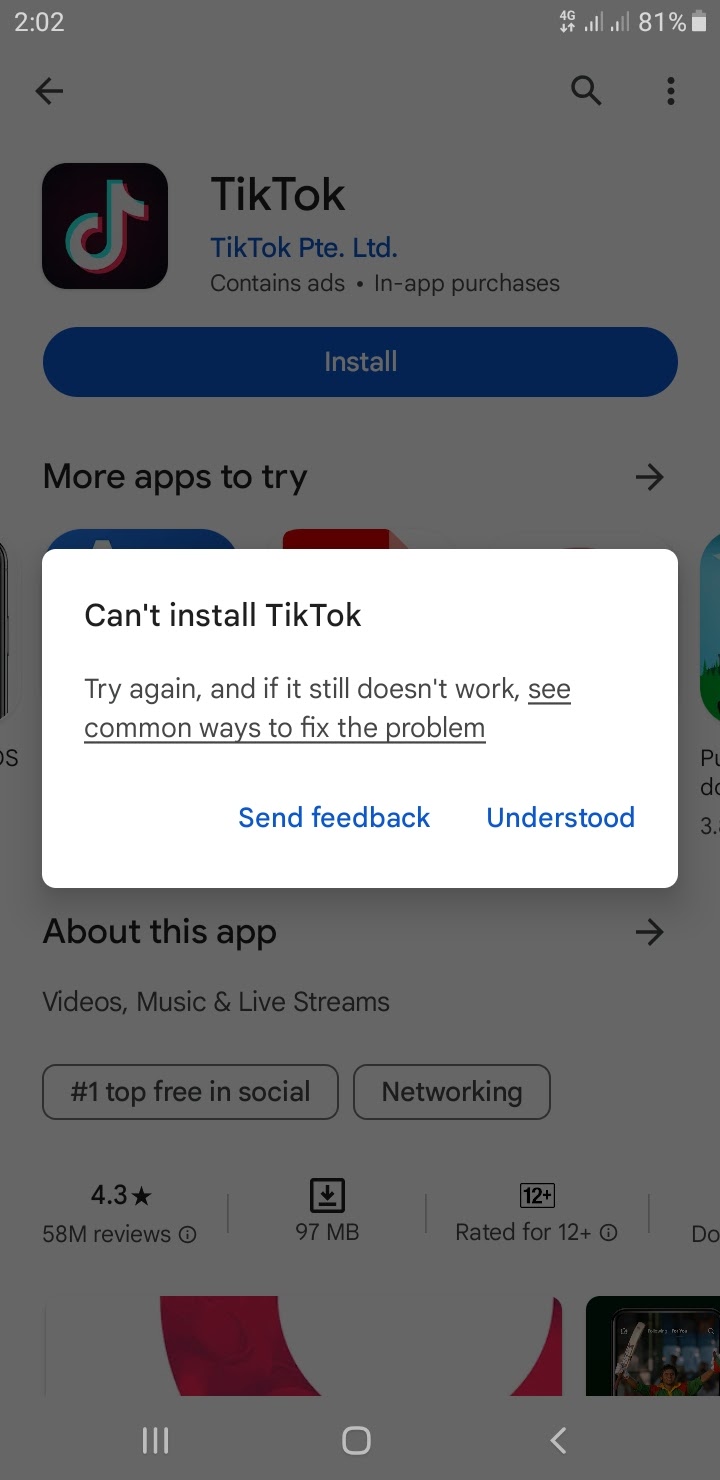
Even when following the correct steps, users can encounter problems during or after TikTok installation. These issues often stem from device-specific factors, network conditions, or sometimes, lingering geo-restrictions. Understanding how to troubleshoot these common hurdles can save time and frustration.
“App Not Installed” or Installation Failures
This is a frequently reported issue, particularly on Android when sideloading APKs, but can also occur with official app store installations.
- Insufficient Storage Space: The most common culprit. TikTok and its cached data can consume significant storage.
- Solution: Go to your device’s settings (Settings > Storage on Android, Settings > General > iPhone Storage on iOS) and free up space by deleting unnecessary apps, large files, or clearing cached data from other applications. Ensure you have at least 1-2 GB of free space.
- Corrupted APK File (Android): If you’re installing via APK, the file might be incomplete or corrupted.
- Solution: Delete the downloaded APK and re-download it from a reliable source. Ensure your internet connection is stable during download.
- Unknown Sources Not Enabled (Android APK): You might have forgotten or incorrectly enabled permission for installing from unknown sources.
- Solution: Double-check your settings (Settings > Apps & notifications > Special app access > Install unknown apps).
- Device Incompatibility: Your device might not meet the minimum OS or hardware requirements.
- Solution: Verify TikTok’s minimum OS requirements against your device’s version. Older or heavily customized Android versions might face compatibility issues.
- Conflicting App Package: Sometimes, a previous failed installation or a remnant of an old version can cause conflicts.
- Solution: Restart your device. If installing via APK, ensure there are no other TikTok APKs in your downloads. If you previously had a modded version, uninstall it completely and clear its residual files.
Post-Installation Problems: App Crashing, Freezing, or Not Loading Content
Even if TikTok installs successfully, you might face issues with its performance or functionality.
- Weak or Unstable Internet Connection: TikTok is a streaming-heavy application. A poor internet connection will lead to buffering, content not loading, or the app crashing.
- Solution: Switch to a strong Wi-Fi network. If using mobile data, ensure you have sufficient data allowance and good signal strength. Try resetting your router or switching between Wi-Fi and mobile data.
- Outdated App Version: Running an old version of TikTok can lead to bugs and instability, especially if the backend servers have updated.
- Solution: Check the Google Play Store or Apple App Store for available updates and install them.
- Device RAM or Processor Limitations: On older devices with limited RAM, TikTok might struggle to run smoothly, especially with other apps open in the background.
- Solution: Close other applications running in the background. Clear TikTok’s cache (Settings > Apps > TikTok > Storage > Clear Cache on Android; for iOS, offloading the app and reinstalling can achieve this). Consider restarting your device.
- Geo-Restriction Re-detection: Even with a VPN, TikTok might occasionally detect your real location and restrict content or access.
- Solution: Ensure your VPN is actively connected to a server in an allowed region before opening TikTok. Try switching to a different VPN server or even a different VPN provider.
- Server-Side Issues: Rarely, TikTok’s servers might be experiencing issues.
- Solution: This is beyond user control. Check social media or tech news outlets for reports of TikTok outages. Wait a few hours and try again.
- App Permissions Revoked: You might have accidentally revoked a critical permission (e.g., network access, storage) that TikTok needs to function.
- Solution: Go to your device’s app settings (Settings > Apps > TikTok > Permissions) and ensure all necessary permissions are granted.
By methodically going through these troubleshooting steps, most users can resolve common TikTok installation and performance issues, ensuring a smoother experience with the popular video platform. The journey to “can you install TikTok” often involves not just the initial download, but also maintaining its optimal function.
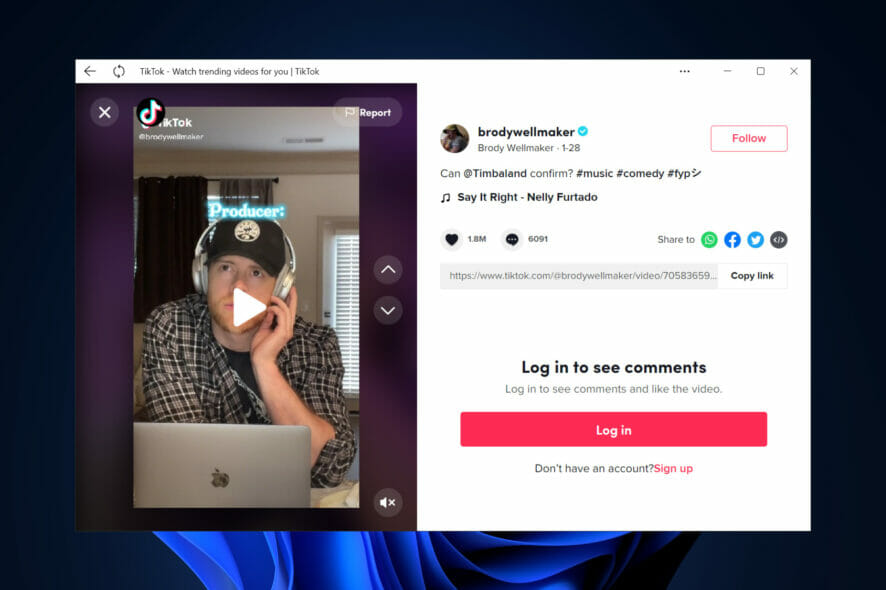
Conclusion: The Evolving Answer to “Can You Install TikTok?”
The question “Can you install TikTok?” is far from a simple yes or no. For the vast majority of users across the globe, the answer is a straightforward affirmative, facilitated by the secure and convenient channels of the Google Play Store and Apple App Store. In these regions, installing TikTok is as effortless as downloading any other popular app, requiring only a compatible device, sufficient storage, and a stable internet connection. This accessibility underpins TikTok’s phenomenal growth, making it a ubiquitous platform for creative expression, entertainment, and digital trends.
However, the narrative shifts dramatically for those in territories subject to governmental restrictions or bans. In these instances, the “can you” transforms into a quest for workarounds, primarily involving Virtual Private Networks (VPNs) and, for Android users, the manual installation of APK files from third-party sources. While these methods offer a pathway to access, they introduce layers of complexity and, more importantly, elevate the stakes concerning digital security and personal privacy. The geopolitical landscape, with its evolving concerns over data sovereignty and national security, continually reshapes TikTok’s global footprint, forcing users to navigate a more intricate digital environment.
As technology consumers, the ultimate responsibility lies with us to make informed decisions. Opting for official installation methods whenever possible remains the gold standard for security and reliability. When alternative methods like VPNs and APKs become necessary, exercising extreme caution, verifying sources, and implementing robust security practices—such as strong passwords, two-factor authentication, and diligent permission management—are not merely suggestions but critical safeguards.
In essence, “Can you install TikTok?” is a dynamic question. For most, it’s a testament to modern app accessibility. For others, it’s a reflection of the intricate balance between technological freedom, governmental control, and individual digital responsibility in a hyper-connected world. As TikTok continues to evolve, so too will the nuances of its installation and the experience it offers to its diverse global audience.
aViewFromTheCave is a participant in the Amazon Services LLC Associates Program, an affiliate advertising program designed to provide a means for sites to earn advertising fees by advertising and linking to Amazon.com. Amazon, the Amazon logo, AmazonSupply, and the AmazonSupply logo are trademarks of Amazon.com, Inc. or its affiliates. As an Amazon Associate we earn affiliate commissions from qualifying purchases.