
In an age where our smartphones are extensions of ourselves – repositories of personal memories, productivity tools, and entertainment hubs – few things are as unsettling as discovering unfamiliar apps, particularly random games, mysteriously appearing on our devices. This phenomenon, far from being a mere annoyance, is a red flag indicating a potential compromise of your digital security and privacy. Understanding why your phone might be installing these unsolicited programs is the first critical step toward reclaiming control and safeguarding your mobile experience. This isn’t just about deleting a few unwanted icons; it’s about understanding the complex interplay of app ecosystems, digital security vulnerabilities, and sometimes, sophisticated tactics designed to monetize your device usage without your explicit consent.
The Unseen Culprits: Deconstructing Unwanted App Installations
The sudden appearance of uninvited applications, especially games, is rarely a random act of digital spontaneity. Instead, it’s typically the symptom of underlying issues, ranging from subtle permission abuses to outright malicious software. Unpacking these causes is essential to identify the root of the problem and prevent future occurrences.
Malicious Software and Adware: The Primary Offenders
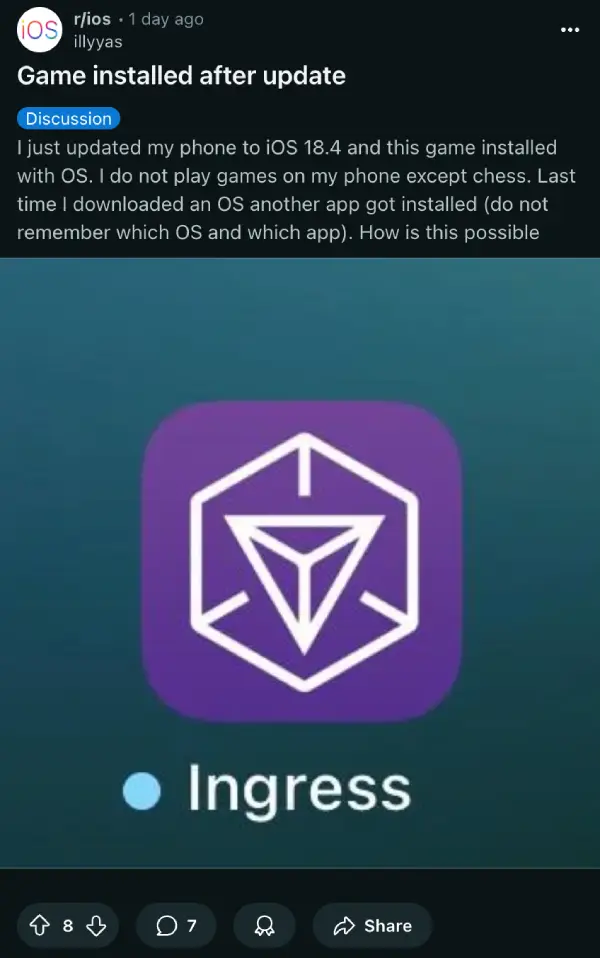
At the forefront of unsolicited installations are malicious software, commonly known as malware, and its close cousin, adware. Malware encompasses a broad category of software designed to disrupt, damage, or gain unauthorized access to a computer system. In the context of smartphones, this often means viruses, Trojans, or spyware that are cleverly disguised as legitimate apps or hidden within seemingly innocuous downloads. Once installed, these rogue programs can perform a variety of unwanted actions, including covertly downloading and installing other applications—often random games—to generate advertising revenue for their creators.
Adware, specifically, focuses on displaying intrusive advertisements. While some adware might merely flood your screen with pop-ups, more aggressive forms can take control of your device to download partner applications in the background. These installations are a direct revenue stream for the adware developers, who get paid for every new install their software facilitates. This cycle can quickly bog down your phone’s performance, consume mobile data, and drain battery life, transforming your once-sleek gadget into a slow, frustrating brick. The sheer volume of these malicious apps, often circulating in less-regulated app stores or via deceptive links, makes them a persistent threat to digital security.
Permission Exploitation and Bundled Installs: Sneaky Tactics
Beyond outright malware, many unwanted installations stem from legitimate-looking apps that exploit lax user vigilance regarding permissions. When you install an app, it requests certain permissions—access to your camera, microphone, contacts, or storage. While some requests are necessary for an app’s functionality, others are excessive and can be abused. An app might request “install unknown apps” permission, which, if granted, gives it free rein to download and install anything it chooses without further user intervention. This becomes a gateway for random games and other unwanted software.
Another common tactic is “bundled software” or “crapware.” This occurs when you download one application, and it comes packaged with several others, often disclosed in fine print during the installation process that most users quickly click through. These bundled applications might not be malicious in themselves but are certainly unsolicited. They add clutter, consume storage, and can contribute to performance issues. Developers often bundle apps as a monetization strategy, receiving payments from other app companies for pushing their products onto new users. This practice blurs the lines between legitimate cross-promotion and deceptive installation tactics, making it harder for users to maintain control over their device’s software ecosystem.
The Perils of Third-Party Sources: Venturing Outside the Walled Garden
One of the most significant risk factors for unwanted app installations is downloading applications from unofficial or third-party app stores, or directly installing APK files (Android Package Kit) from untrusted websites. While official app stores like Google Play Store and Apple App Store have stringent security checks and review processes designed to filter out malicious or deceptive applications, third-party sources often lack such oversight. These unregulated platforms become breeding grounds for malware, adware, and apps designed to exploit your device.
The allure of free paid apps, early access to new games, or unreleased software often drives users to these less secure avenues. However, the cost of a “free” app obtained this way can be far greater than its monetary value, potentially compromising your entire device. Such apps might contain hidden code that triggers background installations, harvests personal data, or even opens backdoors for further attacks. Sticking to official, reputable app stores is a fundamental principle of mobile digital security, dramatically reducing your exposure to apps that engage in unsolicited installations.
Deceptive Advertising and Social Engineering: The Human Element
Sometimes, the culprit isn’t a malicious app already on your phone, but rather a deceptive advertisement or a social engineering tactic designed to trick you into initiating an installation. You might encounter pop-up ads while browsing the internet that mimic system warnings, urging you to “clean your phone” or “install a critical update.” Clicking on these can inadvertently trigger the download of an unwanted app or direct you to a malicious site that exploits browser vulnerabilities.
Social engineering involves manipulating users into performing actions they wouldn’t normally do. This could be through phishing attempts that encourage you to install a fake “security update” or promotional messages promising exclusive content in exchange for downloading a particular app. These tactics prey on curiosity, fear, or the desire for freebies, leveraging human psychology to bypass technical security measures. Understanding these methods is crucial for cultivating a robust digital security mindset, where skepticism towards unsolicited digital prompts becomes a vital defense mechanism.
Beyond Annoyance: The Wider Implications for Your Digital Life
The problem of random game installations extends far beyond mere irritation. It poses tangible threats to your device’s health, your personal privacy, and even your financial well-being. Recognizing these broader implications underscores the urgency of addressing such issues promptly.
Security Risks and Data Privacy Concerns: What’s at Stake?
Perhaps the most alarming consequence of unwanted app installations is the profound impact on your digital security and data privacy. Apps that install themselves without permission are often designed to operate surreptitiously in the background, making them prime candidates for data harvesting. They can collect sensitive personal information such as your browsing history, contacts, geographical location, app usage patterns, and even banking details if you use financial apps on your phone. This stolen data can then be sold to advertisers, used for targeted phishing attacks, or even identity theft.
Furthermore, these rogue apps can weaken your device’s overall security posture. They might disable legitimate security features, open ports for remote access, or introduce vulnerabilities that other malicious actors can exploit. For businesses and individuals increasingly reliant on mobile devices for sensitive tasks, such as managing finances or accessing corporate networks, the presence of unauthorized software represents a significant digital security risk that can lead to data breaches and reputational damage. The integration of AI tools in modern software development means even more sophisticated attacks are possible, making robust digital security practices more critical than ever.
Performance Degradation and Battery Drain: The Practical Impact
Beyond the invisible threats, random app installations have very visible and frustrating practical impacts on your phone’s performance. Every additional app, especially those running in the background, consumes valuable system resources. This leads to noticeable slowdowns, increased load times for legitimate applications, and general sluggishness. Your phone’s processor and RAM are constantly working to manage these unwanted programs, leaving fewer resources for the apps you actually intend to use.
Moreover, these apps contribute significantly to battery drain. Background activities like downloading, installing, sending data, and displaying ads require constant power, causing your phone to run out of charge much faster than it should. This constant demand on the battery can also accelerate its degradation over time, reducing its overall lifespan. For a gadget that’s designed for mobility and instant access, compromised battery life and performance can severely impact productivity and user experience. It’s a clear illustration of how unwanted software actively undermines the core functionality and convenience of modern technology.
Financial Ramifications and Unwanted Charges: The ‘Money’ Aspect
The financial implications of random app installations are often overlooked but can be significant. While some apps aim to generate revenue through advertising, others have more direct and nefarious financial objectives. Certain types of malware or premium SMS scams, for instance, can subscribe your phone to costly services without your knowledge or consent. These hidden charges might appear as small, recurring fees on your phone bill, often unnoticed until they accumulate into substantial amounts.
Beyond direct charges, the compromised data from your phone can be leveraged for financial fraud. If banking credentials or credit card information is exfiltrated, it can lead to unauthorized transactions, draining bank accounts or maxing out credit cards. The time and effort required to detect, report, and recover from such financial losses can be substantial, highlighting the direct link between digital security practices and personal finance. Protecting your phone from unwanted software is, therefore, an integral part of maintaining your financial health and preventing potential monetary losses from online income streams or personal investments.
Empowering Your Defense: Proactive Measures and Smart Practices
Taking back control of your phone and preventing future unwanted installations requires a combination of vigilance, smart usage habits, and leveraging available technology. It’s about building a robust digital security strategy for your mobile life.
Vigilance in App Selection and Permissions: Your First Line of Defense
The first and most effective line of defense is a conscious and vigilant approach to app selection and permission management. Before downloading any app, especially new games or utilities, always check its reviews and ratings in the official app stores. Look for apps with a high number of positive reviews from diverse users and a reputable developer. Be wary of apps with very few reviews, generic comments, or overwhelmingly negative feedback.
Crucially, pay close attention to the permissions an app requests during installation. Ask yourself if the requested permissions are logical for the app’s functionality. Does a simple calculator app really need access to your contacts, camera, or microphone? If an app requests excessive or seemingly irrelevant permissions, it’s a major red flag. Deny unnecessary permissions, or better yet, reconsider installing that app altogether. Regularly review the permissions of your installed apps through your phone’s settings, revoking any that seem unwarranted or suspicious. This proactive management of your app ecosystem is key to maintaining productivity and security.
Leveraging Security Tools and System Updates: The Tech Solutions
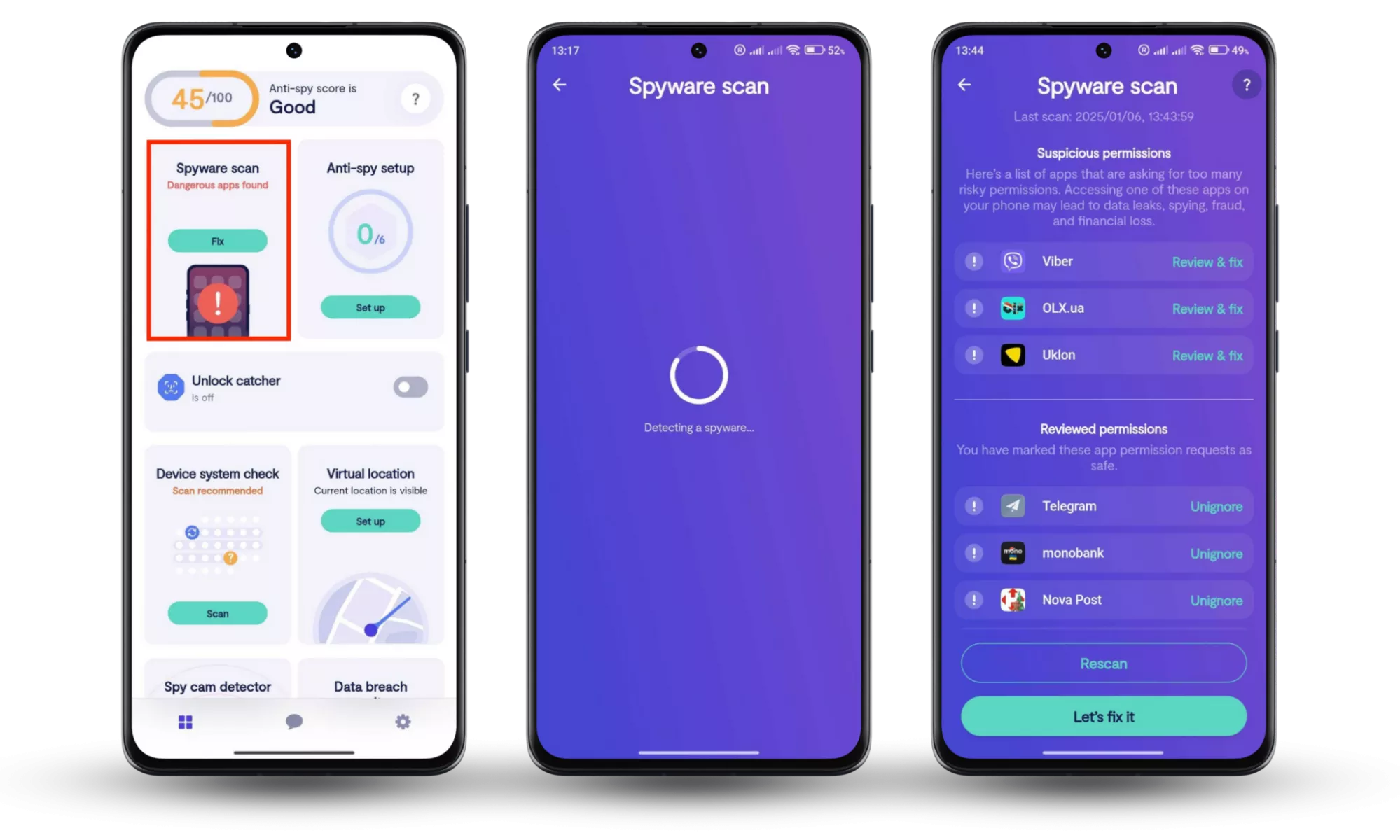
Modern smartphones, along with third-party solutions, offer powerful tools to combat malware and enhance digital security. Install a reputable mobile antivirus or anti-malware application from a well-known security vendor. These tools can scan your device for malicious software, identify suspicious apps, and help remove threats that might be responsible for unwanted installations. Ensure that these security apps are kept updated to recognize the latest threats.
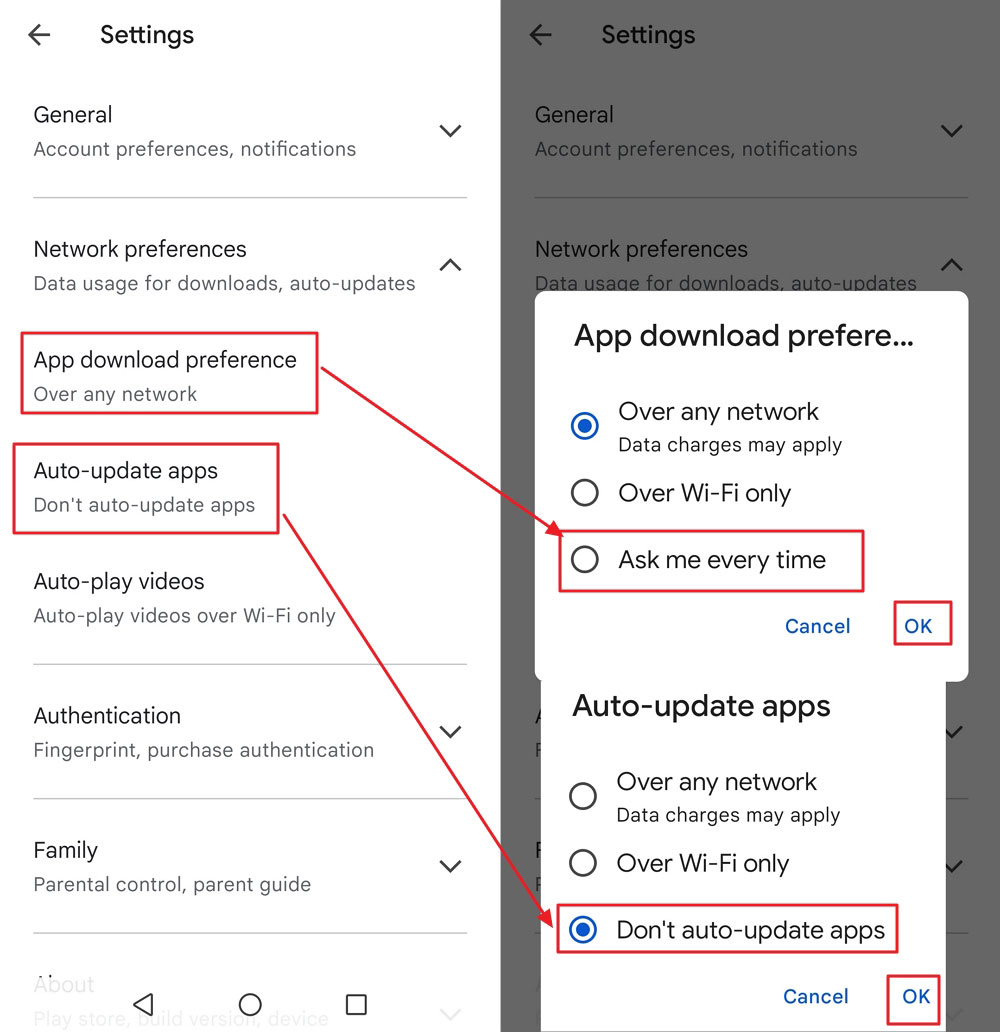
Equally important is keeping your phone’s operating system (OS) and all installed apps updated. Software updates often include critical security patches that fix vulnerabilities exploited by malware and adware. Enabling automatic updates for your OS and apps ensures that your device benefits from the latest protections. Manufacturers and app developers constantly work to close security loopholes, and by keeping your software current, you’re leveraging these ongoing efforts to bolster your device’s defenses against new technology trends in cyber threats.
Managing Your App Ecosystem: Audit and Uninstall: Taking Control
Regularly auditing your phone’s app library is a crucial habit for maintaining digital security. Periodically scroll through your list of installed applications. If you see any app that you don’t recognize, didn’t intentionally install, or no longer use, uninstall it immediately. Many unwanted games or utility apps can hide in plain sight. Take the time to investigate unfamiliar icons or names.
For Android users, if an app appears stubborn to uninstall or has “Device Administrator” permissions, you may need to revoke those permissions first in your phone’s security settings before you can remove it. Be persistent in identifying the source of unwanted installations. If a particular app seems to be the culprit, removing it usually stops the random installations. This proactive management of your app ecosystem not only cleans up your phone but also improves its performance and battery life, contributing to overall productivity.
When All Else Fails: Advanced Troubleshooting and Prevention
Sometimes, despite best efforts, persistent issues require more drastic measures. Understanding these advanced steps and maintaining a long-term secure mobile habit are vital for sustained digital well-being.
The Factory Reset Option: A Last Resort
If you’ve tried all other troubleshooting steps and your phone continues to install random games or exhibit other malicious behavior, a factory reset might be your last resort. A factory reset wipes all data and settings from your device, returning it to its original, out-of-the-box state. This process effectively removes all installed apps, including any deeply embedded malware.
Before performing a factory reset, ensure you back up all essential data—photos, contacts, documents, etc.—to cloud storage or an external drive. After the reset, selectively reinstall only trusted apps from official app stores. Be cautious about restoring from an old backup, as it might reintroduce the problematic software. While disruptive, a factory reset is an almost foolproof method to cleanse a thoroughly infected device and restore its security and performance, effectively giving you a fresh start.
Cultivating a Secure Mobile Habit: Long-Term Strategy
Ultimately, preventing unwanted app installations is an ongoing process that requires cultivating a secure mobile habit. This includes consistently applying the proactive measures discussed: being mindful of app sources, scrutinizing permissions, keeping software updated, and regularly auditing your device. Educate yourself about common phishing scams and social engineering tactics. Avoid clicking suspicious links in emails or text messages, and be wary of pop-up ads that promise unrealistic benefits or warn of dire consequences.
Think of your phone as a mini-computer that requires constant vigilance, similar to how you would protect your desktop PC. By integrating these practices into your daily digital routine, you empower yourself to navigate the mobile app landscape safely, ensuring your smartphone remains a powerful tool for productivity and entertainment, free from the unwelcome intrusion of random, unsolicited games. Your digital security is a continuous journey, not a one-time fix.
aViewFromTheCave is a participant in the Amazon Services LLC Associates Program, an affiliate advertising program designed to provide a means for sites to earn advertising fees by advertising and linking to Amazon.com. Amazon, the Amazon logo, AmazonSupply, and the AmazonSupply logo are trademarks of Amazon.com, Inc. or its affiliates. As an Amazon Associate we earn affiliate commissions from qualifying purchases.