
In the landscape of modern commerce, financial literacy and efficient resource management are the twin pillars of sustainability. For small to medium-sized enterprises (SMEs), freelancers, and growing corporations, the name “QuickBooks” has become synonymous with digital accounting. Developed by Intuit, QuickBooks is a comprehensive financial management suite designed to automate bookkeeping, track expenses, manage payroll, and provide deep insights into a company’s fiscal health.
At its core, QuickBooks serves as a central nervous system for business finance. It transitions the traditional, error-prone world of spreadsheets and paper ledgers into a dynamic, cloud-based environment. Understanding what QuickBooks is requires looking beyond the software interface and examining how it functions as a strategic tool for capital management, tax compliance, and long-term financial planning.
The Foundations of QuickBooks: Automating Business Finance
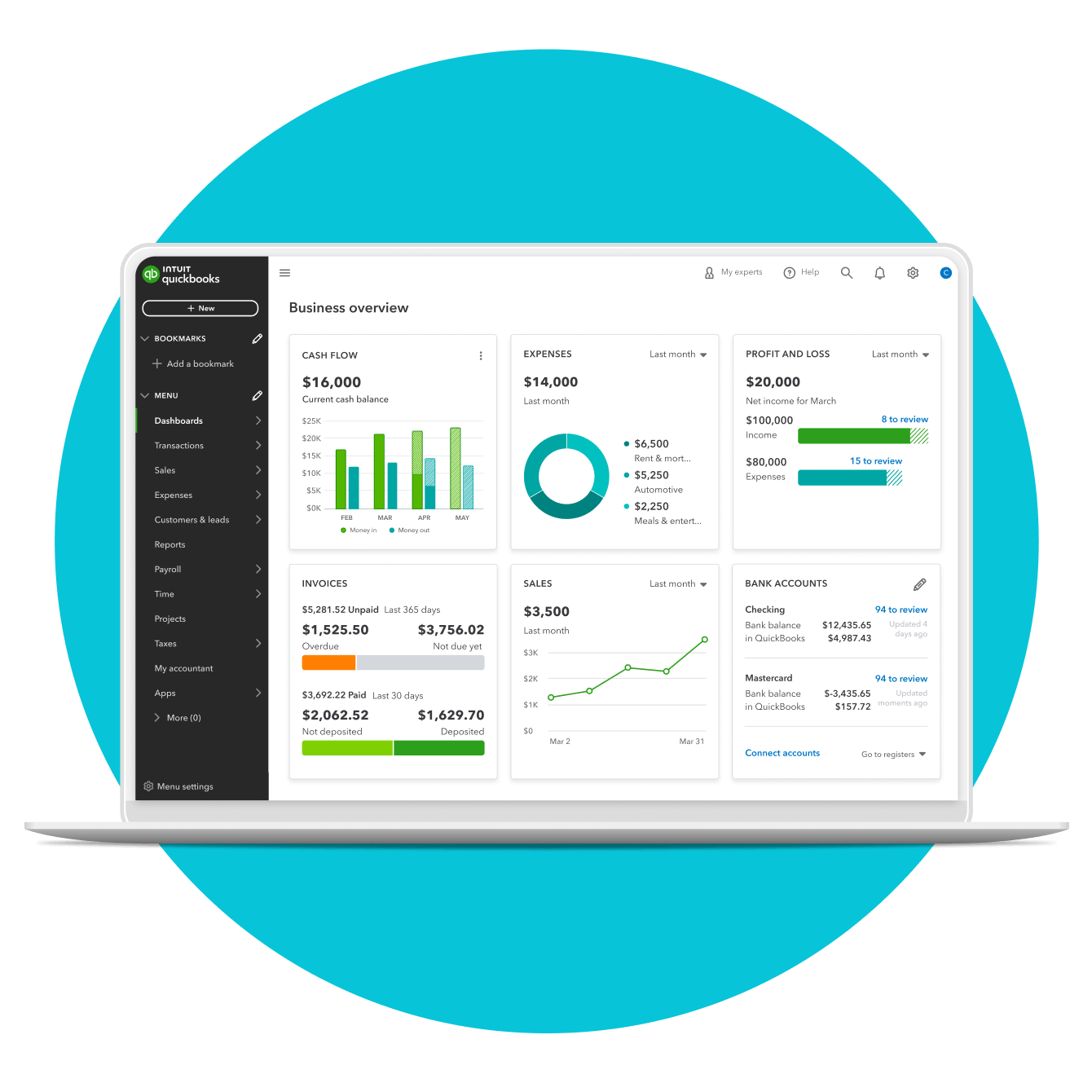
The primary appeal of QuickBooks lies in its ability to simplify the complex web of daily financial transactions. For a business owner, “money in” and “money out” are the most critical metrics, but manually tracking these can lead to catastrophic oversights. QuickBooks automates these processes, ensuring that every cent is accounted for.
Streamlined Bookkeeping and Invoicing
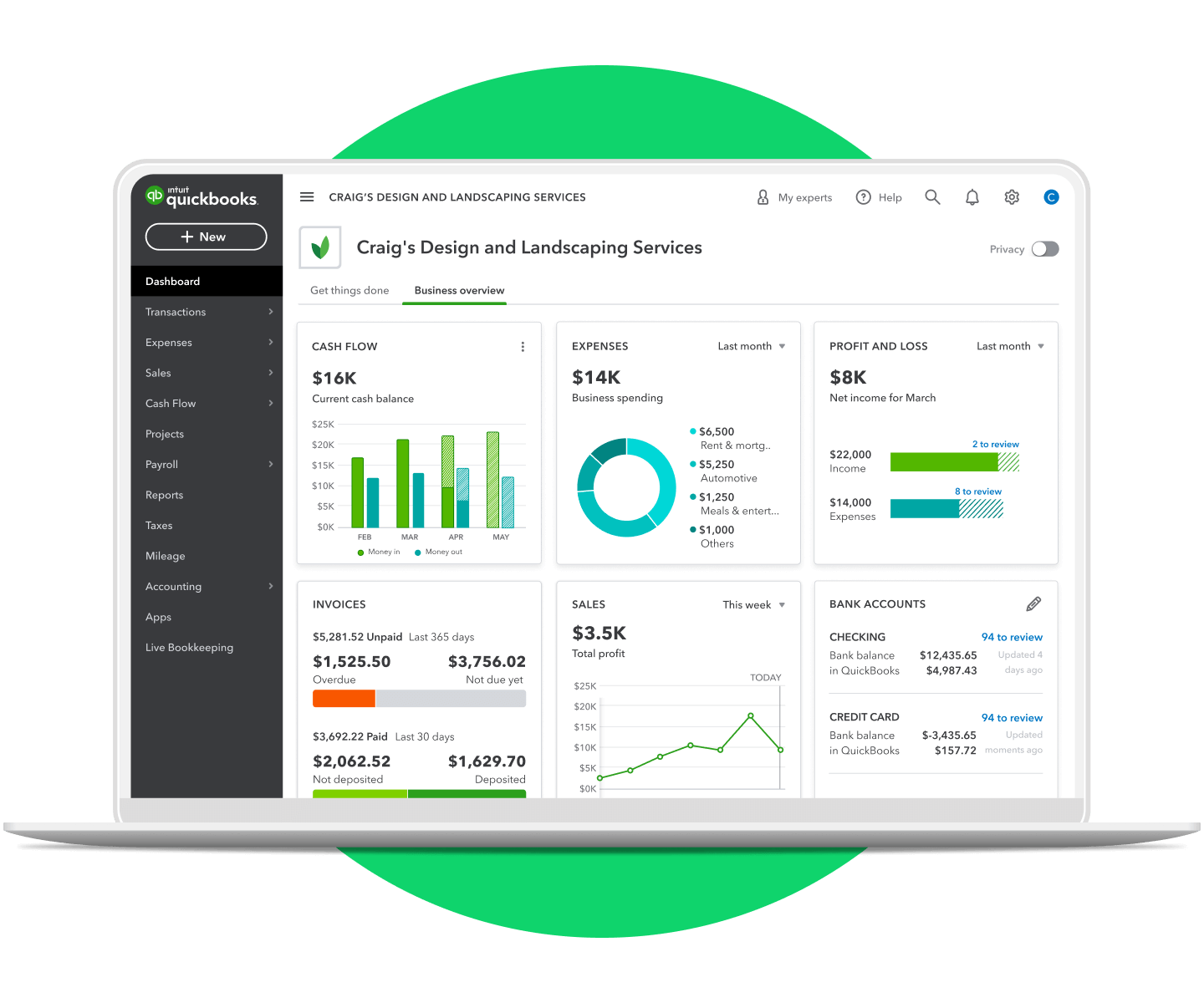
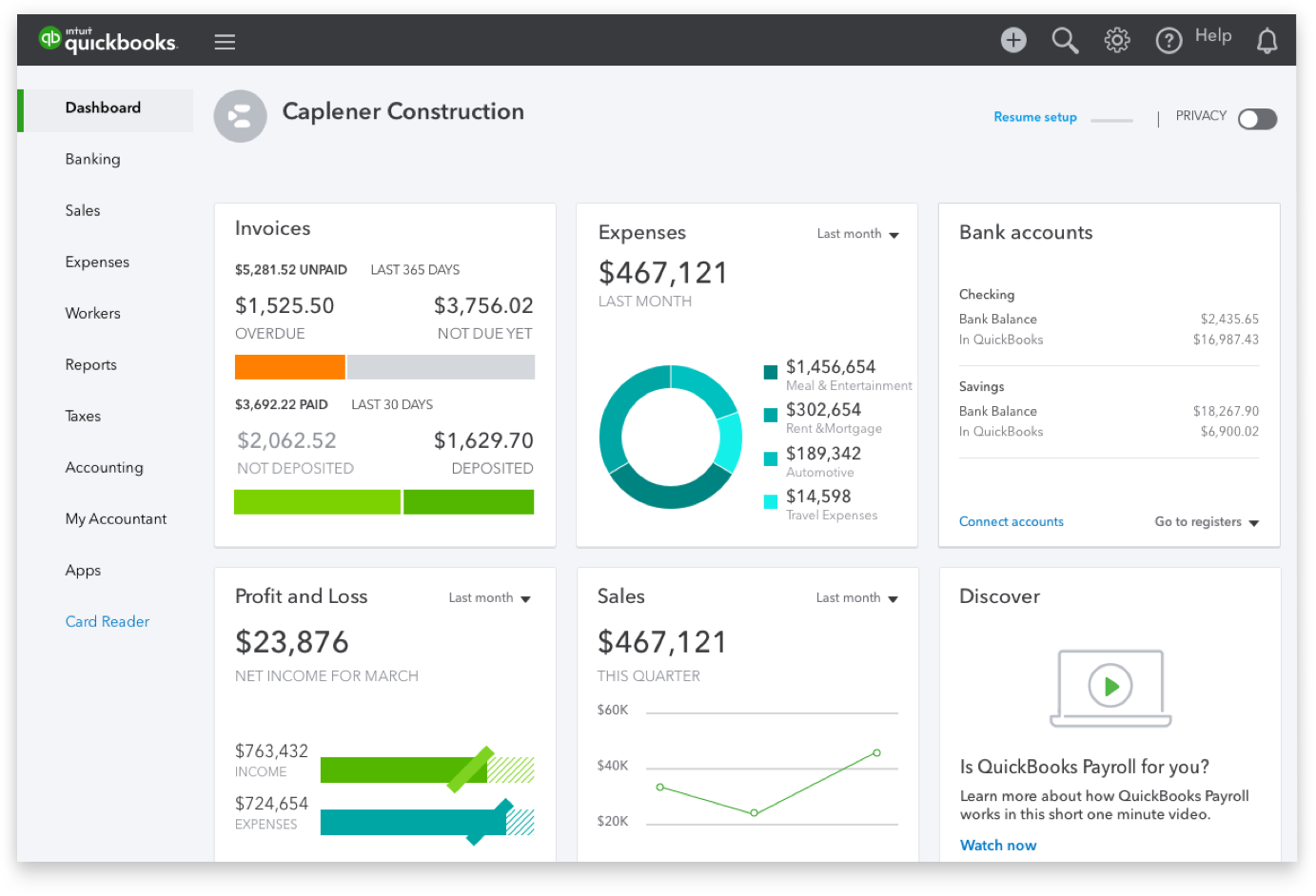
Bookkeeping is the systematic recording of financial transactions. QuickBooks automates this by syncing directly with business bank accounts and credit cards. Instead of manual data entry, the software “pulls” transactions and prompts the user to categorize them. Furthermore, its invoicing system is a vital component of accounts receivable. It allows businesses to create professional invoices, send them electronically, and track when they are opened and paid. By reducing the “days sales outstanding” (DSO), QuickBooks directly improves a company’s liquidity.
Real-Time Expense Monitoring
Profitability is often leaked through unmonitored small expenses. QuickBooks allows users to scan receipts via a mobile app, which the software then matches to bank transactions using AI-driven optical character recognition (OCR). This ensures that every deductible business expense is recorded, which is essential for maximizing tax efficiency. By providing a real-time view of expenditures, it prevents budget overruns before they occur.
Payroll Management and Employee Compensation
For businesses with a team, payroll is often the largest financial liability. QuickBooks Integrated Payroll handles the calculation of wages, tax withholdings, and direct deposits. It automates the filing of payroll taxes (such as Form 941 in the US), reducing the risk of expensive IRS penalties. This integration ensures that payroll data flows directly into the general ledger, providing an accurate picture of total labor costs in relation to revenue.
Financial Intelligence: Using Data to Drive Profitability
Beyond simple record-keeping, QuickBooks functions as a business intelligence tool. It transforms raw numbers into actionable financial reports that help owners make informed decisions about scaling, investing, and cost-cutting.
Mastering the Profit and Loss Statement
The Profit and Loss (P&L) statement, or Income Statement, is the ultimate scorecard for a business. QuickBooks generates these reports at the click of a button, showing total revenue minus the cost of goods sold (COGS) and operating expenses. By analyzing P&L trends over months or years, a business owner can identify seasonal fluctuations and adjust their financial strategy accordingly. This level of visibility is crucial when seeking external investment or applying for business loans.
Cash Flow Management and Forecasting
Cash flow is the lifeblood of any enterprise; a business can be profitable on paper but still fail if it runs out of cash. QuickBooks provides cash flow statements and “Cash Flow Planner” tools that predict future balances based on recurring bills and projected income. This allows for proactive financial management—deciding when to delay a major equipment purchase or when to push for more aggressive collections from clients.
Tax Preparation and Compliance
One of the most stressful periods for any business is tax season. QuickBooks mitigates this stress by maintaining an audit-ready trail of all financial activity. It automatically calculates sales tax based on the customer’s location and tracks 1099 payments for contractors. When it comes time to file income taxes, the data can be exported directly to tax software or shared with a Certified Public Accountant (CPA), significantly reducing the billable hours required for tax preparation.
The QuickBooks Ecosystem: Choosing the Right Financial Tool
QuickBooks is not a one-size-fits-all product. It exists in several versions, each tailored to specific business models and financial complexities. Understanding these distinctions is key to selecting the tool that aligns with your financial goals.
Cloud-Based Finance vs. Traditional Desktop
The most significant divide is between QuickBooks Online (QBO) and QuickBooks Desktop. QuickBooks Online is a Software-as-a-Service (SaaS) model, offering 24/7 access from any device with an internet connection. It is ideal for collaborative environments where multiple users—such as an owner, a bookkeeper, and an outside accountant—need simultaneous access. QuickBooks Desktop, while being phased into a subscription model, remains a powerhouse for businesses with complex inventory needs or those operating in industries with limited connectivity.
Scalability for Growing Enterprises
QuickBooks offers tiered pricing plans, from “Simple Start” for freelancers to “Advanced” for larger organizations. As a business grows, its financial needs change. A solo consultant might only need to track income and expenses, but a growing retail chain will require “QuickBooks Enterprise,” which supports up to 40 users and offers advanced features like “Land Costs” and “Bin Tracking” for inventory. This scalability ensures that a company’s financial infrastructure can grow alongside its revenue.
Integration with Financial Institutions and Apps
QuickBooks acts as a hub for a broader financial ecosystem. It integrates with thousands of third-party apps, including payment processors like Stripe and PayPal, e-commerce platforms like Shopify, and CRM systems like Salesforce. These integrations ensure that financial data flows seamlessly across all departments, eliminating silos and providing a holistic view of the company’s economic standing.
Strategic Financial Considerations for Implementation
While QuickBooks is a powerful tool, its effectiveness depends on how it is implemented within a broader financial strategy. Technology is only as good as the financial principles guiding its use.
Evaluating the ROI of Accounting Software
While QuickBooks requires a monthly subscription fee, the return on investment (ROI) is typically realized through time savings and error reduction. The cost of a manual accounting error—such as a missed tax deduction or an uncollected invoice—can far exceed the annual cost of the software. Furthermore, the “opportunity cost” of a business owner spending 10 hours a month on manual bookkeeping instead of revenue-generating activities makes the software a financially sound investment.
Security and Financial Integrity
Entrusting financial data to a digital platform requires rigorous security. QuickBooks employs bank-grade encryption and multi-factor authentication to protect sensitive data. From a financial integrity standpoint, the software maintains an “Audit Log,” which records every change made to the books. This is a critical internal control that prevents fraud and ensures that the financial statements accurately reflect the company’s true position.
The Role of the Accountant in the Digital Age
The rise of QuickBooks has not made accountants obsolete; rather, it has shifted their role from “data entry” to “strategic advisor.” Because the software handles the mundane aspects of bookkeeping, accountants can spend more time analyzing the data to provide high-level financial advice. Using QuickBooks’ “My Accountant” feature, professionals can log in remotely to review the books, perform month-end closings, and offer tax planning strategies that can save a business thousands of dollars.
Conclusion
QuickBooks is far more than a digital ledger; it is a comprehensive suite of financial tools designed to empower business owners with clarity, control, and confidence. By automating the technicalities of bookkeeping and providing deep insights through financial reporting, it allows entrepreneurs to focus on what truly matters: growth and value creation. Whether you are a freelancer managing a single stream of income or a CEO overseeing a multi-million dollar operation, mastering QuickBooks is a fundamental step in achieving long-term financial success. In an era where data is the new currency, having a robust system to manage that data is the ultimate competitive advantage.
aViewFromTheCave is a participant in the Amazon Services LLC Associates Program, an affiliate advertising program designed to provide a means for sites to earn advertising fees by advertising and linking to Amazon.com. Amazon, the Amazon logo, AmazonSupply, and the AmazonSupply logo are trademarks of Amazon.com, Inc. or its affiliates. As an Amazon Associate we earn affiliate commissions from qualifying purchases.