
In today’s digitally saturated world, our lives are increasingly intertwined with technology. From the moment we wake up to the moment we go to sleep, we interact with a plethora of devices – smartphones, tablets, laptops, and even smart home appliances. Each of these devices comes equipped with a set of pre-installed software, often referred to as “default apps.” But what exactly are default apps, and why are they so prevalent? This article delves into the concept of default apps, exploring their purpose, impact, and how they fit within the broader landscape of technology, branding, and even personal finance.
The Foundation of Your Digital Experience: What Default Apps Are and Why They Matter
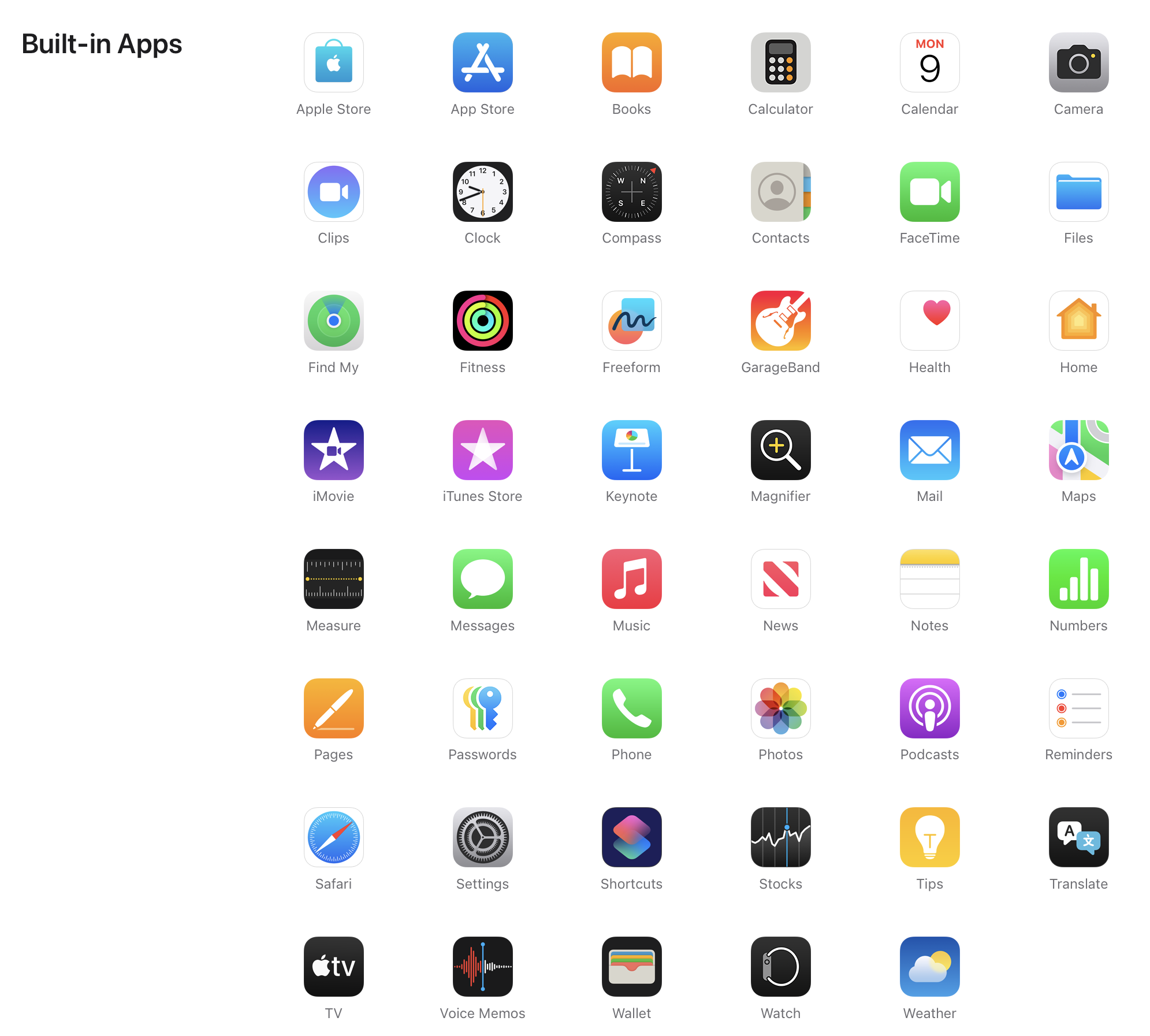
At its core, a default app is a piece of software that is automatically installed on a device when it’s manufactured or when you set it up for the first time. These applications are designated by the operating system (OS) provider or the device manufacturer to perform specific, fundamental functions. Think of them as the essential building blocks of your device’s functionality.
The Purpose Behind Pre-Installation:
The primary reason for default apps is to ensure that your device is immediately usable and offers a basic, yet comprehensive, set of capabilities right out of the box. Imagine buying a new smartphone and having to manually download every single application just to make a call, browse the web, or send a text message. It would be an incredibly frustrating and inefficient experience. Default apps eliminate this hurdle, providing instant access to essential services.
- Core Functionality: Default apps cover the most common and critical tasks users perform. This includes things like:
- Communication: Phone dialer, messaging app, email client.
- Internet Access: Web browser.
- Organization: Calendar, clock, calculator, notes app.
- Media Consumption: Photo viewer, music player, video player.
- System Management: Settings app, file manager.
- User Experience: Manufacturers and OS developers curate a set of default apps to provide a cohesive and intuitive user experience. They aim to offer a familiar interface and reliable functionality that aligns with the overall design philosophy of their platform. This can also be a strategic branding move, showcasing the capabilities of their ecosystem.
- Ecosystem Integration: Default apps are often designed to work seamlessly with other services and applications within the same ecosystem. For example, default apps on an Apple device will often integrate well with iCloud, while those on an Android device might prioritize Google services. This fosters brand loyalty and encourages users to stay within a particular technology ecosystem.
- Monetization and Partnerships: While not always the primary driver, the inclusion of certain default apps can be tied to business partnerships and monetization strategies. Companies may pay to have their apps pre-installed, gaining immediate visibility and a large user base. This is a significant aspect of the “Brand” topic, as it influences brand perception and market penetration.
Types of Default Apps:
The specific default apps you find will vary depending on the operating system (e.g., iOS, Android, Windows, macOS) and the device manufacturer. However, they generally fall into a few key categories:
Essential Utilities and Productivity Tools
These are the workhorses of your device, designed to help you manage your daily life and get things done.
Communication and Connectivity
The ability to connect with others is paramount. Default apps in this category ensure you can stay in touch effortlessly.
- Phone Dialer: The fundamental app for making and receiving voice calls. It typically includes contact management, call history, and voicemail access.
- Messaging Application: For sending and receiving SMS and MMS messages. On modern devices, this often extends to instant messaging capabilities through proprietary protocols or integration with cloud-based services.
- Email Client: Allows you to send, receive, and organize emails from various accounts. These apps are designed for quick access to your inbox and often offer features like push notifications and attachment handling.
Browsing and Information Access
The internet is an indispensable resource, and default browsers provide the gateway to it.
- Web Browser: The application that allows you to navigate the World Wide Web. Popular examples include Safari (Apple), Chrome (Google), and Microsoft Edge. These browsers are optimized for the device’s hardware and OS, offering features like tabbed browsing, bookmarking, and search integration.
Organization and Time Management
Keeping track of your schedule, tasks, and information is crucial for productivity.
- Calendar: For managing appointments, events, and deadlines. Default calendar apps often sync with online services, allowing you to access your schedule from multiple devices.
- Clock/Alarm: Provides essential timekeeping functions, including alarms, timers, and stopwatches. This is a utility that most users rely on daily.
- Calculator: A straightforward tool for performing mathematical calculations.
- Notes Application: A simple platform for jotting down thoughts, ideas, to-do lists, or important information. These can range from basic text editors to more feature-rich note-taking apps with formatting options and cloud syncing.
Media and Entertainment
Default apps also cater to your leisure and entertainment needs, allowing you to enjoy content on your device.
Photo and Video Management
Capturing and viewing memories is a significant use case for most devices.
- Photos/Gallery App: This app serves as your digital photo album. It allows you to view, organize, edit, and share photos and videos taken with your device’s camera. These apps often integrate with cloud storage services for backup and synchronization.
Music and Audio Playback
While streaming services have become dominant, default music players still offer a way to enjoy locally stored audio files.
- Music Player: For playing audio files stored on your device. This app typically supports various audio formats and may offer playlist creation and playback controls.
The Impact of Default Apps: From User Choice to Brand Strategy
The presence of default apps has a multifaceted impact, influencing not only how we use our devices but also the broader technology and branding landscape.
Customization and User Choice: Navigating Beyond Defaults
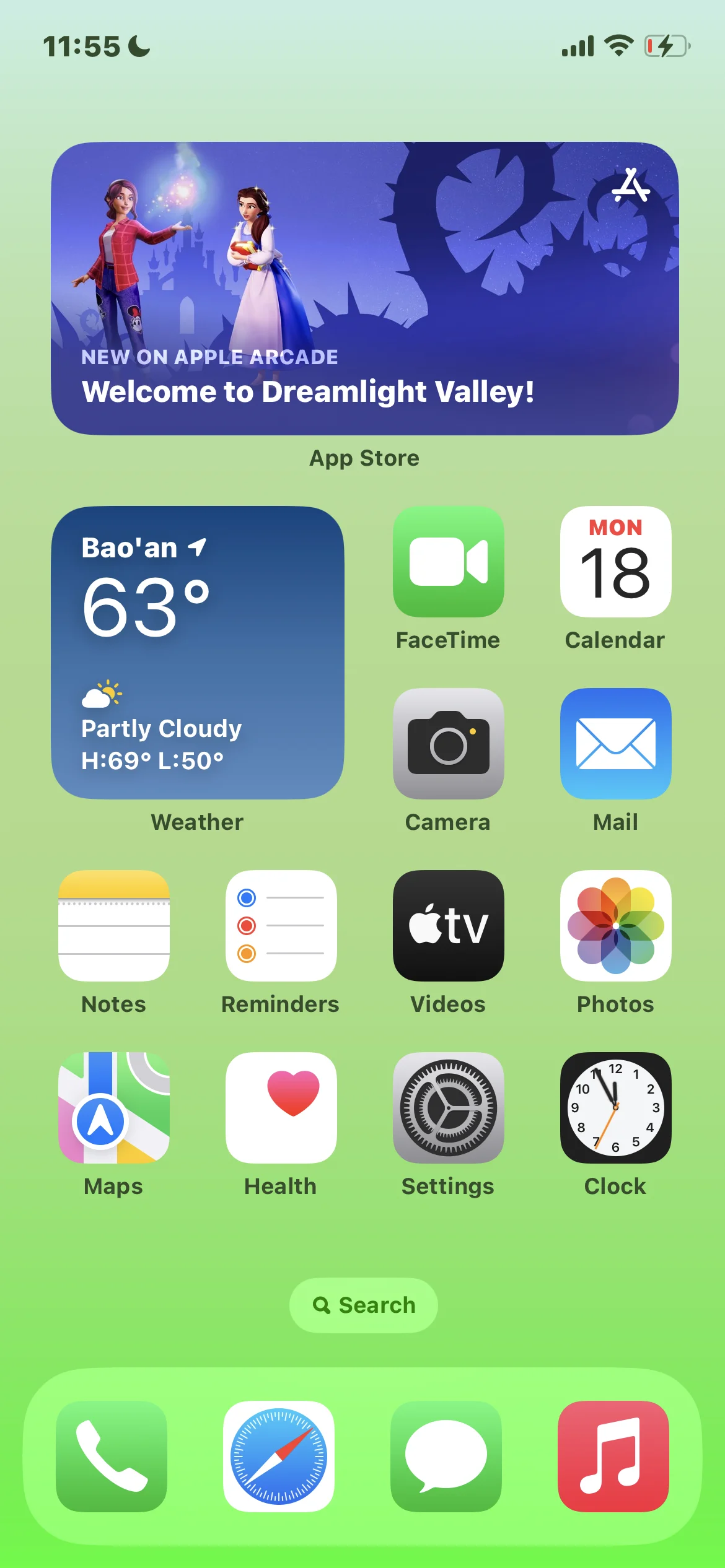
While default apps provide a convenient starting point, most modern operating systems offer a significant degree of customization. Users are not necessarily tethered to the pre-installed software.
Replacing Default Applications
One of the most significant ways users interact with default apps is by choosing to replace them with alternatives from third-party developers. This is particularly common for:
- Web Browsers: Users might prefer Chrome over Safari, or Firefox over Edge, due to features, extensions, or cross-device synchronization.
- Email Clients: Many users opt for more robust email apps that offer advanced filtering, spam protection, or integration with specific work tools.
- Messaging Apps: While the default messaging app handles SMS, users often rely on apps like WhatsApp, Telegram, or Signal for instant messaging and group communication.
- Keyboards: Typing experience can be highly personal, leading many to download alternative keyboards for enhanced features or different layouts.
The ability to replace default apps is crucial for user satisfaction and caters to diverse needs and preferences. It fosters a competitive market where developers strive to create superior user experiences.
The “Default App” Setting
Operating systems often provide a specific setting where users can designate their preferred default app for various functions. For instance, you can choose which browser opens when you click a web link, or which email client launches when you tap an email address. This empowers users to tailor their device to their specific workflow and preferences.
Branding and Marketing: The Strategic Significance of Pre-Installation
For technology companies and app developers, the inclusion of default apps is a powerful branding and marketing tool. It’s about more than just functionality; it’s about influencing user behavior and shaping market perception.
Building Ecosystems and Brand Loyalty
- Seamless Integration: By pre-installing their own suite of apps, companies can ensure a tightly integrated ecosystem. This makes it easier for users to stay within that ecosystem, as the default apps are designed to work harmoniously. For example, Apple’s suite of apps on iOS encourages users to also purchase MacBooks and iPads to benefit from features like Handoff and AirDrop.
- Showcasing Capabilities: Default apps serve as a showcase for a company’s technological prowess and design philosophy. A well-designed and highly functional default app can leave a positive first impression and encourage users to explore other offerings from the same brand.
- Data Collection and Insights: Default apps can also be a source of valuable data for companies. By understanding how users interact with their pre-installed applications, companies can gain insights into user behavior, identify areas for improvement, and inform future product development.
Partnerships and Monetization Strategies
- Exclusive Deals: Manufacturers may strike exclusive deals with app developers to have their apps pre-installed on a particular device or OS. This can be a revenue-generating opportunity through licensing fees or revenue-sharing agreements.
- Promoting Services: Default apps can be used to promote a company’s other services. For example, a default music app might prominently feature links to a subscription-based streaming service, or a default photo app might push users towards cloud storage solutions. This is a direct application of marketing principles within the technology domain.
The “Money” Aspect: Financial Implications of Default Apps
While seemingly purely technical, default apps have subtle but significant financial implications for both users and the industry.
Cost of Development and Maintenance
- Manufacturer Investment: Developing and maintaining a robust suite of default apps represents a significant investment for device manufacturers and OS providers. These costs are ultimately factored into the overall price of the device.
- Bundling Value: From a consumer perspective, the presence of useful default apps can increase the perceived value of a device. Users get a functional and feature-rich experience without needing to spend extra money on purchasing equivalent third-party applications, at least initially.
Monetization Models and User Spending
- In-App Purchases and Subscriptions: While the initial apps are “default” and free to use, many of these apps offer premium features or enhanced functionality through in-app purchases or subscriptions. This is where the “Money” topic directly intersects with the user experience. For instance, a default notes app might offer advanced organizational features or cloud storage upgrades for a fee.
- Advertising Revenue: Some default apps, particularly on free-to-play mobile games or certain utility apps, may display advertisements. This generates revenue for the app developer and the platform, indirectly impacting the overall business model.
- Data Monetization: As mentioned earlier, the data collected from default app usage can be anonymized and aggregated to create market insights, which can then be sold to third-party businesses for marketing and research purposes. This is a complex and often debated aspect of the digital economy.
The Evolving Landscape of Default Apps
The concept of default apps is not static; it’s continuously evolving alongside technological advancements and changing user expectations.
Increasing Customization and User Control
As users become more tech-savvy, there’s a growing demand for greater control over their devices. This has led to operating systems offering more granular control over which apps are considered “default” and even the ability to uninstall or disable certain pre-installed applications that were previously non-removable.
AI-Powered Personalization
The integration of Artificial Intelligence (AI) is also starting to influence default apps. AI-powered features are being embedded into default applications to offer more personalized experiences. For example, a default music app might use AI to curate playlists based on your listening habits, or a default email app might use AI to prioritize important messages. This blurring of lines between basic functionality and intelligent assistance is a key trend.
The Rise of Super Apps and Integrated Platforms
In some regions, particularly in Asia, the concept of “super apps” has gained traction. These are single applications that consolidate a wide range of services, from messaging and social media to e-commerce and financial transactions. While not strictly “default apps” in the traditional sense, the underlying principle of providing a comprehensive, integrated experience within a single platform is similar. As the tech landscape evolves, we may see more of this integrated approach influencing how default services are presented and utilized.

Conclusion
Default apps are an integral part of the modern digital experience. They provide the essential functionality that makes our devices usable from the moment we unbox them. Beyond their practical utility, they play a significant role in shaping brand perception, driving marketing strategies, and influencing user behavior within technological ecosystems. Understanding what default apps are, why they are chosen, and how they can be customized or replaced empowers users to gain more control over their digital lives. As technology continues to advance, the role and nature of default apps will undoubtedly continue to evolve, reflecting the dynamic interplay between innovation, user needs, and the ever-expanding digital world.
aViewFromTheCave is a participant in the Amazon Services LLC Associates Program, an affiliate advertising program designed to provide a means for sites to earn advertising fees by advertising and linking to Amazon.com. Amazon, the Amazon logo, AmazonSupply, and the AmazonSupply logo are trademarks of Amazon.com, Inc. or its affiliates. As an Amazon Associate we earn affiliate commissions from qualifying purchases.